Understanding bounced emails in Klaviyo
You will learn
Learn about the reasons that emails can bounce, as well as how to view and suppress bounces in Klaviyo.
A "bounce" occurs when an email is either not successfully delivered or is rejected by the recipient's inbox provider. If your account has a high number of bounces, this can have a negative impact on your deliverability rate.
There are 2 types of bounces:
- A hard bounce occurs when an email cannot be delivered due to a permanent reason. This could be caused by a variety of reasons, including a misspelled email. Klaviyo automatically suppresses any email address that hard bounces.
The suppression reason for a dropped email depends on why it was dropped. For example, it may reflect a previous bounce, an unsubscribe, a spam complaint, or an invalid email address.
- A soft bounce is always caused by a temporary reason, such as when a recipient's inbox is full or when their email server is momentarily down. If an email soft bounces 7 consecutive times, Klaviyo will suppress this address. Only soft bounces within the past 2 years are considered for this count. A successful delivery breaks the streak.
Once a profile is suppressed due to a hard bounce or 7 consecutive soft bounces, they will automatically be removed from any lists they are on.
Why emails bounce
There are several possible reasons why an email address may hard or soft bounce, including:
- Content
Occurs when mailbox providers detect content in emails that is consistent with other messages that were classified as spam or malicious. - Message length
Indicates that the message exceeds the per-message length limit. - Message size
Indicates that the message exceeds the per-message size limit. - Frequency or volume too high
Indicates the mailbox provider is unable or unwilling to process the number of messages you’re trying to send because of the large volume. - Invalid address
Indicates that you attempted to send a message to an address that does not exist. The contact could have provided a false address or made a typo in the address. If you are unsure, you can try correcting the email address and sending a one-off email. If the email still bounces, this address should remain suppressed. - Invalid sender address
Occurs when your sender email address is misspelled or does not exist. - Reputation
Occurs when the mailbox provider determines you have a poor sender reputation. - Mailbox unavailable
A broad classification indicating that there was a problem delivering the message to the inbox. This could be because of reasons including the recipient’s mailbox being full, a temporary auto-reply setup, or an error with the recipient’s mail server. - Technical
Can occur for a variety of reasons such as missing DNS records or authentication problems. - Unclassified
The mailbox provider returned an ambiguous rejection message.
Viewing hard bounce and soft bounce metrics
Deliverability hub
The deliverability hub in Klaviyo is a centralized space that allows you to analyze and diagnose your email deliverability health at the account level.
- Navigate to Analytics > Deliverability.
- Select Email, then Bounce details.
The Bounce details page on the deliverability hub provides information around why your sends are bouncing. If you are seeing issues with bounces, you can analyze this data to take corrective action and improve your overall email deliverability.
The Bounce details page has 2 main sections:
Top bounce categories
The Top bounce categories card provides information about the types of bounces you are experiencing.
The card features a heatmap that shows:
- All 11 bounce categories, including External Error.
- Up to 5 inbox providers with the most bounced emails, excluding Other.
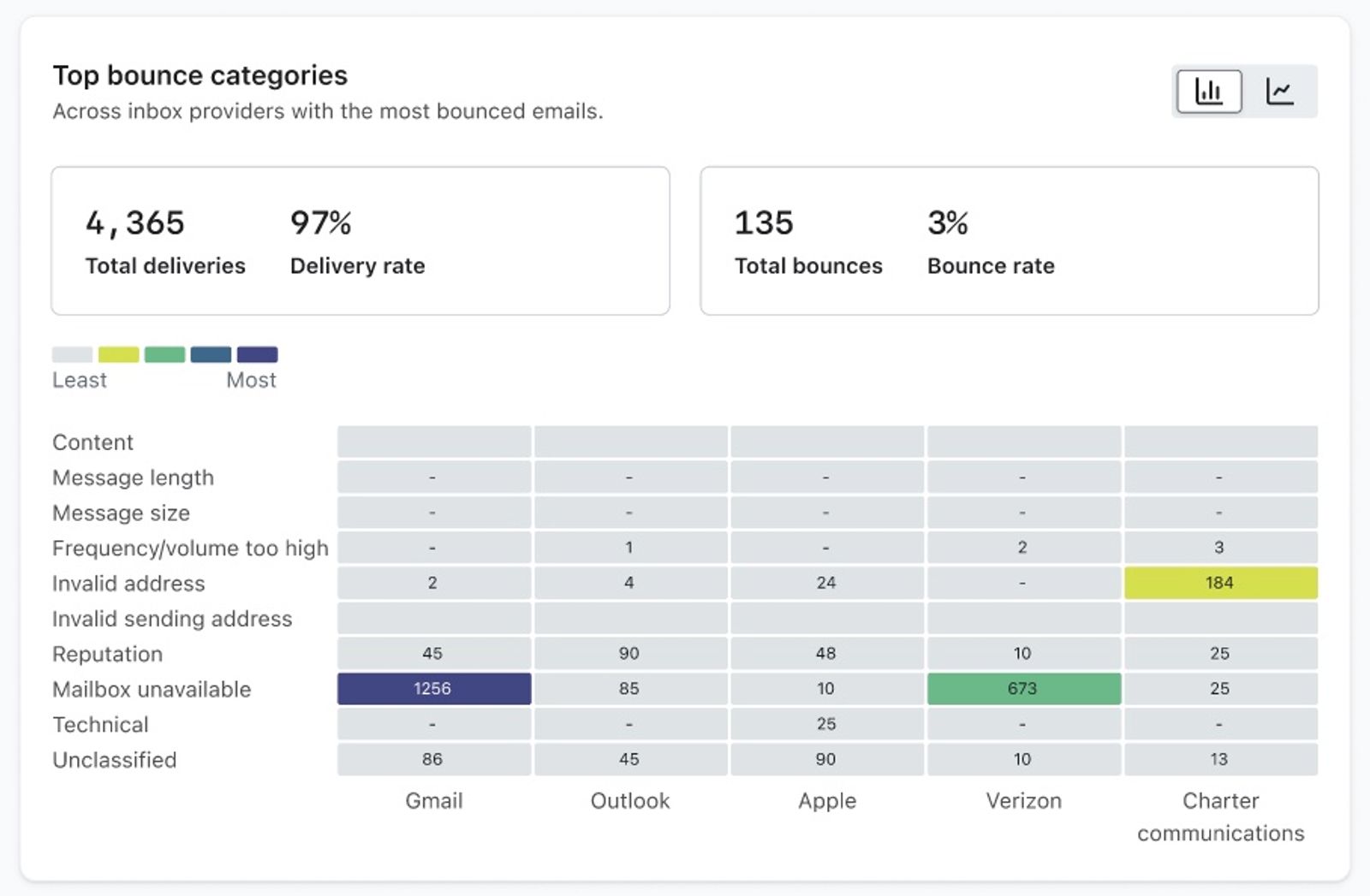
Each box on the heat map will show the count of bounces for the corresponding category and inbox provider. The color of the box is based on the bounce count in the chosen time period.
In the top right corner, select Line graph, then choose a bounce category from the dropdown. The line graph shows the following information for the selected category:
- Date range
- Bounce count
Bounce report
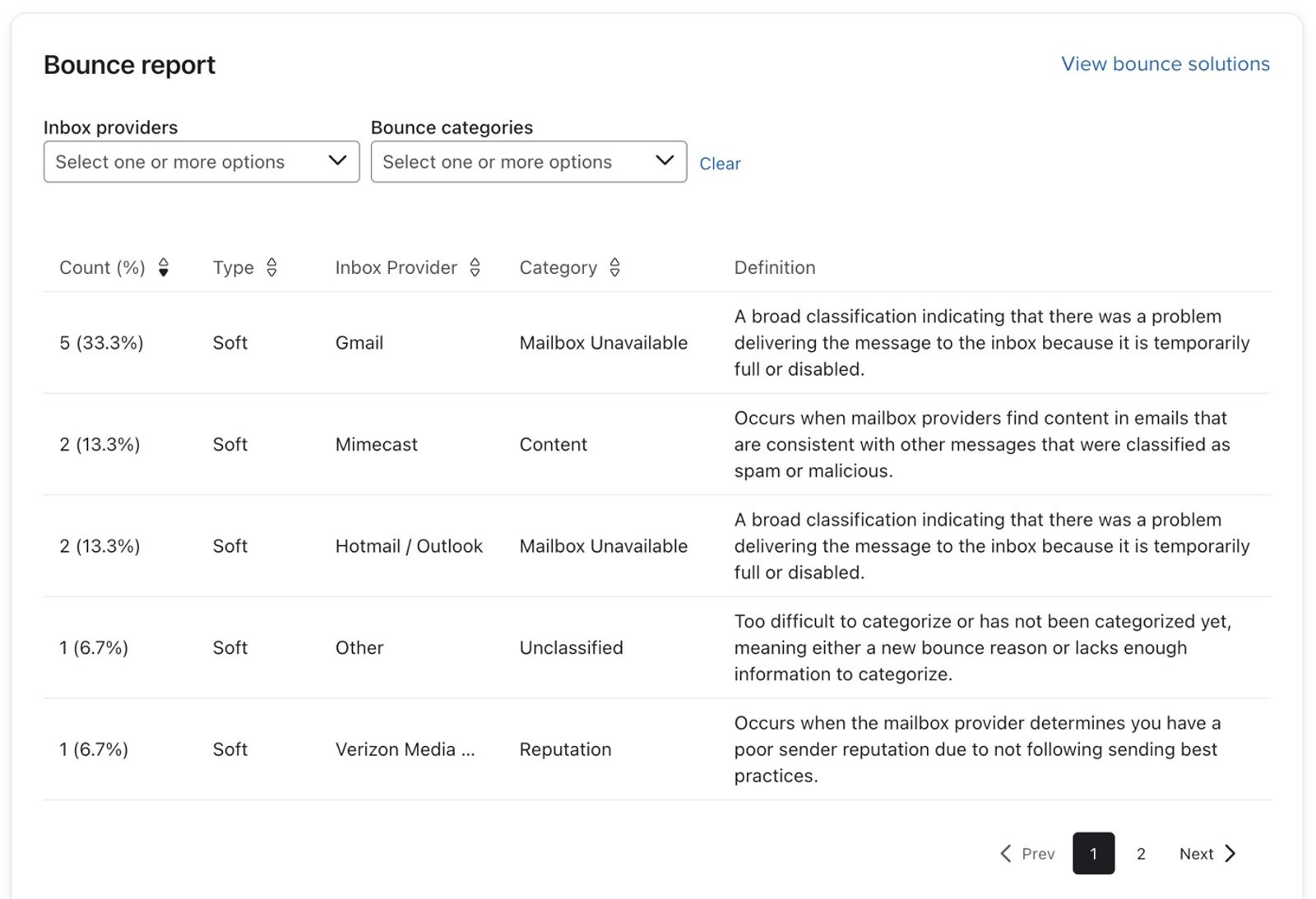
The Bounce report card shows a further breakdown of the bounces on your account.
The report shows the:
- Count
The number of bounces for the respective category and the percentage of the total number of bounces. - Type
Hard or soft bounce. - Inbox Provider
The inbox provider experiencing the bounces. - Category
The bounce category. - Definition
A definition explaining the reason for the bounce.
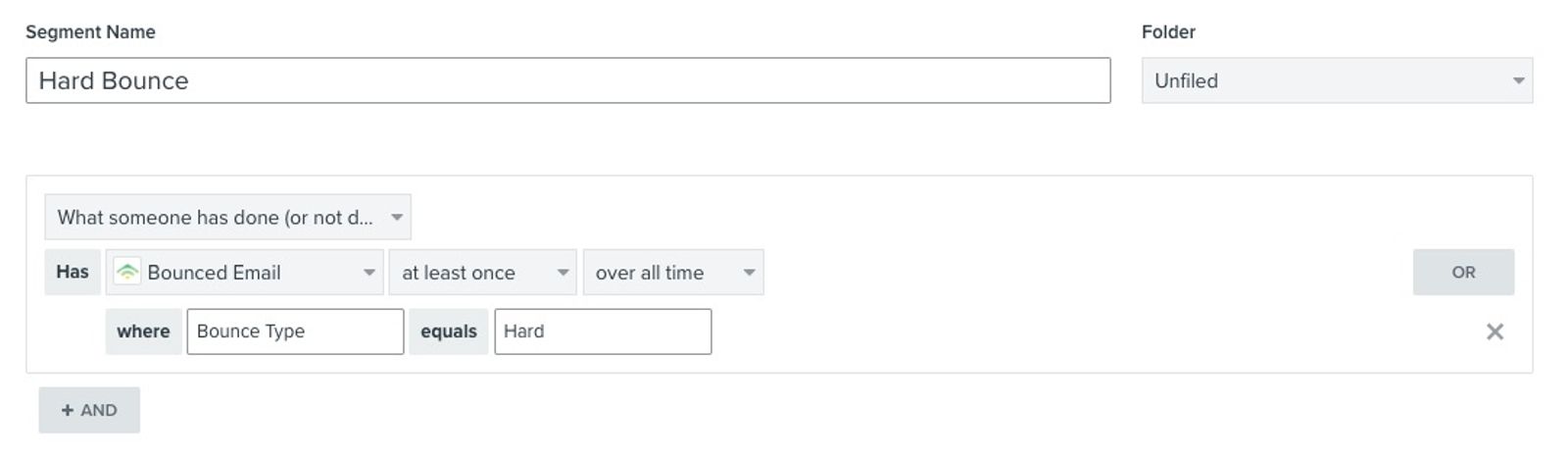
Segments
You can use segments to identify profiles that have hard or soft bounced as well:
Profiles
To see whether a customer experienced a hard or soft bounce:
- Open the customer profile and find the bounced email event in the activity log.
- Open the event's action menu and select Activity details.
- Check Bounce Type to see whether the bounce was hard or soft.
Campaigns and flows
You can also see bounce information on the Recipient activity tab for sent campaigns. On the Bounced section within the Recipient activity tab for a sent campaign, for each bounce you'll see the:
- Bounce category (the classification for the bounce reason)
- Bounce reason (the specific reason the email bounced)
- Bounce type (i.e., hard or soft)
To see the same bounce information for a flow email that has sent:
- Open the flow in the flow builder and select the email message.
- In Performance, select View details.
- Open Recipient activity, then select Bounced.
To see overall bounces across all campaigns, view the campaign trends report.
Resolving bounce issues
Based on the bounce reasons you are seeing, you can take the following action:
Content
- Check message for link shorteners
- Make sure all links are branded
- Ensure you do not have too many images. Emails should contain a combination of images and text.
For more content best practices, see our guide on understanding deliverability.
Message length
- Limit the amount of scrolling a customer must do to read your message.
Message size
- Limit the size and number of media files within your message. We recommend an email size below 110KB.
Frequency or volume too high
- Make sure you have properly ramped and warmed your sending infrastructure.
- Determine which mailbox provider is returning these rejections.
- Once you have identified the affected mailbox provider, you should reduce the number of messages you are sending to that mailbox provider. This could mean trimming some unengaged recipients from your mailing list or eliminating a few of your daily sends to that mailbox provider.
- Use batch sending to spread your messages out over a longer duration
Invalid address
- Validate emails with double opt-in.
- Implement a sunset flow that will help reduce invalid address rejections by removing unengaged recipients before mailboxes become invalid
- Ensure that all sending lists are compliant.
- Remove or suppress unengaged profiles from your list to minimize future issues of invalid addresses bouncing at high rates.
Invalid sender address
- Check the sender email address on the affected campaign or flow email, as well as the default sender email address in your organization account settings. Make sure each address is spelled correctly and belongs to an existing mailbox.
Reputation
- Take action to repair your sender reputation
- Monitor key deliverability metrics
- Tighten sunsetting windows
- Ensure your domain is warmed if applicable
- Consider reducing your sending frequency
Mailbox unavailable
- Tighten sunsetting windows
- Temporarily suppress these profiles
Technical
- Ensure you have all the necessary DNS records in place
- Ensure you are passing SPF, DKIM, and DMARC.
- Identify which mailbox provider is generating the bulk of these failures
- If the failures are isolated to 1 mailbox provider, check the detailed bounce reason and confirm that your DNS records and email authentication meet that provider’s requirements.
Unclassified
When an email bounces with the reason Unclassified, the mailbox provider returns an ambiguous rejection message that is not associated with a specific issue. If this was a soft bounce, consider temporarily suppressing these profiles.
Removing bounced emails
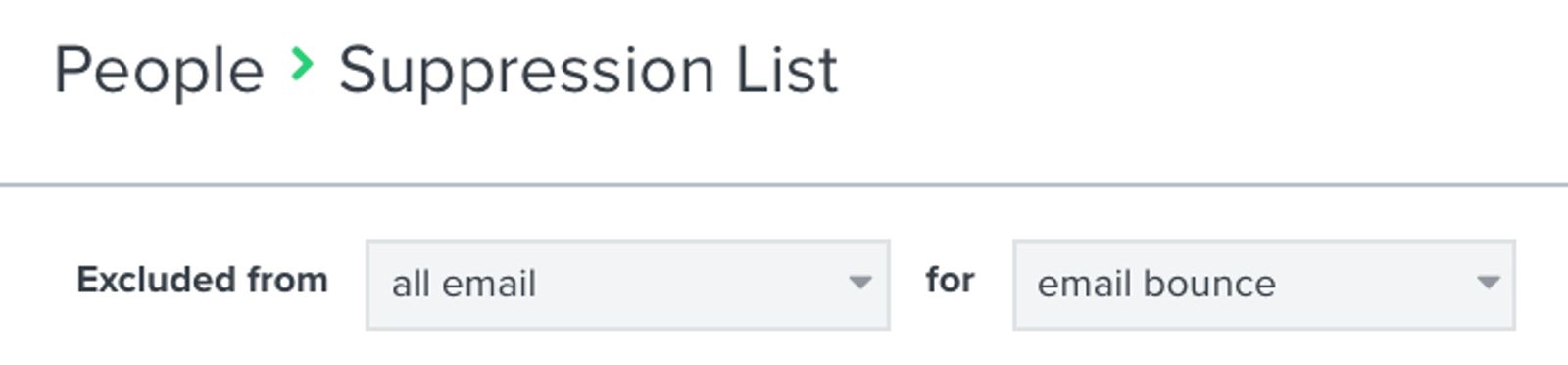
Klaviyo will automatically suppress emails that hard bounce, and then exclude them from future emails. To see these email addresses, navigate to Audience > Profiles and select View suppressed profiles.
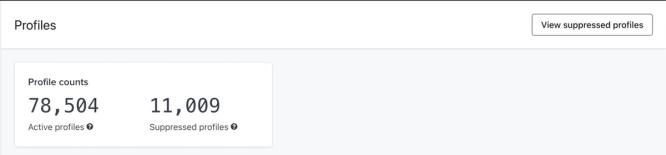
Select Email bounced from the suppression-reason filter.
If an email soft bounces 7 consecutive times within the past 2 years, Klaviyo will suppress this address.
You can choose to manually suppress profiles that chronically soft bounce before they do so 7 times as well, using a chronic soft bounce segment.
Suspicious emails in Klaviyo
Klaviyo uses hard-bounce history across its sending infrastructure to identify suspicious email addresses. An address can be marked suspicious even if it has never hard bounced in your account.
Suspicious emails are automatically skipped from receiving emails. This is done in an effort to preserve your sending reputation, as well as the sending reputation of other Klaviyo customers since sending to invalid addresses can negatively impact both IP and domain reputation.
If you believe that a profile or profiles have been marked suspicious in error, please reach out to our Support Team, and provide us with evidence of the email address still being valid. Typically a screenshot of an email from the said profile would be sufficient.
Please make sure that this screenshot clearly shows the following:
- The email address that has been marked suspicious.
- The timestamp showing that the email was delivered on a date after the profile was marked suspicious.
Additional resources
- How to create a never engaged segment
Learn how to identify your least engaged email subscribers, so you can avoid contacting them to improve and maintain your deliverability. Once you’ve identified them, consider excluding them from your marketing initiatives, sending them one final re-engagement attempt, or suppressing them during list cleaning. In this article, you will learn how to create this segment.
- Understanding email deliverability
Learn about email deliverability, including the steps you can take to establish a strong sender reputation so that your emails are delivered to the inbox.
- Troubleshooting decreasing KPIs
Learn how to adjust your strategy to improve important KPIs within Klaviyo.Key performance indicators (KPI) are metrics that identify how successful your business is in achieving its goals and maintaining good deliverability practices. Some KPIs that measure your success are open rate, click rate, owned revenue, conversion rate, and more.