How to contact support
Contact support
Start with Composer. Composer is the primary place to get support in Klaviyo. If you prefer email support or cannot access Composer, visit klaviyo.com/support as a secondary or backup route to support, including email-ticket submission for eligible accounts.
If you are locked out of your account or have an invoice inquiry, submit a ticket through our request form.
Support for free vs. paid plans
We offer email and chat support to customers on all paid plans. In-app chat support is available through Composer.
Customers on free plans can use Composer for AI-powered support, but free plans do not include live chat with a human support specialist.
During the first 60 days after creating a free account, you can also submit an email support ticket.
After the first 60 days, free accounts are no longer eligible for email support. To access human support, upgrade to a paid plan. You can also find answers in the Help Center, Klaviyo Academy, and Klaviyo Community.
Klaviyo support hours
Human chat support | ||
Paid Accounts | 24/7 | 24/5, weekend hours vary by plan |
Free Users | First 60 days after account creation | Not available; Composer’s virtual assistant remains available |
Local business hours
Region | Hours |
Americas | 9 a.m.–8 p.m. Eastern Time |
Asia-Pacific | 9 a.m.–5 p.m. Australian Eastern Time |
Europe, Middle East, Africa | 9 a.m.–5 p.m. Greenwich Mean Time/British Summer Time |
BFCM support hours
We offer additional email and live chat support hours on Thanksgiving and through Cyber Monday for all customers on paid plans:
Thanksgiving | Black Friday | Saturday | Sunday | Cyber Monday | |
Live Chat | 24/7 | 24/7 | 24/7 | 24/7 | 24/7 |
Email Support | 24/7 | 24/7 | 24/7 | 24/7 | 24/7 |
How to contact support in Klaviyo
Start with Composer
Composer is the primary place to get support in Klaviyo. Ask your question for AI-powered help, or ask to speak with a Product Expert. Contacting Klaviyo Support in Composer does not use Composer Credits.
- Log into your Klaviyo account and open Composer.
- Describe your question or issue.
- If you want human assistance, ask Composer to connect you with a Product Expert—for example, “I’d like to speak with a human.” You don’t need to wait for Composer to suggest it.
- If your account is eligible and live chat is available, select Chat now with a Product Expert when prompted.
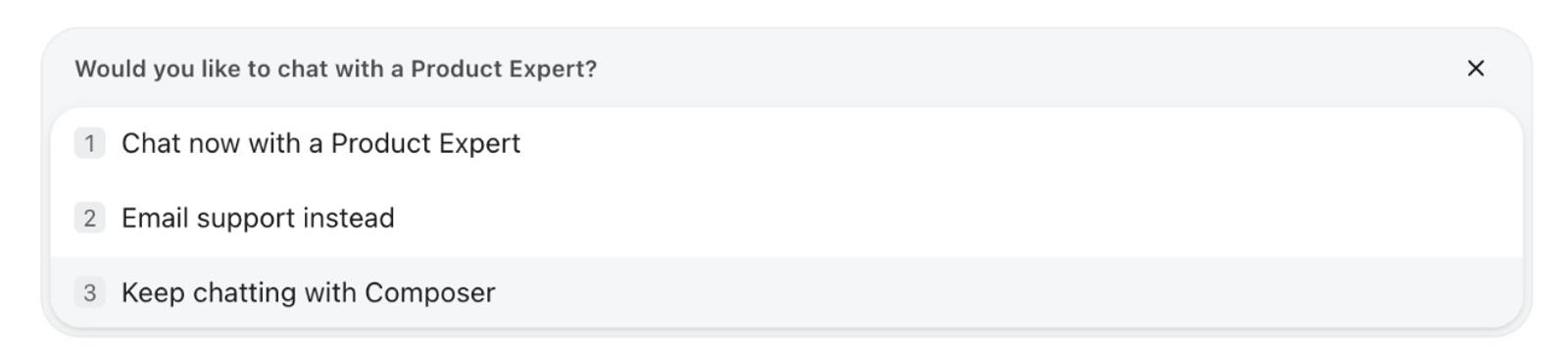
A sound notification alerts you when a Product Expert joins the chat.
Free plans can use Composer for AI-powered support but do not include live chat with a Product Expert. If you prefer email or cannot access Composer, visit klaviyo.com/support to submit an email support ticket if your account is eligible.
Email support and backup access
If you prefer email support or cannot access Composer, go to klaviyo.com/support. This page remains available as a secondary way to access support options and submit an email support ticket if your account is eligible.
- Go to klaviyo.com/support and select Email support. Log in if prompted.
- Select the Category that matches your issue, if it is not already selected. Choose a Subcategory if prompted.
- Review the recommended articles. If you still need help, select No, submit a request to open the request form.
- Enter a Subject and describe your issue under What do you need help with? Review the Priority, add any supporting files or additional recipients, and review the remote access options if they appear.
- Select Submit. When submission succeeds, Your request was submitted appears.
A support specialist will follow up by email using the email addresses shown or entered in the form.
Email support is available on paid plans and during the first 60 days after creating a free account.
Account access or invoice questions
If you are locked out of your Klaviyo account or have an invoice inquiry, submit a ticket through the account access request form.
The Community
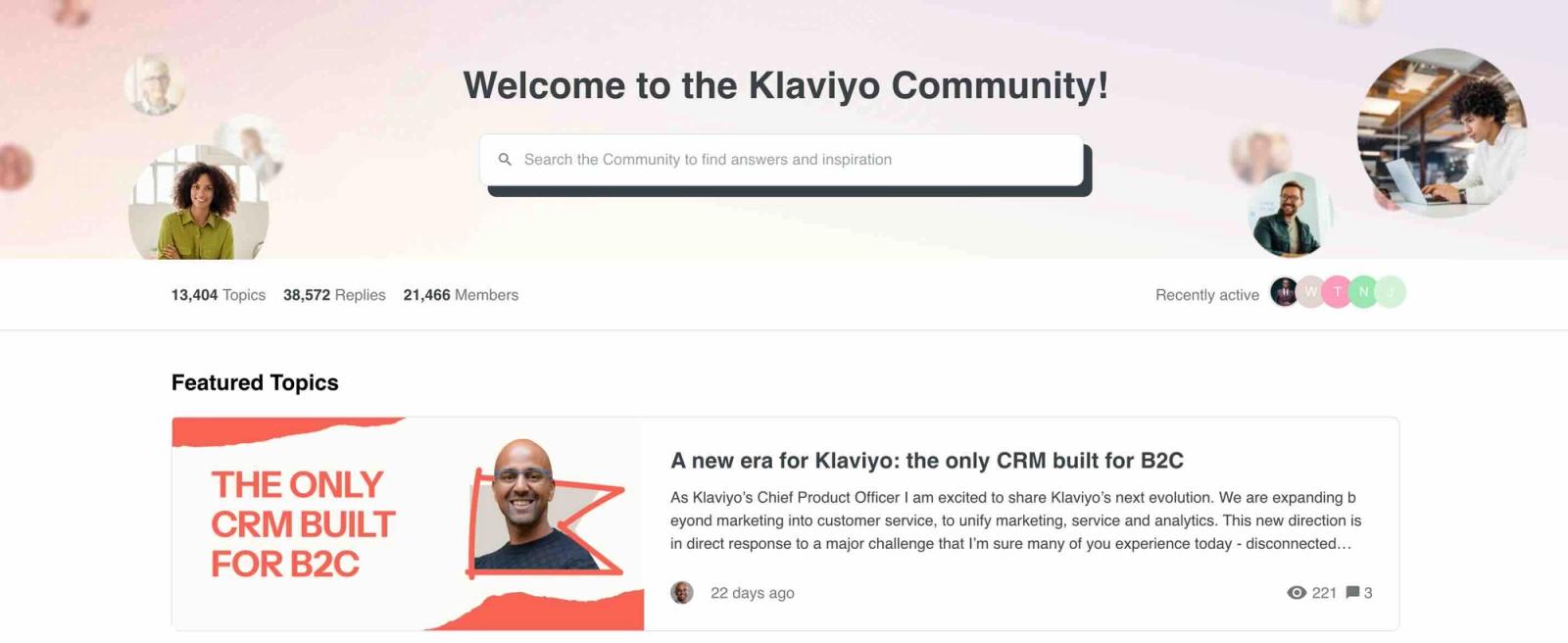
Use the Klaviyo Community to ask questions, learn from other Klaviyo users, and share marketing best practices.
There, you can share strategic ideas, provide insight into topics you’re familiar with, and ask questions in a supportive peer-driven environment. Create an account using your Klaviyo login email to join the conversation and learn from users like yourself.
Frequently asked questions
Where do I go for support now?
Start in Composer. The previous standalone Support flyout and “Support is moving to Composer” modal are no longer available.
Is klaviyo.com/support going away?
No. It remains available as a secondary or backup route to support, including email-ticket submission for eligible accounts.
Is Composer replacing email support?
No. Composer is the primary in-app support experience. Eligible customers can still submit email support tickets through klaviyo.com/support.
Will contacting Support use my Composer Credits?
No. Contacting Klaviyo Support in Composer does not use Composer Credits.
How do I reach a human support specialist?
Ask Composer to connect you with a Product Expert. You can request human assistance directly rather than waiting for Composer to suggest it. Live chat is subject to your account’s eligibility and availability.
You can also submit an email support ticket through klaviyo.com/support if eligible.
What support is available on a free plan?
Free plans do not include live chat with a human support specialist. Composer remains available for AI-powered help.
If your free account was created within the past 60 days, you can submit an email support ticket.
After the first 60 days, free accounts are not eligible for email or human live chat support. You can upgrade to a paid plan to access human support or use the Help Center for self-service assistance.
What if I can’t access Composer?
Go to klaviyo.com/support to view support options and submit an email support ticket if your account is eligible.
Unable to log into your Klaviyo account?
If you have been locked out or are unable to log into your Klaviyo account, submit a ticket through our account access request form. From there, a member of our support team will assist in retrieving your access.