Getting started with Composer
Composer is Klaviyo's AI marketing agent. Surface what needs attention, decide what to do next, and get it done with an AI marketing agent grounded in your business.
You will learn
- What Composer is and how it works with you
- What Composer can do today, from analyzing your work to creating campaigns, flows, and segments
- Where to find Composer in your account
- How to write prompts that get strong results
- How you stay in control of everything Composer produces
What Composer is
Composer is Klaviyo's AI marketing agent, built natively into the platform you already use. Describe a goal in plain language, and Composer helps you get there: analyzing your account, surfacing what to fix, and drafting content, all grounded in your actual historical performance data and brand context.
Composer helps you analyze, audit, recommend, draft, and complete work you request. You can also create scheduled tasks that run on the cadence you choose. You stay in control of customer-facing content: review, edit, and approve it before it goes live. Composer does not send or publish campaigns, flows, or messages without your sign-off.
What Composer can do today
You can use Composer to:
- Proactively surface revenue opportunities with scheduled and recurring tasks
- Analyze and report on your Klaviyo data, no BI tools required.
- Create on-brand campaigns and flows faster across all your channels.
- Save time with skills and connectors to streamline repeatable workflows.
- Turn recommendations into action and let Composer execute work through completion.
- Get trusted answers grounded in your business data and Klaviyo expertise
Think about Composer in two ways: ask it to analyze your data or audit existing work, or ask it to create or update content. Audits can recommend fixes, and for some work, such as email templates, you can ask Composer to make the edits for your review. Composer can also propose changes to campaigns and flows. Review its proposals before saving or approving them.
Analyze & audit | Create | |
|---|---|---|
What Composer does | Reviews what you have built and returns a prioritized, plain-language list of what to fix and why | Drafts new content from a goal you describe in plain language |
Who makes the change | You decide which fixes to make. For an email template audit, you can select recommendations and ask Composer to apply them; review the proposed changes before using the template. | Composer drafts or proposes changes; you review the preview, approve or save the work, and make any final edits in Klaviyo. |
Example prompt | "Audit my welcome flow and tell me what needs attention" | "Create a summer sale campaign for customers who bought in the last 90 days" |
Analyze & audit
Today you can ask Composer to:
- Analyze data in your account and answer questions about performance in plain language
- Audit a flow, form, or template for structural issues, design and accessibility gaps, and best-practice misses
- Audit a campaign before you send it, with a pre-send quality check across links, audience, send settings, and compliance
- Audit text message content for compliance, deliverability, and content quality
- Audit a segment for broken logic, duplicates, coverage gaps, and deliverability risk
Create
- Create a campaign (email, text message—SMS or MMS—and push) from a goal you describe in plain language. Composer can draft the content and help select the audience. Review and refine the campaign in Composer's preview before approving the proposal and editing the draft in Klaviyo.
- Create a flow and the messages inside it from a goal you describe. Composer drafts the flow structure first, then the content for each message, so you can review both before setting it live.
- Create a segment by describing the audience you want in plain language. Composer drafts it with a profile count for you to check, and you save it into your account.
To go deeper on exactly what Composer can analyze, audit, and create, see What Composer can analyze and create.
Note: Composer is best for content built in Klaviyo's drag-and-drop editor. Content generation is weaker on image-heavy or fully image-based templates, so set your expectations accordingly and review those drafts closely.
Where to find it
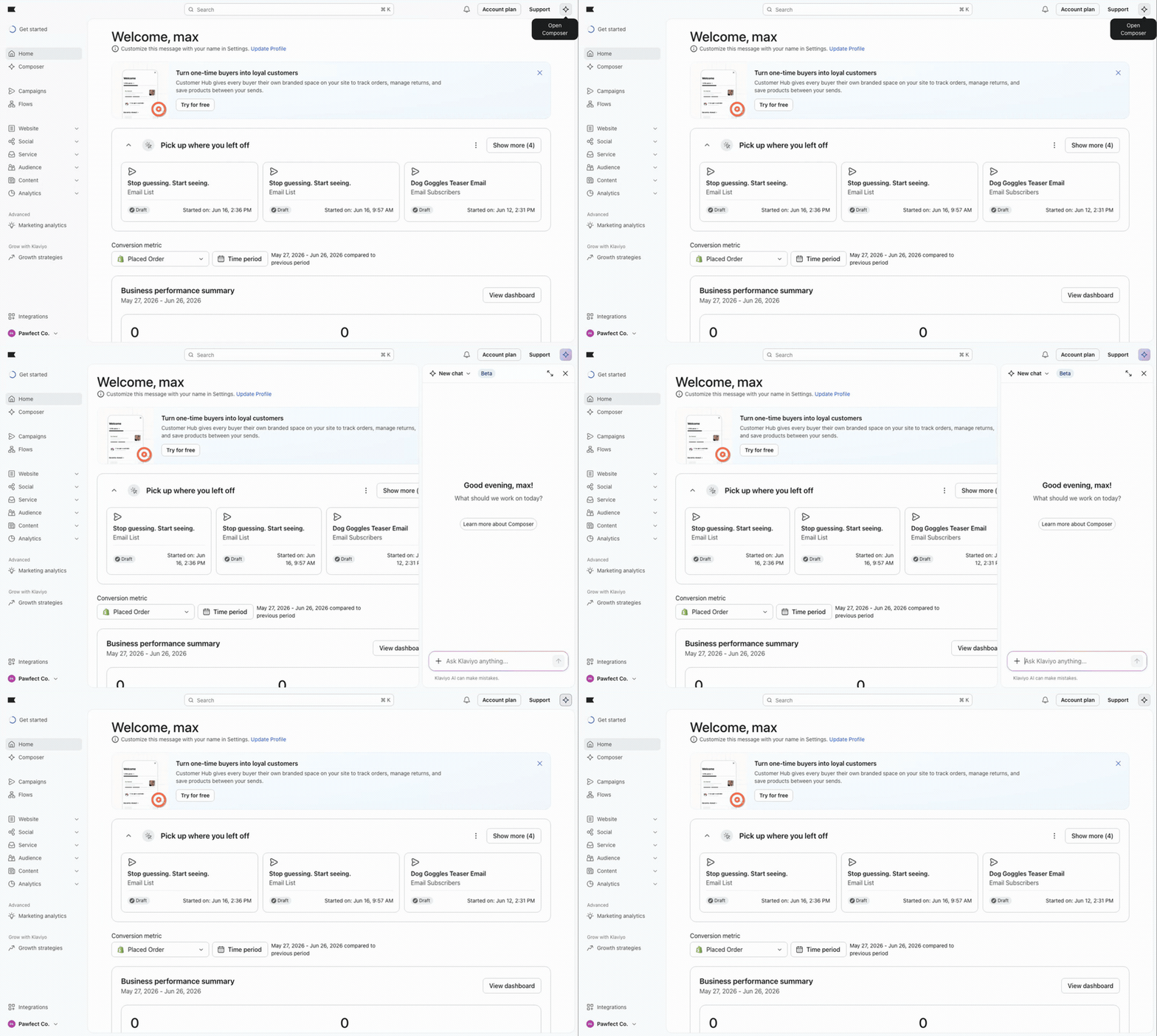
If Composer is available in your account, there is nothing to install. Select the sparkle icon labeled Open Composer in the Klaviyo header, then type what you want in plain language. You can also open Composer while viewing a flow, campaign, form, or template; it can use the page context, so you can ask it to “audit this.”
For example, you might ask "Audit my flows and tell me what needs attention" or "Create a summer sale campaign for customers who bought in the last 90 days."
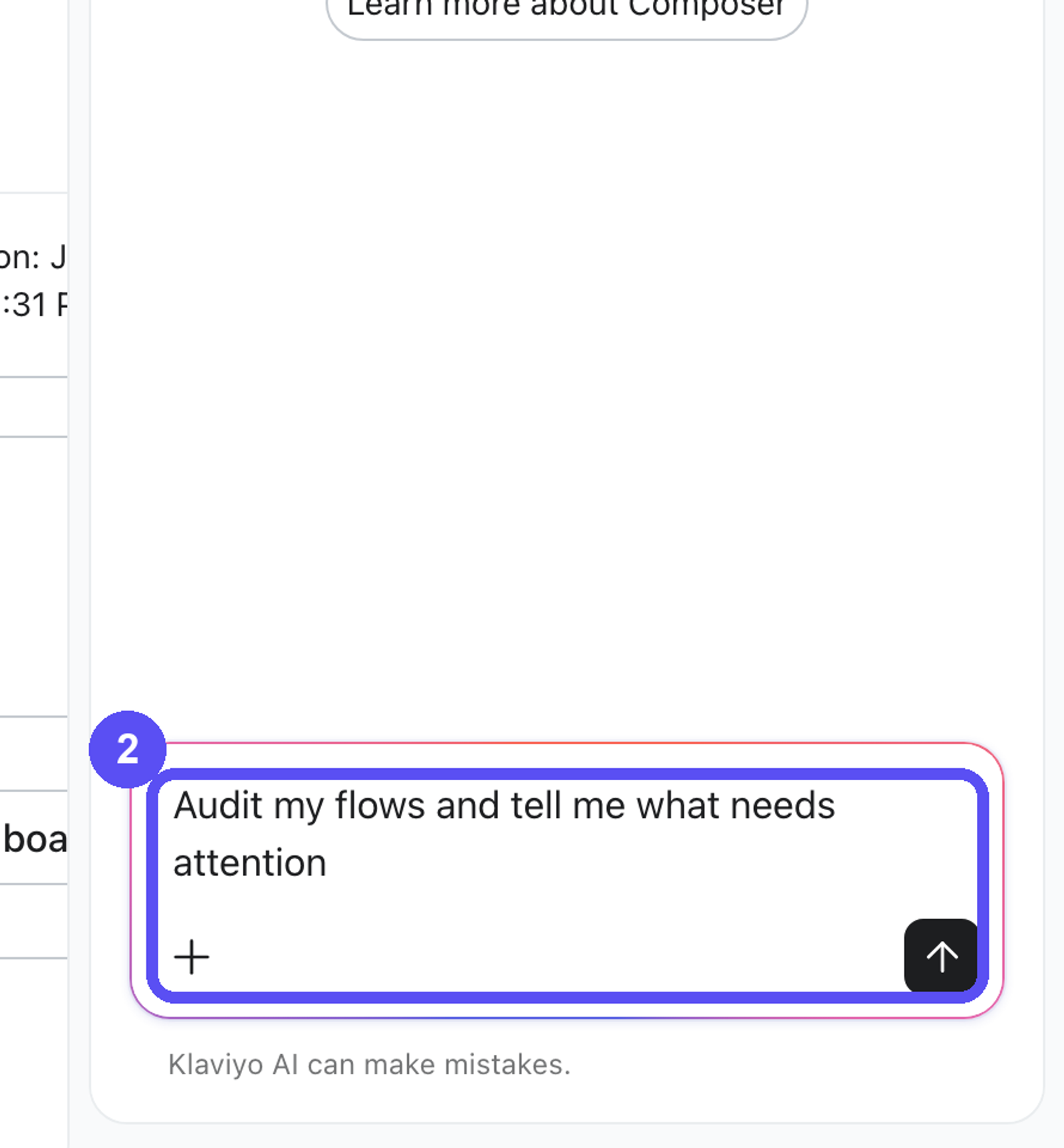
How to prompt it
Composer works best when you tell it what you want in natural language, with enough context to be specific. If the output looks too generic, add detail and try again. Strong prompts usually name the offer or goal, give context about your brand or audience, and say what tone you want.
- "Audit my welcome flow and tell me why it might be underperforming."
- "QA this campaign before I send it and flag anything critical."
- "Create an email and SMS campaign for lapsed customers with a 20% off offer, in a friendly, upbeat tone."
- "Audit this email template for accessibility and mobile readiness."
When you start from existing content, describe what you want Composer to change rather than re-describing the whole thing. You can also regenerate as many times as you want until you find an option you like.
For more detailed guidance and example prompts by goal, see Prompt best practices for Composer.
Staying in control
Composer is built to keep you in control. It works to reflect your brand's voice and context, and it uses built-in safeguards to help keep generated content accurate, safe, and on-brand. We're continuing to improve this over time. Because of how large language models work, generated content may not always be 100% accurate, so you're responsible for reviewing and approving all final content before it's used or sent.
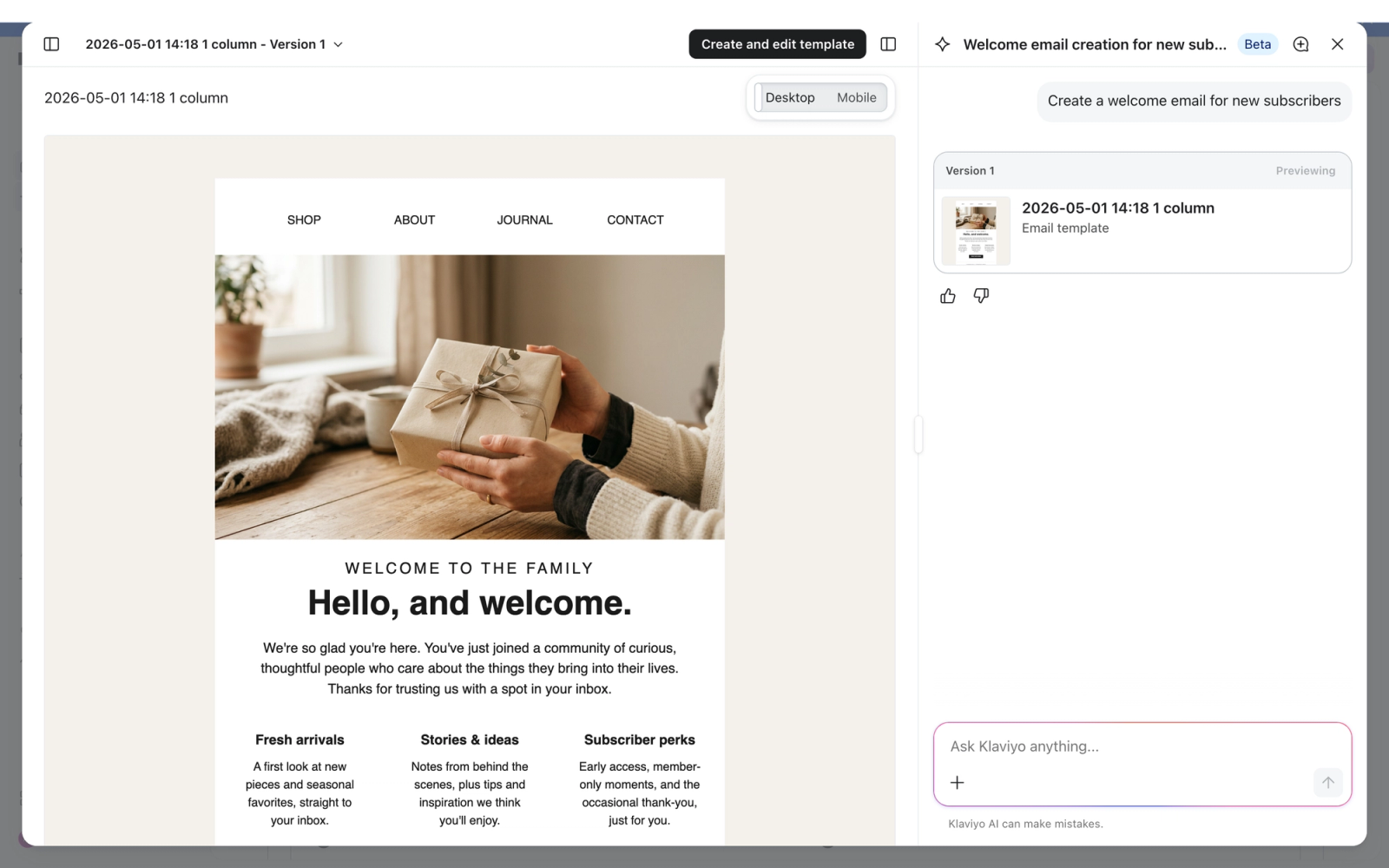
When Composer drafts content, review the preview and refine it in chat or save it to Klaviyo, then open it in the editor to make final edits. Add your own images, edit the copy, and adjust settings before anything goes live. When Composer audits your work, review its recommendations and decide which ones to act on.
Important: Treat anything Composer creates as a starting point. Review it and make sure everything looks right before you use or send it. You are ultimately responsible for the content of your messages.
Disclosing AI-generated content
If you use Composer to create content, you may need to disclose that the content was made with AI, depending on where you send it and what it includes. Klaviyo provides ready-to-use disclosure language you can add to your messages, for example:
"This message, including its images, was created with AI assistance."
For messages that include AI-generated images of people, and for short formats like SMS, different disclosure language applies. For the full set of disclosure strings, when each one applies, and your responsibilities for AI-generated content, see Using Composer responsibly (AI disclosure).
Try it for free
As a Klaviyo customer, you automatically get a free plan to start, with nothing to sign up for and no credit card needed.
Different actions are more or less complex for Composer to handle and usage may vary. Support and general information questions are always free.
For more information on how to track your usage, and what happens when your free access ends, see How Your Composer Plan Works.
FAQ
Do I need to set up or turn on Composer?
If Composer is available in your account, there is no installation or separate activation step. Select Open Composer in the Klaviyo header to start.
Does Composer send or publish anything automatically?
No. Composer can run tasks on a schedule you set, but it does not send or publish customer-facing content automatically. Review and approve campaigns, flows, and messages before they go live.
Is Composer free?
You get a free plan with limited capacity. Capacity restarts at the beginning of your usage or billing cycle. You can move to a paid plan when you're ready to keep building with Composer. See How your Composer plan works for details.
What if Composer's output looks off?
Composer's output can occasionally be inaccurate, so always review it. If results look too generic or miss the mark, add more context to your prompt and try again, or regenerate. See Prompt best practices for Composer.
Can Composer make changes to my flows, segments, or campaigns for me?
Yes, for supported changes, but you stay in control. You can ask Composer to propose changes to existing draft campaigns or flow previews, and you can select recommendations from an email template audit to ask it to fix them. Review and approve proposed changes before they are saved or used. For other audit findings, follow the recommendations and make any needed changes in Klaviyo yourself.
Which channels can Composer create content for?
Composer can create email, push, SMS, and MMS campaigns today. See What Composer can analyze and create for the full picture.
Additional resources
- Review prompt best practices for Composer.
Tips and example prompts for getting strong, useful output from Composer, Klaviyo's AI marketing agent, when you analyze, audit, or create content.
- Learn how to use Composer responsibly (AI disclosure).
Learn how to use Composer responsibly: what to review, when to disclose AI-generated content, and ready-to-use AI disclosure language for your messages.
- Read about Composer credits and billing.
Learn how Composer credits work: your 90-day free access, what each action costs, how rollover works, and how to track usage in Klaviyo.
- Explore what Composer can analyze and create.
Learn what Composer can do today in Klaviyo: the work it can analyze and audit, and the campaigns, flows, and segments it can create for you.
- See how to audit with Composer.
Learn how to use Composer to audit your flows, campaigns, content, forms, and segments, read its findings, and apply the recommended fixes yourself.
- See how to create campaigns with Composer.
Create email, push, SMS, and MMS campaigns with Composer, Klaviyo's AI marketing agent. Brief a goal, review and edit the draft, and approve before sending.