Improve email campaign performance with Audience Optimization
You will learn
- What Audience Optimization is and how it differs from Suppressions.
- How to set up a campaign with Audience Optimization, in any supported channel.
- How to view and interpret Audience Optimization performance reports.
- Eligibility, supported channels, and current limitations.
Advanced KDP and Personalization are not included in Klaviyo’s standard marketing application, and a subscription is required to access the associated functionality. Head to our billing guide to learn about how to purchase these plans.
What is Audience Optimization?
Audience Optimization helps improve campaign performance by using predictive models to adjust who receives a campaign based on engagement, conversion, and unsubscribe risk. It can remove profiles from a send before it goes out.
If your account shows an option to add profiles, Audience Optimization can also include profiles who are likely to engage or convert and are outside your selected lists and segments.
Who can use Audience Optimization
Audience Optimization is available with the following scope:
- Plans: Available to customers on the Personalization or Advanced Klaviyo Data Platform (Advanced KDP) packages.
- Channels: Email, SMS, RCS, WhatsApp, and Push, including omnichannel campaigns.
How to use Audience Optimization
1. Create a campaign
- Go to Campaigns and create a new campaign in any supported channel (email, SMS, RCS, WhatsApp, Push) or an omnichannel campaign.
- Choose your target audience (lists and/or segments) in the Audience step.
2. Find Audience Optimization
In the Audience step of a campaign, look for the Audience Optimization option once an audience has been selected.
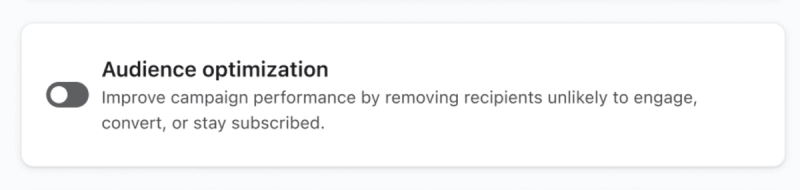
Note: The Audience Optimization control does not appear for a single-channel email campaign while Reputation Repair is active.
3. Turn on Audience Optimization
- Turn on Audience Optimization to remove profiles from this send.
If you see separate Skip and Add options, turn on either or both. Skip removes profiles based on predicted engagement, conversion, and unsubscribe risk. Add includes profiles outside your original audience who are likely to engage or convert. The available options show estimated profile counts.
Adding profiles requires an audience of at least 100 and is not available for push notifications. Excluded lists and segments and each channel’s marketing consent requirements still apply.
- For omnichannel campaigns, turning on Audience Optimization at the audience level applies the setting to all eligible channels for that audience. The option to add profiles excludes push notifications.
4. Review and schedule your campaign
- Save your audience settings, complete your message content, and continue to Review. In the campaign wizard, click Next to move between steps.
- Click Schedule or send, choose when to send, and confirm with Schedule message or Send now.
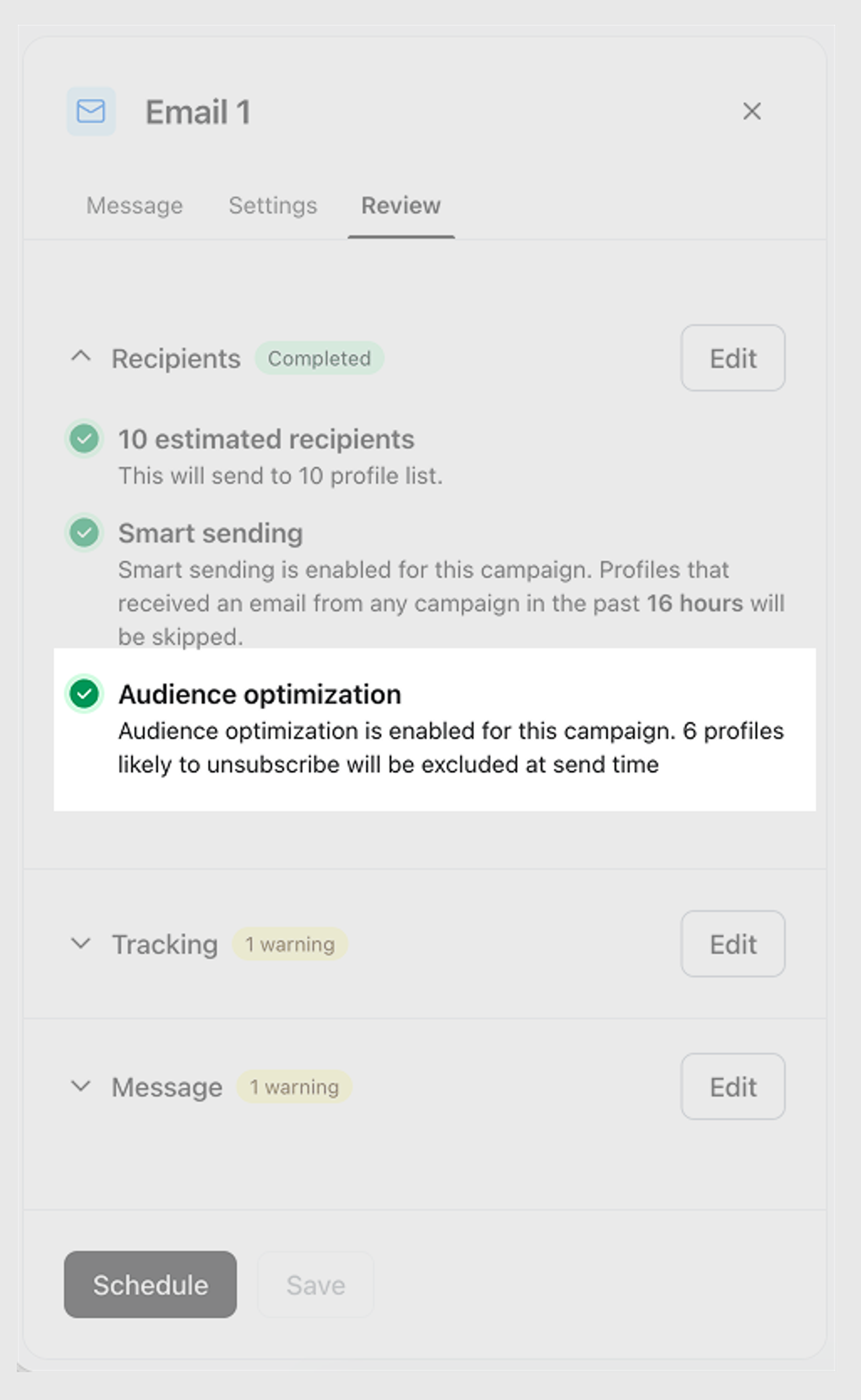
When Klaviyo determines the recipients for the campaign, it applies Audience Optimization using the available predictions and your chosen settings. Profiles selected for removal are excluded before delivery, and profiles selected for addition are included if you turned on that option.
How Audience Optimization works
Audience Optimization uses a predictive model to estimate each recipient’s likelihood of engaging, converting, or unsubscribing. The model considers engagement events and rates, onsite activity, conversion signals, and several company-level features such as sends per profile and total number of profiles to make these predictions.
When skipping profiles is enabled, the model’s predictions determine which profiles are removed for that send. Profiles in the control group are not removed by Audience Optimization. If additions are enabled, eligible profiles outside your original audience can be included.
To avoid permanently sidelining recipients, Audience Optimization includes a cool‐off safeguard:
- If a profile has not received a campaign message on a channel in the past 30 days, Audience Optimization allows them to be considered for a send on that channel again. They must still meet the campaign’s other eligibility and consent requirements.
- This creates opportunities to re‐engage previously removed profiles with more relevant content and lower frequency.
Audience Optimization Analytics
Audience Optimization includes analytics to help you understand who was removed from a campaign, how many profiles were added when that option is available, and the overall impact of optimization on your performance.
View analytics for a campaign
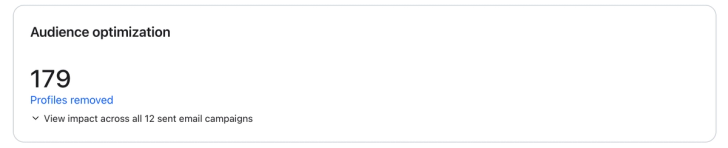
Within each campaign, the Audience optimization card summarizes the profiles removed from a send. If the card shows Profiles added, it also reports the number of profiles added to that send.
- Profiles removed: This number shows how many recipients were excluded by Audience Optimization for that specific campaign, based on predicted engagement, conversion, and unsubscribe risk.
Click Profiles removed to view the excluded recipients in Recipient activity > Optimized.
To locate Audience Optimization analytics:
- Navigate to a specific campaign.
- On the campaign’s Overview tab, find the Audience optimization card below the overall campaign metrics.
View excluded recipients for a campaign
You can see which profiles were removed from a specific campaign due to Audience Optimization.
To access this list:
- Navigate to a campaign’s Recipient activity tab.
- Select the Optimized subtab.
This view shows the profiles that were removed by Audience Optimization for that send.
For quicker access, you can also:
- Open the campaign’s Overview tab.
- Locate the Audience optimization card.
- Click Profiles removed to open the list of removed recipients.
Understand aggregate impact
To help you understand long-term impact, Klaviyo surfaces an account-level Audience Optimization performance view.
- Klaviyo assigns a portion of profiles to a control group. When these profiles are eligible for a campaign, they receive it without Audience Optimization removing them. This provides a comparison for measuring its impact.
- The remaining recipients are evaluated by Audience Optimization. Based on model predictions, some recipients may be excluded from receiving the campaign to improve overall performance.
- When reporting performance, we compare outcomes between:
- The optimized group (where Audience Optimization is applied), and
- The control group (where no optimization is applied)
- The control group size is automatically managed by Klaviyo and may change over time; you do not need to configure or maintain it.
- Metric impact (e.g., unsubscribe rate, open rate, or placed order rate) is calculated as the relative difference between the optimized group and the control group for a given metric. For example, if the unsubscribe rate is 0.07% for the optimized group and 0.08% for the control group, the change is calculated as (0.07% − 0.08%) ÷ 0.08% = −12.5%, or about −13%, indicating a reduction in unsubscribes.
To view the overall impact across campaigns, expand the impact section of the Audience optimization card. The report shows results for the channel you are viewing.
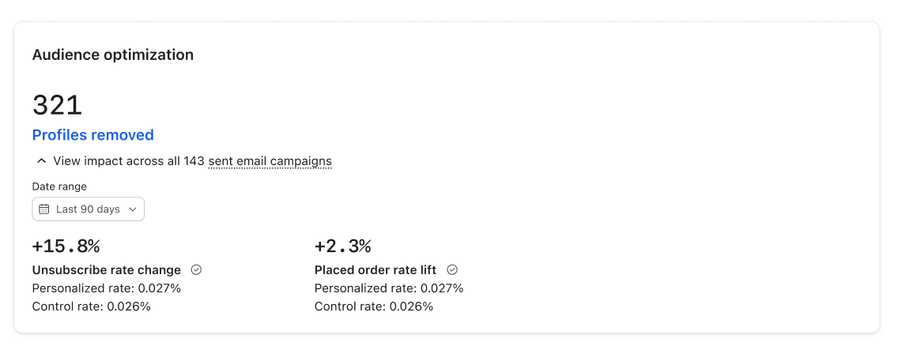
Metrics and report details include:
- Unsubscribe rate change: How Audience Optimization impacts unsubscribe rates, shown for email, SMS, and WhatsApp campaigns (unsubscribe rate doesn't apply to Push).
- Open rate lift: How Audience Optimization impacts open rates for push notification campaigns.
- Placed order rate lift: How Audience Optimization impacts the rate of recipients placing an order after a send. If your report shows Extra orders instead, that figure counts orders attributed to profiles added by Audience Optimization.
- Statistical significance: An indicator of whether the difference between the optimized and control groups is statistically significant, so you can gauge how much confidence to place in a given result.
- Date range: The report uses the last 90 days, or data since the reporting update if that is more recent. The date range is read-only.
- Campaigns evaluated: The number of campaigns with Audience Optimization included in the aggregate analysis.
Campaigns are included in the performance view after their Audience Optimization messages for the selected channel have finished for at least 24 hours and their recipient counts have finished processing. Until then, the report can show that data is still being collected. This buffer lets Klaviyo capture late data automatically, so you don’t need to take any extra steps before checking results.
Identify Audience Optimization campaigns
You can quickly identify and filter campaigns that used Audience Optimization from the campaign list.
- Campaigns sent with Audience Optimization are marked with a ⚡ (lightning bolt) icon in the Campaign type column.
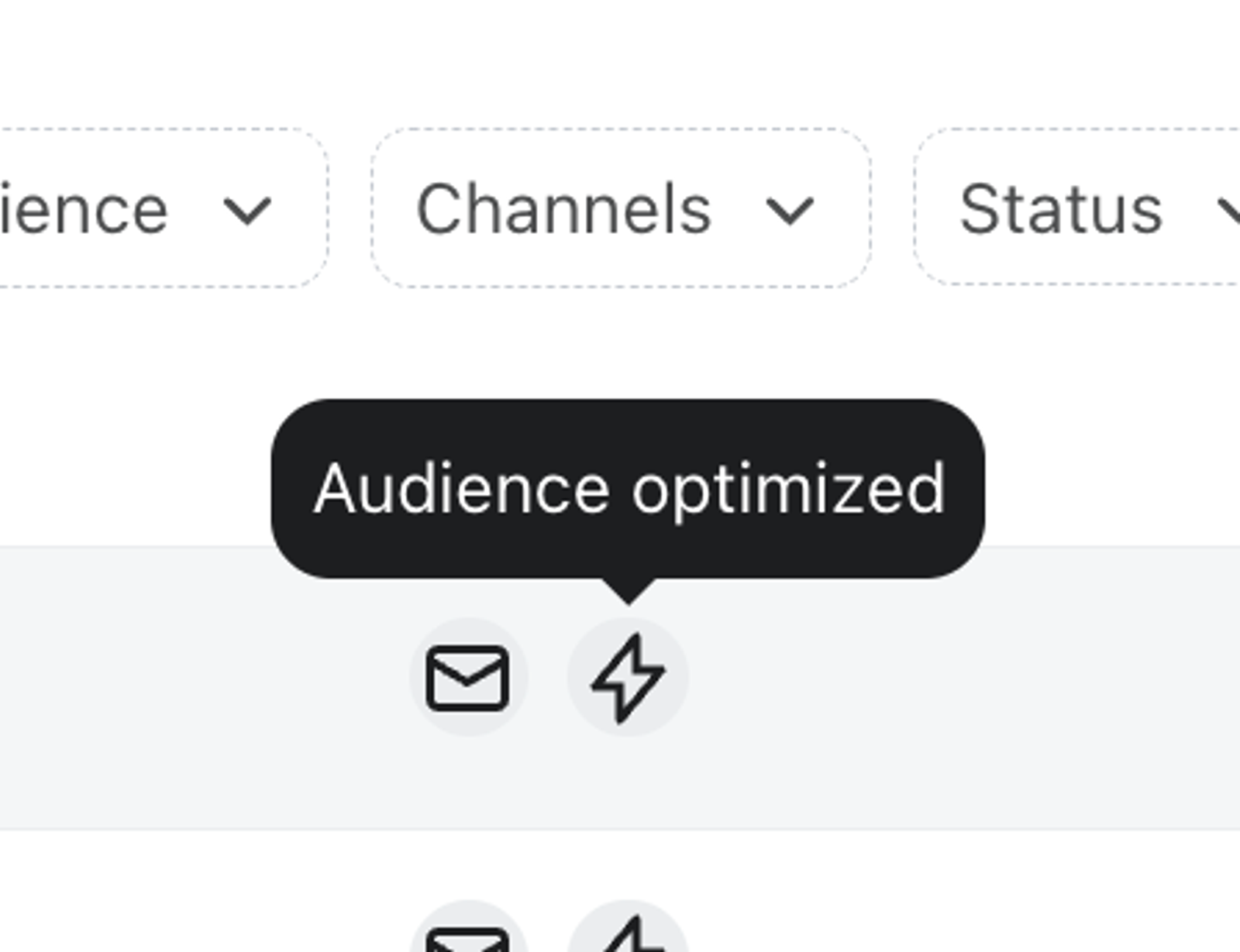
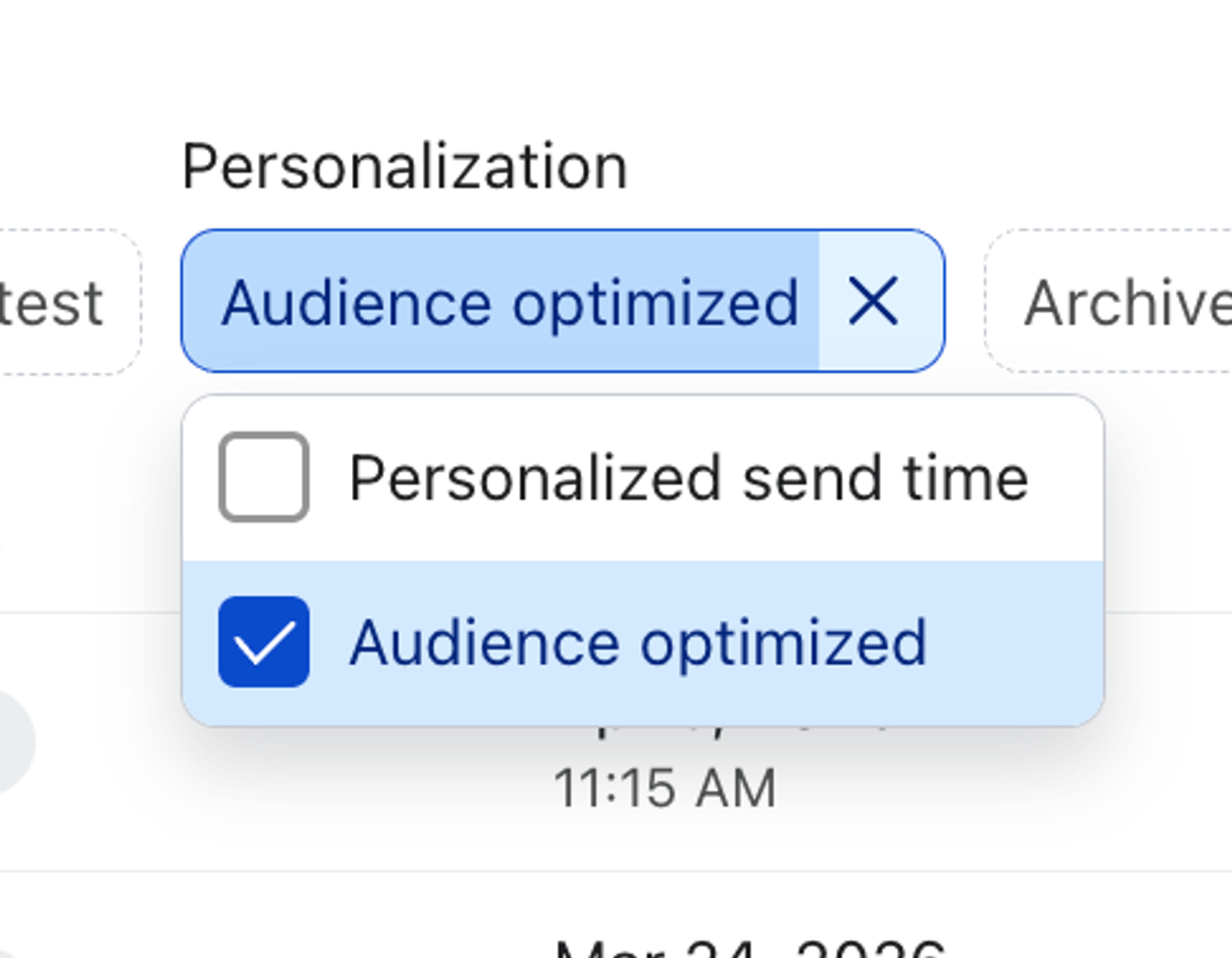
- In the campaign list, select Personalization > Audience optimized to filter for campaigns that used Audience Optimization.
Audience Optimization FAQs
What does Audience Optimization optimize for?
Audience Optimization uses predicted engagement, conversion, and unsubscribe risk to help improve campaign performance. It can remove profiles from a send and, when the add option is available and enabled, include likely engagers outside your original audience.
The model uses signals related to engagement, conversion, and unsubscribe likelihood to determine which recipients should be excluded from a campaign send.
Which channels support Audience Optimization?
Audience Optimization is available for email, SMS, RCS, WhatsApp, and Push campaigns, as well as omnichannel campaigns that combine multiple channels.
Does Audience Optimization apply to every channel in an omnichannel campaign?
Enabling Audience Optimization at the audience level applies it to all eligible channels for that audience. You can turn it off for individual channels within the same audience. Adding profiles is not available for push notifications.
Why don't I see the Audience Optimization option for a campaign?
The Audience Optimization controls can be hidden for several reasons:
- You are creating a single-channel email campaign while Reputation Repair is active.
- No audience has been added yet; the option only appears after you select at least one list or segment.
- Your account does not have access to Audience Optimization for the selected channel, or predictions for that audience and channel are not ready.
How is this different from suppression?
- Global email suppression prevents a profile from receiving marketing emails from campaigns and flows. It does not suppress the profile on other channels.
- Audience Optimization adjusts the audience for a specific send without changing consent or suppression status. A profile removed from one send can still be eligible for different content or future sends.
Why did my Audience Optimization reporting change?
Klaviyo periodically improves the underlying models and infrastructure that power Audience Optimization. When this happens, you may see a notice in your account letting you know that reporting is being updated.
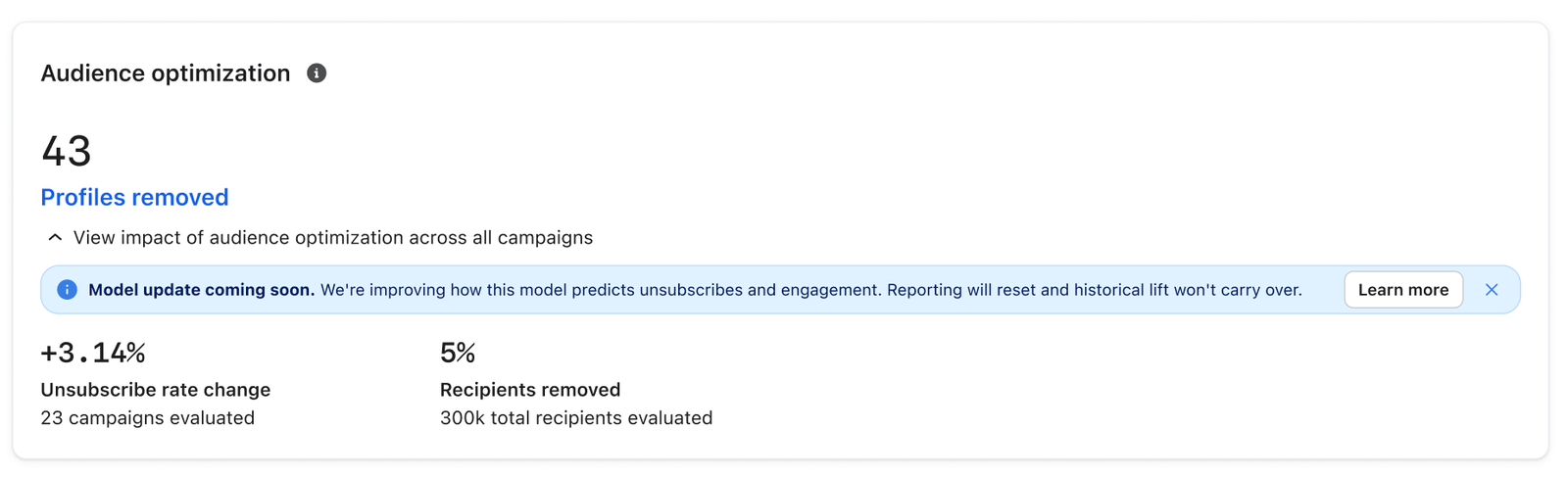
- When reporting starts a new period, performance data from before that period is not included in the new view. If you’d like to keep a record of your current reporting before it updates, take a screenshot and save it locally on your computer.
- New sends are tracked under the updated reporting going forward, so results will continue to accumulate normally after the transition.
- A reporting update does not change sends that have already finished. Changes to the underlying model can affect which profiles are removed from future sends.
Additional resources
- How to create and send an email campaign
Learn about the basics of email campaigns, including what they are and how to send them in Klaviyo.
- Understanding email unsubscribe rates
Learn and understand how to decrease rising email unsubscribe rates. Unsubscribe rates inform you of how often customers unsubscribe from your emails. A high unsubscribe rate indicates that you’re either sending to those who do not wish to receive your marketing or you’re sending content that does not resonate with this audience.