FAQ: 8/3 Billing Dashboard Update
Starting August 3, 2026, the Billing section of your Klaviyo account (Settings > Billing) has a new look and new features. Through September 1, 2026, you can toggle between the new experience and the classic layout; after that date, the new experience becomes standard for all accounts.
What is changing?
We've redesigned the Settings > Billing space to make it easier to see what you're using, what it costs, and what to do next, all in one place. This is a redesign of the Billing experience itself. It does not change your plan, your pricing, or how much you're charged.
A couple changes to note:
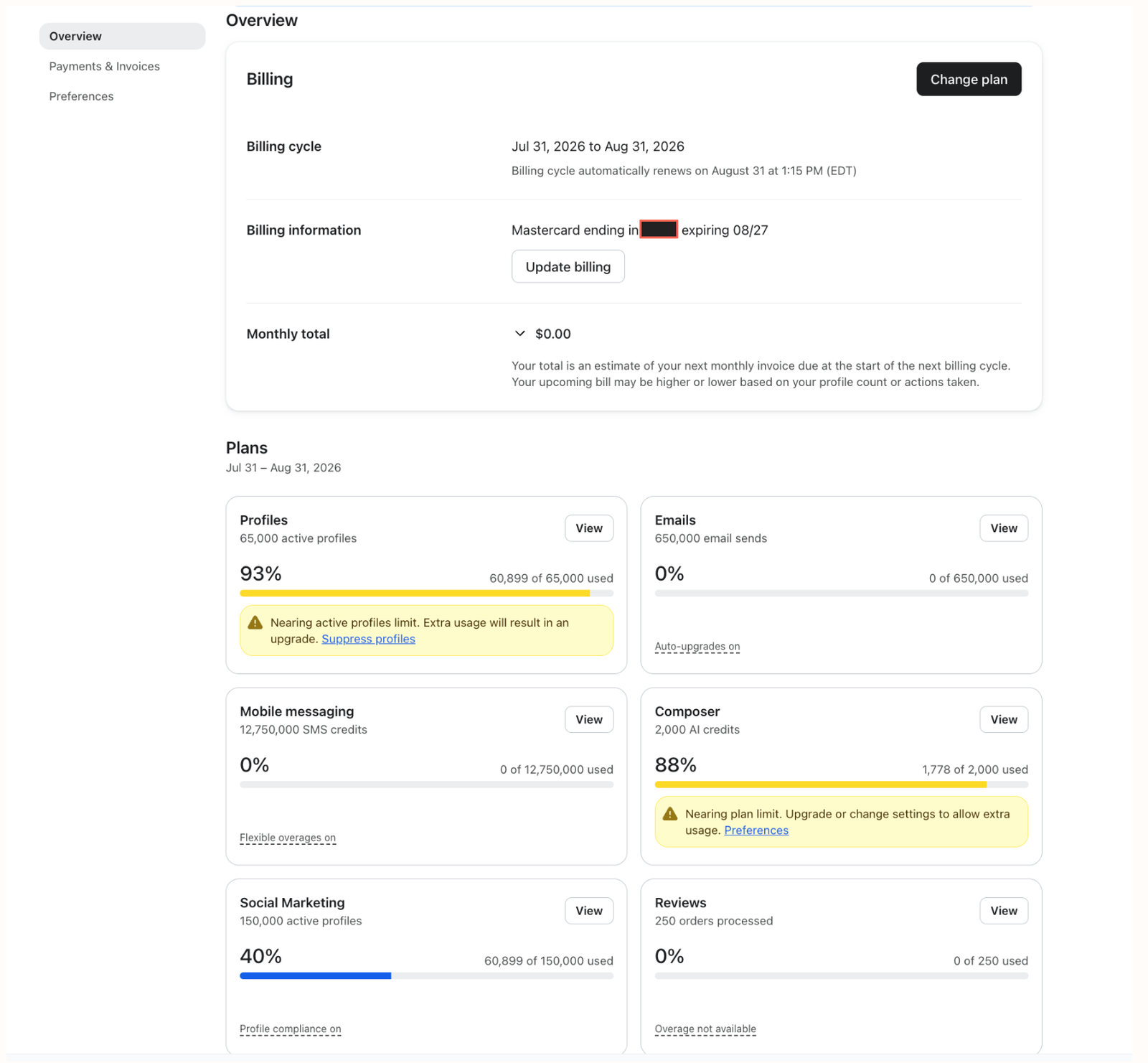
- The Overview tab is now called Plans, with one usage card per product (Profiles & Email, Mobile Messaging, Reviews, and so on), each showing your current usage, a color-coded progress bar, and any relevant status badges.
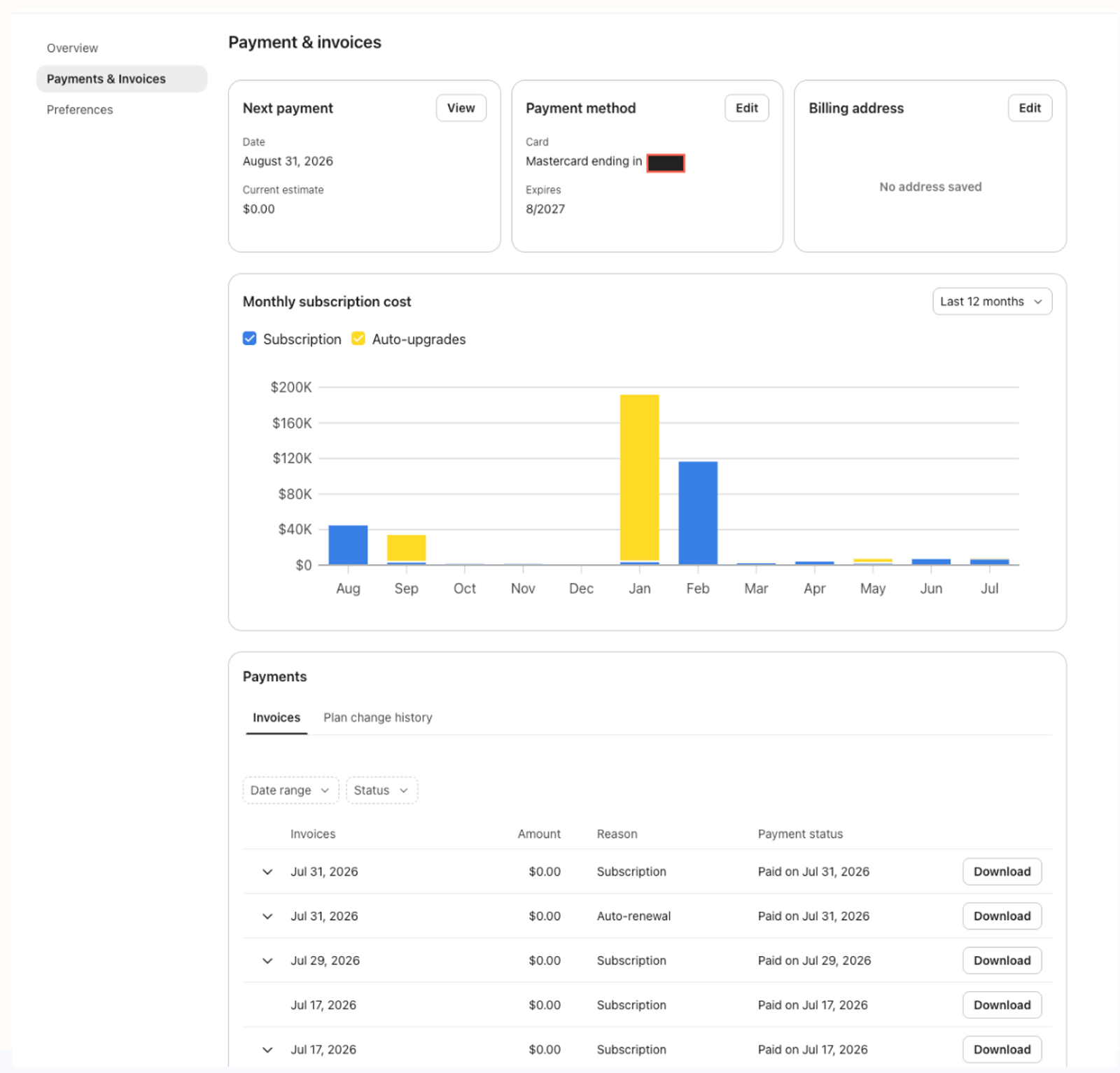
- The Payment history tab is now called Payment & Invoices, and adds Next Invoice, Payment Method, and Billing Address cards plus a Monthly Subscription Cost chart alongside your existing invoice history.
- A new Account Family Dashboard tab shows every account linked in your account family (if you're on shared billing), their status, and link/unlink history.
- Changing your plan now shows a live checkout summary as you build it out, including a recommended-plan badge, discounts and tax, and your exact cost delta, before you confirm anything.
- Usage cards now show your overage/upgrade preference directly (for example, “Auto-upgrades on” or “Flexible overages on”), so you don't have to open Preferences to check what's set.
Through September 1, 2026, you can toggle between the new experience and the classic layout. After that date, the new experience becomes permanent.
Overview Tab
What’s not changing?
- Your plan, your pricing, and how you're billed are not changing. This is a UI and navigation update, not a pricing change.
- Your usage history, invoices, and payment methods are all carried over. Nothing is reset or deleted.
- How you request shared billing, manual billing (contracts), or a premium success and support package is not changing.
Why are we making this change?
The previous Billing experience split your plan, your usage, and your invoices across several plainly-styled tabs, which made it hard to answer a simple question like “Am I about to hit a limit?” or “What am I about to be charged?” without clicking around.
This update brings usage, cost, and account-family information together in one place, with clearer visual indicators (colors, badges, and status text) so you can tell what's happening at a glance.
Can I opt out?
Yes, for a limited time. Between August 3 and September 1, 2026, you can freely toggle back and forth between the new Billing experience and the classic layout, so you have time to get familiar with the new look before it becomes permanent. Starting September 1, 2026, the toggle goes away and the new experience becomes the standard, only option for all accounts.
Switching the toggle only changes how Billing looks. It doesn't affect your plan, usage, invoices, or payment methods either way.
How do I switch between the new and classic billing layout?
1. Click your account name in the bottom left corner.
2. Click Settings > Billing.
3. Look for the layout toggle at the top of the page and switch it on (new experience) or off (classic layout). You can switch back and forth as many times as you'd like before September 1, 2026.

You can also enable/disable this view in the Settings> Billing > Preferences page.
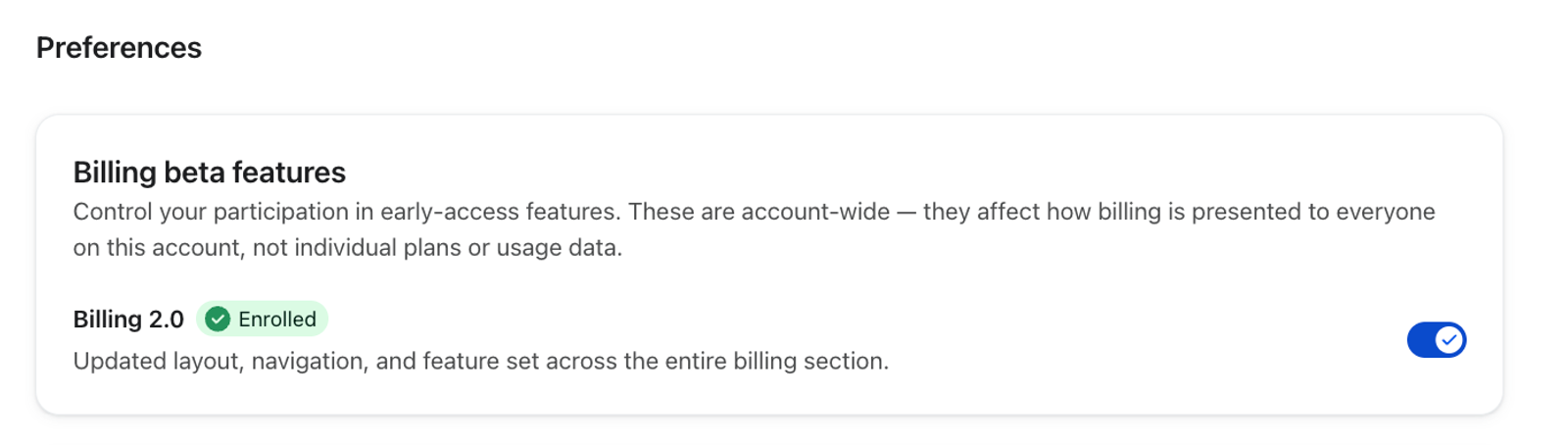
Note: Only accounts with Billing permissions can make this change. If you are a part of an Account Family, only Parents can switch this toggle.
Do I need to do anything?
No action is required. Your account, plan, usage, and billing information all carry over automatically, regardless of which layout you're viewing. If you had bookmarks or saved instructions referencing the old Overview or Payment history tabs, use the new names (Plans and Payment & Invoices) once you're on the new experience.
Feature-specific updates
What happened to the Account usage tab?
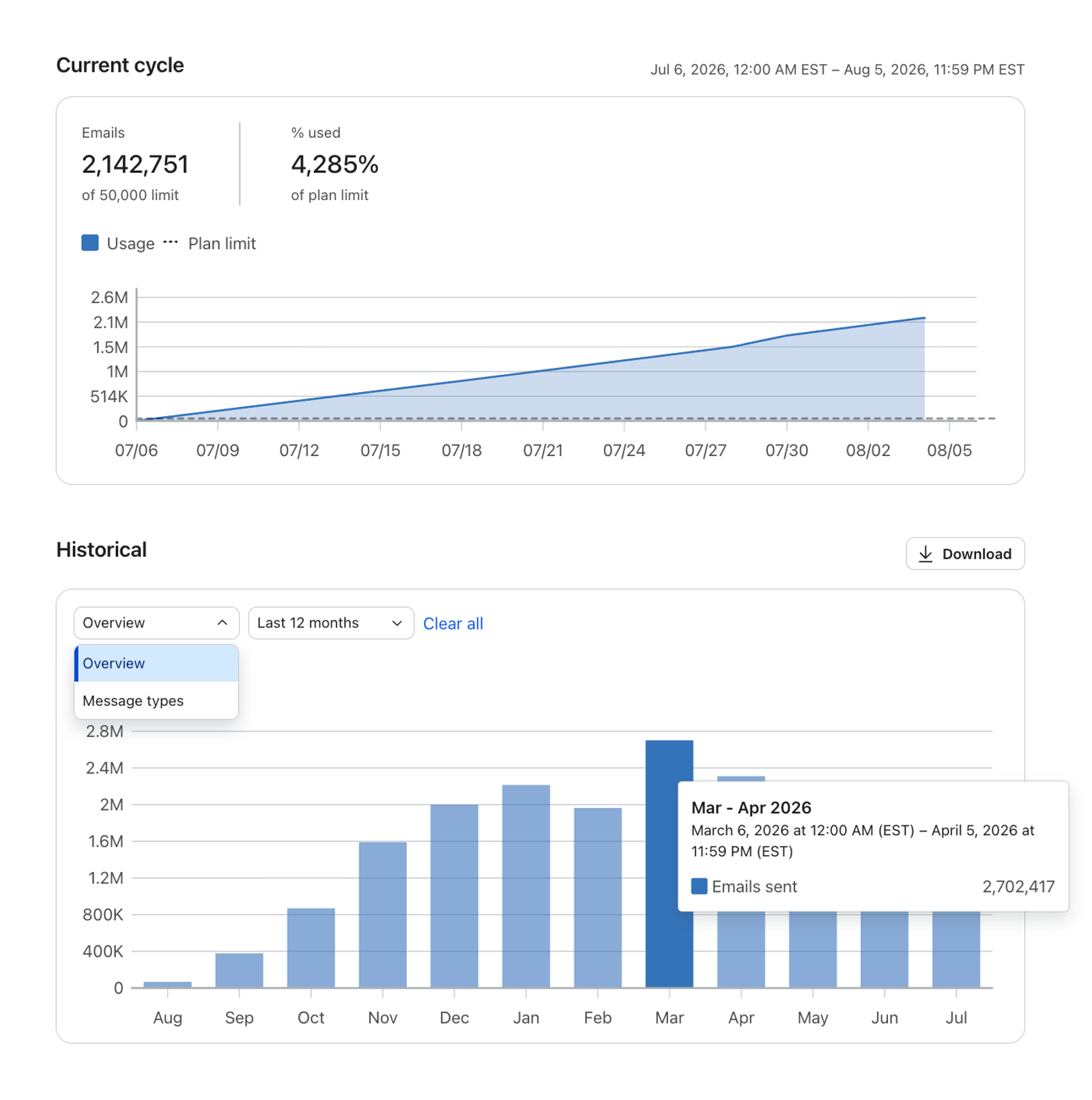
The standalone Account Usage tab that held historical account usage has been folded into the new Overview & Plans experience. Current usage now lives on each product's usage card, and historical usage (day-by-day and month-by-month) lives one click away, via the View button on any card.
See Understanding your account usage for a full walkthrough.
What happened to the Payment history tab?
Payment history has been renamed Payment & Invoices and expanded. If you're on a Stripe (credit-card) plan, you'll now also see your next invoice, payment method, billing address, and a monthly spend chart on the same tab as your invoice history. If you're on a contract, you'll see your contract terms and an overage estimate instead.
See How to view your account's payments and invoices for details.
Will my usage data, invoices, or payment methods be affected?
No. All of your historical usage, invoice history, and saved payment methods carry over as-is. This update only changes how that information is organized and displayed.
What is the new Account Family Dashboard?
If your account is part of a shared billing account family, a new Account Family Dashboard tab lets the parent account see every linked account, its status, and its link/unlink history in one place, without contacting support.
See How to use the Account Family Dashboard for a full walkthrough.
Where can I get more help?
If anything on your account doesn't match what's described here, or you have questions specific to your plan or contract, reach out to Klaviyo Support.