How to Use the Account Family Dashboard
You will learn
Learn how to use the Account Family Dashboard to see every account in your account family, its status, and each child account’s link/unlink history, all from one tab.
Before you begin
You must be on a shared billing plan (an account family) to see this tab. See Understanding how shared billing works in Klaviyo to learn how to request shared billing.
You need Billing access in a parent or child account to view the Account family tab. Standalone accounts that are not part of an account family do not have access to this tab.
The Account Family Dashboard
What it is: A dedicated tab that lists every account linked in your account family in one place.
Use the dashboard to check who’s in your family and when a child account joined, without contacting support or building a manual list.
What it lets you do:
- View every account currently in the family, alongside the parent.
- See each account’s Linked status.
- View a history of when each child account was linked or unlinked from this family.
Where to find it: Click your account name in the bottom left, click Billing, then select Account family.
View the Account Family Dashboard
- Click your account’s name in the bottom left corner.
- Click Billing.
- Select Account family.
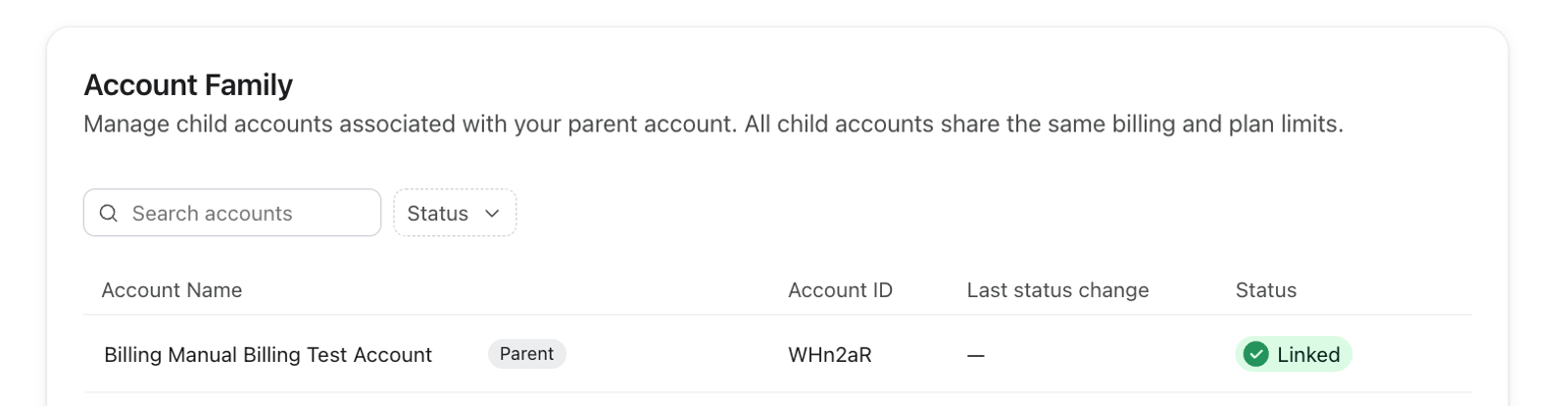
- Review the accounts in your family, their Linked status, and each child account’s link date in the Last status change column. To find a specific account, use Search accounts to search by account name or account ID.
- For a child account, open its row’s actions menu and select Show history to see when it was linked or unlinked from this family.
Find usage for a specific account in your family
The Account Family Dashboard shows you who's in your family and their status.
To see each account’s current usage, go to a product’s plan detail page. Parent accounts can view the family breakdown. Child accounts can view it only if the parent has enabled Allow users in all accounts to view plan usage for each account in the family under Billing > Preferences.
- Click your account’s name in the bottom left corner.
- Click Billing > Overview.
- Click View on the product’s usage card.
- In the Account family breakdown table, search by account name to find that account’s current usage.
The % of overall usage column shows each account’s usage as a percentage of the family’s plan limit. For example, if an account has used 100 of a shared limit of 1,000, the column shows 10%.
See Understanding how shared billing works in Klaviyo and Understanding your account usage for more on reading that breakdown.