How to do A/B Testing in WhatsApp Flow
You will learn
Learn how to use Klaviyo’s A/B testing experience to test individual WhatsApp messages in a flow.
About flows and A/B testing
Flow WhatsApp A/B testing includes the processes of:
- Creating a single WhatsApp message as part of a flow.
- Configuring 2 or more WhatsApp template variations using pre-existing templates or use free-form content. Note that free form content will fail to be delivered if the recipient does not have a 24 hour conversational window active.
- Selecting the weight of each variation to establish the percentage of recipients that will receive each template.
- Choosing a winning variation automatically when the results are statistically significant or on a specified end date, or selecting a winner manually. Automatic selection uses the open rate or click rate you choose.
Perform a flow WhatsApp A/B test
Create an A/B test through the flow builder. These steps cover messages that use WhatsApp templates. Before you start, choose a template for the message you want to test. You need permission to edit flow content and change message status.
Create a new A/B test
- In the flow builder, click the WhatsApp message you want to test.
- Click Create A/B test in the WhatsApp details panel.
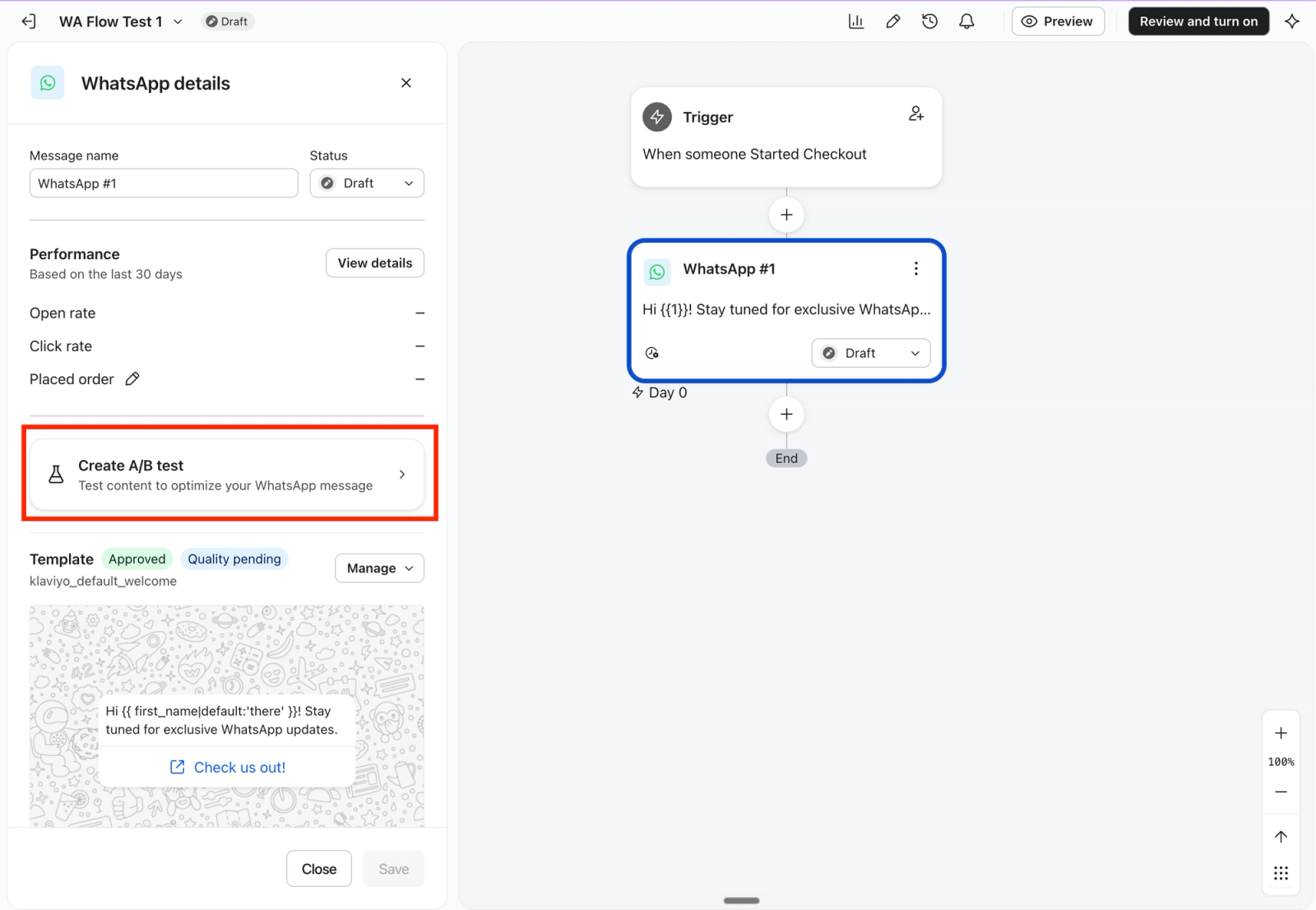
Edit variations
After creating a new test, you will be taken directly to the A/B test configuration page. The test starts with your original template as Variation A and a copy of that template as Variation B.
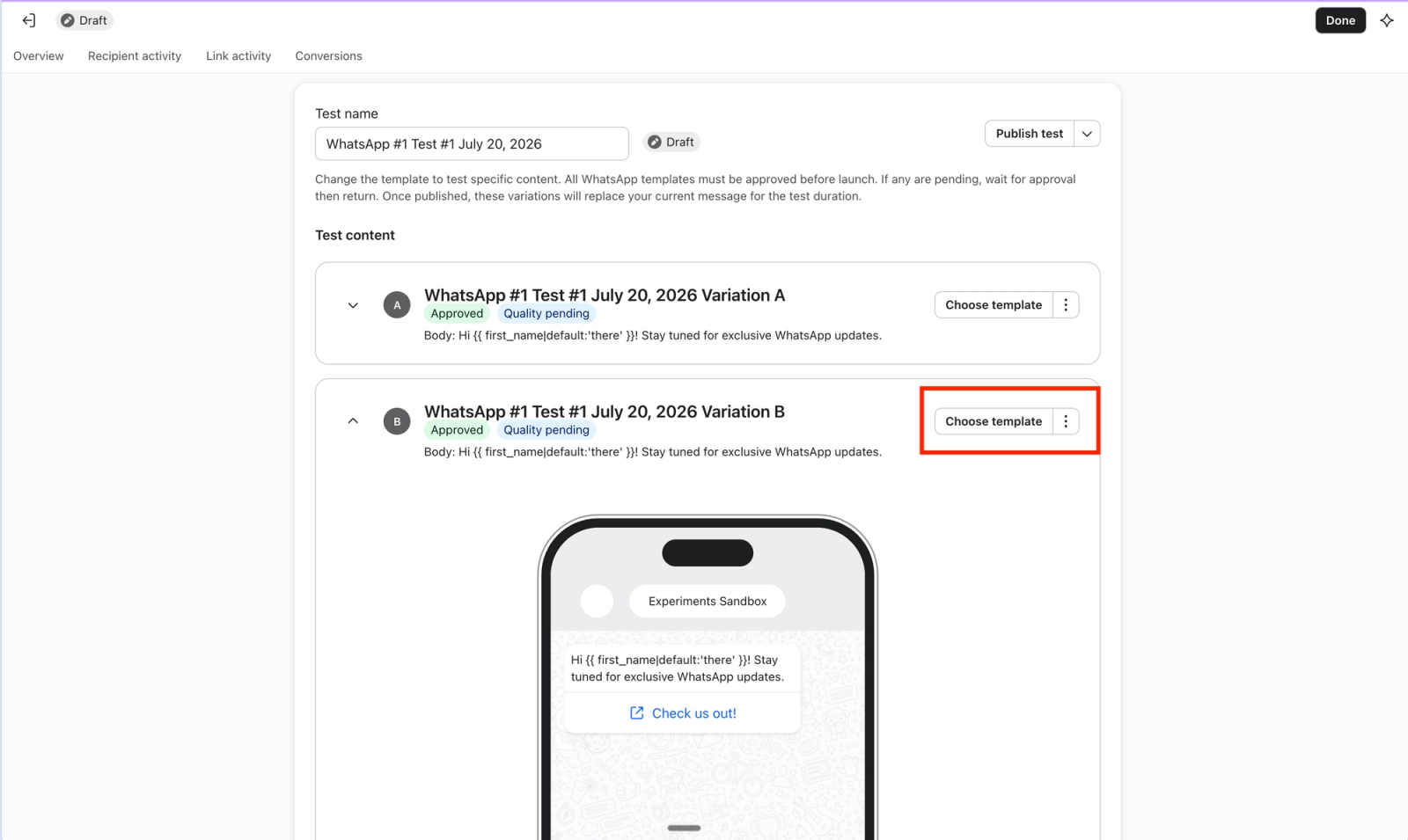
A WhatsApp flow A/B test can include 2–25 variations.
- Click Choose template next to Variation B.
- In the WhatsApp template gallery, select the pre-existing template you want to test.
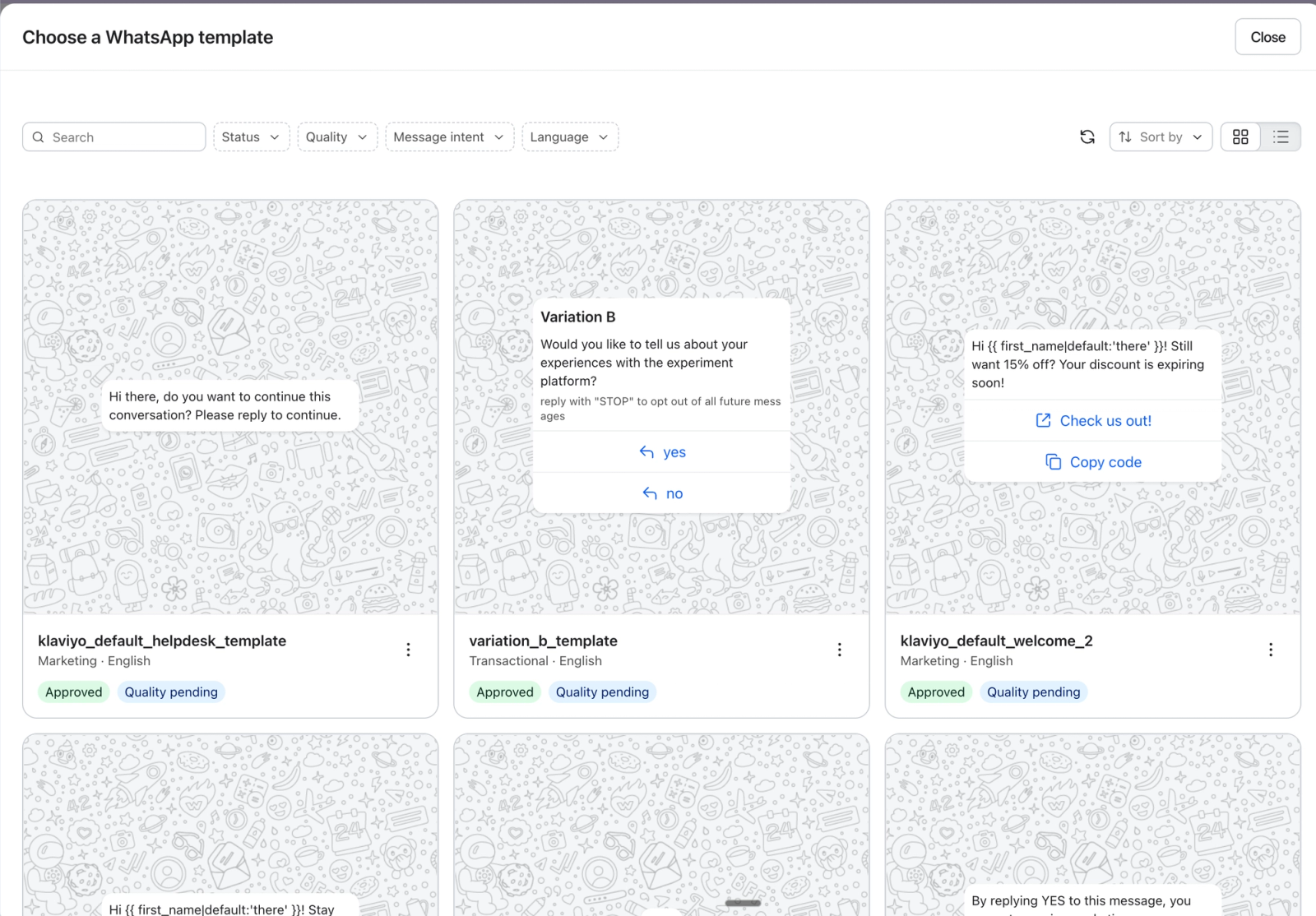
Note: Only pre-existing templates can be used as a variant template.
- Confirm your selection by clicking Use template.
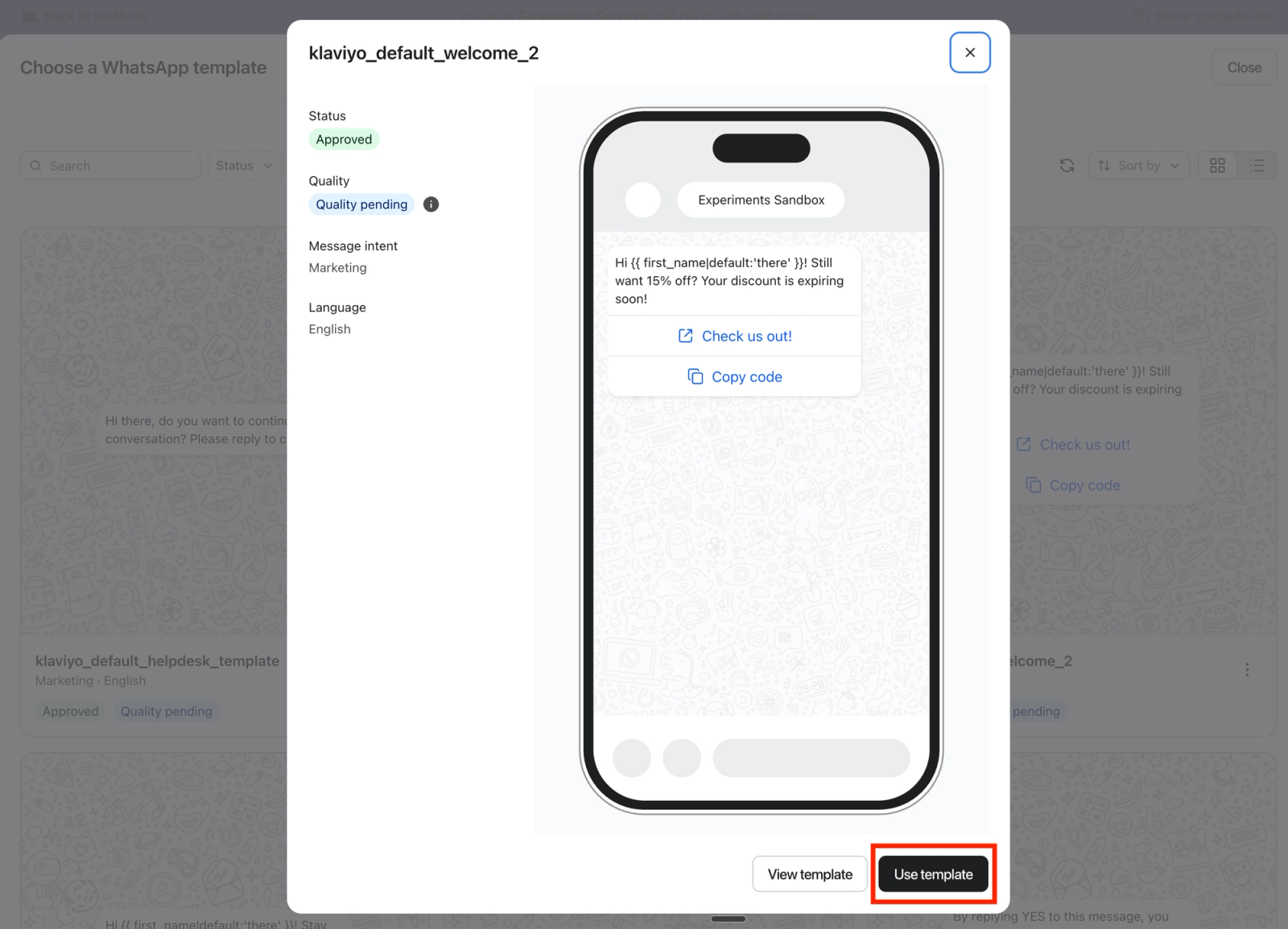
- Optional: To add another variation before publishing, open a variation’s three-dot menu and select Clone variation. Then choose and confirm a different template for the new variation.
Adjust test settings
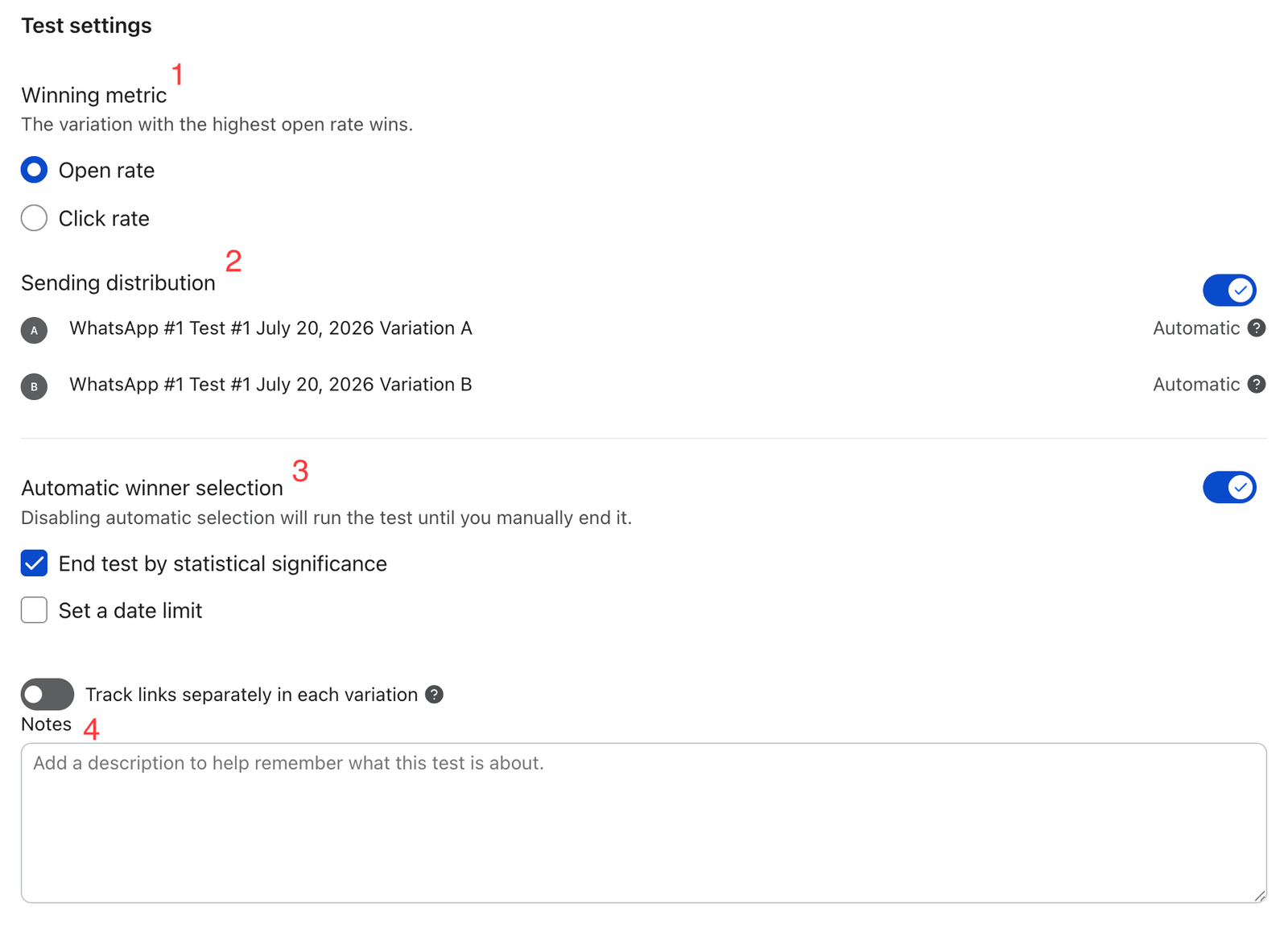
In the Test settings section at the bottom of the configuration window, you can configure the winning metric, variant traffic allocation, and test ending criteria.
- Winning metric
- Select which metric will be measured to determine the best-performing template. Choose between Open rate and Click rate.
- Sending distribution
- Turn on the Sending distribution toggle for automatic allocation: traffic starts evenly split and shifts toward better-performing variations as the test runs. Turn it off to enter fixed percentages for each variation. The percentages must total 100%.
- Ending criteria
- To end the test manually, turn off Automatic winner selection.
- To end the test automatically, turn on Automatic winner selection and select either or both of these criteria:
- End test by statistical significance ends the test when Klaviyo identifies a statistically significant winner for your selected metric.
- Select Set a date limit, then choose a future End date to end the test on that date. The date is evaluated in UTC.
- If both are selected, the test will end when either criterion is met.
- Add notes to track your hypothesis and experiment design reasoning.
If you’re using UTM links, turn on Track links separately in each variation to track UTMs individually.
Publish the test
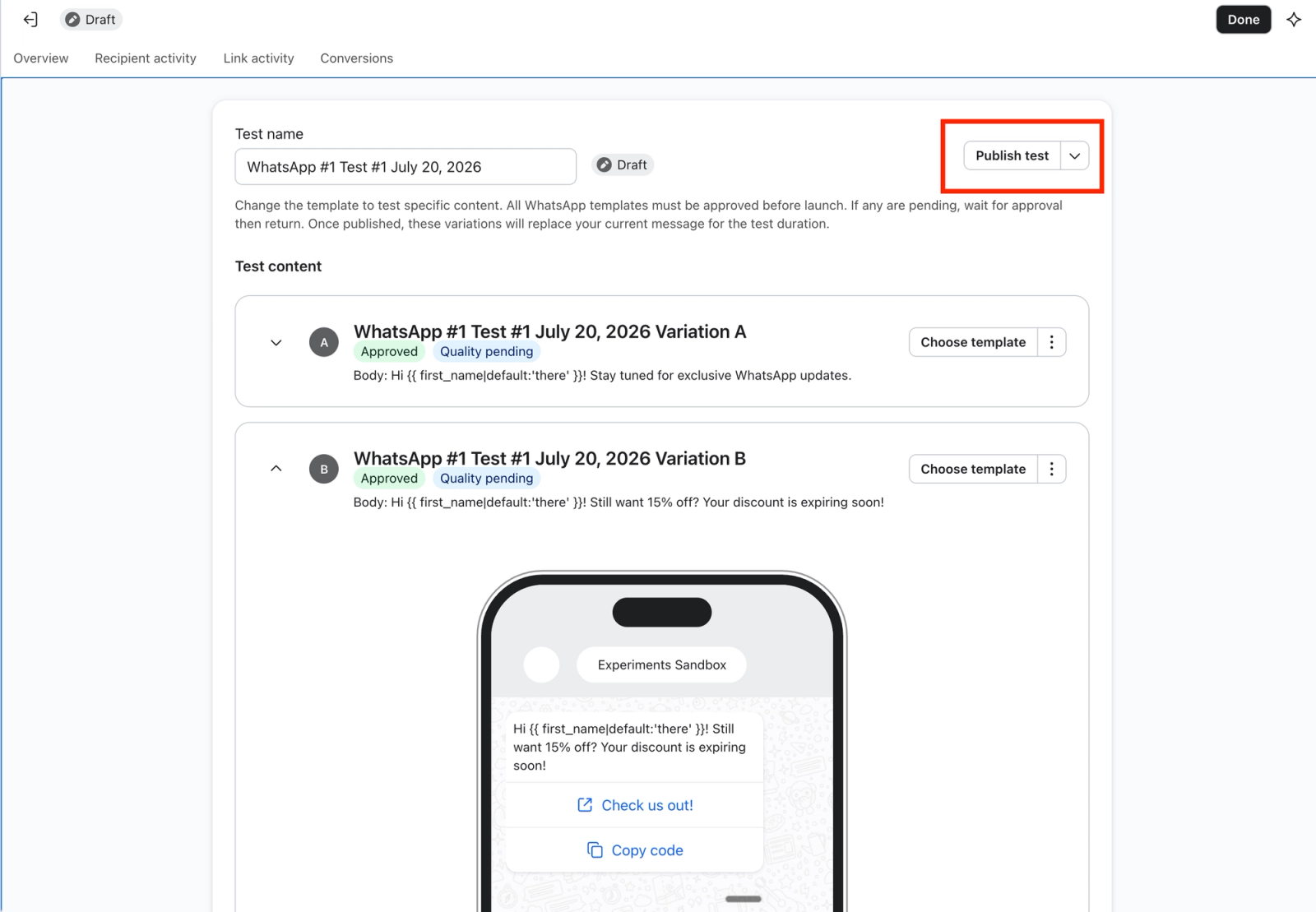
Note: All templates used in the test must be approved before you can publish it. Publishing sets the message and its variations to Live.
Click Publish test at the top of the page. Review the confirmation, then click Publish test again to start the test.
View live test results
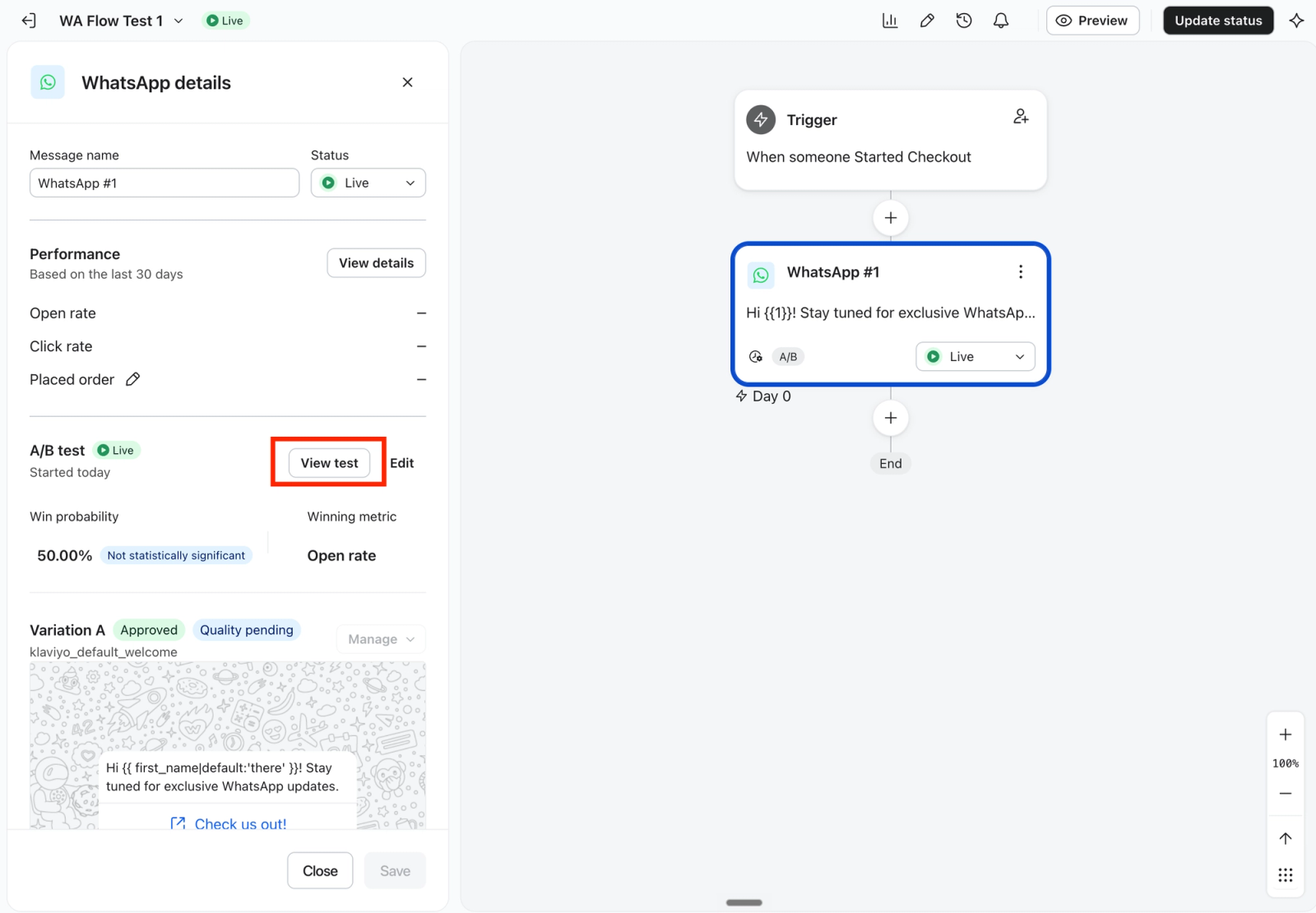
To view the results of a live test, navigate to the flow builder, click the WhatsApp message, and click View test in the WhatsApp details panel.
Manually choose a winner
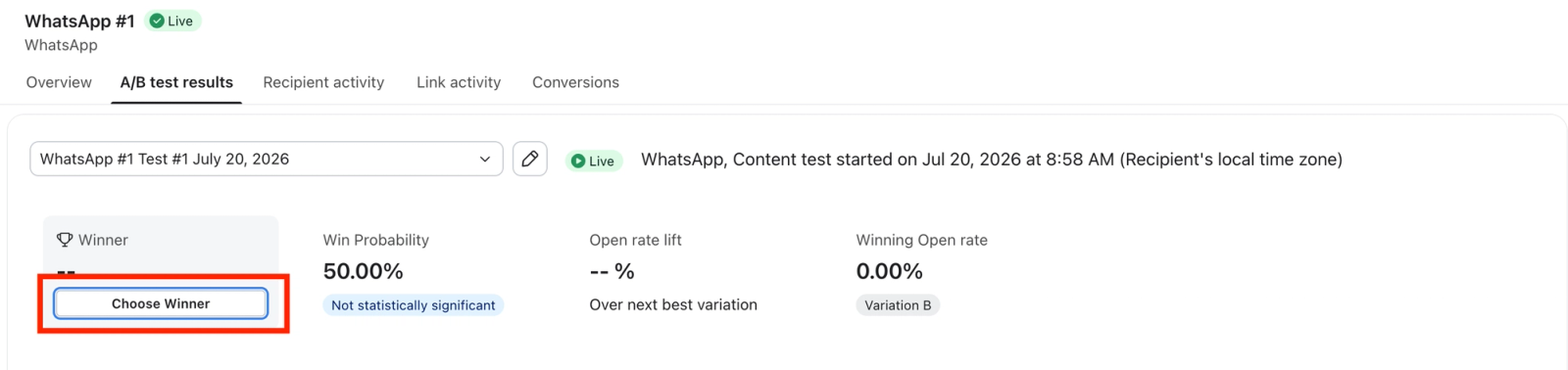
- On the live test’s results page, click Choose Winner.
- Select a variation from Choose Winning Variation, then click Choose Winner to confirm. The test ends, and the selected variation becomes the message sent to future recipients at this step in the flow.
View results
To view a completed test, click the WhatsApp message in the flow builder, then click View results in the WhatsApp details panel. To view an earlier test, choose it from the test dropdown at the top of the results page.
For more on interpreting win probability and the winning metric, see How to review email A/B test results for flows.
Additional resources
- Best practices for A/B testing reference
Learn best practices for using Klaviyo's A/B testing features to help optimize your communication with customers.