How to manage and distribute Thanx offers via Klaviyo
You will learn
Learn how to create and manage Thanx reward offers directly within Klaviyo and tie them to your existing lists and segments. This allows you to orchestrate sophisticated loyalty experiences while using Klaviyo to handle the distribution, messaging, and attribution.
Before you begin
Before you can create an offer in Klaviyo, ensure that your Thanx reward templates have been configured in your Thanx account.
Create an offer
The first step is defining the campaign details and the different reward variants you want to offer.
- In Klaviyo, select the Integrations tab.
- Click your Thanx integration.
- In the Offer management section, click Create offer.
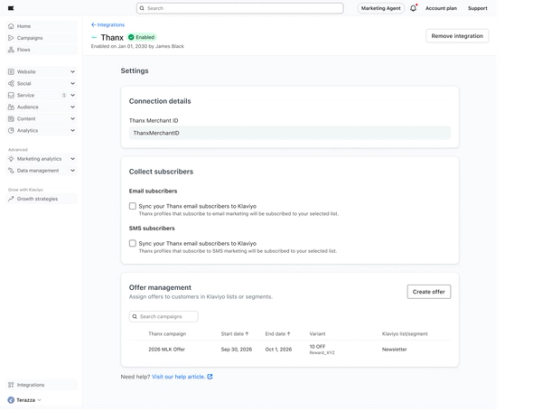
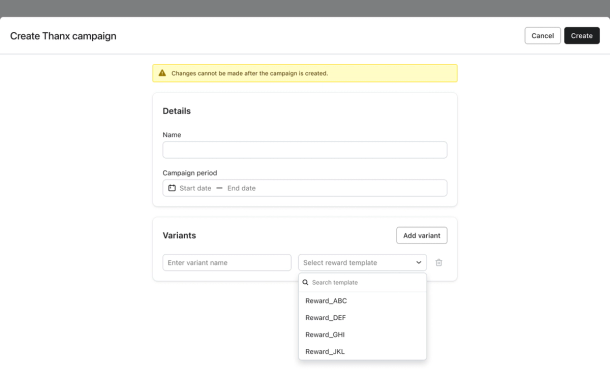
- Create a new Thanx campaign within Klaviyo and enter the Name, Campaign period, and Variants you would like to associate with your campaign.
- You can create up to 4 variants per offer. For each variant:
- Enter a Variant name.
- Select a Reward template from the dropdown.
- If you select a Campaign period that begins in the future, rewards will be issued starting on that date.
- You can create up to 4 variants per offer. For each variant:
A reward template is required for all variants unless the variant is named "Control." A "Control" variant allows you to withhold a reward from a specific group for A/B testing purposes.
Assign reward variants
Once your reward variants are defined, you must decide which customers are eligible for which reward by mapping them to your Klaviyo data.
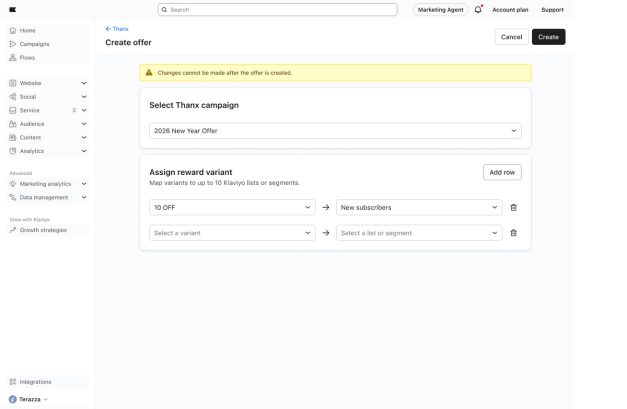
- Navigate to the Assign reward variant section of the offer builder.
- Add a row for each mapping of your reward variants to specific Klaviyo lists or segments.
You can map a single reward variant to multiple Klaviyo lists or segments, or assign multiple variants to a single list or segment.
Distribute rewards via Klaviyo messages
After you create the offer, Klaviyo will automatically sync profiles in the Klaviyo list or segment to the Thanx reward variant. When a profile is issued a reward based on your mapping, Klaviyo records an Earned Reward metric and a Reward object via the Thanx integration for that profile.
Using the Earned Reward metric
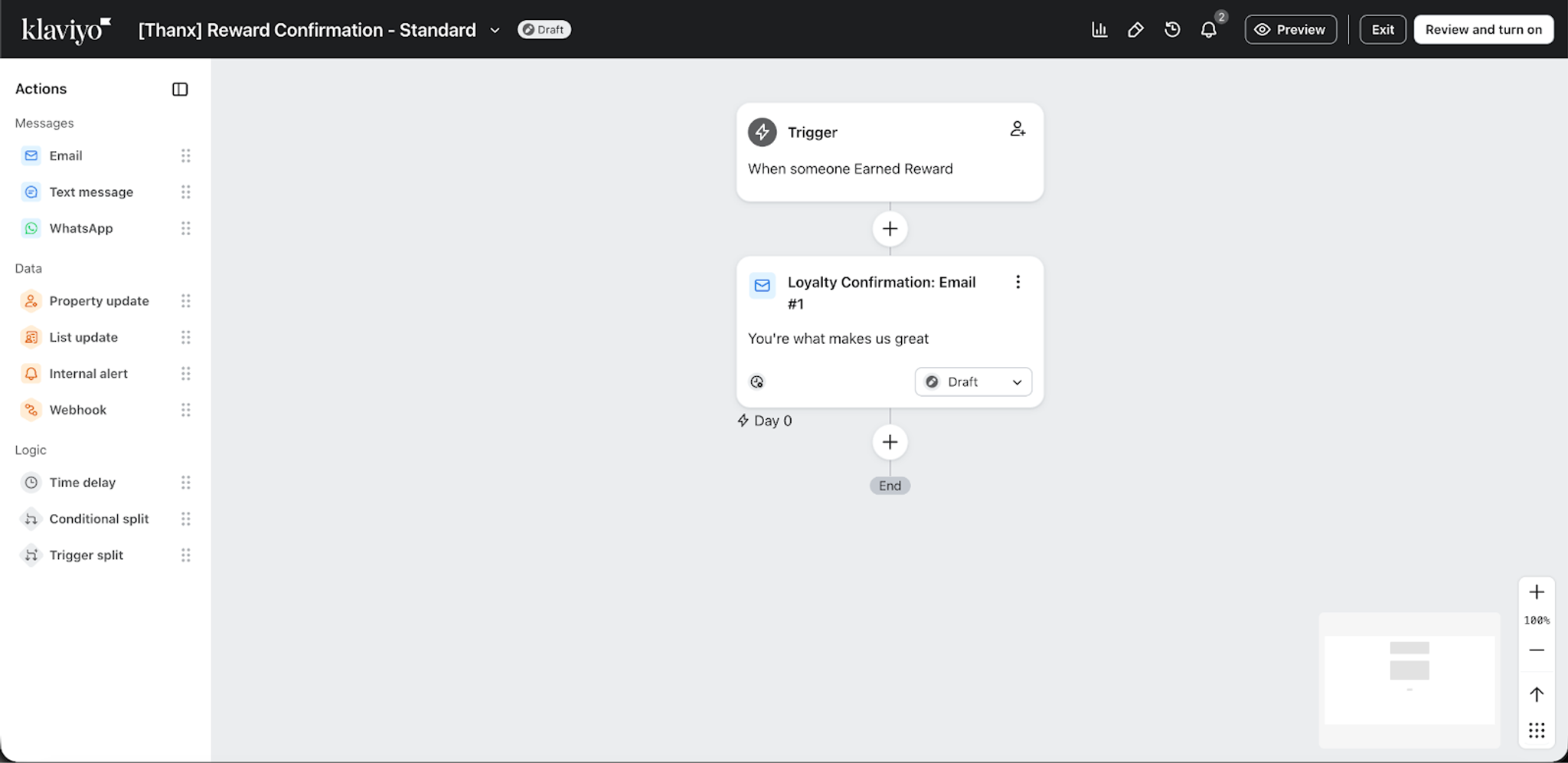
To distribute your Thanx rewards using Klaviyo, you can use the Earned Reward metric to trigger automated flows, ensuring customers receive their reward notification the moment they qualify. You can also use dynamic blocks to include reward details within your message.
Using the Reward object
To distribute your Thanx rewards using Klaviyo, you can also use the Reward object to trigger automated flows and segment your customers. You can also use dynamic blocks to include reward details within your message.
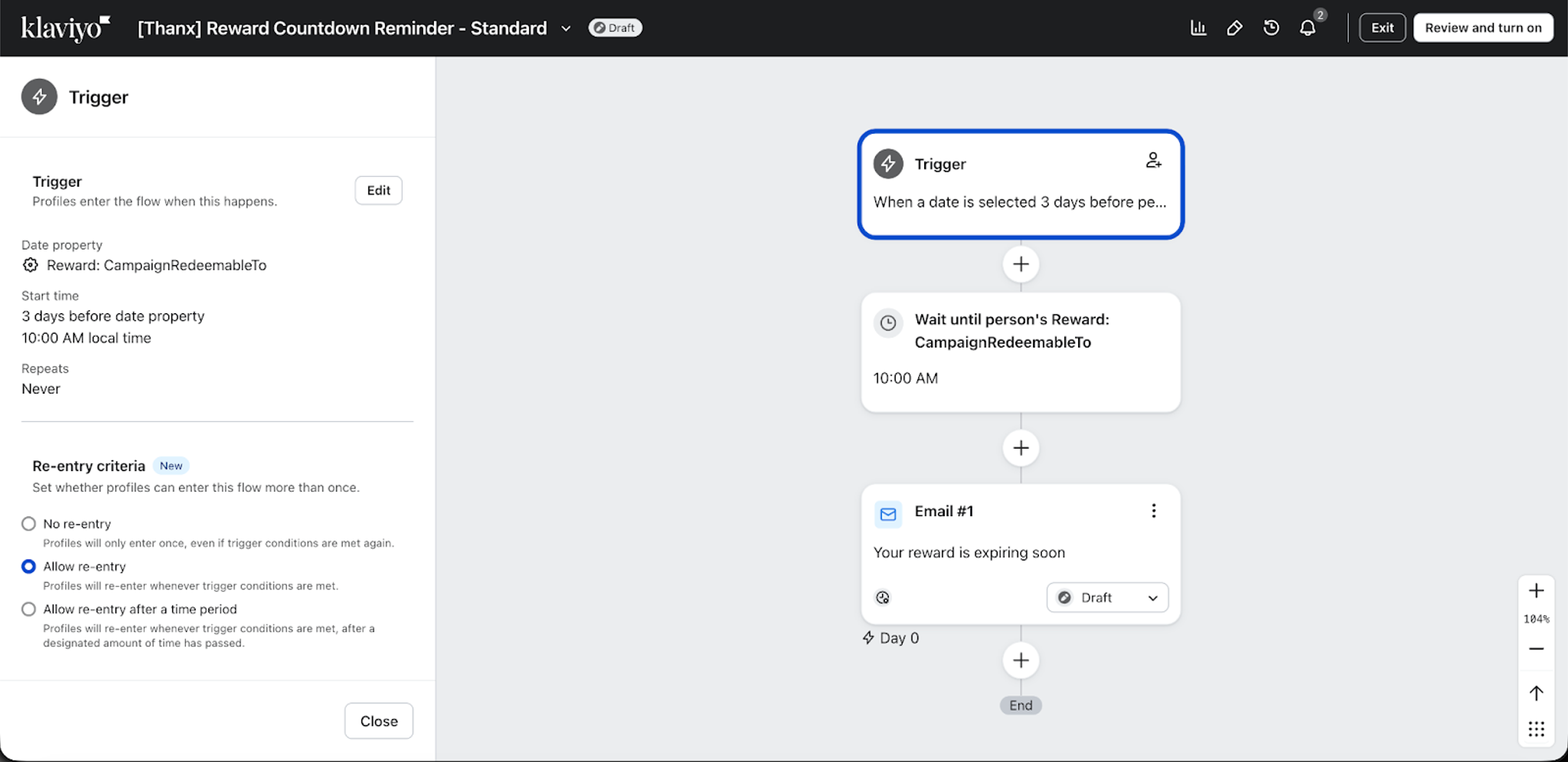
For example, if you wanted to send a reminder to your customers before their reward expires, you can set up a date-triggered flow on your Reward object by referencing the CampaignRedeemableTo or ExpiringAt property.
Additional resources
- Getting started with Thanx
Learn how to integrate with Thanx, a guest engagement platform for on-brand loyalty focused on access, exclusivity, and personalization.
- Thanx data reference
Learn what data syncs from Thanx to Klaviyo and where to view it. This includes information related to placed orders, rewards, and customer profiles.