Understanding omnichannel attribution
You will learn
Learn how omnichannel attribution combines site activity with Klaviyo message interactions, how to enable it, and how to interpret the attribution reports.
Before you begin
Your account needs access to Advanced KDP or Personalization to use omnichannel attribution. These products are separate from Klaviyo’s standard marketing application. See our billing guide for plan details.
Make sure Klaviyo’s onsite tracking is installed on your website. See Getting started with Klaviyo onsite tracking for installation and testing, and anonymous visitor activity backfill for identifying visitors at checkout.
How does omnichannel attribution work?
Omnichannel attribution works by using site sessions from the Active on Site event in addition to Klaviyo message interactions in your attribution model. Omnichannel attribution is available for all types of Klaviyo attribution models.
Klaviyo’s onsite JavaScript records Active on Site events for identified visitors. With anonymous visitor tracking enabled, activity captured before identification can be added to the profile once the visitor is identified. Omnichannel attribution combines eligible site sessions with Klaviyo message interactions to show performance across your marketing channels.
Active on Site events from April 18, 2025 onward can be used in attribution. Earlier attribution uses Klaviyo message interaction events only.
Omnichannel attribution methodology
Once Active on Site events are included in your attribution model, a site session must fall within the configured attribution window before a conversion and meet all of these criteria:
- Originated from sources other than Klaviyo messages
- Does not have a UTM Source equal to Klaviyo
- Has at least a UTM Medium or UTM Source
Active on Site events are treated the same as Klaviyo message interaction events, and there is no bias towards Klaviyo’s messages or channels in Klaviyo’s attribution model.
You can enable omnichannel attribution by including Active on Site events in attribution. Learn more about updating your account’s attribution model.
Access and enable omnichannel attribution
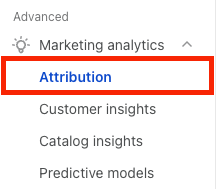
In the Advanced section of the navigation, select Personalization > Attribution.
- If you see Update settings, click it to open Enable omnichannel attribution. If setup is already complete, you can use the reports below.
- Review the required settings shown: Active on Site attribution for non-Klaviyo platforms, anonymous visitor tracking, and email-to-website tracking. Set the attribution window for Active on Site if that section appears. Enable extended ID (Recommended) is optional when shown.
- Click Save to apply the settings.
Attribution changes can take up to 36 hours to apply to historical data. You cannot edit attribution settings again while that update is in progress. The report can remain in preview until the update finishes.
Klaviyo offers 2 views into omnichannel attribution data:
- Platform performance: How your marketing across different channels and platforms performed over time. Until the required tracking settings are enabled and attribution updates have finished, this page shows a preview of the past 7 days.
- Campaign insights: Performance of specific campaigns for marketing sent outside Klaviyo, organized by UTM campaign with details about the source of the traffic.
Key concepts
Platforms and media types
Omnichannel attribution provides views into the performance of platforms and media types.
- Platforms: Where the traffic originated. Klaviyo uses the combination of UTM source and UTM medium on Active on Site events to match traffic to a fixed list of platforms. Unmatched combinations appear under Unknown platform.
- Media type: The type of engagement that drove the traffic from a platform. Klaviyo uses the combination of UTM source and UTM medium to classify traffic as Owned, Paid, Organic, Affiliate, or Referral. Unmatched combinations appear under Unknown media type.
See the supported platform and media type mappings for the UTM combinations Klaviyo recognizes.
Metric definitions
When reviewing omnichannel attribution analytics, use these metric definitions:
- Active on site: The number of Active on Site events identified for a platform and media type or campaign.
- Conversion rate - Klaviyo: The number of unique profiles with an attributed conversion for each message, divided by the number of messages received.
- Conversion rate - non-Klaviyo platforms: The number of unique site sessions with an attributed conversion, divided by the number of non-Klaviyo site sessions.
Frequently asked questions
Can I filter out direct sessions in Attribution?
There is no separate filter for direct sessions. Sessions with neither a UTM source nor a UTM medium are excluded from attribution. Visits through bookmarks or saved links can still qualify if they retain a UTM source or medium and meet the other criteria above.
Can I break down the unknown platform and media types into new or existing groupings?
No, this is not currently possible.
Can I customize how platforms are mapped in the Platform performance report?
No, this is not currently possible.
Why am I seeing attribution to a platform that I am no longer actively using?
Site visitors may return through bookmarks or saved links that retain UTM parameters. These visits can generate eligible Active on Site events attributed to the platform in those parameters, even if you no longer actively use it.
Why does Klaviyo’s omnichannel attribution differ from other attribution products, such as Google Analytics (GA4)?
Common reasons for differences in attribution between Klaviyo and other products include:
- Attribution model and lookback windows: Klaviyo uses last touch attribution by default and lets you configure attribution windows. GA4 also supports configurable lookback windows and different attribution models, including data-driven attribution. Different settings can produce different results.
- Attributable interactions: Klaviyo combines message interactions for messages sent through Klaviyo with site sessions for platforms and channels outside Klaviyo.
- Conversion or order data capture: Klaviyo uses direct integrations with various platforms rather than relying on client-side JavaScript to capture conversions and orders. This includes orders from sources such as point of sale (POS), recurring subscription purchases, manual orders, and more. You can customize your Klaviyo conversion metrics. Learn how to configure custom conversion metrics.
Additional resources
- How to change your attribution model
Learn how to adjust your attribution lookback window settings, remove bot clicks and Apple Privacy opens from attribution, and preview attribution model changes.
- Understanding anonymous visitor backfill