Quiet hours in campaigns
Before you begin, make sure SMS is enabled on your account, your campaign includes SMS, MMS, or RCS content, and you're familiar with your account's SMS quiet-hours settings. For general quiet-hours concepts, see Understanding text message quiet hours in flows.
How quiet hours work in campaigns
Some regions have regulations that restrict the hours in the day during which you can send text messages, and sending during these windows can expose you to litigation. Quiet hours in campaigns automatically prevents your text message campaigns from sending to recipients during their quiet hours, and lets you choose whether an affected message should be delayed until quiet hours end or skipped entirely.
Klaviyo checks each recipient against quiet hours based on the send time of the individual message. Because of this, recipients in different locations can receive the same campaign at different times. Someone outside quiet hours gets the message right away, while someone inside quiet hours has it delayed or skipped based on the option you chose.
With Profile location (Campaigns only) selected in your quiet-hours settings, Klaviyo uses the recipient's usable profile location and time zone. If profile location is unavailable, Klaviyo uses the phone number's area code for US and Canadian recipients and the country's default time zone elsewhere. Eastern time zone uses the country's easternmost time zone instead of the profile's time zone. See Understanding when and how Klaviyo sets a profile's location for how profile location is generally set.
How to use quiet hours in campaigns
- Build your text message campaign and choose your audience as usual. On the review step, click Schedule or send.
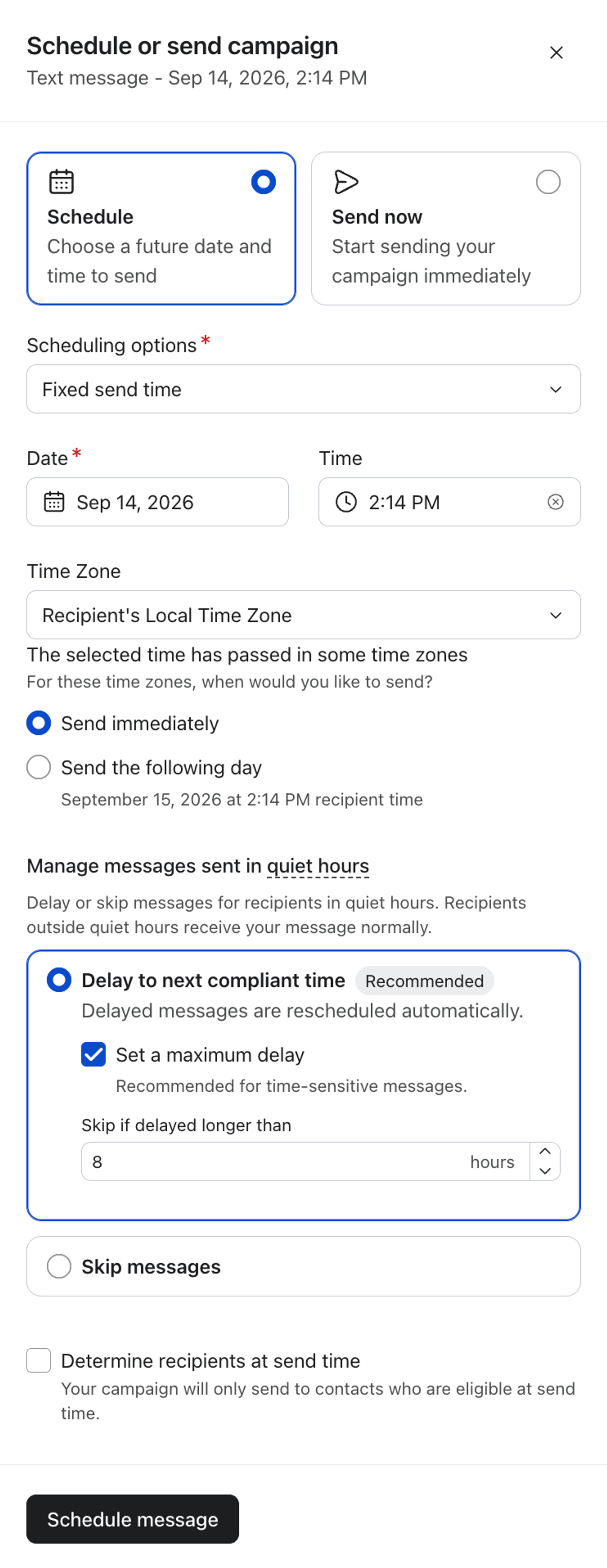
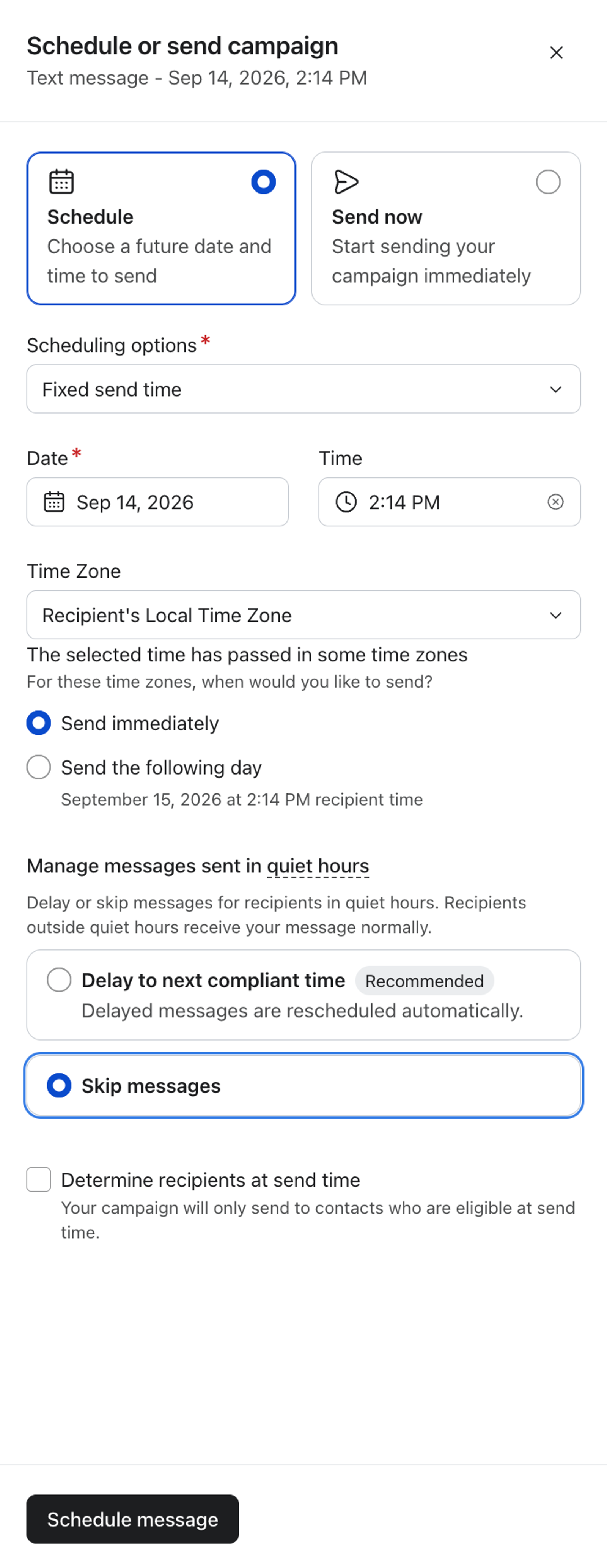
- Choose when to send your campaign. Under Manage messages sent in quiet hours, choose what happens if a message would land inside a recipient's quiet hours:
- Delay to next compliant time: hold the message until quiet hours end for the recipient. You can set a maximum delay, so a message that would wait too long gets skipped instead.
- Skip messages: don't send to that recipient at all.
- If you choose to delay messages, optionally select Set a maximum delay. Under Skip if delayed longer than, enter a whole number from 1 to 12 hours.
- Click Schedule message or Send now to finish.

Choose Delay when… | Choose Skip when… |
|---|---|
The message stays useful after quiet hours end. | The message would be stale after a long delay. |
A short compliance-related delay is acceptable. | The campaign is tied to a limited-time promotion or event, such as a flash sale, an expiring offer, or an event reminder. |
You want to reach affected recipients later. | You'd rather not send to recipients who can't receive the message promptly. |
After you have scheduled or sent the campaign, Klaviyo evaluates quiet hours individually for each recipient at send time. Messages outside quiet hours go out normally, and messages that fall inside quiet hours are delayed or skipped according to the setting you selected for the campaign.
How delays and skips work
Delay
Delay holds the message until the recipient exits quiet hours, then sends it.
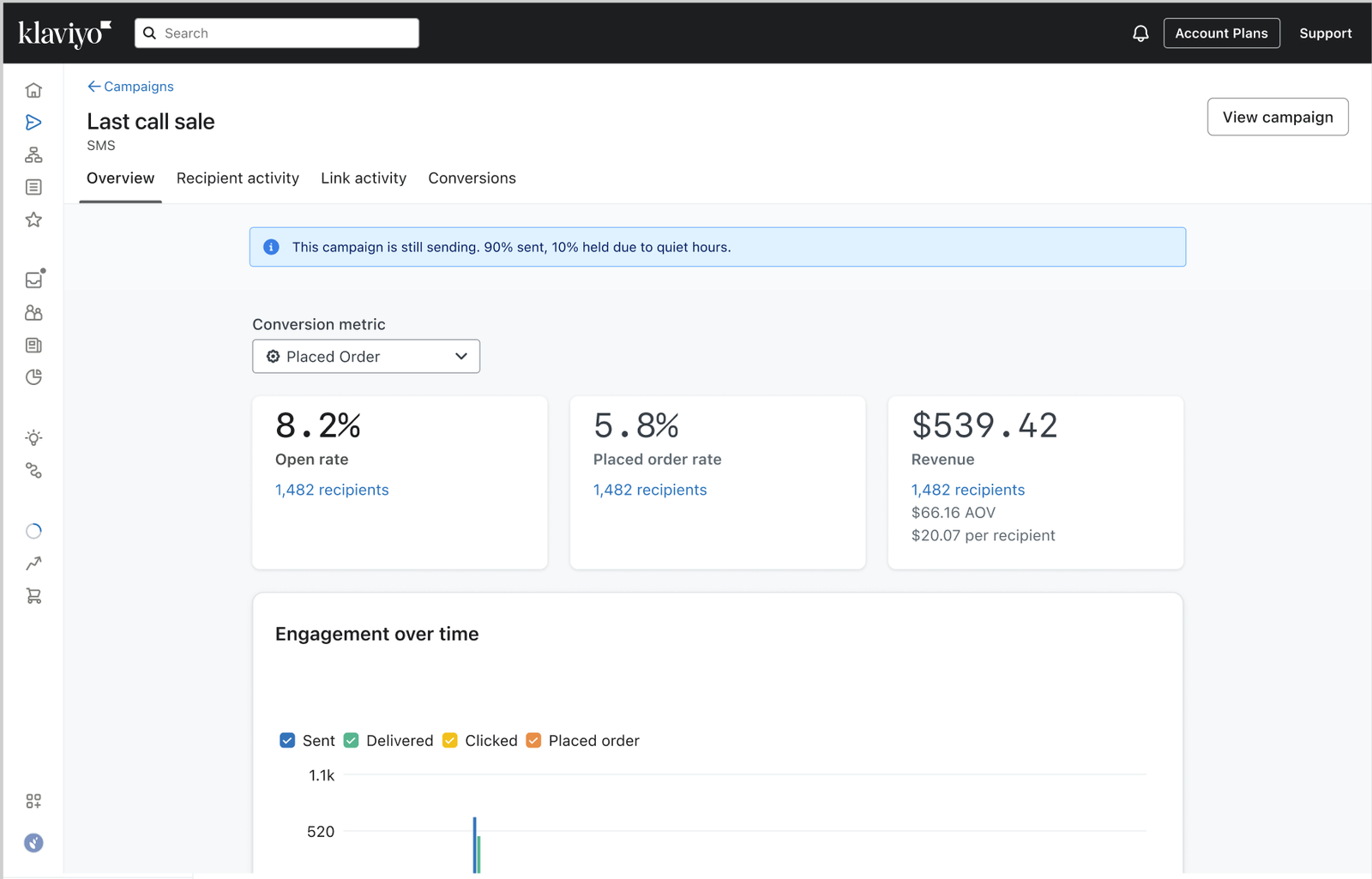
You can set a maximum delay threshold. If the wait until the next compliant send time reaches or exceeds that threshold, the message is skipped. A campaign can show a status of Sent while some messages are still delayed by quiet hours. On the campaign's Overview page, the quiet-hours banner shows the number of messages sent and held.
For example, a recipient's quiet hours are evaluated in New York time, and your account's quiet hours are 9 p.m. to 8 a.m. You send a message at 10:30 p.m. New York time, so it waits 9.5 hours and sends at 8 a.m. New York time. With a maximum delay of 9 hours, the message is skipped; with a maximum delay of 10 hours, it is delayed until 8 a.m.
Where to see it:
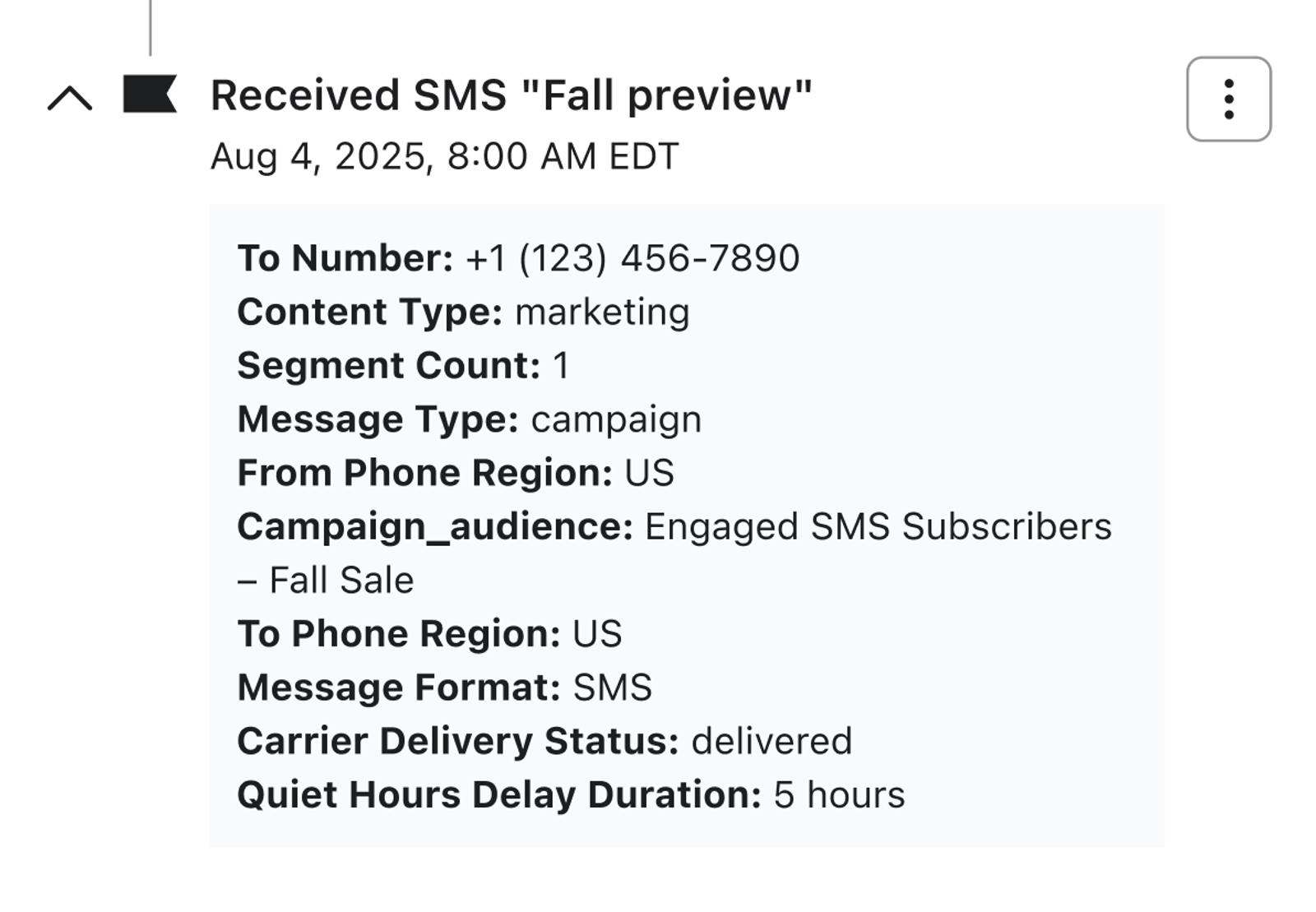
- Once a delayed message is received, open the recipient's Received Text Message event in their activity log. The Quiet Hours Hold Duration field shows the delay in hours, rounded up to the next whole hour.
Skip
Skips the message entirely if the intended send time lands within the quiet-hours window applied to the recipient. Skip should be used for time-sensitive campaigns, like flash sales, expiring offers, or event reminders, where a delayed message would arrive too late to be useful.
Where to see it:
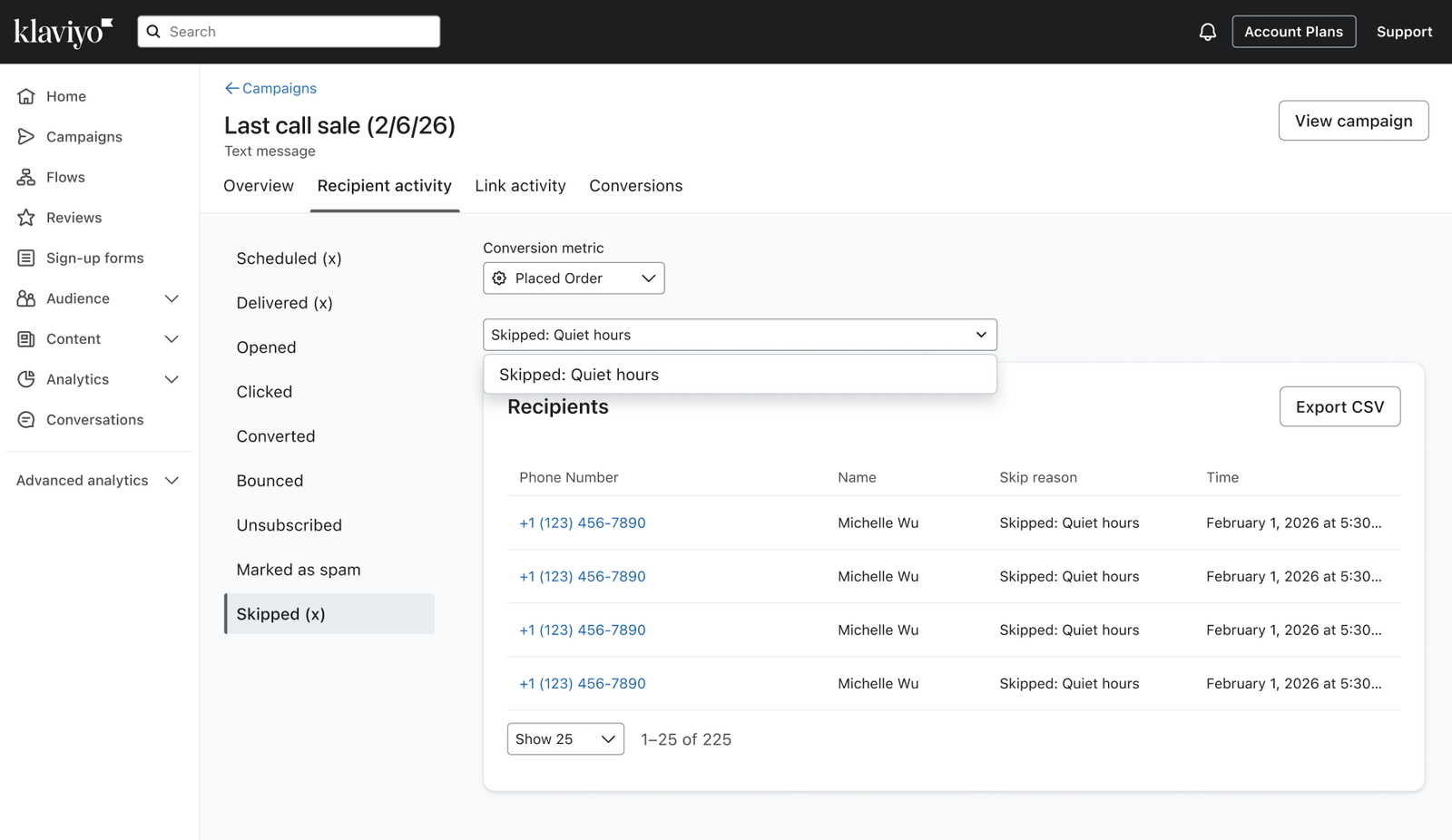
- Open the campaign, then select Recipient activity > Skipped. Recipients skipped for quiet hours are marked Skipped: Quiet Hours.
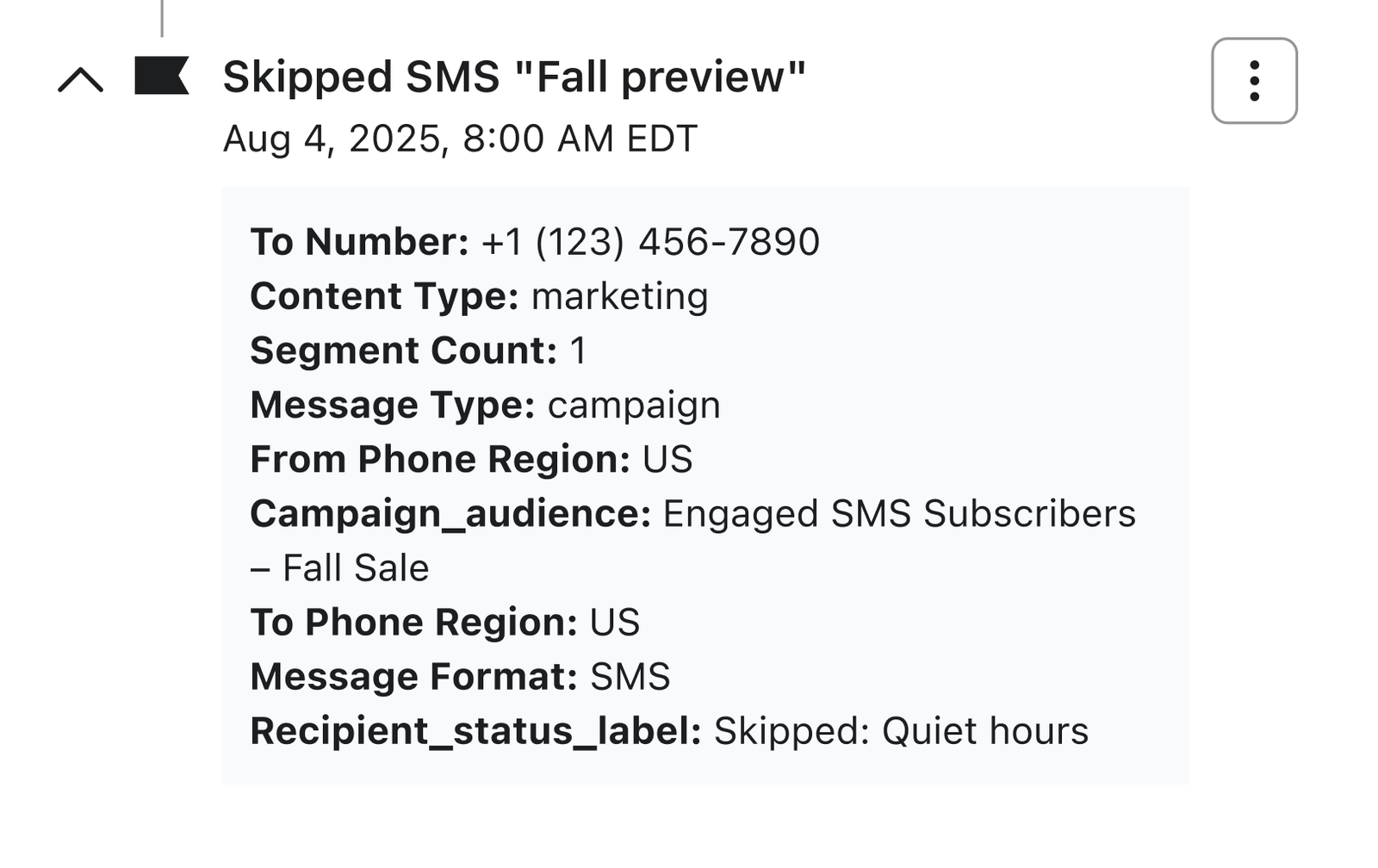
- A skip event is also posted to each skipped recipient's activity log.
Best practices
- Delay is the default. Choose Skip when a late delivery would reduce the message's relevance.
- Review your account's quiet-hours settings before launching a campaign.
- Give delayed messages time to complete before evaluating campaign performance.
- Use reporting to see how many recipients were delayed or skipped.
- Consult qualified legal counsel for questions about SMS sending requirements.