Record creator consent and use social UGC
Premium feature. Available on the paid Klaviyo Social Marketing plan with Facebook Login.
Record a creator's permission to reuse their user-generated content (UGC) in Klaviyo, then use that content in your email, text message, and sign-up form marketing.
This article covers how to record consent on a piece of UGC, find consented content, use it in your marketing, and revoke consent.
Plan and access
You need the paid Klaviyo Social Marketing plan with a Facebook Login connection. See the Use the Social Content Library article for details on how access works across authentication types.
Consent is recorded at the content level. Each piece of content is consented individually.
Link a creator profile
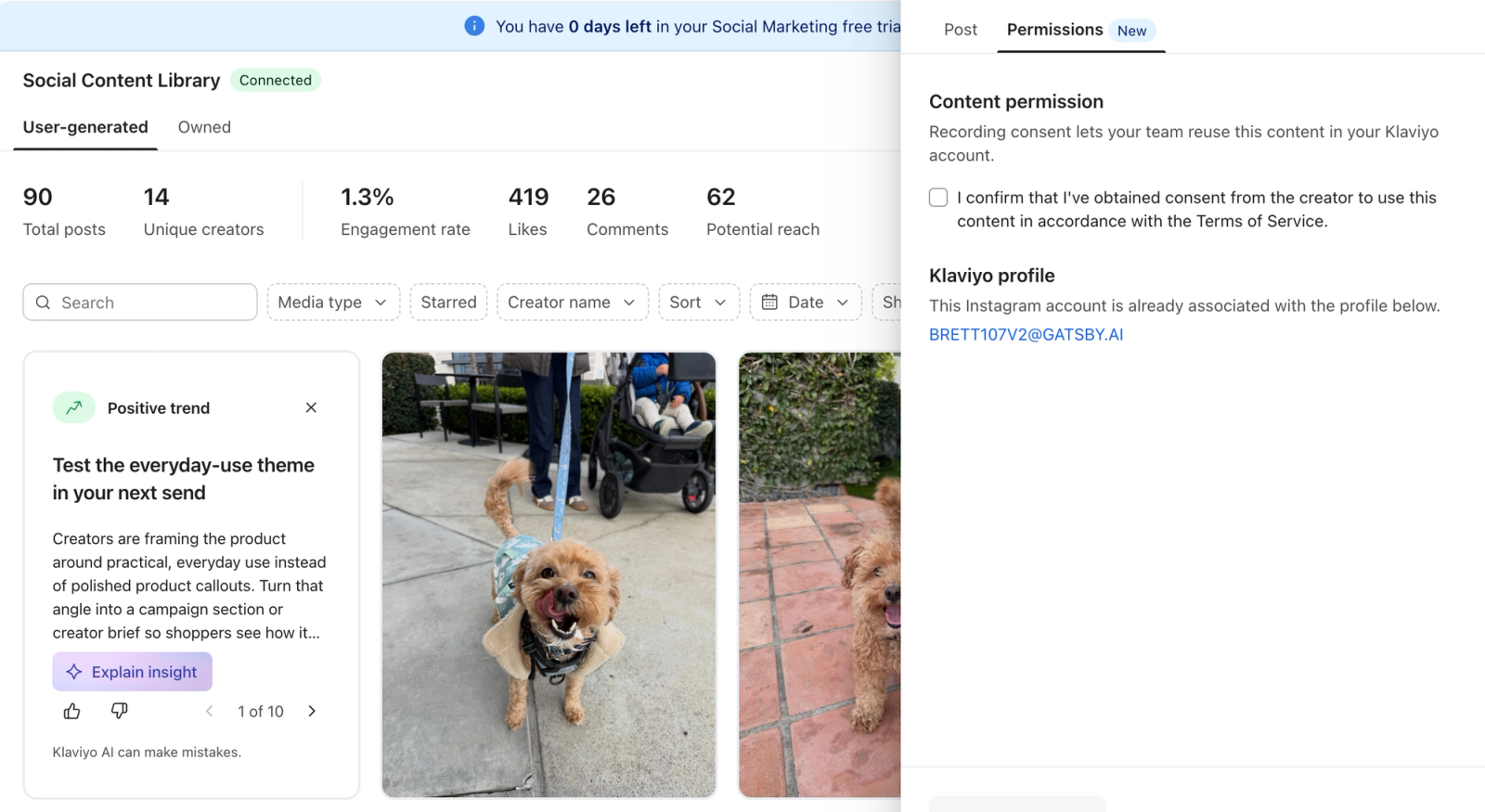
To record consent, the creator must have a linked Klaviyo profile with an email address or phone number. In the Permissions tab, Klaviyo shows any profile already linked to the creator's Instagram account.
- If a profile is already linked, review the profile shown. If it has neither an email address nor a phone number, open its profile link and add one before returning to record consent.
- If no profile is linked, enter the creator's email address or phone number in the Permissions tab so Klaviyo can create a profile when you record consent.
Record consent
Before you record consent, make sure you have obtained permission from the creator through your own process. Klaviyo stores your record of the creator's permission but does not collect consent from the creator on your behalf.
- In Klaviyo, open Social in the left navigation and select Social content.
- On the User-generated tab, open the piece of content you want to reuse.
- In the detail view, select the Permissions tab.
- Review the Klaviyo profile section and add any required contact details as described above.
- Select the checkbox labeled "I confirm that I've obtained consent from the creator to use this content in accordance with the Terms of Service." Then select Record consent.
Your responsibilities when recording consent:
Customer confirms that its organization has obtained all permissions, consents, and other rights necessary to use this content for its intended purposes, including in its marketing, and that its use of the content will comply with applicable laws, including privacy laws, and the rights of the content creator and any individual shown in the content. Customer understands that Klaviyo does not obtain or verify these permissions on its behalf.
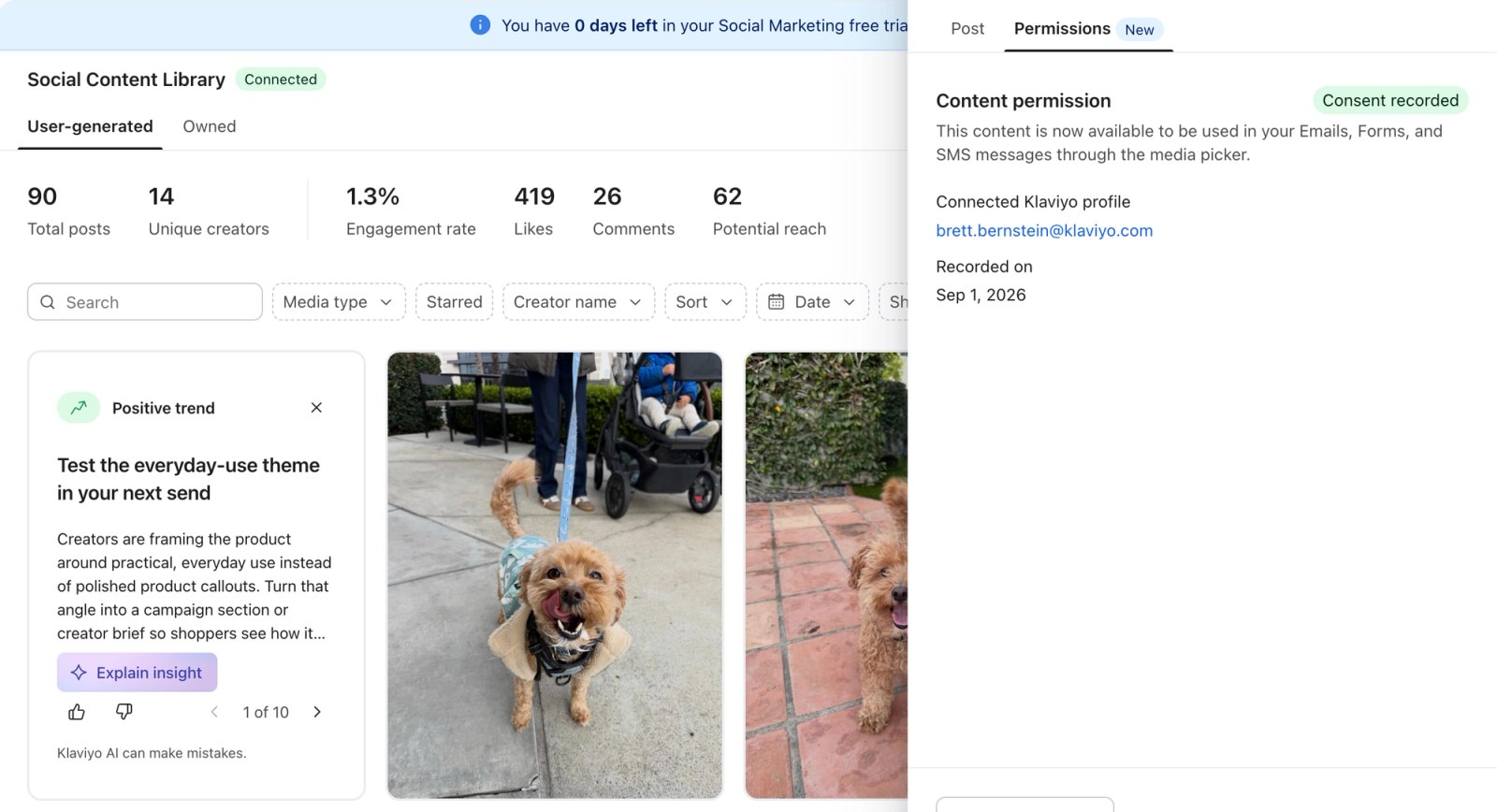
Once recorded, the content shows a Consent recorded status and becomes available to use in your marketing. It can take up to about 1 minute for the content to appear in the media picker.
Find consented content
Consented UGC is available in 2 places:
- Social Content Library. On the User-generated tab, open Consent status and select Collected to see content with consent recorded.
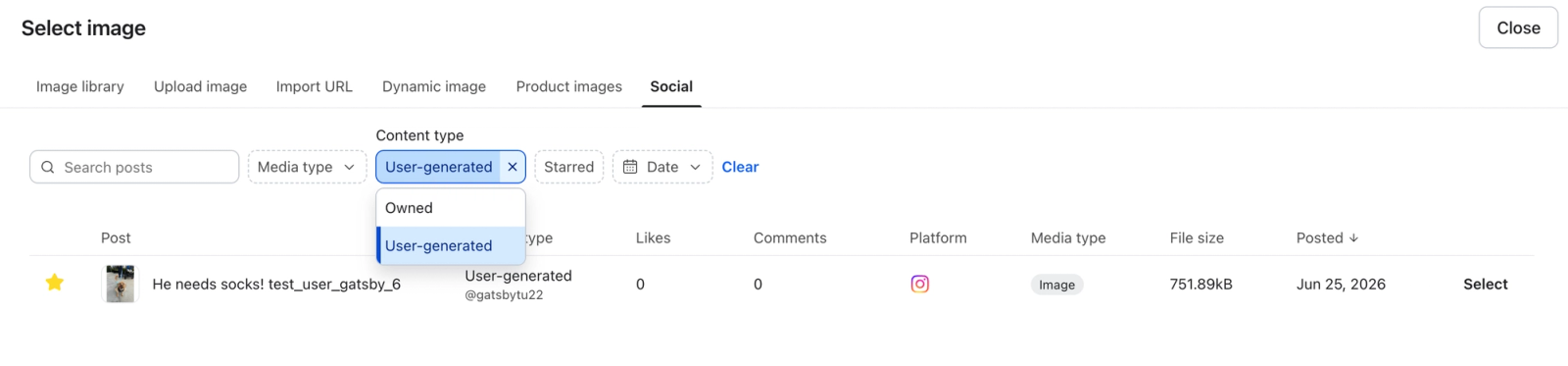
- Media picker. In email, SMS, sign-up form, and other supported editors, select the Social tab in the media picker. To show only consented UGC, set Content type to User-generated. The Content type column distinguishes UGC from owned content.
Use consented content in your marketing
Once content has consent recorded, you can select it from the media picker and embed it directly in your:
- Email campaigns and flows
- SMS campaigns and flows
- Forms
- And more
The content behaves like any other asset in the editor. For instructions, see Use your social content in campaigns, flows, and sign-up forms
Revoke consent
You can remove consent from a piece of content at any time, for example if a creator withdraws permission or you no longer want to use the content. Revoking consent deletes the synced media files used in marketing, so review where the content is used and replace it wherever it is currently in use.
- Open the content and go to the Permissions tab.
- Select Revoke consent.
- Review the warning, then select Revoke to confirm.
When you revoke consent, Klaviyo removes the content from the media picker and deletes its synced media files. Media that still references a deleted file may stop displaying, including in previously sent messages.
Things to know
- Consent is recorded at the content level. Creator-level consent, where all content from a creator is approved at once, is not available today.
- You are responsible for obtaining the rights to reuse a creator's content before recording consent. Klaviyo stores your record of the creator's permission to reuse their content, but does not obtain or verify that permission for you. This record is separate from any marketing consent you may collect from subscribers.
- To reuse the content later, select Re-record consent in its Permissions tab, then follow the Record consent steps above.