Understand social properties and events
Klaviyo Social Marketing syncs Instagram engagement data directly onto Klaviyo profiles, in two forms:
- Social properties. Instagram details stored on the profile, reflecting the person's Instagram follower count and if they follow your brand.
- Social events. Timestamped records shown in the profile's activity feed. Messaged on Social, Commented on Social, and Posted UGC require the paid Klaviyo Social Marketing plan. Contact-submission events from Auto-replies are also available on the free plan.
Together these properties and events let you segment your audience by social behavior and trigger flows from social activity.
This article lists the profile properties and events that can sync to a Klaviyo profile and what each one contains.
How social data connects to a Klaviyo profile
Instagram data syncs to a Klaviyo profile only after the person shares their email address or phone number with your brand through an Instagram DM, via a Social Auto-reply.
Once they do, Klaviyo creates a new profile for them, or matches their existing profile with their Instagram username. After that, Instagram properties and future social events will sync through to their Klaviyo profile.
Social properties and events can only be logged for profiles who have provided their email address or phone number through an Auto-reply.
Instagram profile properties
When someone interacts with your brand on Instagram and is matched to a Klaviyo profile, Klaviyo stores these custom properties on their profile:
- InstagramUsername. The person's Instagram handle.
- InstagramName. The person's Instagram display name, when available.
- InstagramFollowerCount. The number of followers on the person's Instagram account.
- InstagramFollowsYou. Whether the person follows your brand's Instagram account (true or false).
- InstagramKeyword. A list of the matched Auto-reply keywords from conversations in which the person submitted their email address or phone number. The keywords can come from DMs or comments.
- InstagramProfileImage. A URL for the person's Instagram profile photo.
- Custom Question answers. If your Auto-reply includes Custom Questions, each answer the person gives syncs to the corresponding profile property you set for that question. Custom Questions are free on all plans. Learn more about Custom Questions.
Instagram profile properties update automatically when a matched person sends your brand an Instagram DM or leaves a comment.
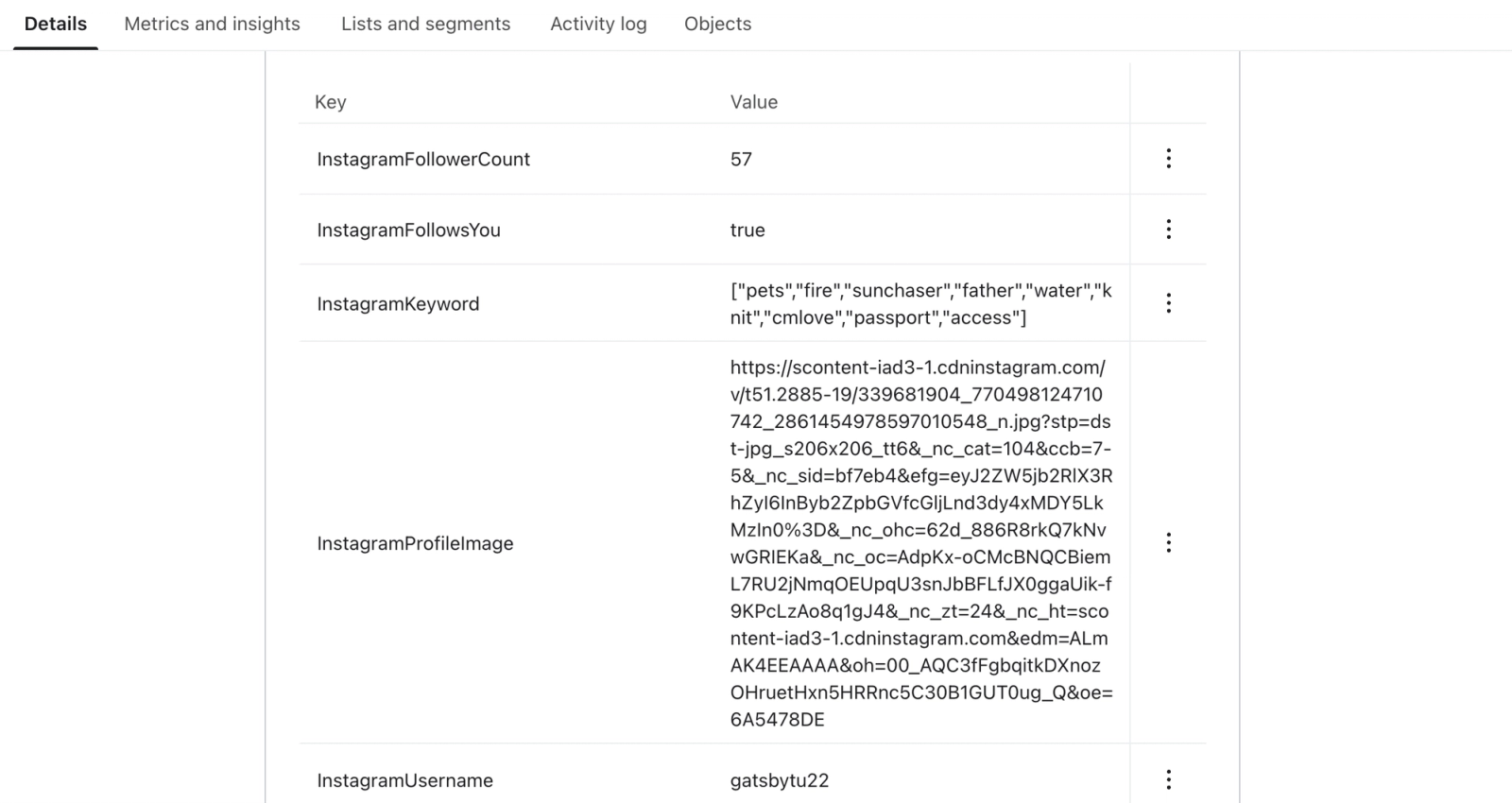
You can use any of these properties in segment conditions. For example, build a segment of profiles where InstagramFollowsYou is true and InstagramFollowerCount is greater than 1,000 to find your most influential customers.
Social events
Social events appear in the profile's activity feed and can be used as segment conditions and flow triggers. Each event includes properties you can reference in flow filters and email personalization.
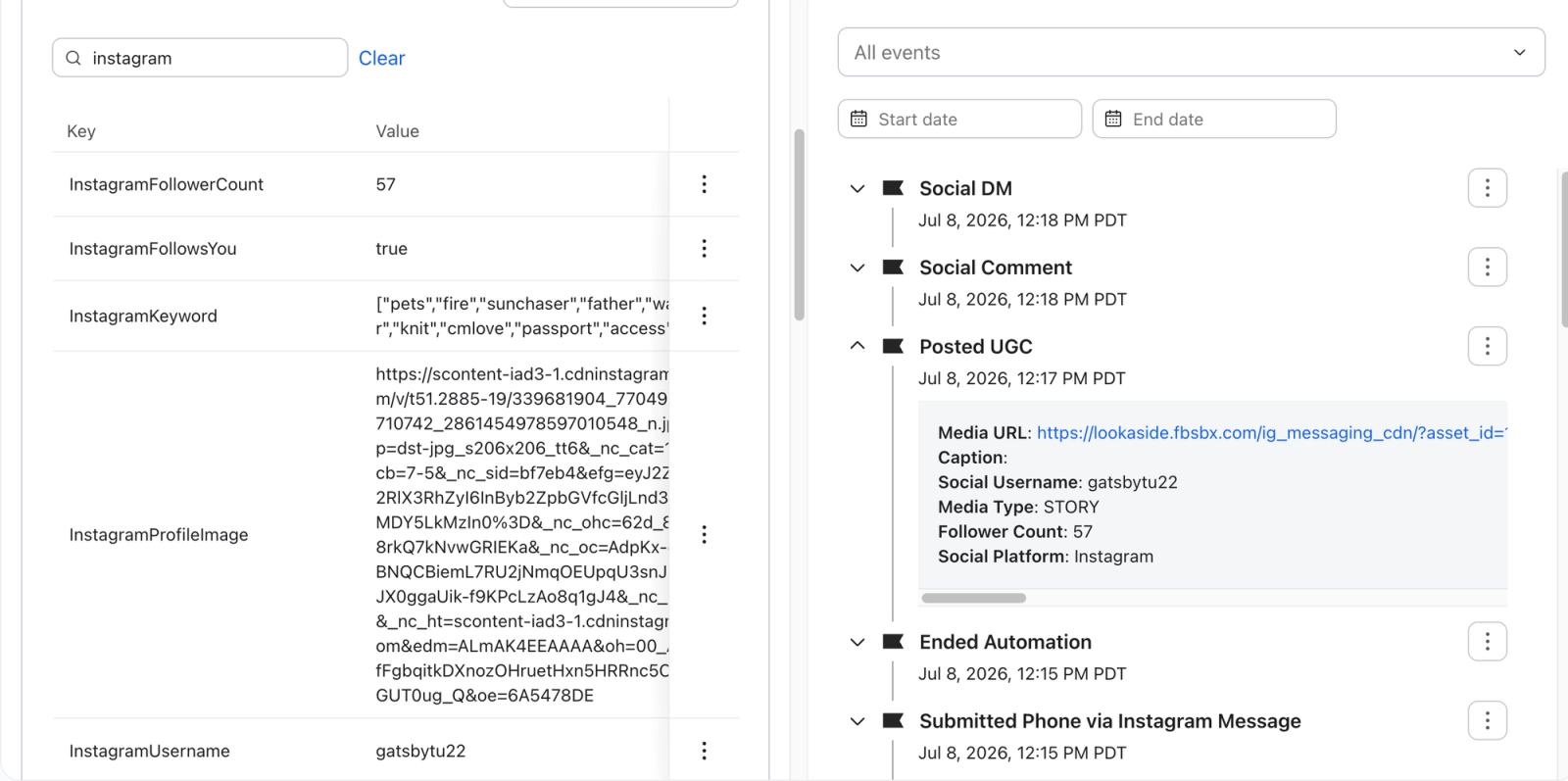
Messaged on Social
Records a direct message the person sent to your brand's Instagram account. Replies to your brand's stories also count as DMs.
Event properties:
- Message. The text of the DM.
- Recipient Username. Your brand's Instagram handle.
- Social Username. The sender's Instagram handle.
- Social Platform. The platform the interaction occurred on (Instagram).
- Follower Count. The sender's follower count at the time of the DM.
Commented on Social
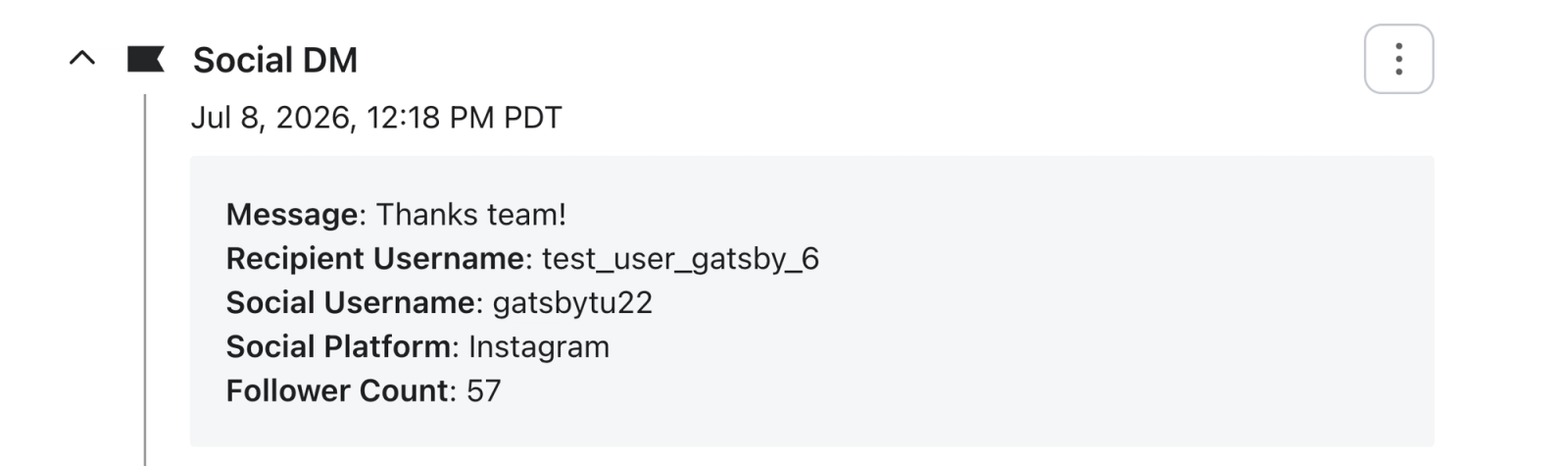
Records a comment the person left on your brand's Instagram post or Reel.
Event properties:
- Social Platform. The platform the interaction occurred on (Instagram).
- Media URL. A link to the post or Reel they commented on.
- Comment. The text of the comment.
- Social Username. The commenter's Instagram handle.
- Follower Count. The commenter's follower count at the time of the comment.
- Recipient Username. Your brand's Instagram handle.
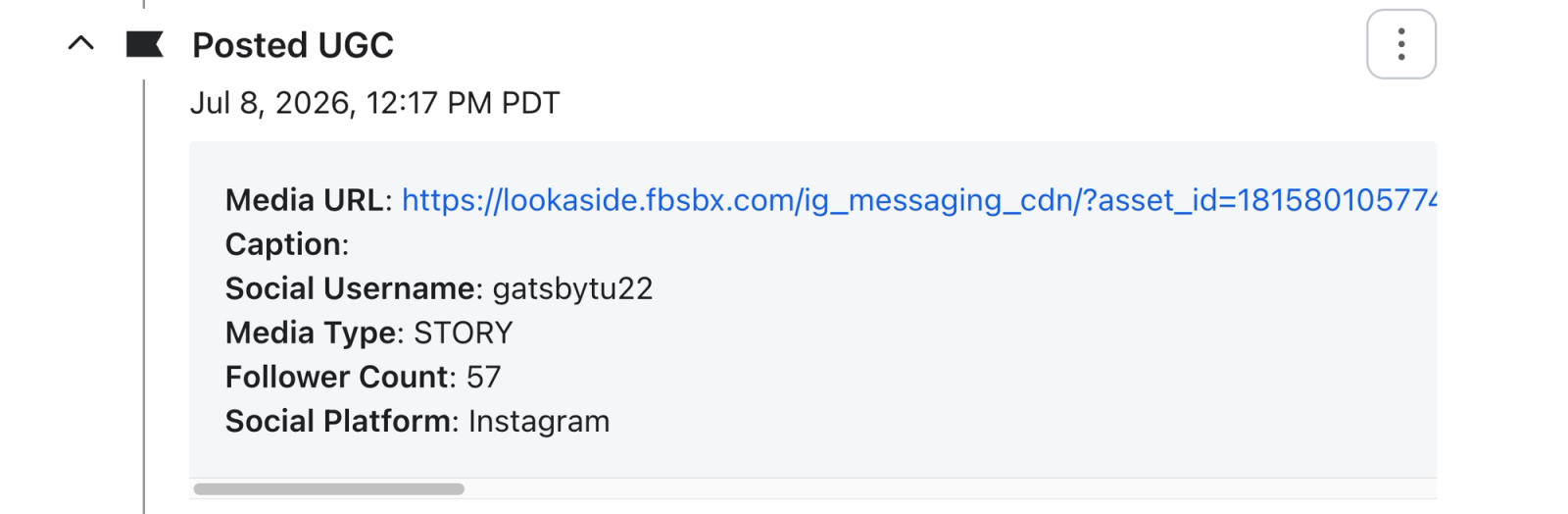
Posted UGC
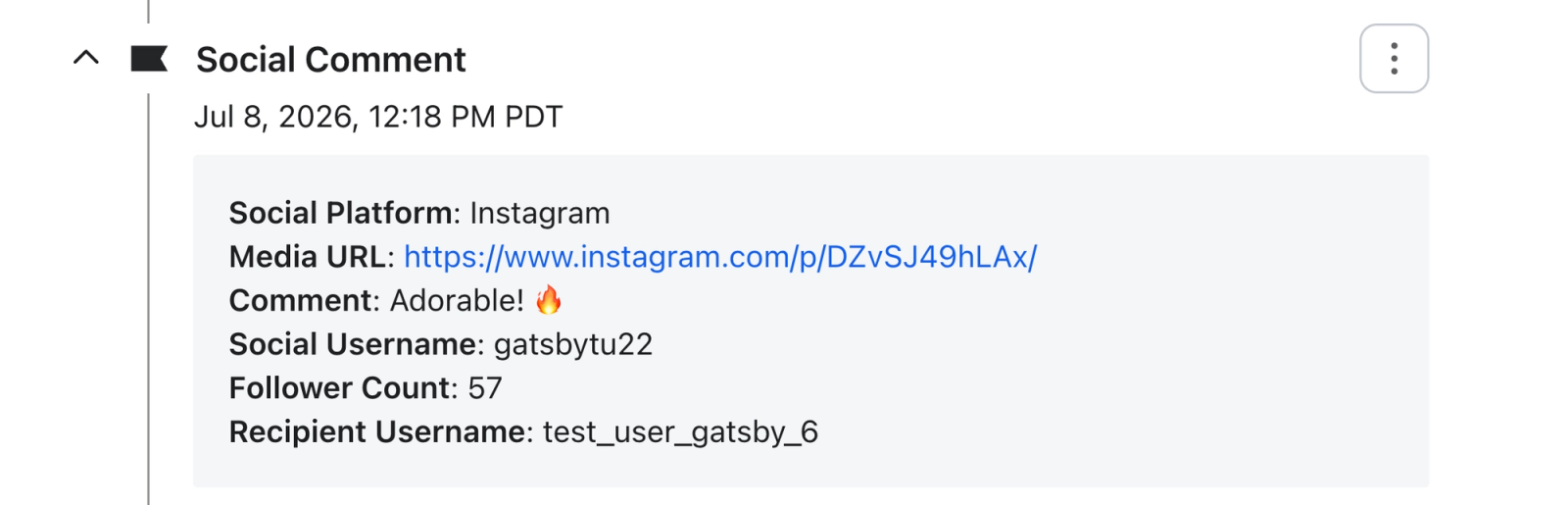
Records user-generated content (UGC) when a matched person mentions your brand with @ in an Instagram post or Reel caption, or in a story. Tagging your brand in the post or Reel media itself can add content to the Social Content Library, but does not create a Posted UGC profile event.
Event properties:
- Media URL. A link to the content.
- Caption. The caption of the post or Reel. Story captions are not captured.
- Social Username. The creator's Instagram handle.
- Media Type. The content format, such as IMAGE (post), VIDEO (Reel), CAROUSEL_ALBUM (carousel), or STORY.
- Follower Count. The creator's follower count when available. This field is empty for post and Reel caption mentions.
- Social Platform. The platform the interaction occurred on (Instagram).
Submitted Phone via Automation
For Social Auto-replies, records that the person submitted their phone number through the Auto-reply.
Submitted Email via Automation
For Social Auto-replies, records that the person submitted their email address through the Auto-reply. Klaviyo creates or updates their profile using that address.

These submission metrics also record contact information collected through other automated conversations. To use only Instagram submissions in a segment or flow, filter the event's $automation_channel property to INSTAGRAM.
Submitting contact information creates or updates a profile and starts the opt-in process. It does not confirm marketing consent. If the selected list uses double opt-in, the person must confirm their subscription before they are subscribed and added to the list.
Subscribe method for social signups
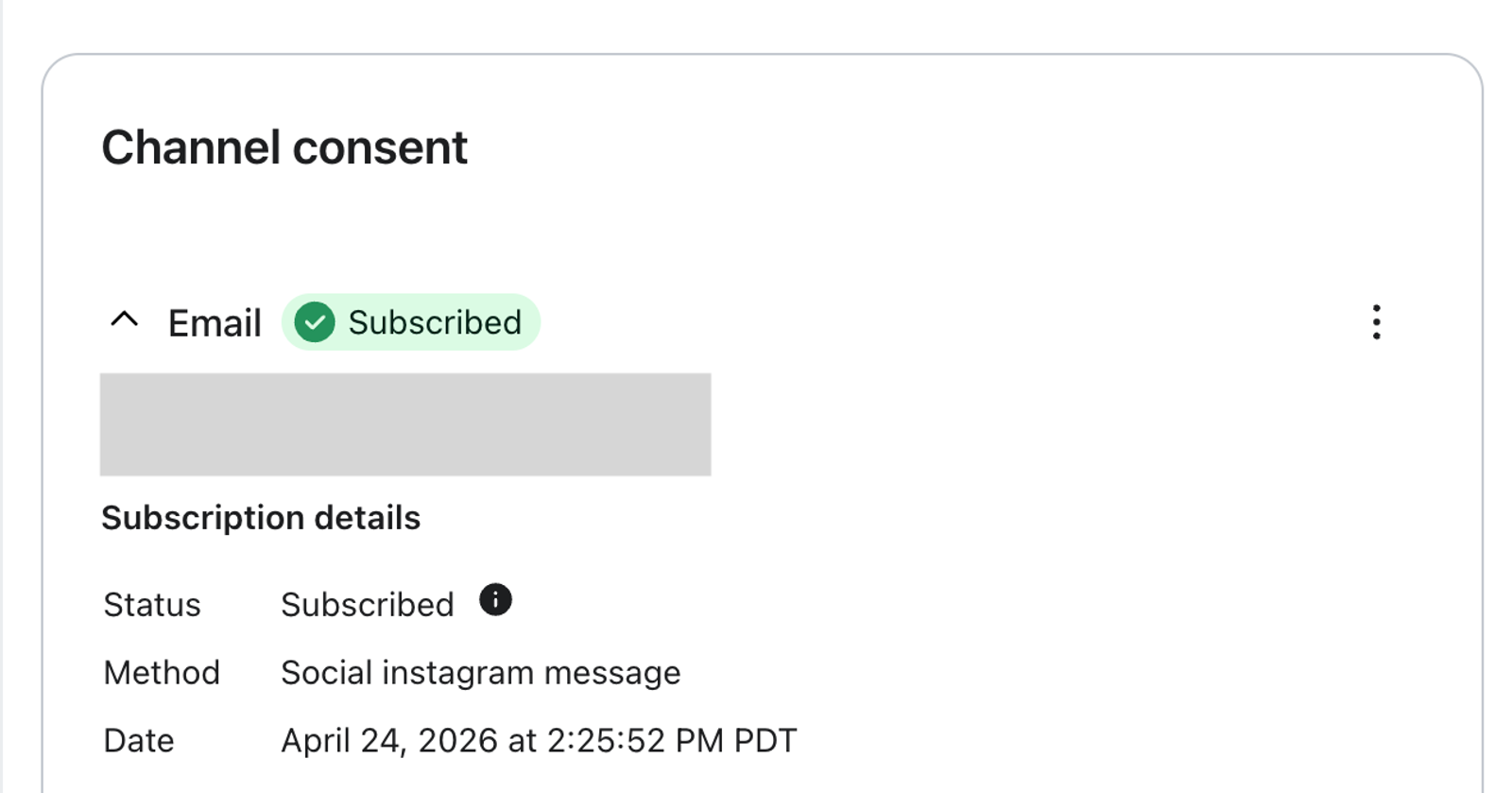
When someone subscribes through an Instagram Auto-reply and they're a new subscriber for that messaging channel (email, SMS, or WhatsApp), their consent record shows the method Social instagram message, visible in the Channel consent section of their profile.
- If the person was already subscribed to that channel, their original subscribe method is not overwritten.
- Consent methods are tracked per channel. For example, if someone was already subscribed to email and later subscribes to WhatsApp through an Instagram Auto-reply, only their WhatsApp consent shows Social instagram message; their email consent keeps its original method.
Use social data in segments and flows
A few examples of what these enable:
- Reward your community. Segment on the Posted UGC event to find customers who featured your brand this month, and send them a thank-you campaign, coupon code, or loyalty points. Loyalty points would require a separate loyalty integration.
- Follow up on conversations. For an email welcome series, use the list selected in your Auto-reply as the flow trigger. With double opt-in, subscribers enter after confirming. Submitted Email via Automation can trigger a separate flow at contact submission, before consent is confirmed. Use Social instagram message as a subscribe-method condition in a segment, rather than as a flow trigger. Learn how to create an email welcome series.
- Find your advocates. Combine InstagramFollowsYou with purchase history to identify customers who both follow you and buy from you.
Things to know
- The Instagram profile properties and engagement events described here apply to Instagram. Submitted Email via Automation and Submitted Phone via Automation also cover other automated conversations; filter them by channel when you need only Instagram activity.
- Instagram profile properties and contact-submission events sync on all plans, including the free Auto-replies plan. Messaged on Social, Commented on Social, and Posted UGC require the paid Klaviyo Social Marketing plan.
- When populated, Follower Count on an event reflects the count available when the interaction is recorded. It can be empty, including on Posted UGC events from post and Reel caption mentions.
- Engagement events are recorded for future interactions after the person is matched to a Klaviyo profile, while Instagram is connected and you have the paid Social Marketing plan. Historical comments and DMs do not sync. Historical content, including your brand's own posts and recent tagged posts and Reels, syncs into the Social Content Library, but does not create profile events.
- For Story UGC, Klaviyo records the Posted UGC event, but the story's creative content is not available to be displayed after the Story expires.
- Social interactions from people who have not shared an email address or phone number cannot be matched to an addressable profile until they do.
Additional reading