Understanding Gmail's tabbed inbox
You will learn
Learn how Gmail's tabbed inbox sorts your emails, how the Promotions tab differs from spam, and what you and your subscribers can do about tab placement.
Google uses its own complex system to scan and automatically sort incoming emails. While this sorting process is powered by algorithms that are not made public, as an email marketer, you may be concerned about how Gmail's approach to inbox management impacts your marketing strategy.
In particular, there are 2 key things to consider:
- Inbox placement
The successful placement of your email in a recipient's inbox - Spam filtering
The placement of your email in a recipient's spam folder
Inbox placement
Inbox placement rate (IPR) measures the percentage of emails that reach an inbox rather than the spam folder. Successful delivery means the recipient's mail server accepted an email; it does not confirm whether the email reached the inbox or spam. Inbox placement can also refer to which tab an email lands in after delivery.
With Gmail's tabbed inbox, emails can land in any of the following tabs: Primary, Social, Promotions, Updates, or Forums.
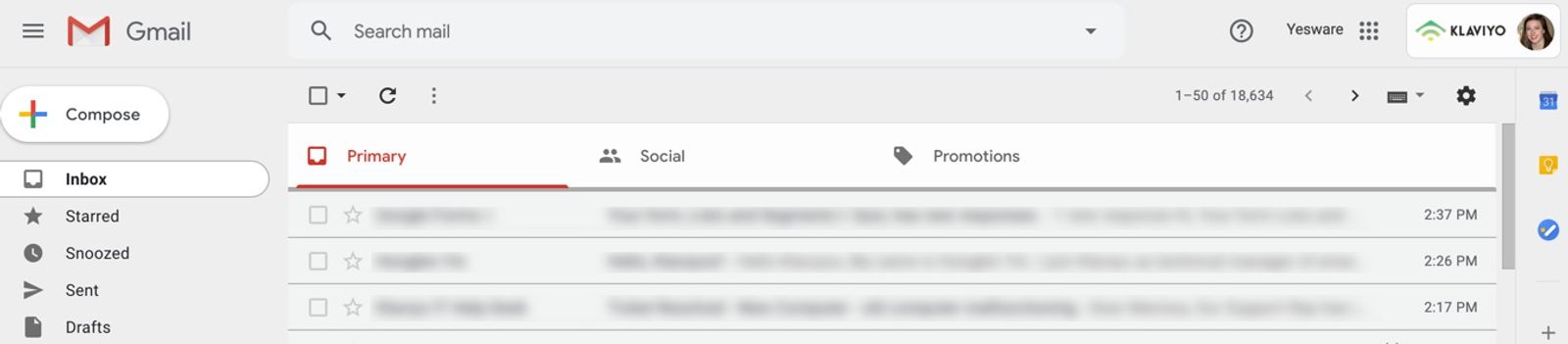
Gmail's algorithms are designed to make it easier for users to sort through an otherwise crowded inbox, so important emails have high visibility. For email marketers, this can seem problematic if Gmail starts sorting your emails into a tab where they may be ignored.
After Gmail introduced tabs in 2013, Return Path reported:
Four months after the widespread rollout of tabs left marketing messages a click removed from personal email, consumers continue to read them at roughly the same levels as before. - Return Path, The Tabbed Inbox
Return Path's study analyzed messages sent between April and October 2013. It found that marketing emails continued to be read at roughly similar rates after tabs were introduced, though results varied by industry. Messages in the Promotions tab also had lower spam complaint rates than those in Primary. These historical findings do not predict the performance of your current campaigns.
Don’t panic about the Promotions tab
The Promotions tab is part of the inbox, not the spam folder. Landing in Promotions means your email reached an inbox, even if it did not appear in Primary.
Gmail users can move an email from one category to another, which helps Gmail learn their preferences over time. If subscribers want your newsletters in their Primary tab, you can ask them to drag a message there while using Gmail on a computer. They can also create a Gmail filter to direct messages from your sender address to a specific category. You cannot choose or guarantee which tab your messages will appear in, and Klaviyo does not control Gmail’s sorting after delivery.
Personalizing an email does not guarantee placement in the Primary tab. Gmail's Promotions category is intended for deals, offers, and other promotional emails. The following content practices can support deliverability, but do not let you choose a Gmail tab:
- Watch your text-to-image ratio: taking an image-heavy approach to email design can impact inbox placement. Spam filters are also suspicious of emails composed mostly of images.
- Avoid overuse of links: when you do hyperlink text, make sure no links are broken.
- Personalize your emails: for example, insert a first name into an email with a fallback if you don't have a name on file.
Gmail tab placement depends on each recipient's inbox settings and preferences. Landing in the Promotions tab still counts as reaching the inbox. Tools such as Litmus can help you investigate inbox placement and deliverability, but a result from one inbox does not establish where your emails land for other recipients.
Additional resources
- Understanding email deliverability
Learn about email deliverability, including the steps you can take to establish a strong sender reputation so that your emails are delivered to the inbox.
- Third-party deliverability monitoring tools reference
In order to improve upon and maintain good deliverability, it is essential to continually monitor your email performance with Klaviyo. The best way to do so is to monitor your campaign and flow opens, clicks, bounces, and spam rates. For complete information on how to do so, head to our article around How to monitor deliverability performance.
- How to strengthen your sender reputation for a specific inbox provider or email domain
Learn best practices to strengthen your sender reputation if you are seeing deliverability issues with specific inbox providers or email domains. If your deliverability issues are not limited to specific inbox providers or domains, see our guide on repairing your sender reputation.