How to create a repeat purchaser segment
You will learn
Learn how to create a repeat purchaser segment, which allows you to see which customers in your account have returned to buy from your brand after their first purchase. This allows you to gain insight into your customers' shopping behavior and target them accordingly.
Create a repeat purchaser segment
- Navigate to Audience > Lists & segments.
- Click Create New.
- Choose Create segment.
- Create a segment with the definition:
What someone has done (or not done) > Has Placed Order > is at least 2 > over all time
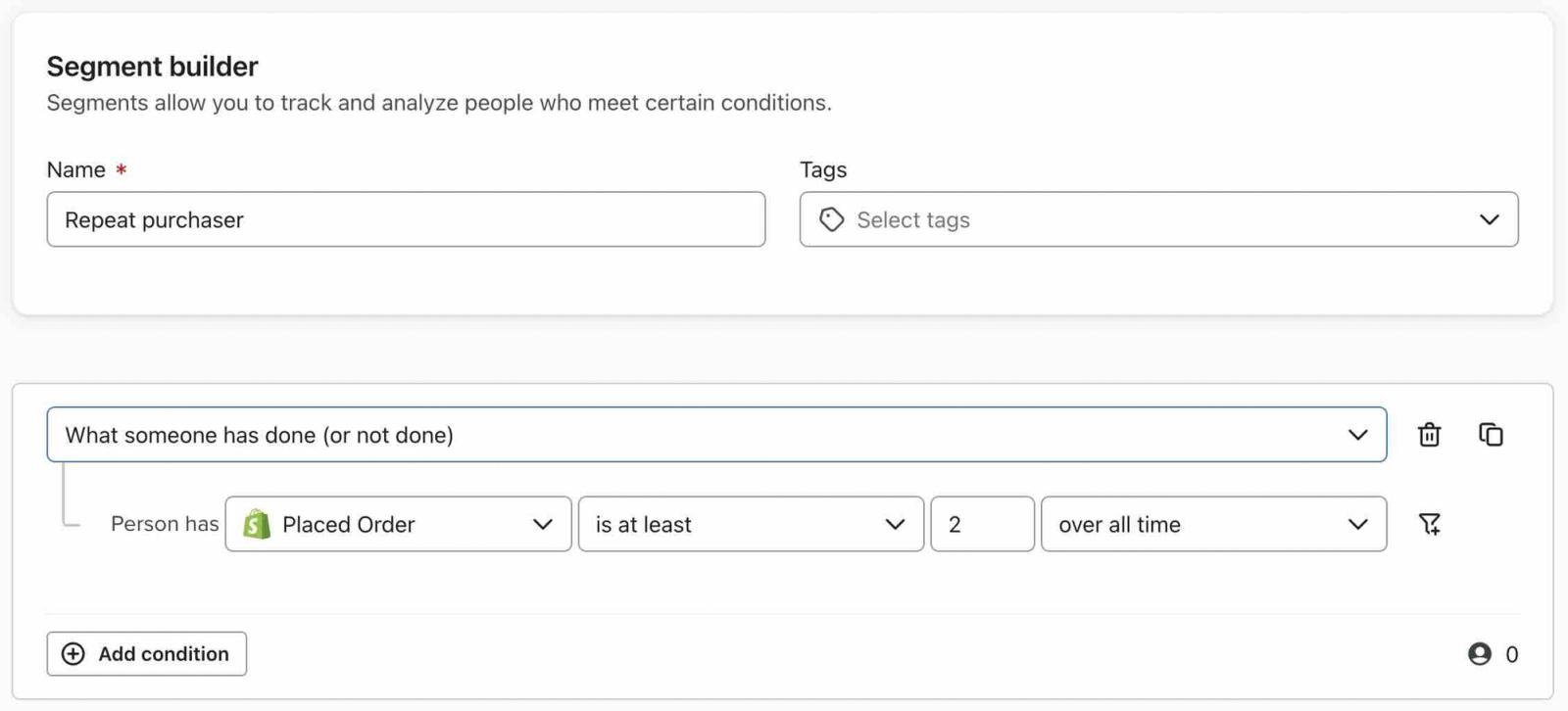
New to Klaviyo and need inspiration for segmentation? Check out our getting started with segments guide.
Options for further targeting
- Make this segment more exclusive
If you want to create a VIP customer segment or make this segment more exclusive, adjust the number of purchases someone must make in order to be included; for example, you can adjust this to Placed Order is at least 4 over all time. - Target customers in a certain time frame
You can also adjust the timeframe; for example, instead of setting purchase activity as over all time, isolate customers who purchased a certain number of times in the last X days, weeks, or months. - Only include those who repeatedly purchased a certain product
You can add a filter to isolate repeat purchasers of a specific product or those who have repeatedly purchased from a certain category. - Become more targeted by adding other conditions
To create a segment of repeat purchasers that are also part of a certain list, add this additional condition to your segment. You can further target this segment by adding any number of additional conditions based on customer properties or behavior.
Additional resources
- Advanced segmentation reference
Learn effective advanced segmentation strategies that provide insights into your customer base and create highly personalized experiences for your subscribers.
- How to create a cross sell segment
Learn how to identify a group of people who have purchased a particular item but have not purchased a specific related item, in order to target them with a cross sell message. For example, if someone purchases a video game console, you might consider targeting them with content about the most popular video games for that console that they haven't yet purchased.
- How to create and target a segment of recent cart abandoners
Learn how to identify site visitors who have recently abandoned a cart in order to target them across marketing channels. For example, you can create a recent cart abandoners segment and sync it to Facebook Custom Audiences to drive them back to your site, or you can create an exit-intent popup targeting shoppers as they're about to leave your website. While it's not possible to dynamically display the specific items left in someone's cart as you would in an abandoned cart email, you can still remind them of items left behind with the language and CTA you use.