Measure Social Revenue and Engagement with Social Performance
Premium feature. Engagement and content reports require a paid Klaviyo Social Marketing plan or an active trial. Connect Instagram through Facebook Login to report on Instagram content and engagement.
Use Social analytics to review your Instagram engagement, top content, creators, and subscriber growth.
If Social analytics is available in your account, navigate to Social > Analytics. For help connecting Instagram, see Connect Instagram to Klaviyo.
Available reports
Click Time period at the top of the Social analytics page, select a preset or custom date range, then click Apply. Engagement at a glance compares results with the preceding period; changing the comparison period in the filter does not change that report’s comparison.
Overview
Social Revenue combines Auto-reply Revenue and Engagement Revenue. The Overview revenue cards do not yet report your account’s revenue.
The lookback window determines how long after a comment, direct message, or share a purchase counts toward Social Revenue. This only applies to customers with a known social handle and an email address or phone number. The Overview card does not currently offer a control to change this window.
The Overview card does not currently include a conversion-event dropdown.
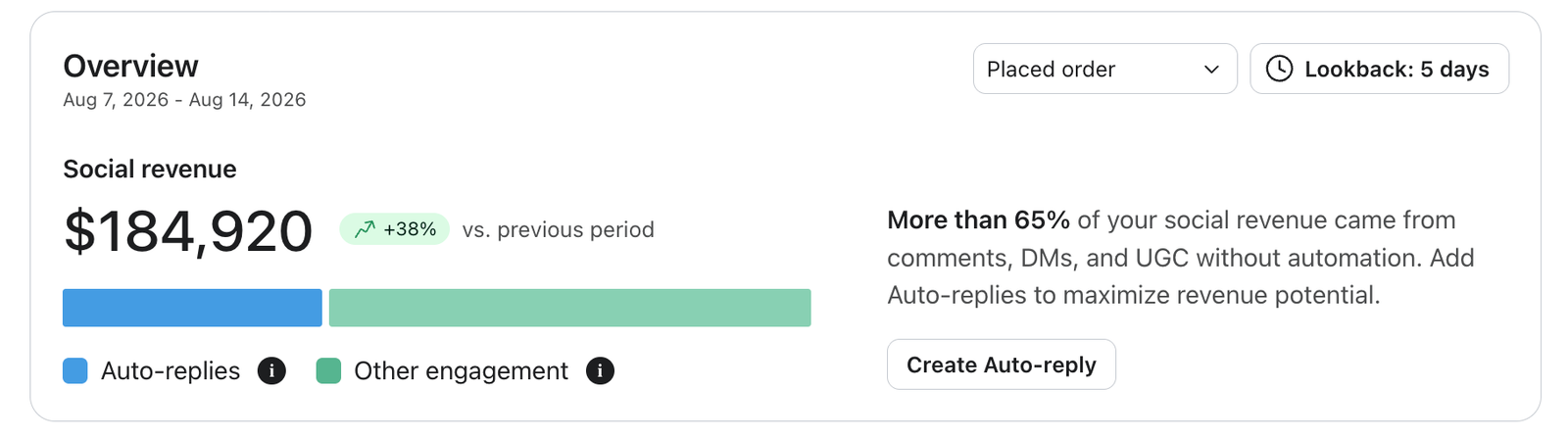
Social Revenue is not associated with the broader Klaviyo Attributed Revenue (KAV). It is a separate metric and does not de-duplicate revenue attribution from KAV; instead it is meant to estimate the impact of social on your bottom line.
Engagement at a glance
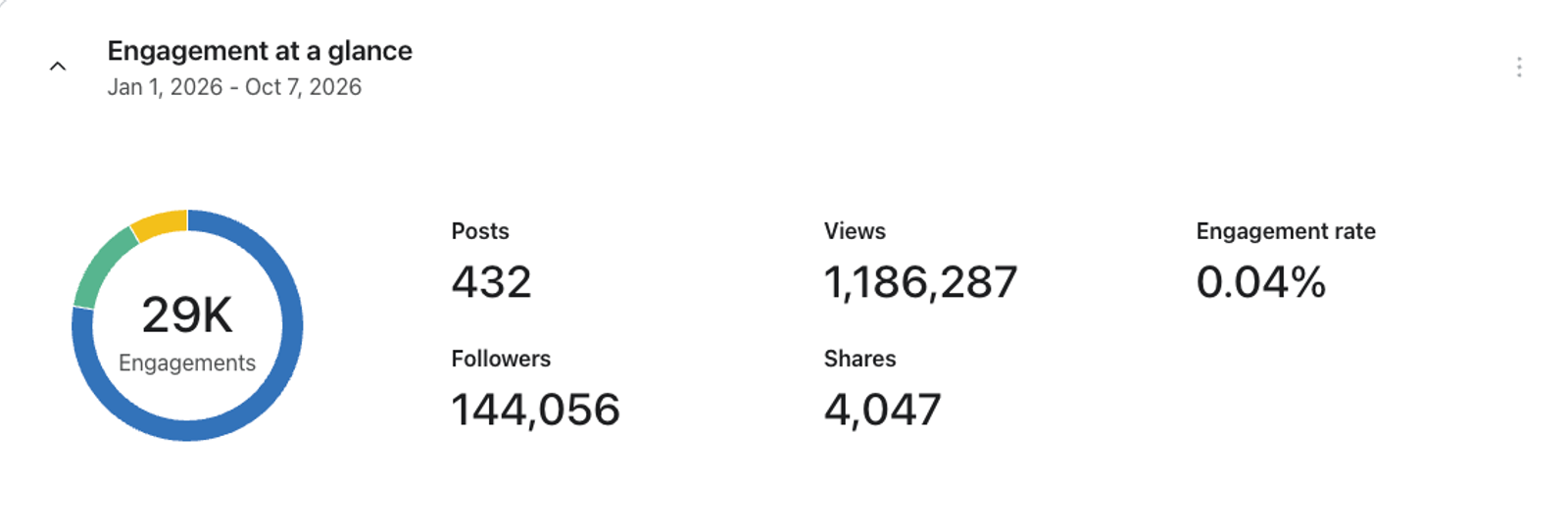
See your brand's top-level performance in one dashboard. We pull in total posts, views, shares, followers, engagements, and engagement rate so you can quickly understand how your brand is doing. Trend comparisons against the previous period show whether you're improving over time, and in which metrics.
Top performing content
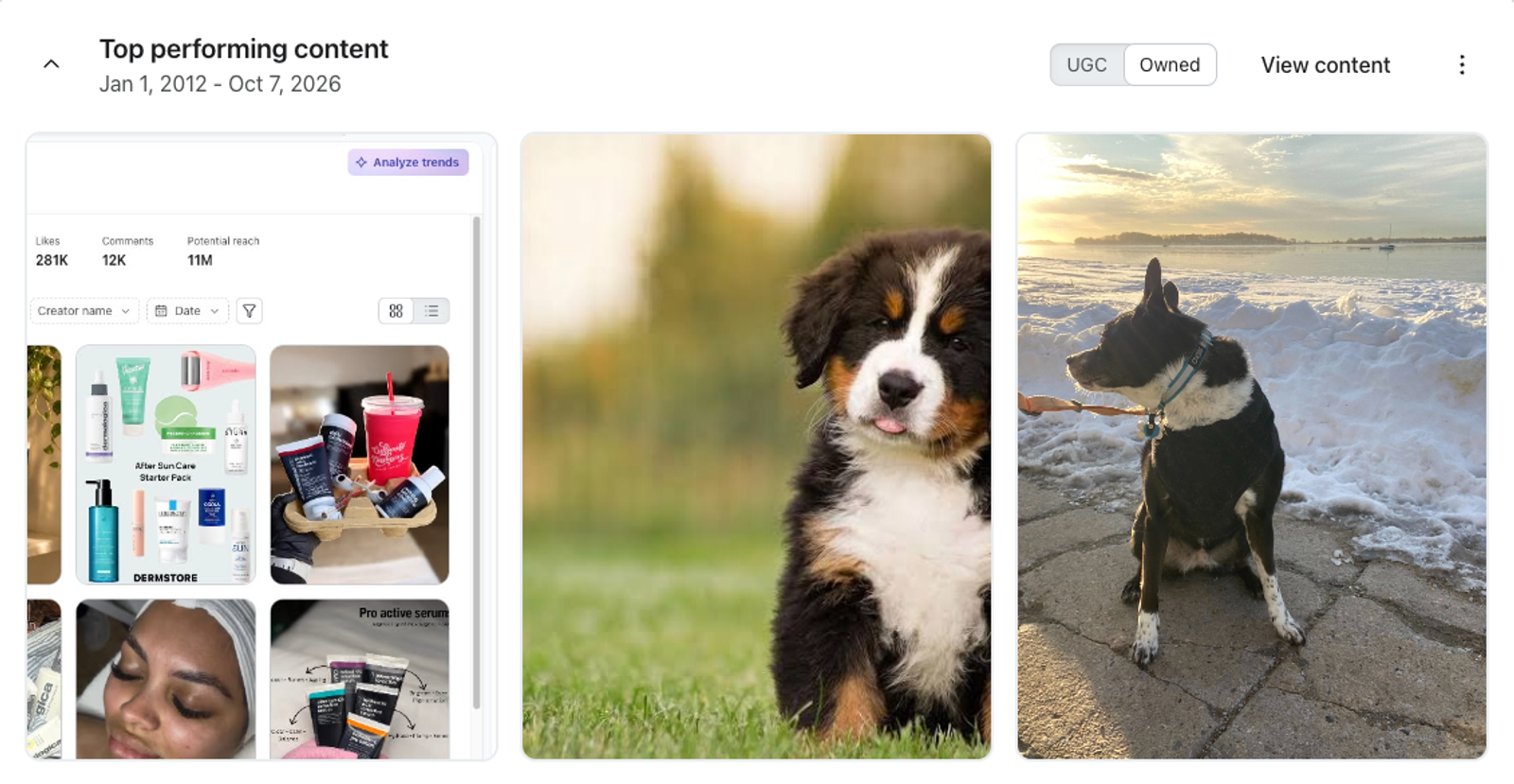
This report ranks posts by their highest observed engagement rate: likes plus comments divided by the follower count recorded for that post. Saves and shares are available engagement counts but do not determine the ranking. Available counts depend on what Instagram returns. The ranking uses engagement observed over the post’s lifetime, not only activity during the selected period. For date ranges longer than 366 days, the ranking can include posts outside the selected period.
Toggle between user-generated content (UGC) and your brand's owned content. Click any post to open a side drawer with more detail.
Engagement over time
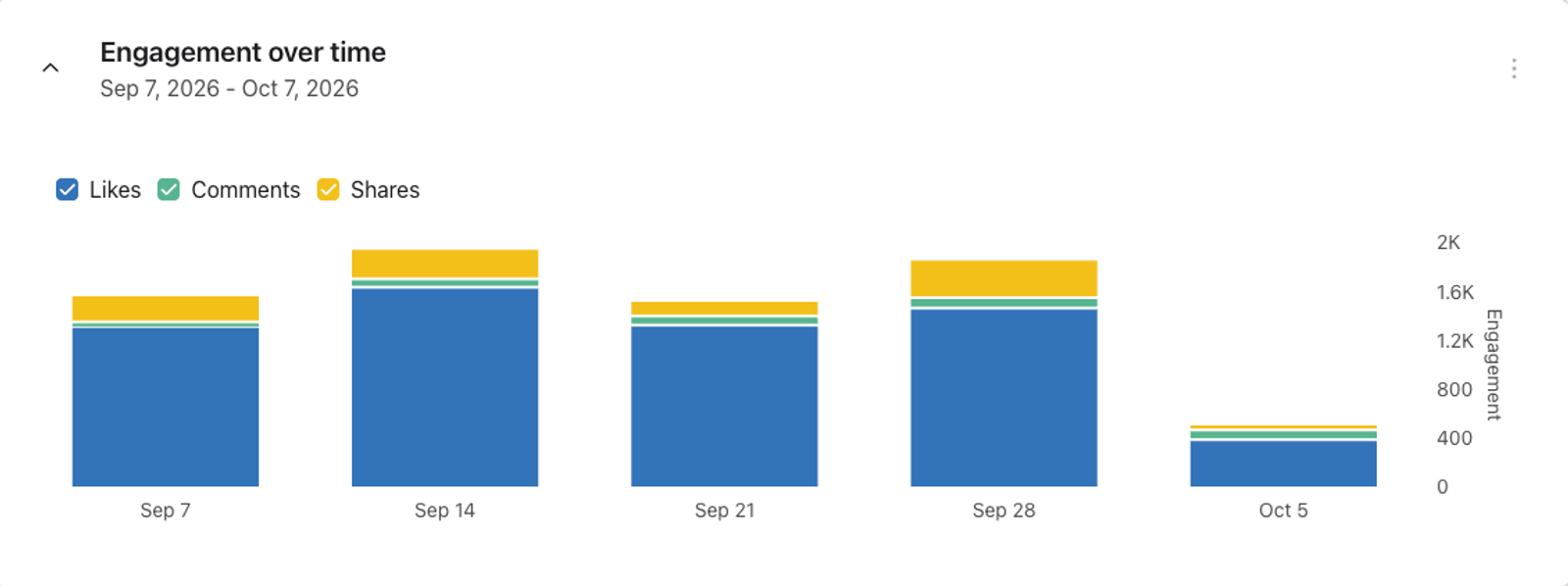
The Engagement over time card does not yet display engagement data or offer controls to select individual metrics.
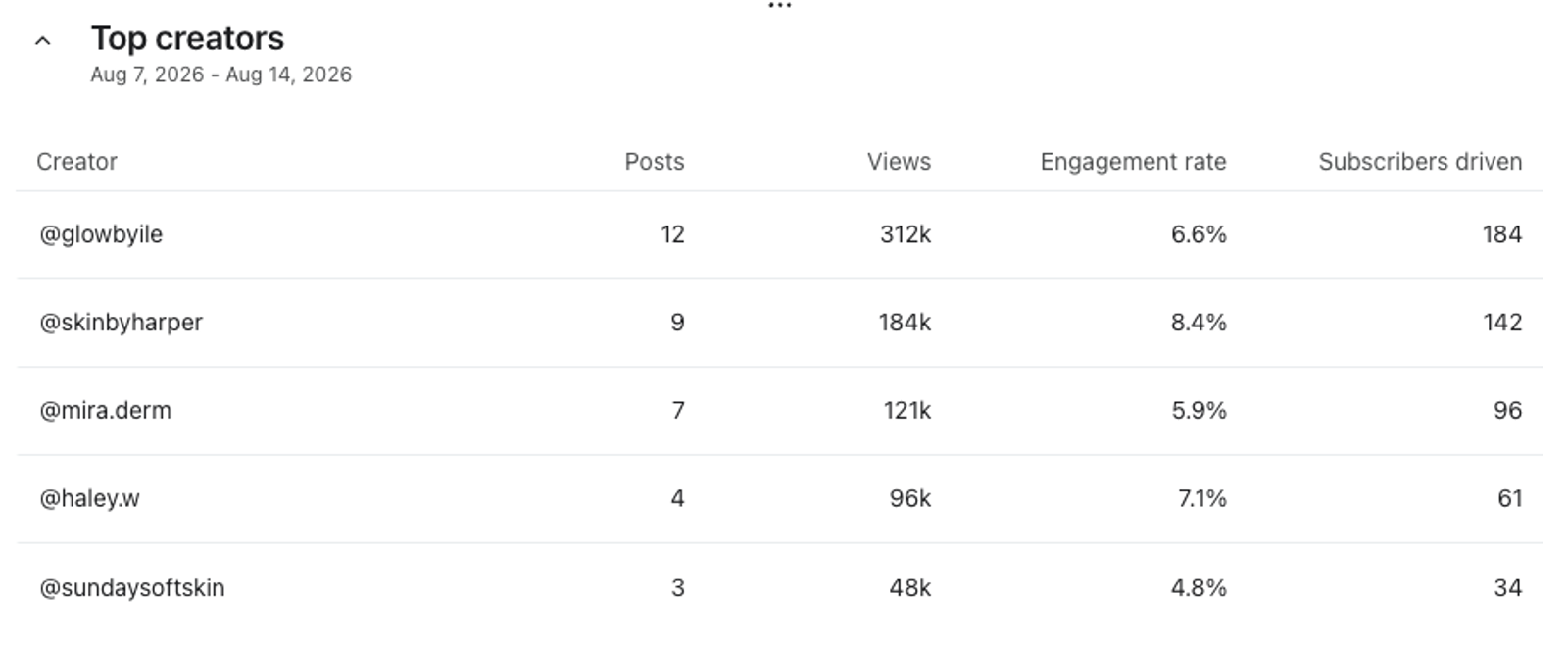
Top creators
This report lists creators who have tagged your brand, along with their follower count, engagement per post, and number of brand mentions. Click Followers, Engagement per post, or Brand mentions to sort the table. Brand mentions include tagged posts and stories; engagement per post excludes stories.
Subscriber growth
This report shows net subscriber changes from Instagram auto-reply opt-ins over time, broken down by email, SMS, and WhatsApp. It filters subscription changes recorded with the SOCIAL_INSTAGRAM_MESSAGE method, rather than using a profile’s origin. Subscriber growth remains available after a Social Marketing trial ends.
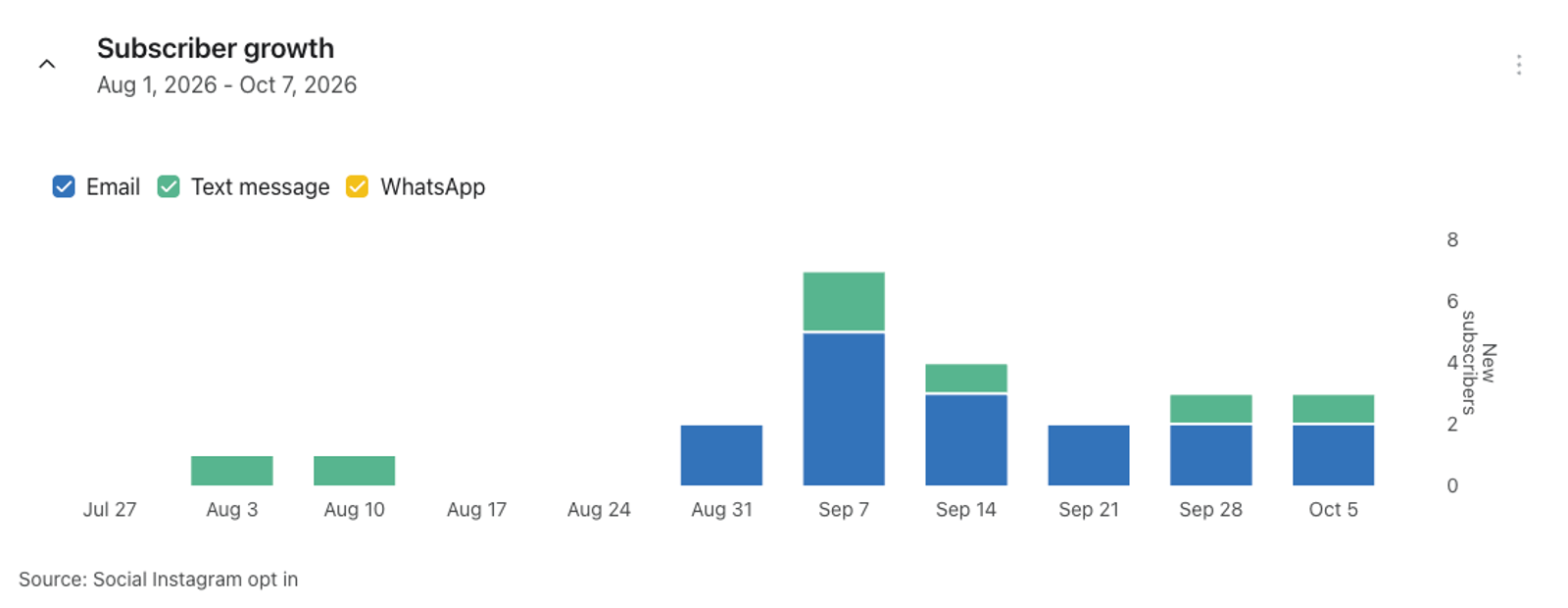
Note: This report measures changes in channel subscriptions, not net-new profiles. Existing profiles can contribute when they opt in through an Instagram auto-reply. For example, if a profile subscribed to email through a form and later subscribed a phone number through an auto-reply, the new phone-channel subscription contributes to that channel’s series.