Integrating Yotpo Loyalty & Referrals with Customer Hub
This article provides an overview of the Yotpo Loyalty & Referrals integration for Customer Hub, which allows you to deliver a native loyalty experience directly on your site. By integrating Yotpo with Customer Hub, shoppers can view their points, track VIP status, and redeem rewards without leaving your store or interacting with third-party widgets.
Benefits of the Integration
- Reduced Friction: Shoppers can complete loyalty actions (like redemptions) entirely within Customer Hub, reducing redirects and keeping them engaged on-site.
- Unified Brand Experience: Loyalty information is presented using Customer Hub’s foundational layout and voice, creating a cohesive post-purchase journey.
- Increased Visibility: Surface loyalty value to both logged-in members and non-members to drive program enrollment and retention.
Before You Begin
To enable this integration, ensure you have:
- An active Yotpo Loyalty & Referrals account.
- Customer Hub live on your site.
- Your Yotpo API Key and GUID.
- The existing Yotpo x Klaviyo integration managed within Yotpo to sync profile properties and events.
How to Enable the Yotpo Integration
- In the Klaviyo app, navigate to KService > Customer Hub.
- Open the Extension Settings page.
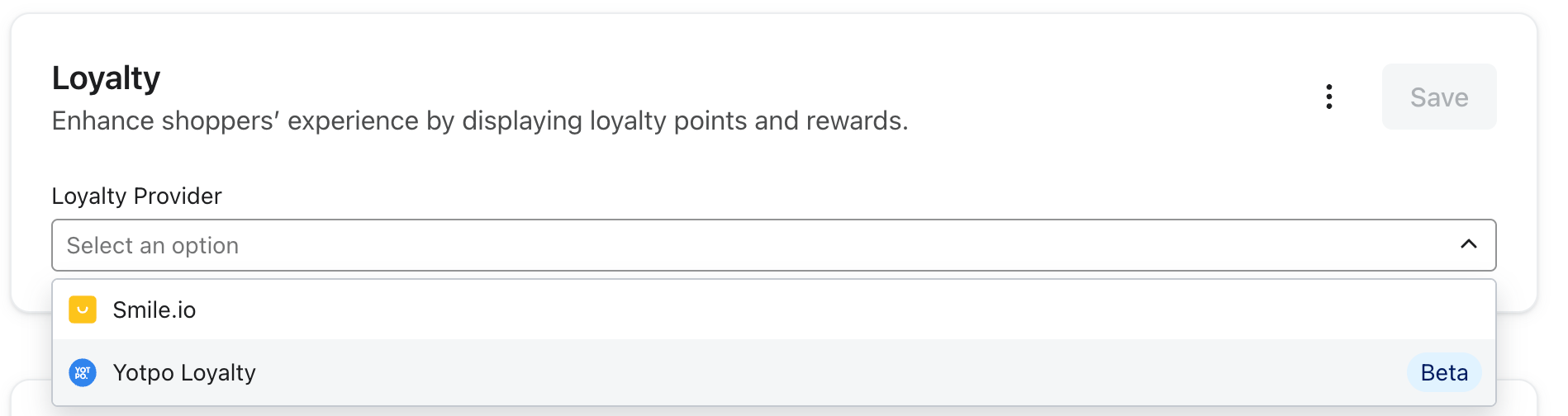
- Select Yotpo from the list of loyalty providers.
- Enter your Yotpo API Key and GUID into the required fields (these are stored securely to facilitate backend API calls).
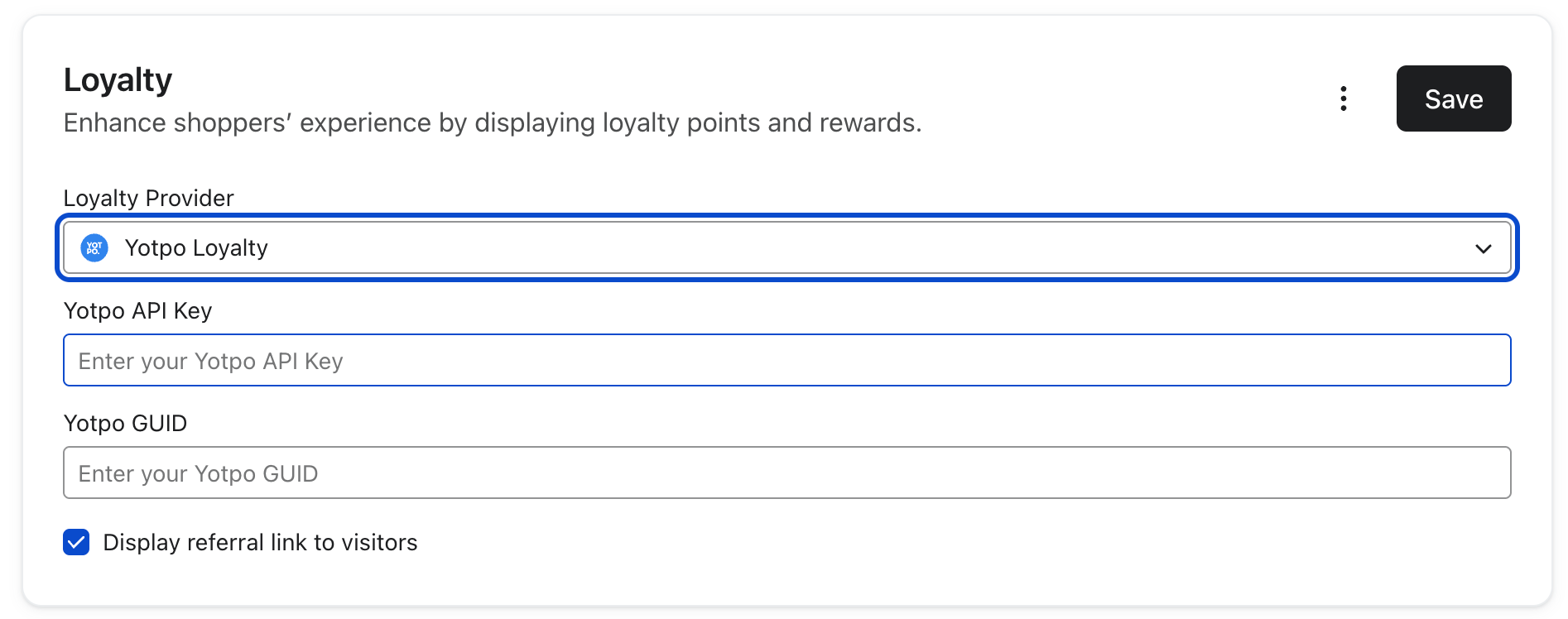
- Save your changes. Once enabled, the loyalty experience will become visible to your customers in the Hub.
The Shopper Experience
The Yotpo integration adds two primary views to Customer Hub:
1. "For You" Loyalty Summary
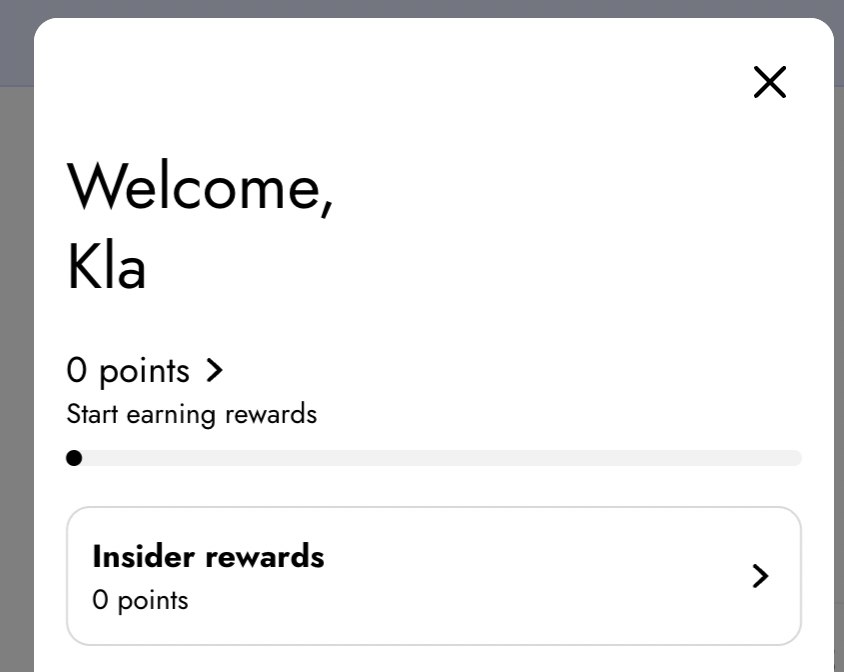
When a shopper opens Customer Hub, they will see a concise rewards summary block. Depending on their status, they will see:
- Current Points Balance: Their real-time point total.
- VIP Tier: Their current membership level (e.g., Bronze, Silver, Gold).
- Best/Next Reward: A highlight of the most valuable reward they are currently eligible for or the next one they can earn.
2. Rewards Page
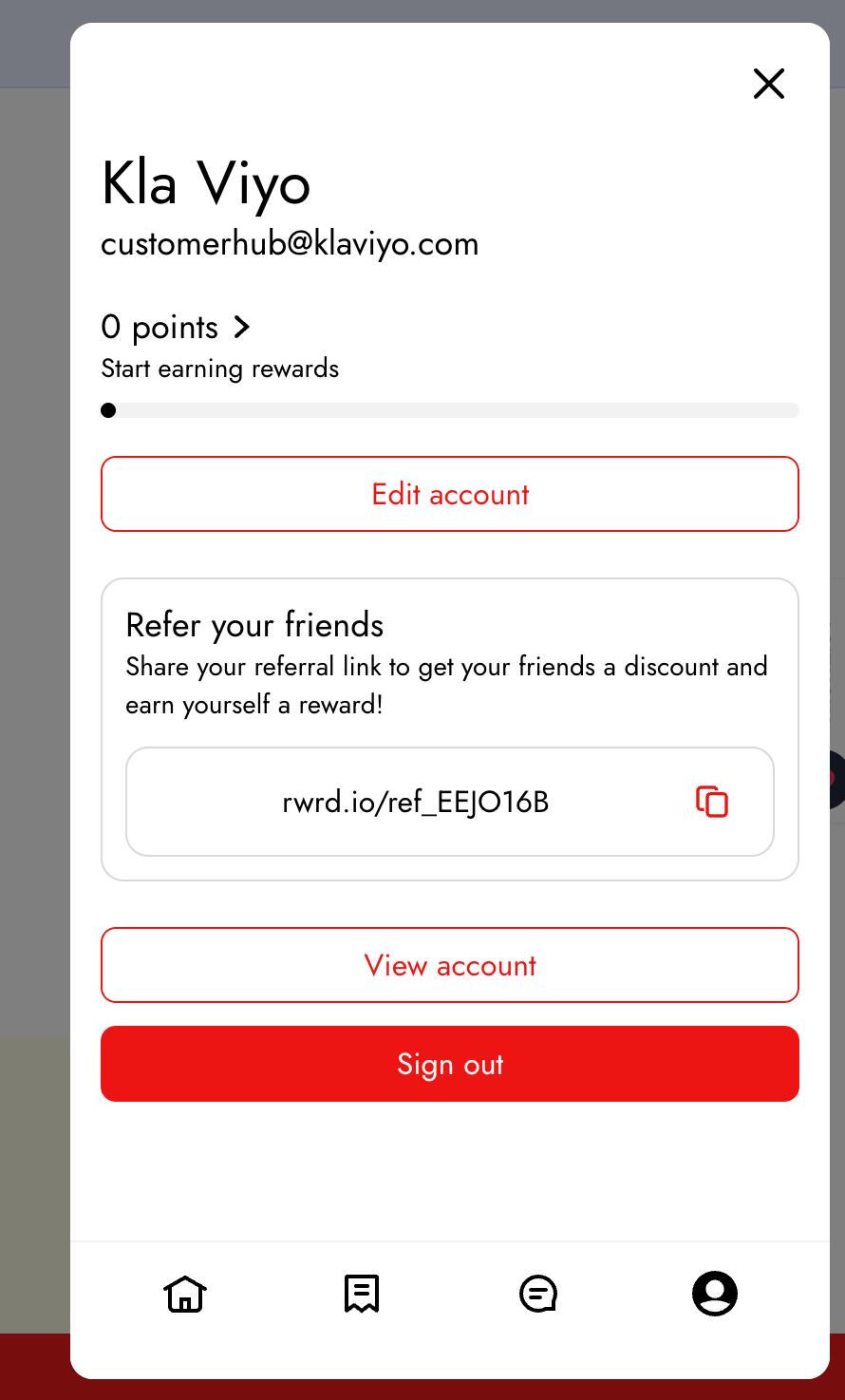
For a deeper view, shoppers can navigate to a dedicated Rewards page within the Hub to access:
- Ways to Earn: Information on how to accumulate more points.
- Available Rewards: A list of fixed or variable redemption options.
- In-Hub Redemption: Shoppers can redeem points directly for a coupon code, which is then displayed for immediate use.
- Referral Link: A unique link for the shopper to share with friends.
Data and Profile Properties
The integration utilizes several profile properties synced from Yotpo to Klaviyo to personalize the experience:
swell_point_balance: Displays the customer's current points.swell_vip_tier_name: Indicates the customer's current tier.swell_referral_link: Provides the customer's unique referral URL.swell_has_account: Identifies whether the shopper is a member of your loyalty program.
Customer Hub also makes real-time calls to Yotpo’s APIs to fetch the most up-to-date program details, such as active redemption options and tier definitions, ensuring shoppers always see accurate data.