How to increase SMS click rates
You will learn
Learn how to improve your SMS click rates and review performance benchmarks for campaigns and flows.
Click rate is the first metric you should look at when evaluating your SMS performance. It shows you if people are engaging with your messages and is the first step in someone converting (e.g., placing an order).
Before you begin
In Klaviyo, click rate is the number of people who click your SMS or MMS divided by the number of people who receive your message.
Bot clicks, such as automated clicks used to generate link previews, can inflate SMS click rates. Your account’s bot-click setting affects campaign and flow reporting and SMS benchmarks. Compare results using the same setting. Learn more about bot clicks.
The benchmarks below indicate what’s considered good for SMS click rates.
Click Rate Benchmarks | |
Campaigns | 8.9–14.5% |
Flows | 10.9–14.9% |
Improve SMS click rates
Key strategies for increasing your SMS click rate are:
- Check your link
- Include a call-to-action
- Follow sending best practices
- Provide exclusive offers
- Flows: use splits
- Campaigns: send to engaged subscribers and A/B test
Check your link
The first things to check if your click rate is low are that:
- There’s a link in the message
- You’re using the Klaviyo link shortener
- The link goes to the correct landing page
Note that with third-party shorteners, clicks can’t be tracked properly in Klaviyo.
Include a call-to-action
Double-check that your message includes a clear call-to-action (CTA). The CTA should encourage subscribers to click on your link.
Only use 1 CTA per text message.
Follow sending best practices
Make sure your SMS strategy includes the following sending best practices:
- Send to engaged and VIP subscribers
- Limit the number of messages to between 2 and 8 times per month
Just like with email, sending to unengaged subscribers can hurt your deliverability, as these recipients are unlikely to engage with your message, and they may even mark it as spam.
The same is true if you send too many messages. SMS is a very direct form of marketing, alerting the recipient's phone. If you send a lot of messages or send too frequently, it can cause subscribers to unsubscribe.
Provide exclusive offers
If you find that your message doesn't generate many clicks, try offering SMS subscribers something that is exclusive, time-sensitive, or a deal.
To do so, create an exclusive landing page for SMS subscribers that is only accessible through the specific message’s link.
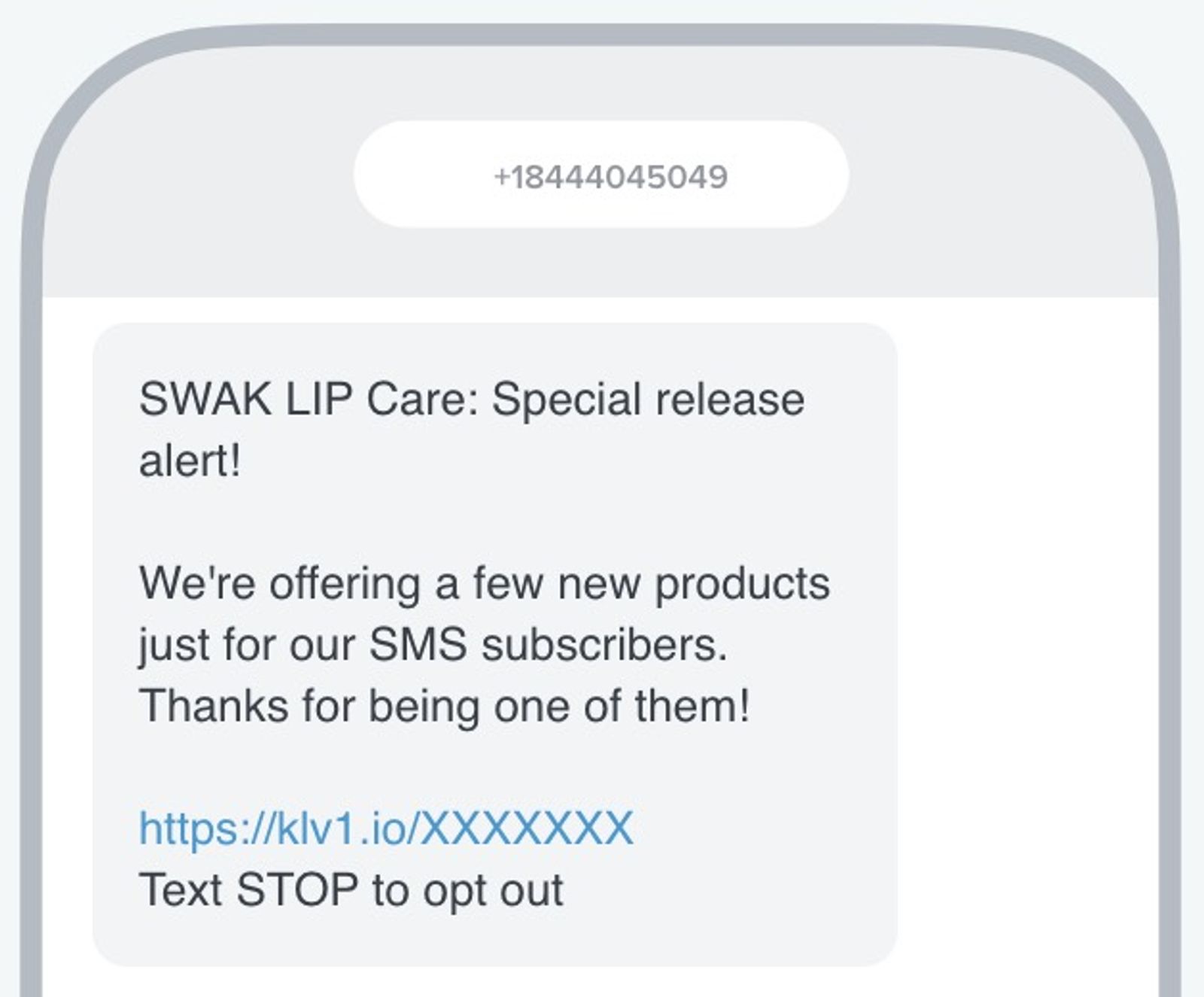
This incentive doesn’t necessarily need to be a discount, but it does need to excite subscribers. For instance, you can offer your SMS subscribers access to a new release 1 hour earlier than the rest of your customers.
Flows: use splits
If your flow messages have low click rates, try adding splits to separate those who have engaged with your text messages in the last few weeks from those who haven’t. Then, offer an extra incentive to unengaged customers to encourage conversions. If you use Shopify and your abandoned cart flow is triggered by Checkout Started, you can also add a link to auto-apply a coupon at checkout.
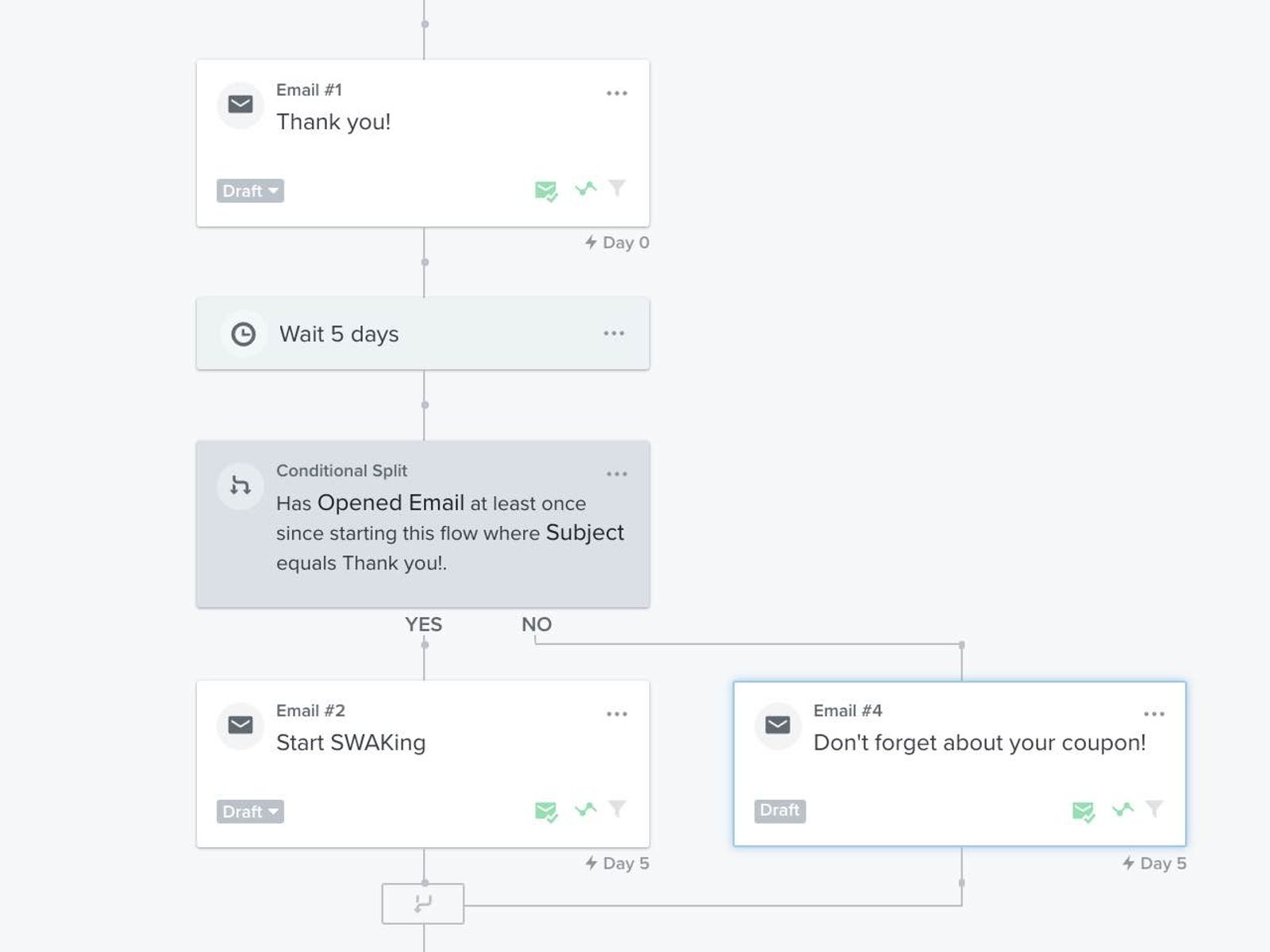
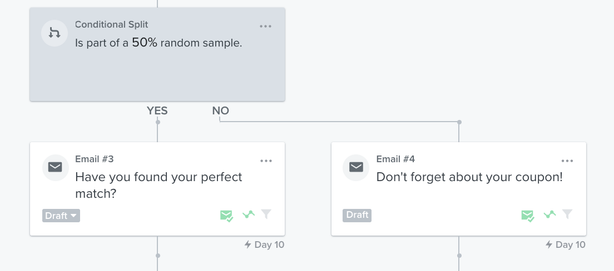
Splits also allow you to perform A/B tests. Use a flow-branch A/B test to compare timing, content, link placement, and more. Test 1 variable at a time to learn what your audience prefers.
- Add Split where you want the test to begin. If your builder shows Conditional split instead, add that component.
- For Split, click Add path criteria on Path #1, choose Random sample, and set it to 50%. The remaining profiles go down Everyone else. For Conditional split, choose Random sample and set it to 50% to divide profiles between its 2 paths.
- Save your changes. If the path panel shows Apply, click it, then click Save for the split.
- Add the versions you want to compare to the 2 paths and set their messages to Live.
Keep in mind that you’ll have to manually check the results of the test and decide which performs best. Then, apply these learnings to other flow messages and campaigns to see if it produces a similar response.
Campaigns: send to engaged subscribers and A/B test
Segmentation is also critical to achieving strong campaign performance. When you first gather SMS subscribers, send messages to everyone on your list. After about 3 to 6 months, use this data to set up your SMS engagement segments. Then, send regularly to engaged SMS subscribers and new subscribers, and send less often to less-engaged subscribers.
A/B test 1 variable at a time, such as your message text or CTA, and use Click rate as the winning metric when your goal is more clicks. Include a Klaviyo-shortened link in each version. A/B testing is unavailable while content personalization is on for the message. See how to A/B test SMS campaigns for setup instructions.
Additional resources
Learn more about improving your SMS performance:
- How to increase SMS conversion rates
Learn how to improve your SMS conversion rates as well as about performance benchmarks for campaigns and flows.
- How to decrease SMS unsubscribe rates
Learn how to improve your SMS unsubscribe rates and about performance benchmarks for campaigns and flows.
- Understanding and reviewing your SMS deliverability
Learn the important aspects of SMS deliverability, including how to evaluate it and best practices.
- SMS marketing strategies for all levels [+12 Pro tips]