Understanding internal alert use cases
You will learn
Learn how to notify members of your internal team or external partners when a customer enters or reaches a certain point in a flow. Use cases include setting an internal alert for:
- New subscribers
- Customer service follow-up
- New VIPs, warm leads, or special interest lists
- Big-ticket item purchasers
Review the use case examples below. When you're ready to set one up, see How to add an internal alert action to a flow.
Alert for new subscribers
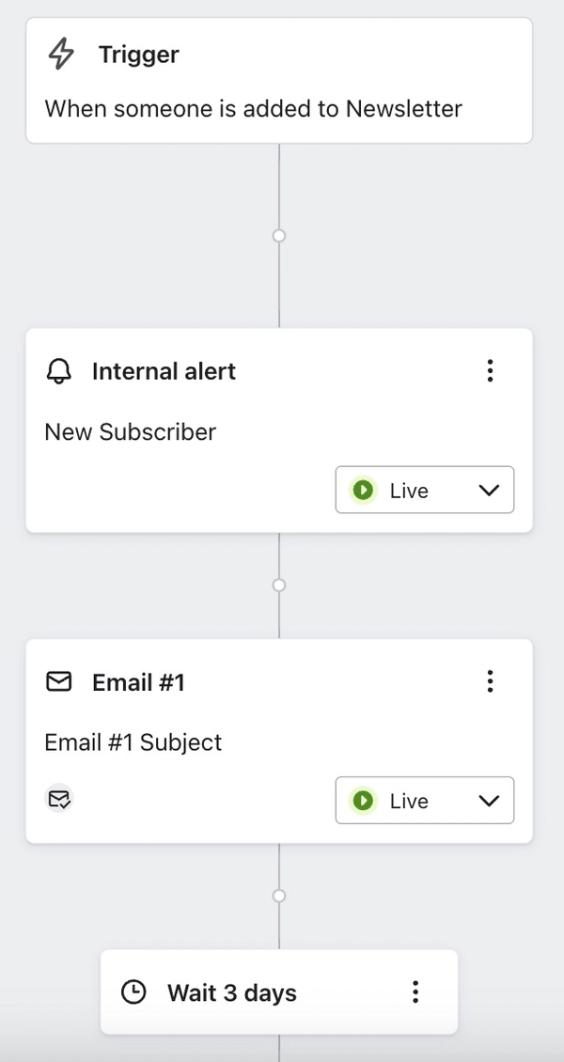
If you are just starting to build or grow your subscriber list and want to be alerted when someone new signs up, you can add an internal alert step to your welcome series flow. Within one automated flow, you can send each new subscriber a timely welcome message while also notifying your team when someone joins your marketing list. Set the internal alert action to live, and make sure the people receiving it have confirmed their opt-in to internal alerts; otherwise, they won't receive the alert. You can also customize the alert to include details about the new subscriber and any form data saved to their profile.
Alerts for customer service follow-up
This tool is also helpful for customer service-focused brands or those that send samples and ask customers for feedback. For example, you can collect a rating from links in an email and use the rating saved to the customer's profile to create a segment of negative responses. Add an internal alert to a flow triggered when someone joins that segment so your team can follow up. A reply to an email alone does not put someone in a segment or trigger this flow.
Alert for new VIPs, warm leads, or special interest lists
While you might not want to trigger an internal alert for all new general marketing subscribers, you may have specific lists or segments for special groups. You can use this action to:
- Let certain members of your organization know when someone new qualifies for your VIP program.
- Alert your sales team when there is a new qualified lead.
- If you have a brand ambassador program, you can trigger an email to your team when someone new applies, and include all form details in the alert message so someone can promptly reach out with next steps.
Alert for big-ticket item purchasers
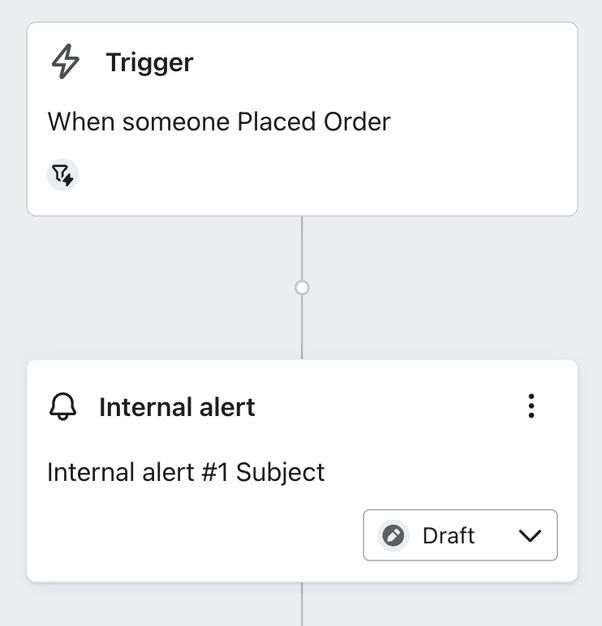
The internal alert action can also notify your team when someone purchases a high-priced item. To alert them about particular products rather than every order, add a product condition to your Placed Order flow's trigger filter or use a trigger split, and put the alert on the matching path. See How to create a product-specific flow for an example of filtering by an item. Your team can then reach out to support the customer in their post-purchase journey or clarify shipping expectations.
Additional resources
- How to add an internal alert action to a flow
Learn how to send an internal alert (previously called notification) when a customer first triggers or reaches a particular point in a flow. It sends emails to your team around certain activities that require specific follow-up or attention; for example, notifying your customer experience team when someone leaves a detractor NPS score or alerting your sales team when someone is added to a wholesale or VIP list.
- How to opt in and out of an internal alert action
Learn how to opt in and out of the internal alert action in a Klaviyo flow. Someone does not need to have a profile in your Klaviyo account, or exist as an account user, in order to receive emails from an internal alert action. However, all recipients will need to opt in to receive internal alerts from your account before they start receiving any messages. They can also opt out at any time. In this article, we explain the recipient opt-in and opt-out process for the internal alert action as well as the different statuses.