How to create and send an SMS campaign
Learn how to create and send an SMS campaign in Klaviyo. Note that the process is almost exactly the same for MMS campaigns. The only difference is that you add an image or GIF during the content creation stage.
What is an SMS campaign?
An SMS campaign is a one-time text message to a list or segment of subscribers, notifying them of events such as product launches, flash sales, or other promotions. You can set an SMS campaign to send either immediately or at some point in the future.
Before you begin
Before sending an SMS campaign, you must have:
- Turned on SMS
- Collected SMS consent
- Note: having someone's phone number does not count as consent; someone must have explicitly agreed to receive SMS marketing messages
You should also have a list or segment of those who you want to send to, such as everyone who is subscribed to SMS.
Campaigns vs. flows
Campaigns | Flows |
1-time sends that are manually scheduled | Automated and ongoing sends |
Sent to a specific list or segment | Triggered by customer actions or profile properties |
Content is more broad with limited personalization | Content is more specific and can be highly personalized |
Smart send time is only available with email
Note that unlike with email, you cannot use Smart Send Time with SMS, MMS, or push notifications.
Create an SMS campaign
- Head to the Campaigns tab.
- Click Create campaign in the upper right.

- Name your campaign.
- Choose SMS as the type of campaign.
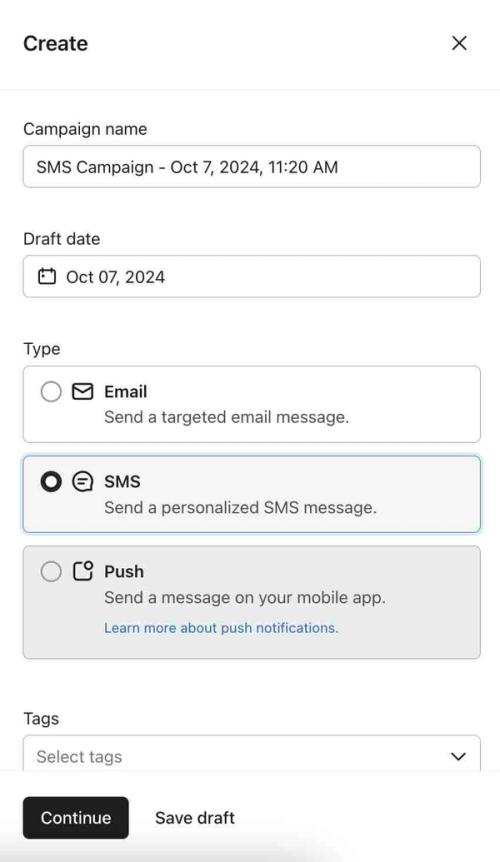
- Click Continue.
- Under Audience, select the list(s) or segment(s) you want to send to.
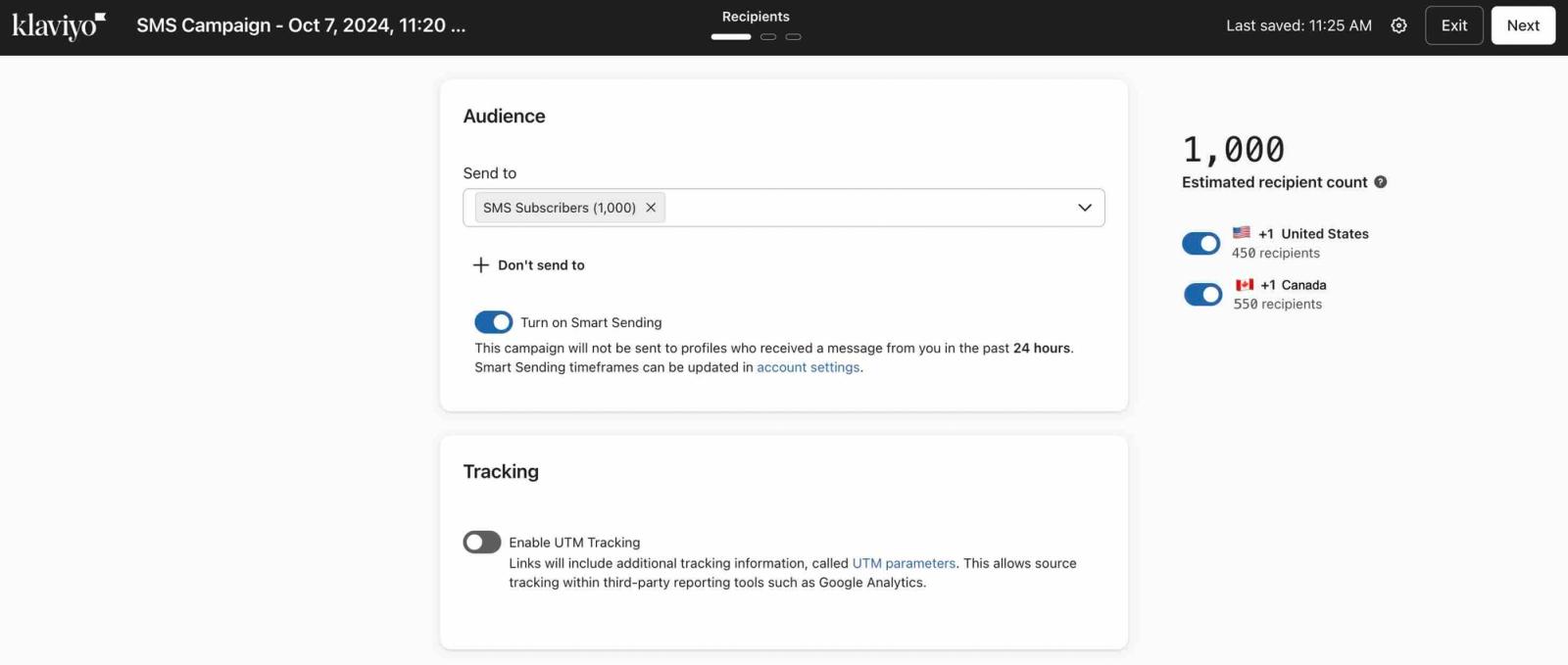
- Optional:
- To avoid sending to certain groups, add a segment under Don't send to.
- To avoid sending to certain groups, add a segment under Don't send to.
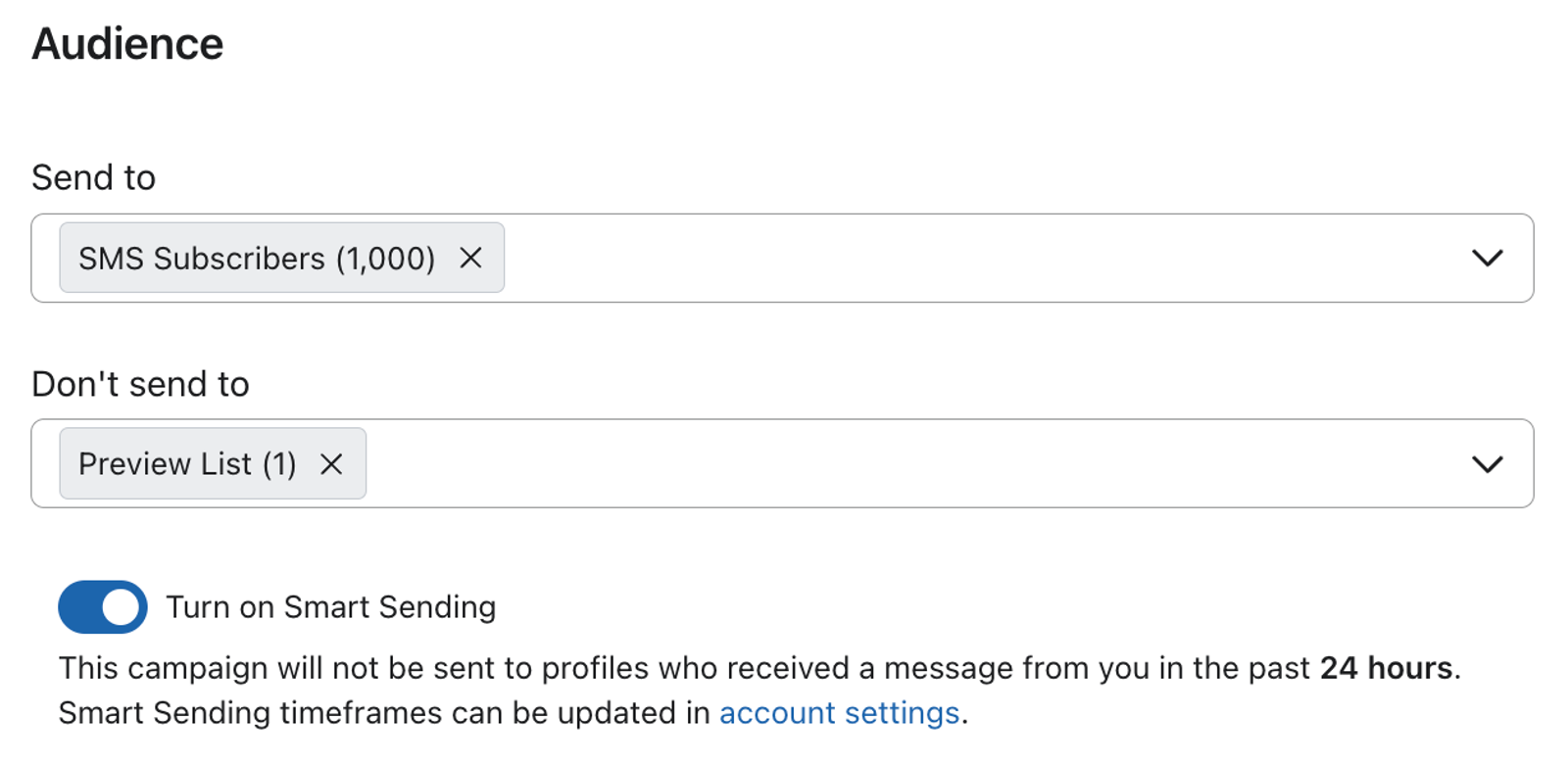
- To avoid sending recipients too many SMS messages at once, turn on Smart Sending to skip profiles who have recently received a message. With SMS, you can specify whether to skip based on a recently received campaign message, flow message, or both.
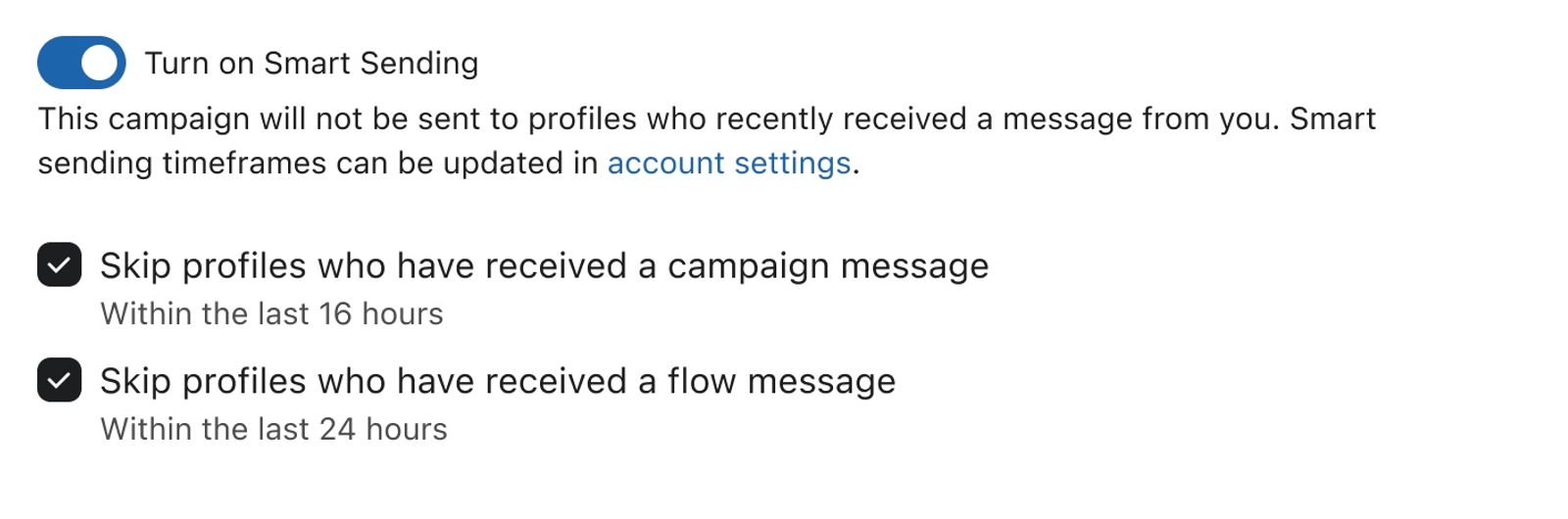
The option to skip based on message type is only available for SMS campaigns.
- Click Next.
- Write your content in the Message box at the upper left-hand corner of the screen.
- Note that SMS content is limited to 160 characters or (if you have an emoji or special character) 70 characters.
- Add a link to your message so that Klaviyo can track the message.
- Do not uncheck the Automatically shorten links box.
- Do not uncheck the Automatically shorten links box.
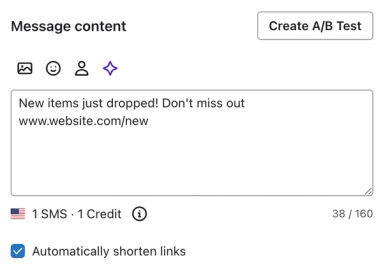
- Note: disabling the options in the Compliance tab is not recommended.
- Certain aspects (opt-out language/links, contact information, etc.) are required in some jurisdications.
- Optional: Add media to your message to turn it into an MMS.
- The image or GIF must be under 600 KB.
- MMS increases the number of characters you can send in a message to 1600 (vs. 160 per SMS message segment).
- MMS is not available in all countries.
- MMS costs more than SMS. To see the mobile messaging rates specific to your plan: go to Settings > Billing > Account Usage > View Text Message Ratios
- MMS is not recommend during holiday seasons.
- Optional:
- Click Preview & test to preview the message as a certain profile.
- Click Preview & test to preview the message as a certain profile.

- Select country dropdown to view how the message appears to recipients in a specific country.
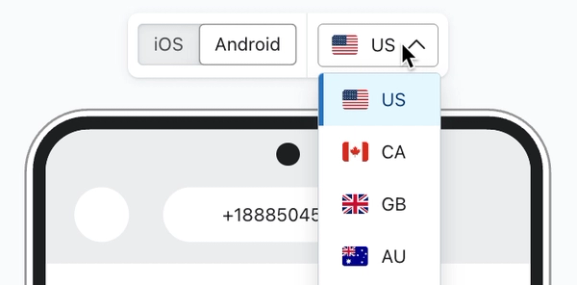
- Click Next.
- On the review page, check that the campaign:
- Is sending to the right audience.
- Can be tracked.
- Does not exceed your available plan spend.
- Click Schedule or Send on the bottom right when the campaign is ready to go out.
- Select whether you want to send now or at some point in the future.
- Click either Schedule or Send Now.
- Manage messages sending during quiet hours. Choose whether to delay or skip messages that would otherwise be sent to a recipient during their quiet hours. To learn more about quiet hours in campaigns, refer to the help center article Quiet hours in campaigns.
Note that any SMS or MMS campaign will typically time out after around 4 hours, and if someone didn’t get the message in that timeframe, they will be skipped. Due to this, you may need to break up large campaigns if your sending number is a long code, toll-free number, or branded sender ID.
Best times and days to send
The best times and days to send depends on your audience, so you should always test what works best for your brand.
However, if you're not sure where to start, the following generally holds true:
- Weekday vs. weekend
- Weekday campaigns lead to higher revenue.
- Weekend campaigns have higher click rates.
- Time of day
- 1 to 5 p.m. and 6 to 8 p.m. (in local timezones) have higher click rates than other hours.
Additional resources
Learn more about SMS in the Help Center:
- How to create an SMS welcome flow
Learn how to create a welcome flow for your SMS subscribers.
- Understanding and reviewing your SMS deliverability
Learn the important aspects of SMS deliverability, including how to evaluate it and best practices.
- Getting started with Klaviyo SMS