受信者あたりの売上の計算方法
このページで学べること
受信者あたりの売上(リピート購入率)を計算する方法と、各マーケティング チャネルのパフォーマンスを把握する方法について説明します。リピート購入率は、キャンペーンまたはフローの成功度を判断するのに役立ち、個々のチャネルのパフォーマンスや成長機会を確認するための優れた方法です。
始める前に
Klaviyo アカウントが E コマース プラットフォーム と連携されていること、およびリピート購入率を生成するためのデータを取得できるようにキャンペーンまたはフローを送信済みであることを確認してください。そのメトリックがプロパティとして $value を使用している限り、カスタムの placed order メトリックを使用して受信者あたりの売上を判定することもできます。
リピート購入率の正確な基準値を把握するために、少なくとも 1 か月分のキャンペーンを用意することをおすすめします。
受信者あたりの売上のレビュー
累積 30 日間のキャンペーン リピート購入率
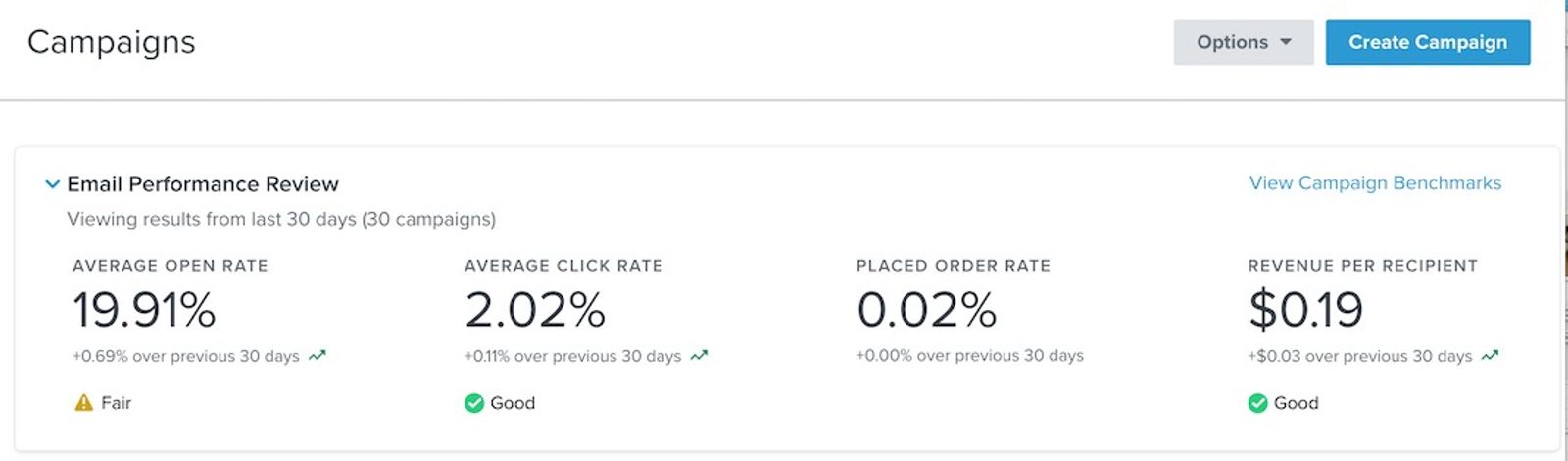
キャンペーンセクションには、すべてのキャンペーンにわたるリピート購入率の 30 日間の平均が含まれます。
- [キャンペーン] タブに移動します。
- Email Performance Review で、右側にある Revenue Per Recipient を探します。このリピート購入率は過去 30 日間の平均を示し、類似業種との比較およびパフォーマンス(大変良い、普通、または 悪い)が含まれます。
個別キャンペーンのリピート購入率
概要ダッシュボードでは、個別のキャンペーンのリピート購入率のパフォーマンスを確認できます。
- [分析] > [ダッシュボード]に進みます。
- 既存のダッシュボードに移動するか、[ダッシュボードを作成] を選択して新しいダッシュボードを作成します。
- 「キャンペーン パフォーマンスの詳細」カードを探してください。ダッシュボードにこのカードが表示されない場合は、[カードを追加]をクリックして見つけ、ビューに追加します。
- リストから、リピート購入率を確認したいキャンペーンを見つけます。古いキャンペーンを見つけるには、カードの下部にある矢印を使用する必要がある場合があります。
- 分析したいキャンペーンが見つかったら、Rev/Rec 列を確認します。これがそのキャンペーンのリピート購入率です。
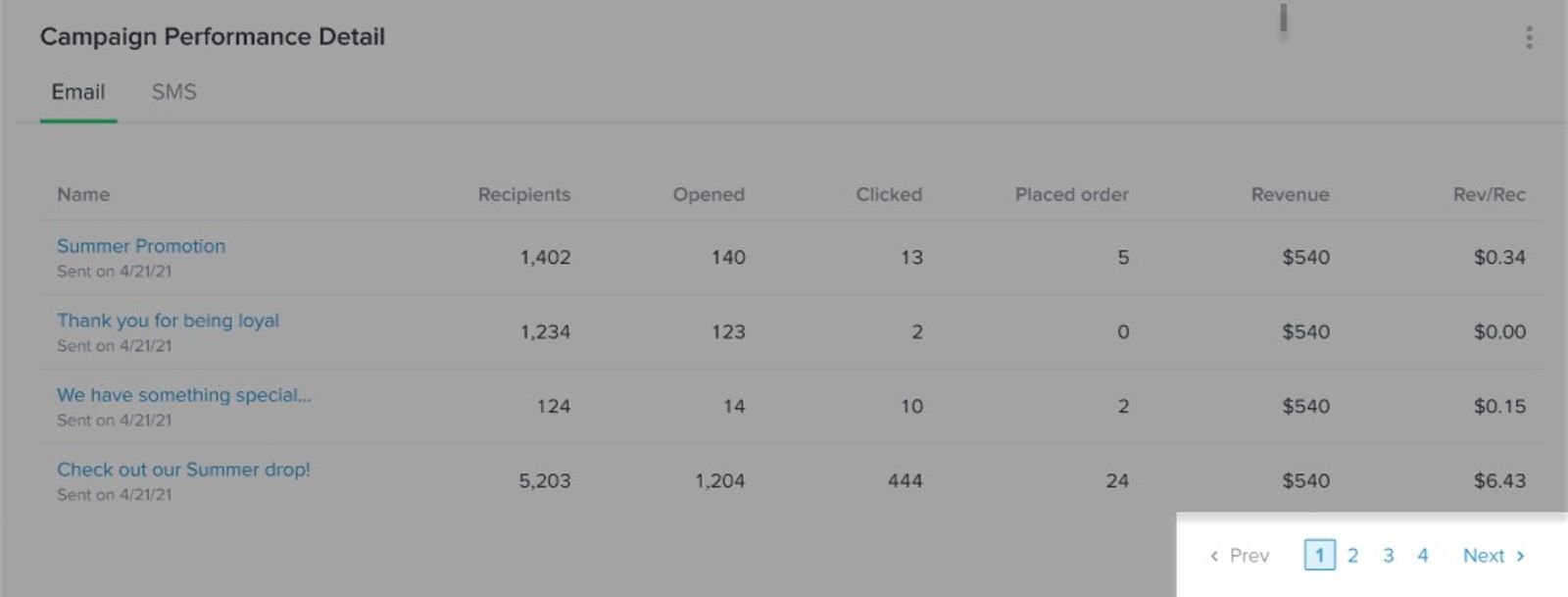
- 分析したいキャンペーンが見つかったら、Rev/Rec 列を確認します。これが、そのキャンペーンの RPR です。
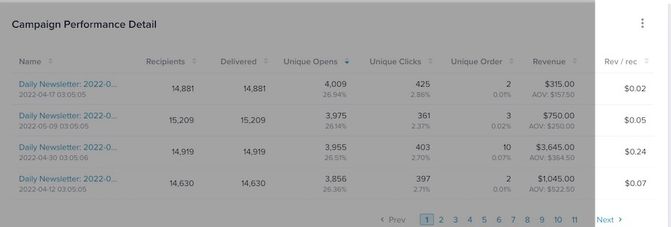
リピート購入率または Rev/Rec は、キャンペーンで生成された収益を、そのキャンペーンでの配信数で割って算出されます。配信できなかったキャンペーン メッセージがある場合、それらはこの数に含まれません。
個別のフロー リピート購入率
概要ダッシュボードでは、個々のフローのリピート購入率パフォーマンスを確認できます。
- [分析] > [ダッシュボード]に進みます。
- 既存のダッシュボードに移動するか、[ダッシュボードを作成] を選択して新しいダッシュボードを作成します。
- 「フローパフォーマンスの詳細」カードを探します。ダッシュボードにこのカードがない場合は、[カードを追加]をクリックして見つけ、ビューに追加します。
- リストから、リピート購入率を確認したいフローを見つけます。古いフローを見つけるには、カード下部の矢印を使用する必要がある場合があります。
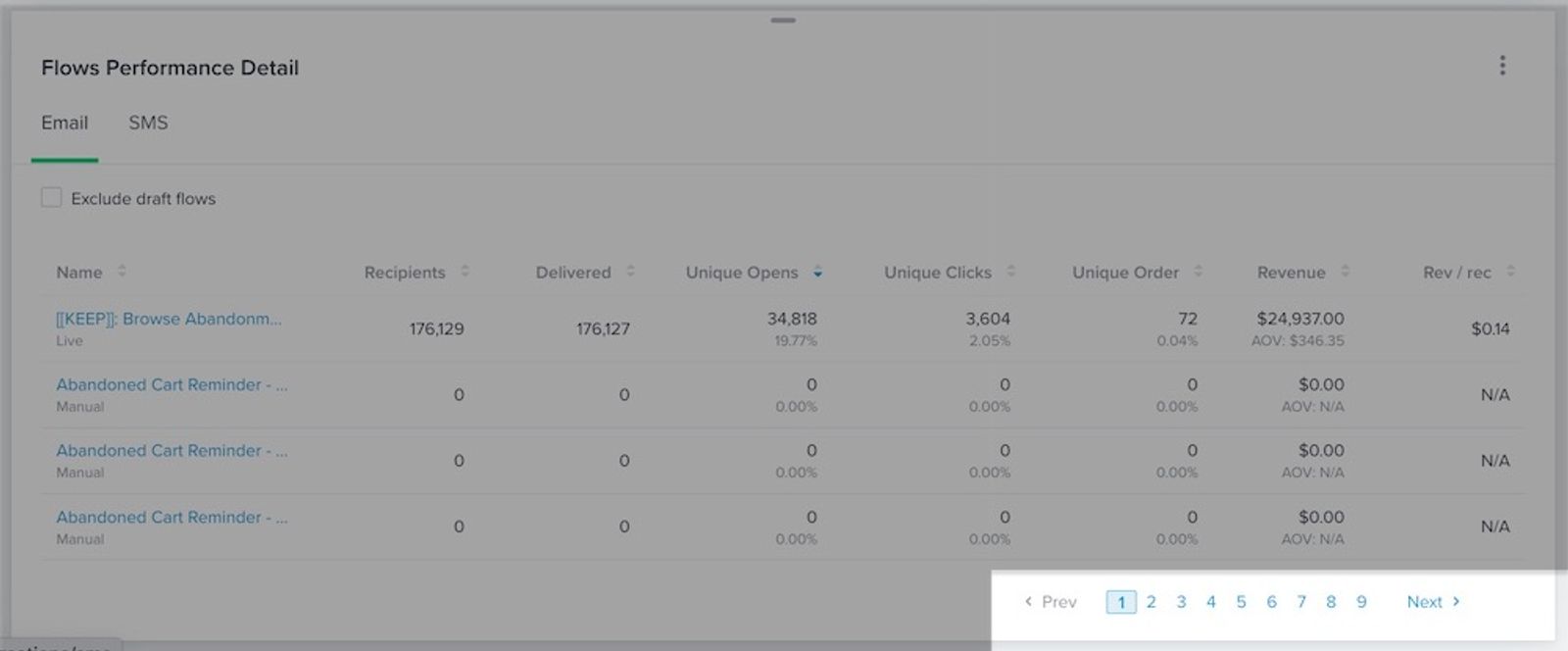
5. 分析したいフローが見つかったら、Rev/Rec 列を確認します。これがその特定のキャンペーンのリピート購入率です。
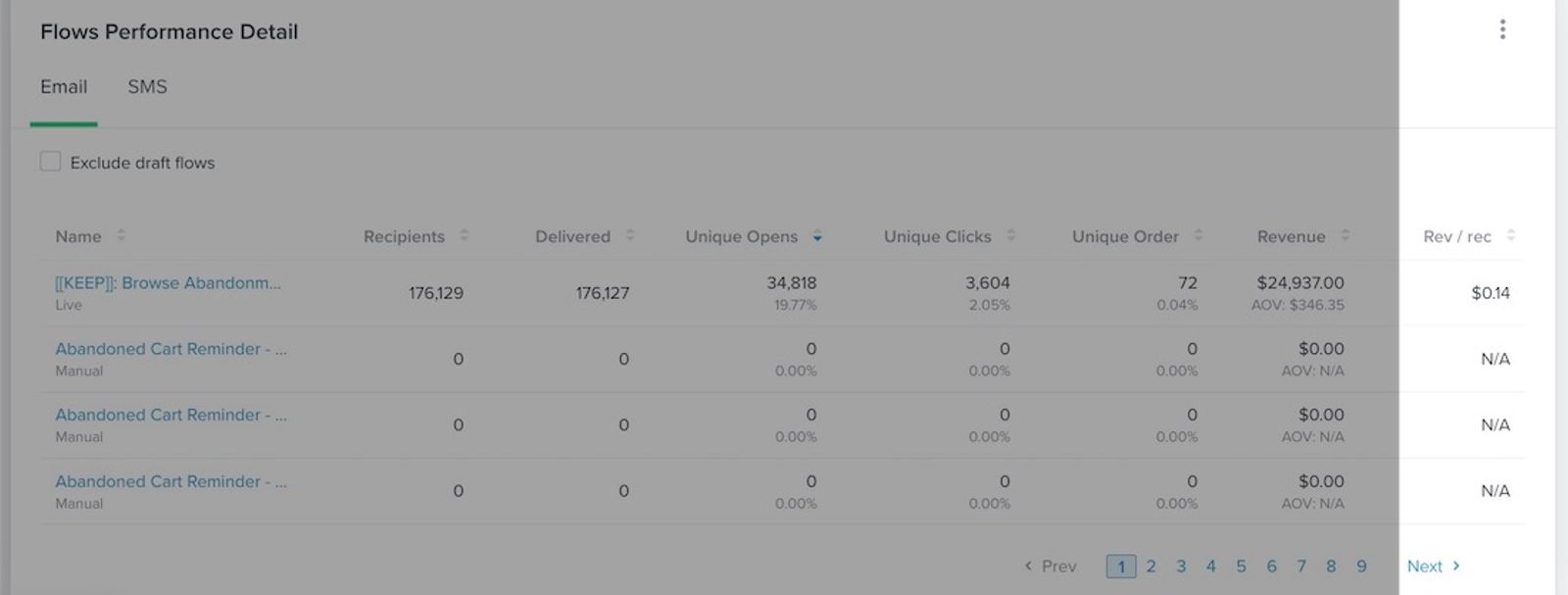
RPR(Rev/Rec)は、フローによって生成された収益を配信数で割って算出されます。配信されなかったフローのメッセージがある場合、それらはこの数にカウントされません。
その他のリソース
- 受信者あたりの売上を使用してマーケティング戦略に活かす
マーケティング戦略で受信者あたりの売上(RPR)を活用し、キャンペーンのパフォーマンスを向上させる方法を学びましょう。
- アナリティクスまたは概要ダッシュボードのスタートガイド
分析ダッシュボード(概要ダッシュボードとも呼ばれます)の使用方法と、各データカードでパフォーマンスをどのように測定できるかを確認してください。Klaviyo からメッセージを送信したら、このダッシュボードでビジネスにとって最も重要なデータ ポイントと傾向を可視化できます。
- メールデリバビリティのモニタリングとパフォーマンスメトリックのスタートガイド
業界別に、良好なデリバビリティの水準を理解し、メールのパフォーマンス向上に用いるべき戦略について学びます。このガイドでは、自社の業種や業界を踏まえて、メールキャンペーンやフローメッセージで目指すべき具体的な開封率やクリック率についても案内します。さらに、潜在的なデリバビリティの問題を軽減する方法や、長期にわたってこれらの値を継続的にモニタリングする方法についても学びます。