About WhatsApp usernames
About WhatsApp usernames
Learn how WhatsApp usernames and Business-Scoped User IDs (BSUIDs) work, and what they mean for your customers and your Klaviyo account.
Meta is introducing WhatsApp usernames to make it easier for customers and businesses to connect while giving customers more control over their privacy. Until now, starting a conversation with a business on WhatsApp required sharing a phone number. With usernames, customers can choose to start conversations without revealing their phone number, and businesses can reserve a username that customers can use to find them.
There are two different kinds of WhatsApp username. This article covers both, so it helps to know which is which:
- Customer usernames — created by your customers, for themselves, in their own WhatsApp app. A customer can use their username instead of their phone number when they start a conversation with your business.
- Business usernames — reserved by your business (in Klaviyo or Meta's WhatsApp Manager), so customers can find and message your business by name instead of your phone number.
Business username reservations are available in Klaviyo as the feature rolls out to eligible accounts. See How to reserve a business username below. As Meta's rollout reaches each market, customers can discover and message businesses using business usernames, and businesses can receive messages from customers who use WhatsApp usernames. Klaviyo automatically supports these changes, so you do not need to update your WhatsApp setup or migrate existing data.
What's changing
WhatsApp usernames are optional for both customers and businesses.
Customer usernames
Customers can create a unique username in the format @username and use it instead of sharing their phone number when they start a conversation with a business.
Business usernames
Businesses can reserve a unique username for a phone number in their WhatsApp Business account under Settings > WhatsApp in Klaviyo. A username belongs to 1 phone number and cannot be shared across your business's other numbers. As Meta rolls out the feature by country, businesses become discoverable by their username, allowing customers to search for and message them directly in WhatsApp.
Customers who prefer to use their phone number can continue doing so. Usernames do not replace phone numbers; they provide another way for customers and businesses to connect.
Meta automatically assigns a Business-Scoped User ID (BSUID) to identify a customer within a business portfolio, whether or not the customer creates a WhatsApp username. Klaviyo can use this identifier when the customer's phone number is not shared.
How to reserve a business username
You can reserve a username for a phone number in your WhatsApp Business account directly from Klaviyo. Reserving a username secures it for your business; customers won't be able to use it to find or message you until Meta's rollout reaches your market (see Rollout timeline below).
To reserve a username, your phone number must be connected in Klaviyo, and the Meta business portfolio that owns your WhatsApp Business account must have a messaging limit of at least 2,000. You also need permission to edit WhatsApp settings. The reservation option appears as the feature becomes available to your account.
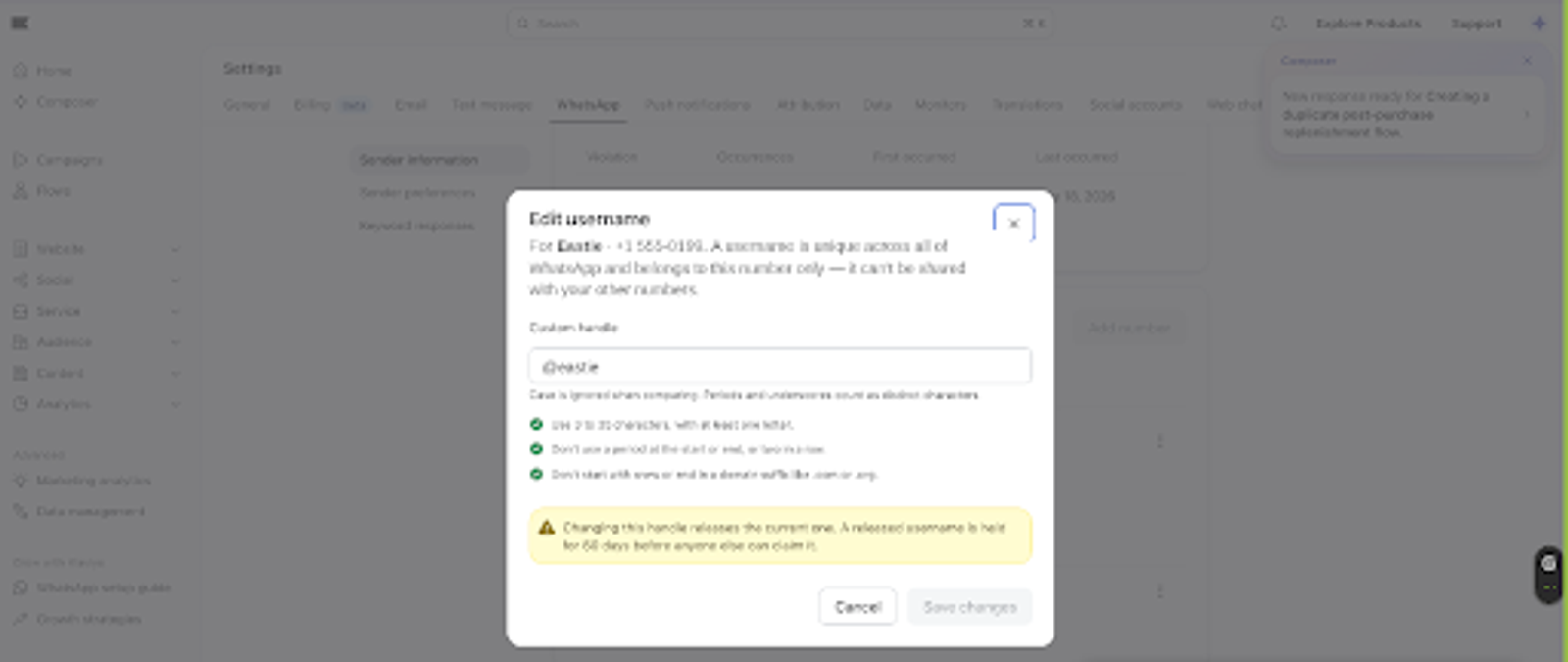
Choose a username with 3–35 characters, including at least 1 English letter. You can use English letters, digits, periods, and underscores. Do not start or end with a period, use 2 consecutive periods, start with www, or end with a domain suffix such as .com or .org.
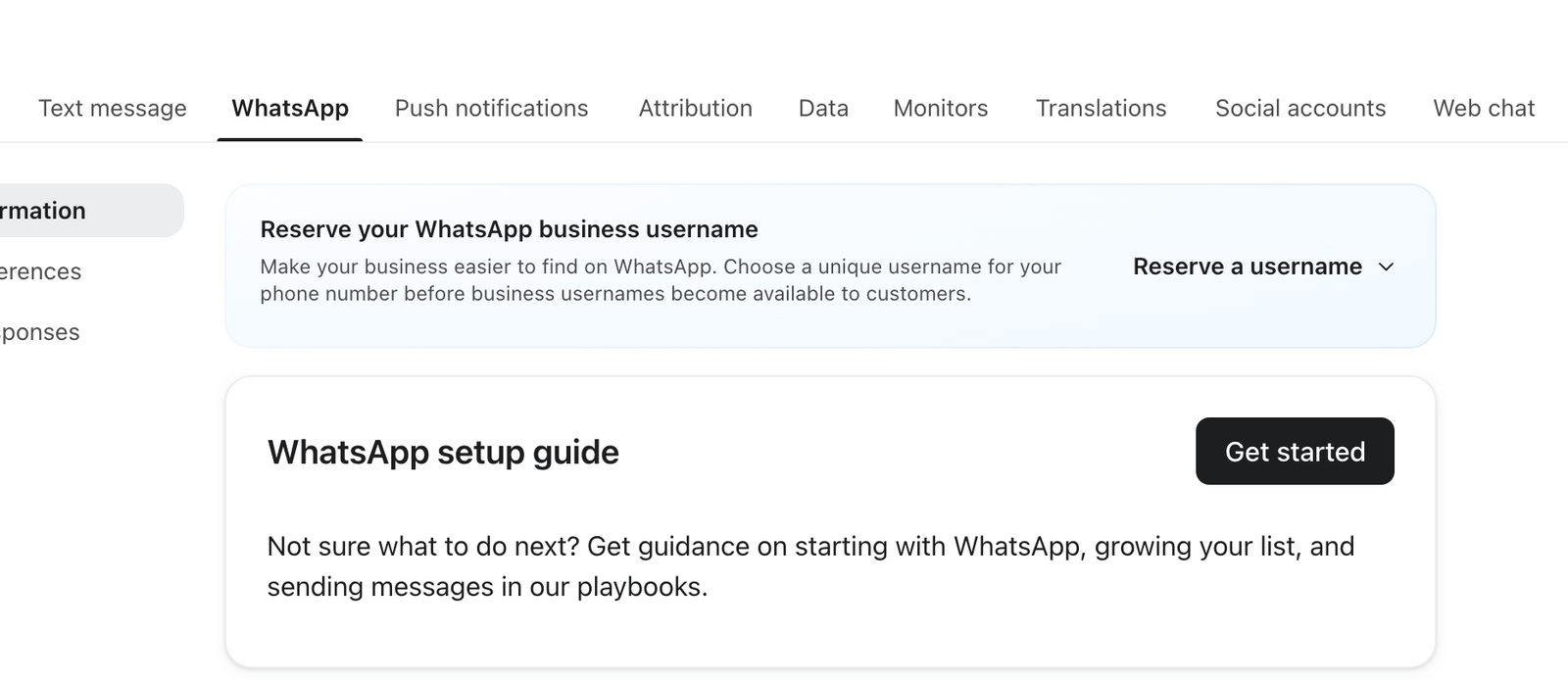
- In Klaviyo, go to Settings > WhatsApp, then select Sender information.
- In the Reserve your WhatsApp business username banner, select Reserve a username. Alternatively, open the ⋮ menu next to the phone number you want to use and select Edit username.
- If prompted, choose the phone number you want to reserve a username for.
- Enter the username you want to reserve in Custom handle, or choose a suggestion under Suggested by Meta and auto-approved if suggestions are available. Select Save changes.
If the username is already assigned to another phone number in your business portfolio, Klaviyo may ask you to transfer it. A transfer removes the username from its current number. Select Transfer username to move it to the selected number, or Cancel to keep it on the current number and choose a different username.
Changing your username releases the current one. The previous username is held for 60 days before anyone else can claim it.
After a successful save, the username is reserved for your phone number. To change it, select the ⋮ menu next to your phone number, then Edit username. Enter the new username in Custom handle, then select Save changes.
About the BSUID
The BSUID is not the same as your business username, even though the name starts with "Business" — it identifies an individual customer, not your business. Each Meta business portfolio receives a different BSUID for the same customer.
A Business-Scoped User ID (BSUID) lets Klaviyo identify a customer even when their phone number is not shared. A customer can have a BSUID whether or not they use a WhatsApp username.
The BSUID helps protect customer privacy while giving your business a consistent identifier for messaging.
Key details about the BSUID:
- Meta creates the BSUID automatically; the customer does not need to create a WhatsApp username first.
- Each BSUID is specific to a customer and a Meta business portfolio. Business phone numbers within the same portfolio can use that BSUID to message the customer.
- You do not need to configure or request a BSUID.
- A BSUID looks similar to
US.13491208655302741918, with a two-letter country code followed by a unique identifier.
How Klaviyo uses the BSUID
You do not need to change your WhatsApp setup. Klaviyo automatically supports customers identified by either a phone number or a BSUID.
Klaviyo makes the BSUID available throughout the platform so you can use it alongside your existing customer data.
You can:
- View WhatsApp BSUID on WhatsApp delivery events when Meta provides it.
- Build segments using the WhatsApp BSUID event property, just as you would with other event data.
- View the BSUID on a customer's profile alongside their other profile information.
What's changing and what's staying the same
Most of your WhatsApp workflows continue to work exactly as they do today. The primary differences are how customers discover your business and how some customers are identified when they message you.
What's changing
Your business username
- Rollout to reserve a WhatsApp username for your WhatsApp Business account begins August 17, 2026, from Settings > WhatsApp in Klaviyo.
- As Meta rolls out the feature by country, businesses become discoverable by their username, allowing customers to search for and message them directly in WhatsApp.
Customer usernames
- As the rollout reaches your market, you begin receiving messages from customers who use WhatsApp usernames.
- Customers who message your business using a username may be identified by a Business-Scoped User ID (BSUID) instead of a phone number.
- Those customers appear in Klaviyo profiles and segments with their BSUID, giving you another identifier you can use for targeting and organization.
What's staying the same
- You continue sending WhatsApp messages the same way.
- Your templates, message types, and flows continue to work as they do today.
- The 24-hour conversation window and WhatsApp billing do not change.
- Existing phone numbers remain valid and continue working normally.
Rollout timeline
Meta is introducing support for WhatsApp usernames for businesses in phases.
Date | Update |
June 29, 2026 | Businesses can reserve a WhatsApp username for their WhatsApp Business account. |
July 2026 | Meta begins rolling out WhatsApp usernames for businesses by country. |
August 17, 2026 | Klaviyo rollout begins and businesses can reserve a WhatsApp username for their WhatsApp Business account in Klaviyo under Settings > WhatsApp. |
September 2026 | Meta expects usernames to be available to all WhatsApp users. |
As the rollout reaches your market, your business becomes discoverable by its WhatsApp username. You may also begin receiving messages from customers who use WhatsApp usernames and see Business-Scoped User IDs (BSUIDs) in Klaviyo.
This timeline is based on Meta's current rollout plan and may change as Meta updates its schedule.
Frequently asked questions
What happens if a customer never creates a username?
Nothing changes. You continue messaging that customer using their phone number. Usernames are optional, and customers can continue using phone numbers if they prefer.
If I reserve a business username today, can customers use it immediately?
Reserving a username secures it for your business; it does not by itself make the username available to customers. Customers can discover and message your business by username once Meta makes the feature available in your market.
Will I still see phone numbers for my customers?
Yes. Existing contacts, and customers who message you using their phone number, continue to display their phone number. Customers who contact you using a username may display only a BSUID.
Does changing a username change the BSUID?
No. Customers can change their WhatsApp username without changing their BSUID. The BSUID changes only if they change the phone number associated with their WhatsApp account.
Do I need to set anything up?
No. Klaviyo automatically supports customers who use WhatsApp usernames and surfaces the BSUID on WhatsApp delivery events and customer profiles. You do not need to configure anything before the rollout reaches your customers.