How to manage and distribute Punchh offers via Klaviyo
You will learn
Learn how to create and manage Punchh reward offers directly within Klaviyo and tie them to your existing lists and segments. This allows you to orchestrate sophisticated loyalty experiences while using Klaviyo to handle the distribution, messaging, and attribution.
Before you begin
Before you can create an offer in Klaviyo, ensure you have done both of the following:
- Work with your Punchh CSM to get access to Punchh’s Headless Offers API.
- Configure your Punchh redeemables in your Punchh account.
Create an offer
The first step is defining the campaign details for your Punchh campaign in Klaviyo.
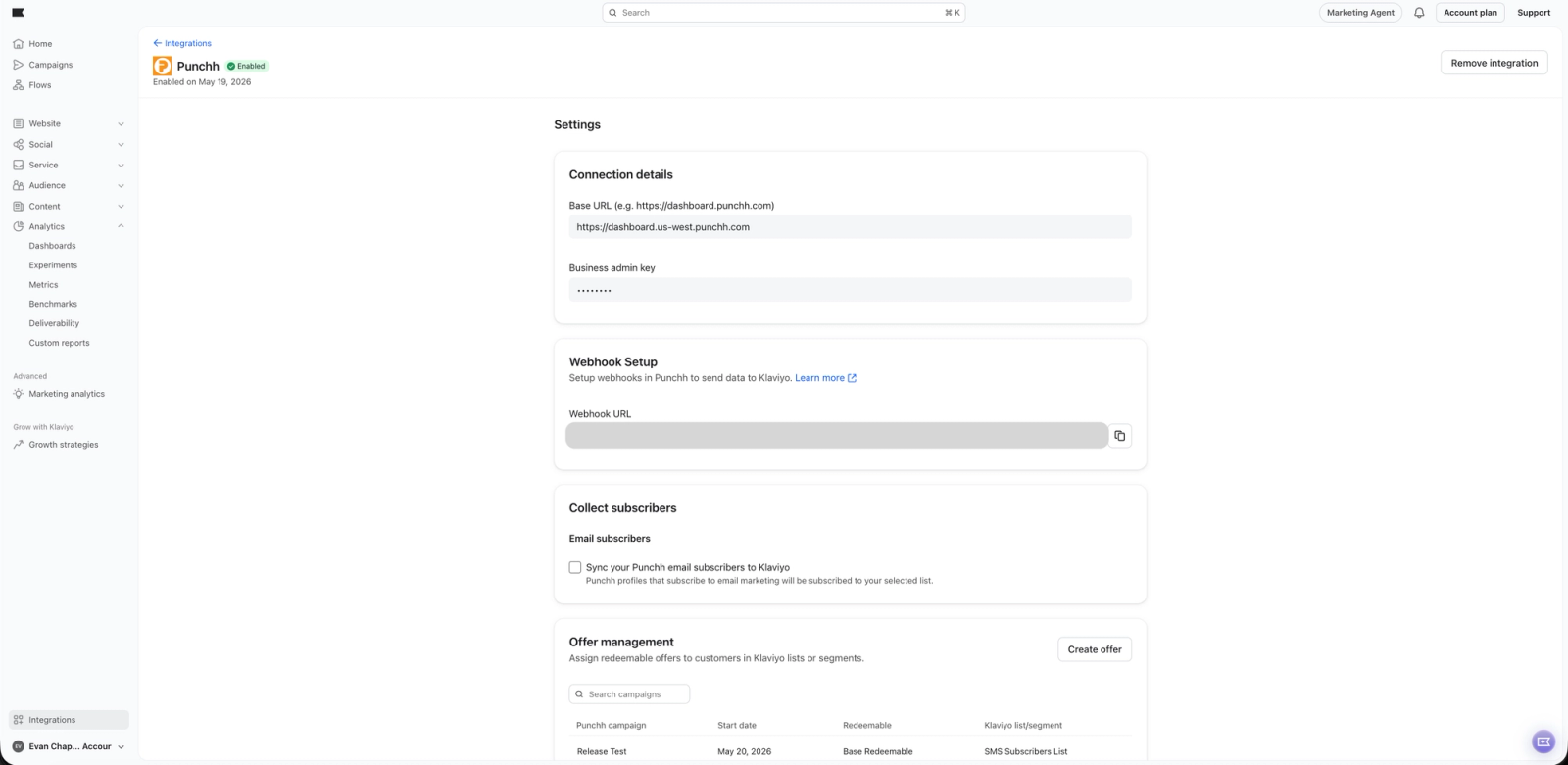
- In Klaviyo, select the Integrations tab.
- Click your Punchh integration.
- In the Offer management section, click Create offer.
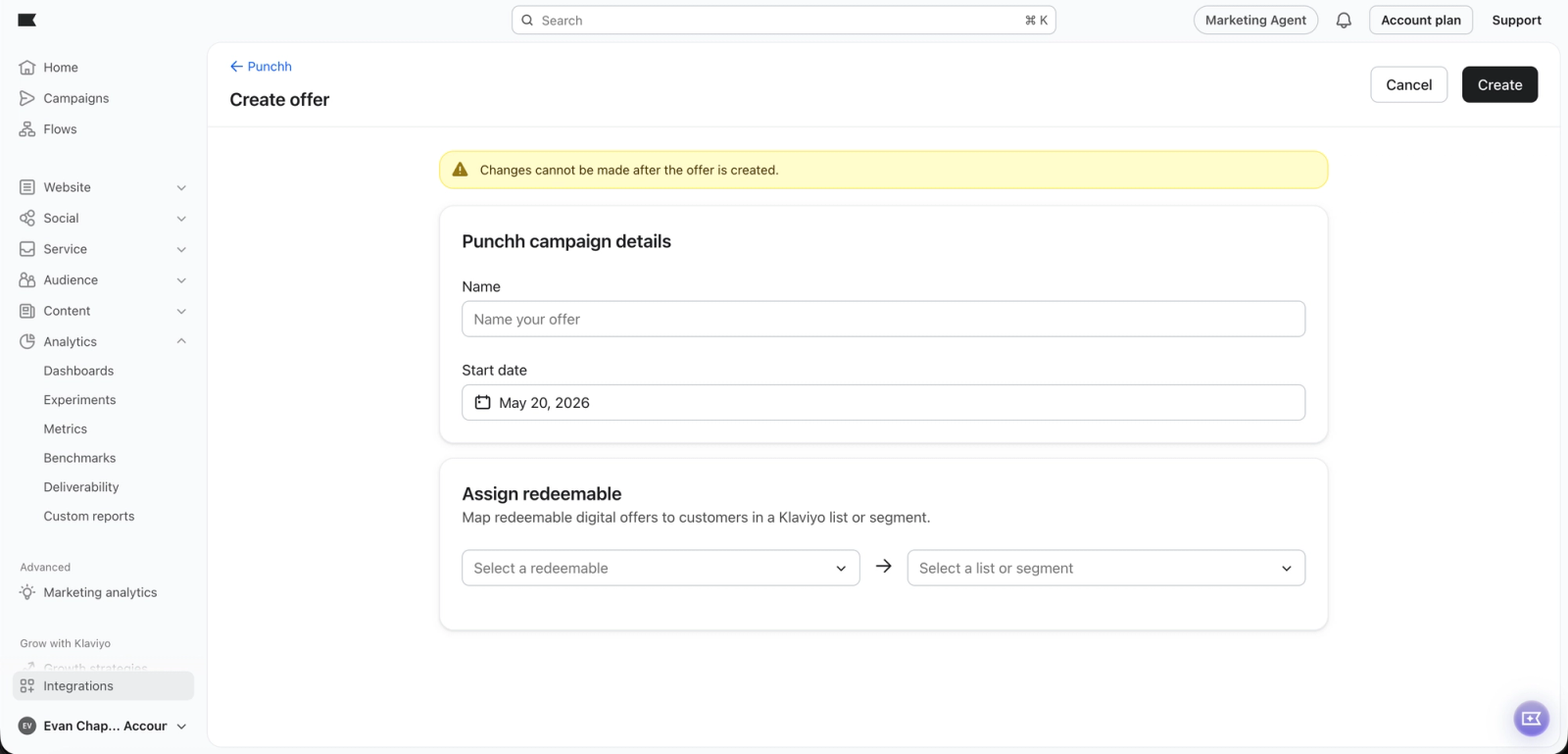
4. Create a new Punchh campaign within Klaviyo and enter the Name and Start date for your campaign.
- You can select a Start date up to 3 months in the future.
Assign redeemables
Once your redeemables are defined, you must decide which customers are eligible for which reward by mapping them to your Klaviyo data.
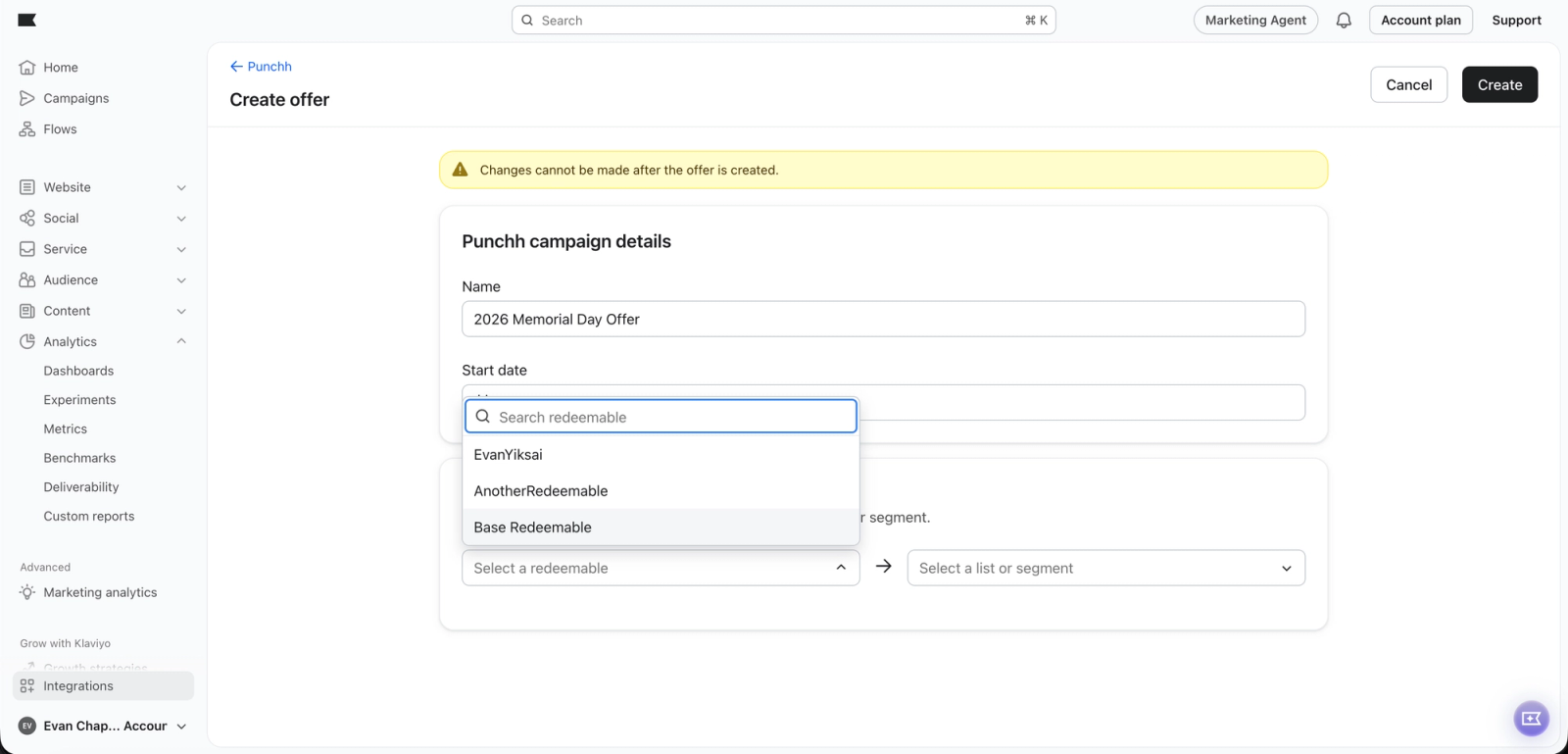
- Navigate to the Assign redeemable section of the offer builder.
- Create a mapping between your redeemable and a specific Klaviyo list or segment.
You can map a single redeemable to a single Klaviyo list or segment.
Distribute rewards via Klaviyo messages
After you create the offer, Klaviyo will automatically sync profiles in the Klaviyo list or segment to the Punchh segment if they already exist in Punchh. When a profile is issued a reward based on your mapping, Klaviyo records an Earned Reward metric and a Reward object via the Punchh integration for that profile.
Using the Earned Reward metric
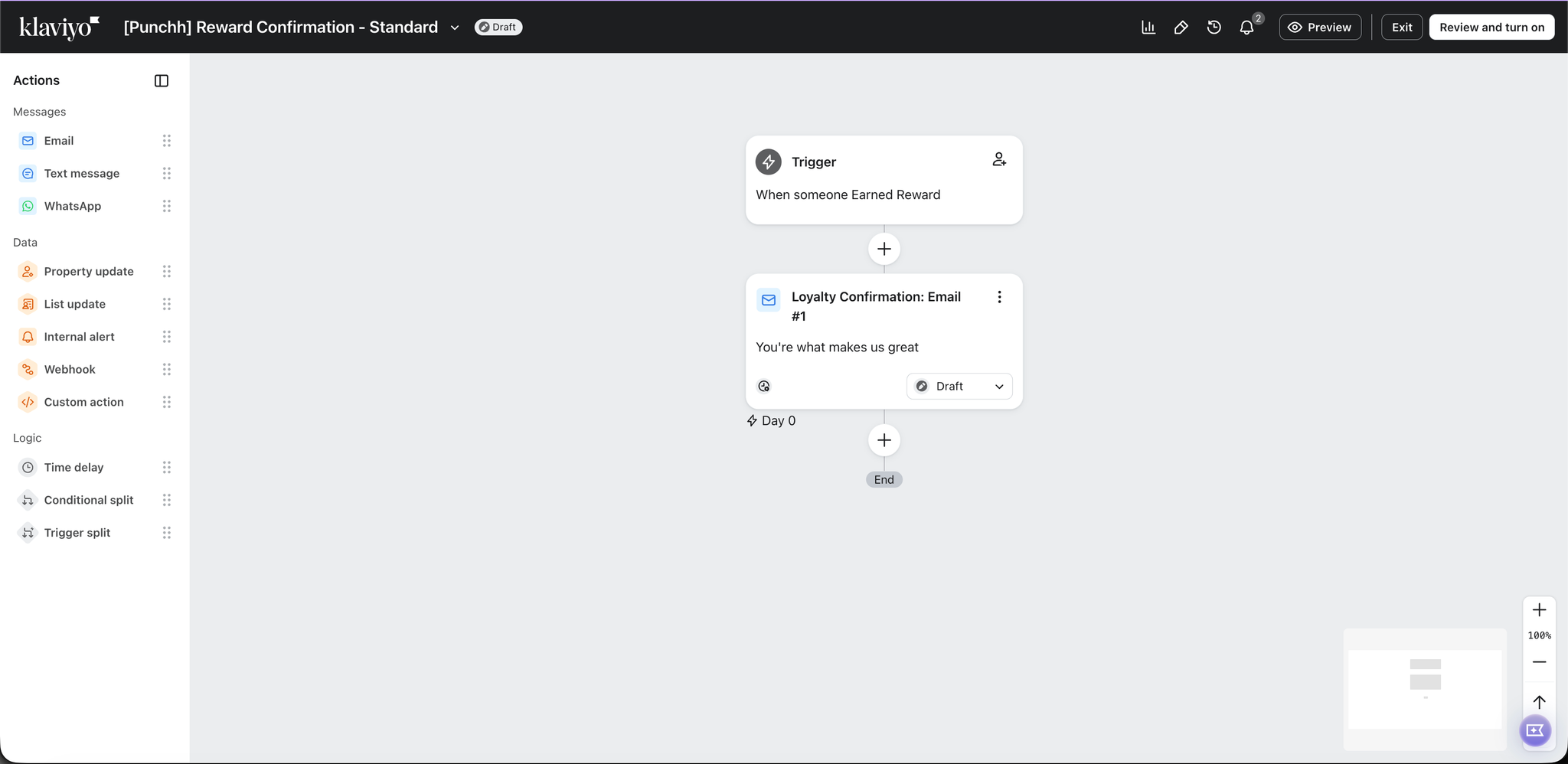
To distribute your Punchh rewards using Klaviyo, you can use the Earned Reward metric to trigger automated flows, ensuring customers receive their reward notification the moment they qualify. You can also use dynamic blocks to include reward details within your message.
Using the Reward object
To distribute your Punchh rewards using Klaviyo, you can also use the Reward object to trigger automated flows and segment your customers. You can also use dynamic blocks to include reward details within your message.
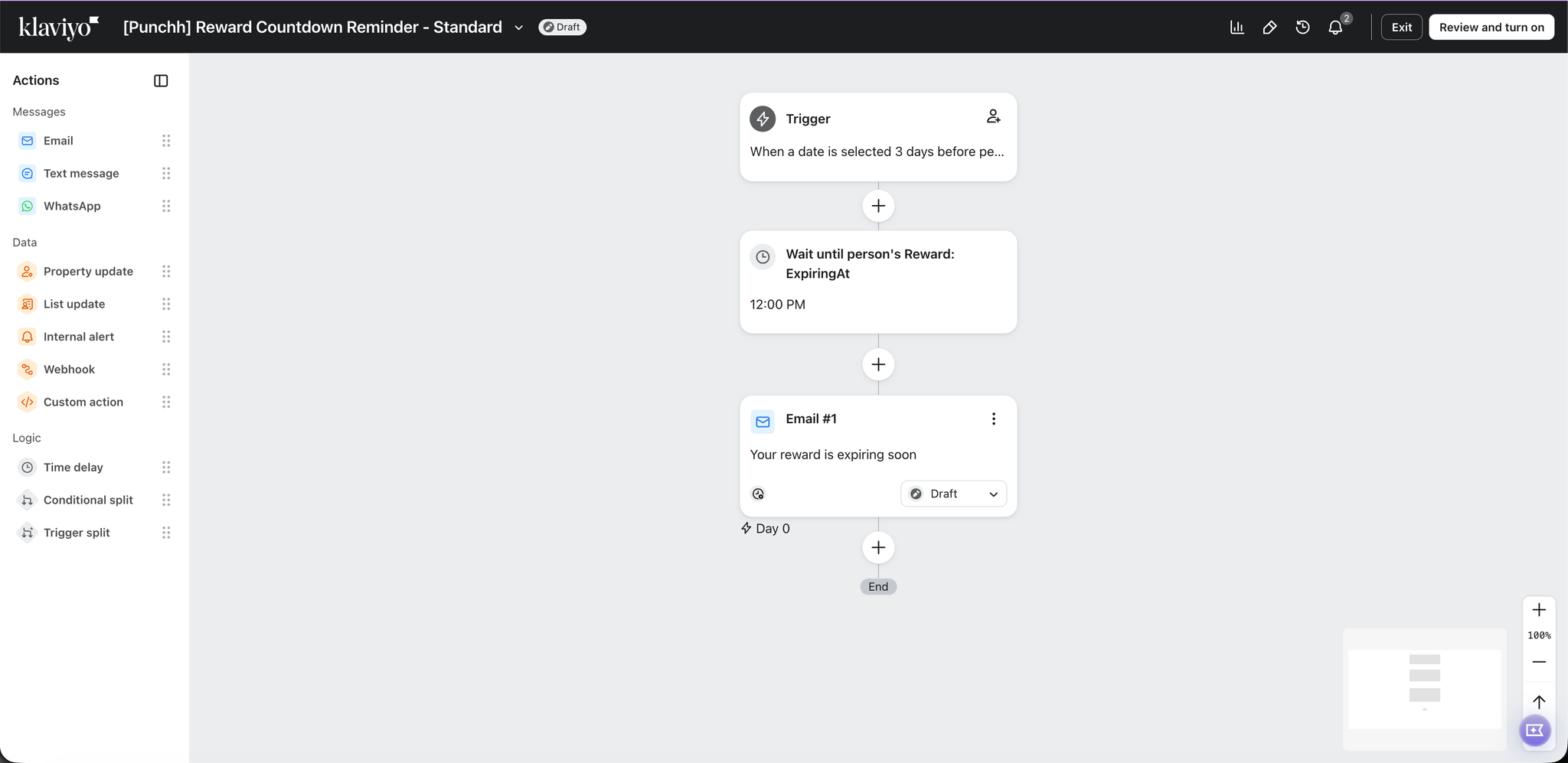
For example, if you wanted to send a reminder to your customers before their reward expires, you can set up a date-triggered flow on your Reward object by referencing the ExpiringAt property.