Klaviyo Helpdesk: How to send and receive media in a ticket
You will learn:
- Which channels support media exchange.
- How to send images and files to customers.
- Best practices for using media in support interactions.
Overview
Whether you need to share a screenshot to guide a customer through a process, provide a return label, or view an image a customer has sent you, Klaviyo Helpdesk supports rich media sharing across multiple channels.
Agents can now share media directly with customers on Email, Webchat, Instagram, SMS, and WhatsApp.
Supported Channels for Media
The following channels support both inbound (receiving) and outbound (sending) media:
Channel | Inbound Support (Customer to Agent) | Outbound Support (Agent to Customer) |
|---|---|---|
Supported | Supported | |
Webchat | Supported | Supported |
SMS (Text) | Supported (MMS) | Supported (MMS) |
Supported | Supported | |
Supported | Supported |
How to send media to customers
Sending media is useful for educating customers (e.g., "How-to" screenshots) or facilitating transactions (e.g., sending a return shipping label).
- Navigate to Helpdesk and open the specific customer ticket.
- In the reply box, click the Image/Attachment icon (usually represented by a paperclip or image icon
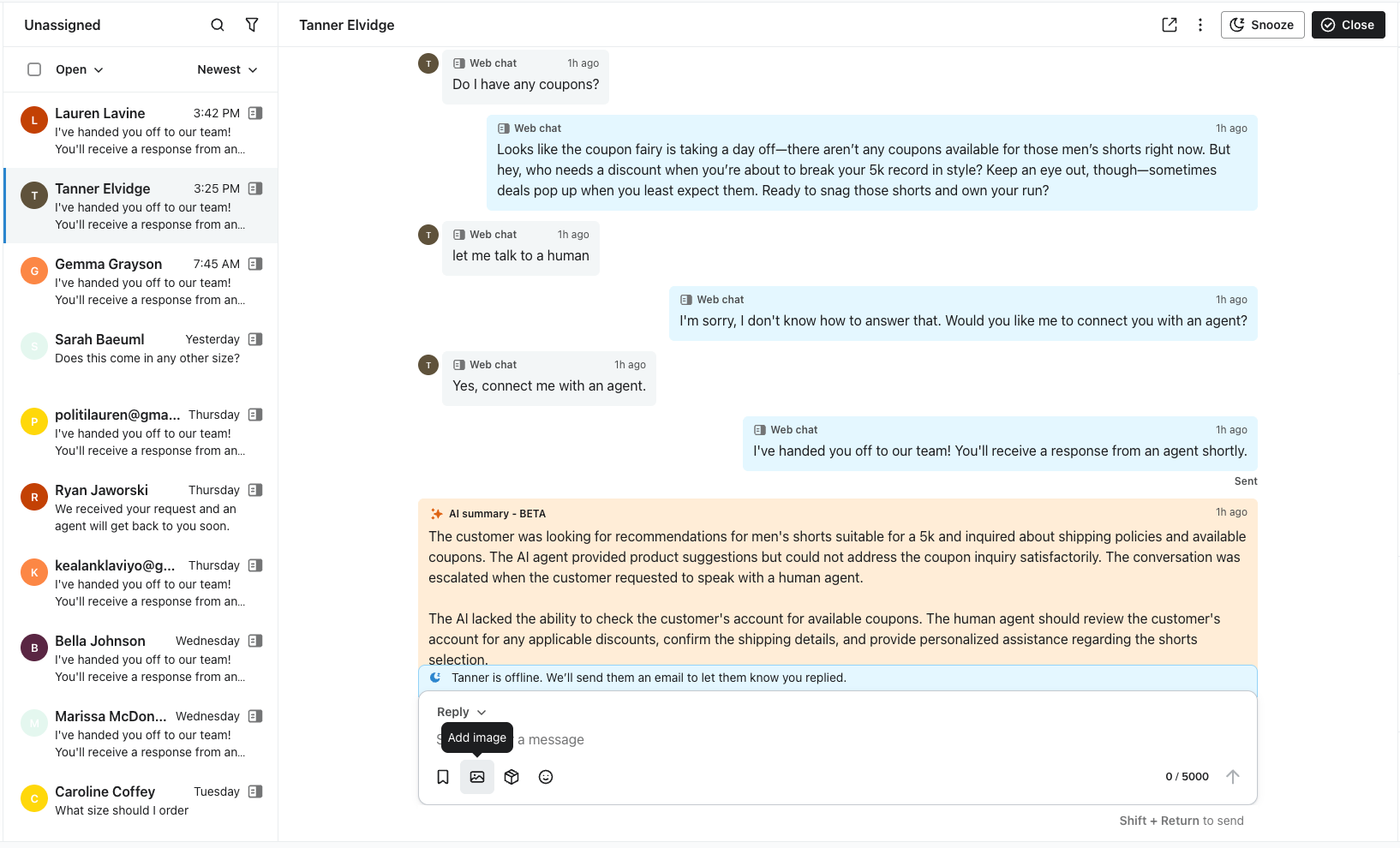
- Select the file you wish to send from your computer.
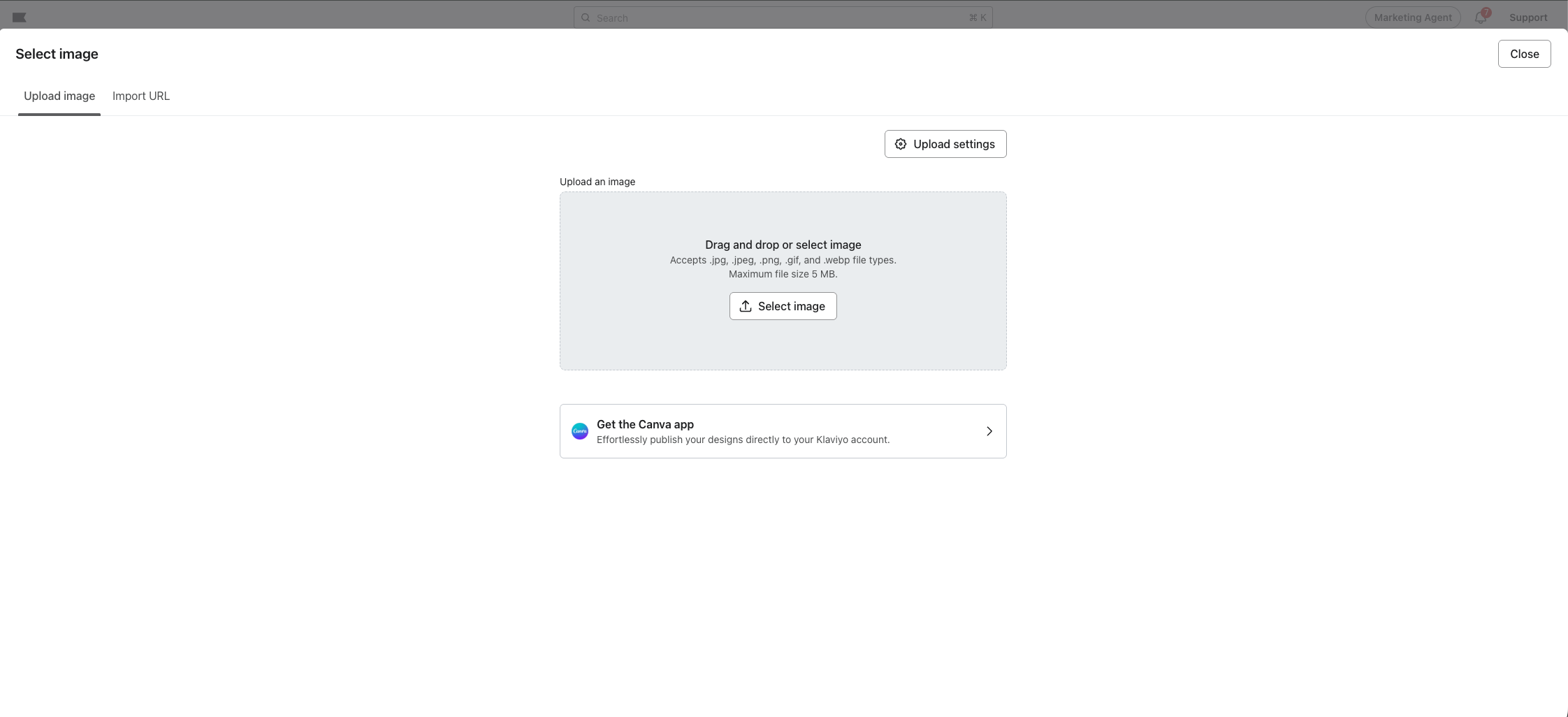
- (Optional) Add a text caption to explain the attachment.
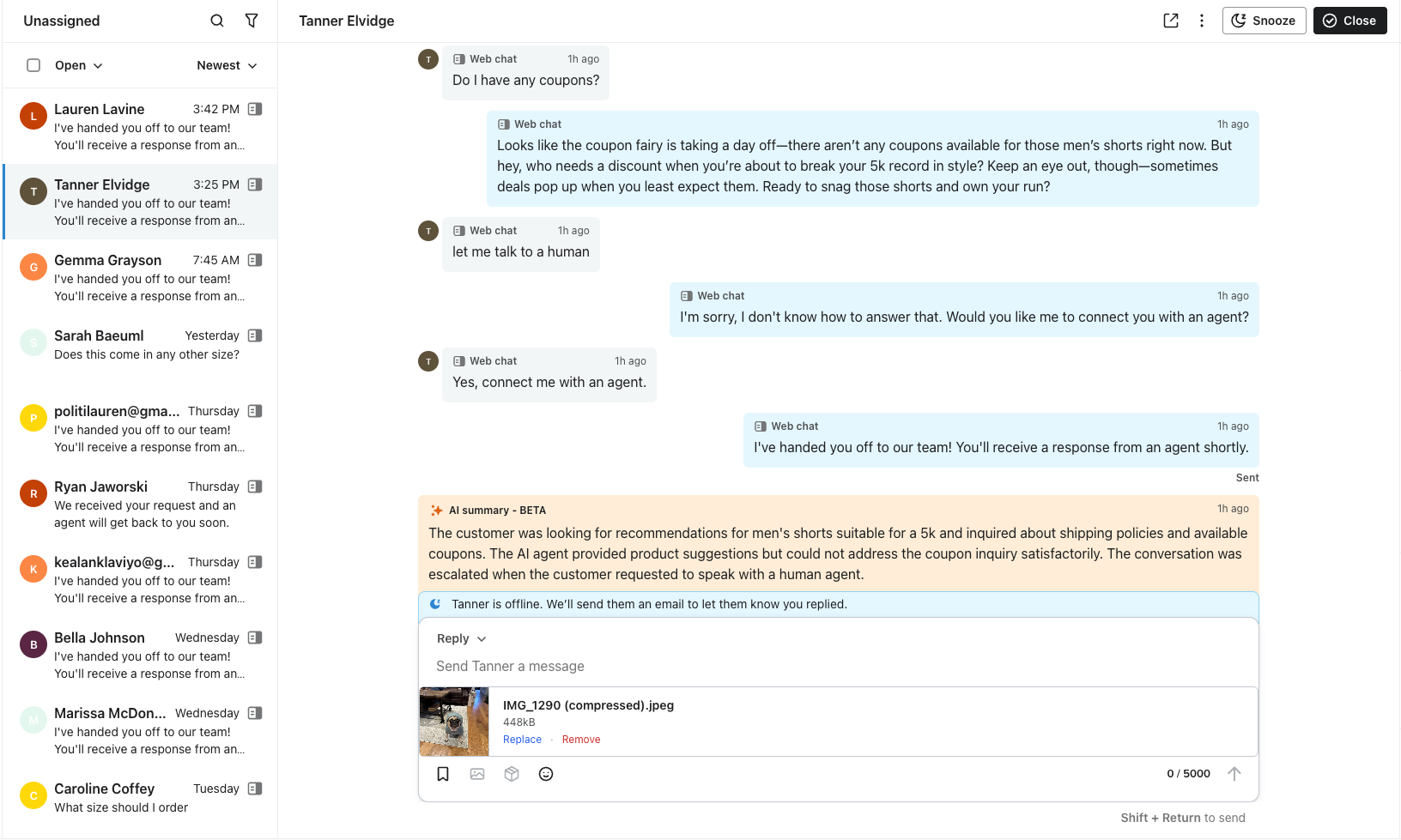
- Click Send.
The media will appear inline within the conversation history for both you and the customer.
Viewing inbound media
When a customer sends you an image or file, it will appear directly in the conversation thread.
- Preview: Most image files (JPG, PNG) will display a preview thumbnail.
- Full View: Click the image or attachment to view it in full size or download it to your device.
Best Practices
- File Size: Keep attachments reasonable in size to ensure they deliver quickly. For MMS (Text), we recommend keeping files under 600kb to ensure successful delivery across all carrier networks.
- Clarity: When sending screenshots, ensure sensitive customer data (like PII) is redacted if it is not relevant to the current conversation.
- Context: Always accompany a file with a brief text explanation so the customer understands what they are receiving.
Additional resources
- Understanding the difference between SMS and MMS
Learn how SMS and MMS messages are similar and different as well as when and where to use them.
- Basics: SMS best practices
Learn 9 SMS best practices to implement when you’re first getting started.