Understanding time delays near splits
You will learn
Learn when to place time delays before a split, and when to place them after.
When placing time delays near a split in a flow, it's important to be mindful about where you place the delay, as it can dramatically affect how a flow behaves.
Time delays and splits
A split lets you send recipients down different paths based on a definition you establish. A path's conditions can use profile properties and activity, and — in metric-triggered flows — data from the trigger event.
After you drag in and set the condition(s) for your split, it functions as a decision point — when a recipient reaches the split, Klaviyo evaluates the paths in order and sends the recipient down the first one they match, or down "Everyone else."
The time delay before a split matters because a split evaluates each profile once, at the moment it reaches the split — a point-in-time evaluation.
For example, let's say you have a split that is defined as: has Placed Order zero times over all time. A non-purchaser matches this path; existing customers go down "Everyone else." It's possible, at any point, that someone in this flow may purchase from you and become a customer, so the timing of when this split is evaluated in your series is important.
Place time delays before a split
A split divides recipients based on their actions or profile properties. If you split recipients by their actions, you need to allow time for them to take those actions. Further, if you intend to place messages on more than one path of a split, we usually recommend setting these emails or SMS to send immediately after the split itself by not adding time delays directly after it. This way, recipients reach the next message after the split is evaluated, rather than waiting while their circumstances may change. Whether a message sends still depends on its filters and the recipient's eligibility at send time. If you put an additional time delay after a split, before a message, it's possible that, after this additional wait period, the recipient will no longer qualify for that path.
Conditions based on the trigger event don't need a wait — that data is available as soon as the profile enters the flow. (Trigger-event conditions are available in metric-triggered flows only.)
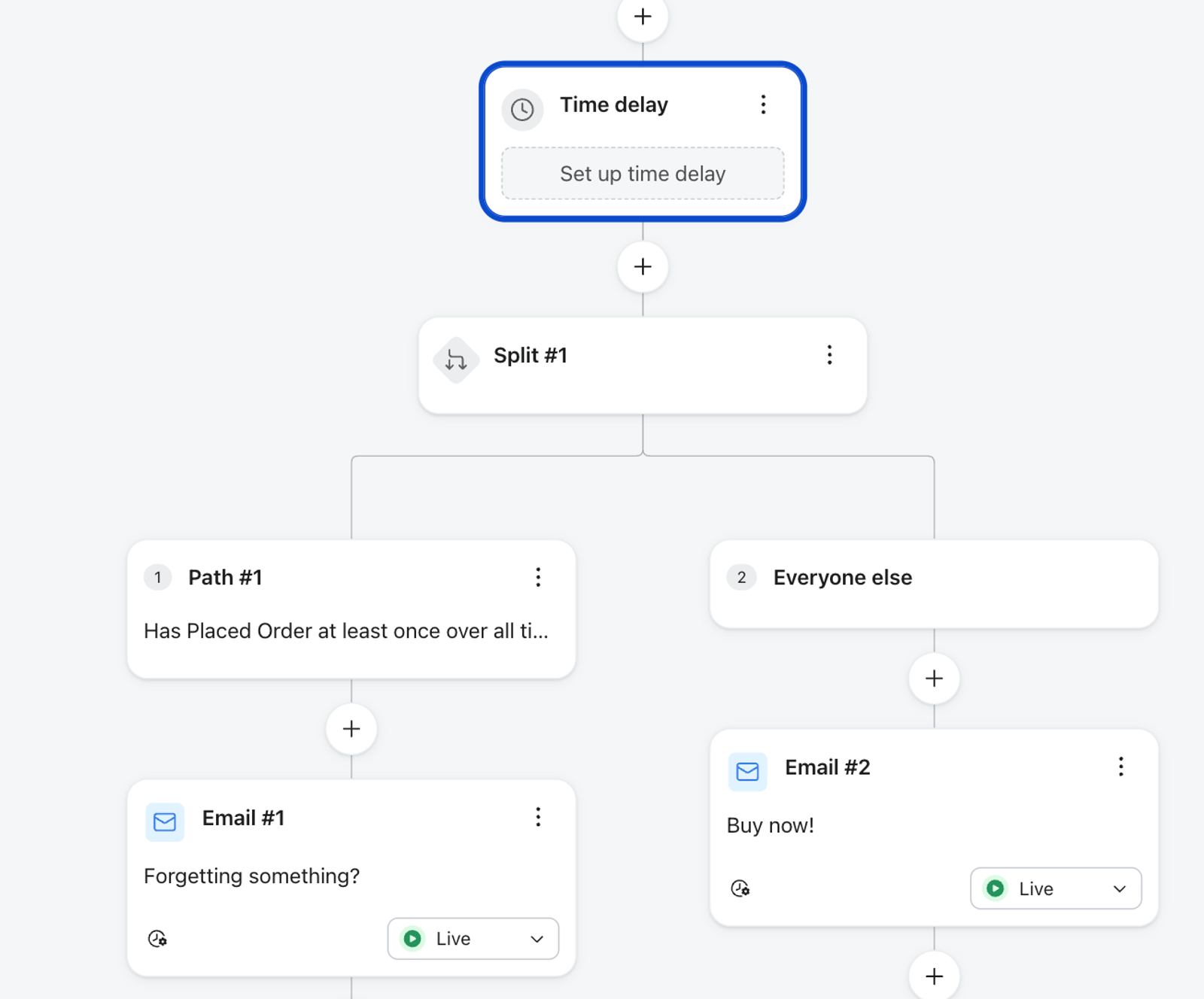
In this abandoned cart example, the goal is to send shoppers a reminder 4 hours after they start a checkout, unless they complete an order. Set the time delay to wait 4 hours after the trigger, then add a split before the first reminder. Set one path to check whether someone has Placed Order at least once over all time; place a different first email on that path and on Everyone else. The image shows where to place the delay and split, but its delay is not configured. To avoid sending an abandoned cart reminder after someone purchases, also add the flow filter Placed Order zero times since starting this flow. This filter prevents a subsequent reminder from sending even if someone has already passed the split. Learn more in How to create an abandoned cart flow.
Placing time delays after a split
While typically it's better to add the time delay before the split, there are some cases where you may want to have a delay after. One example is when you're testing the timing of a message.
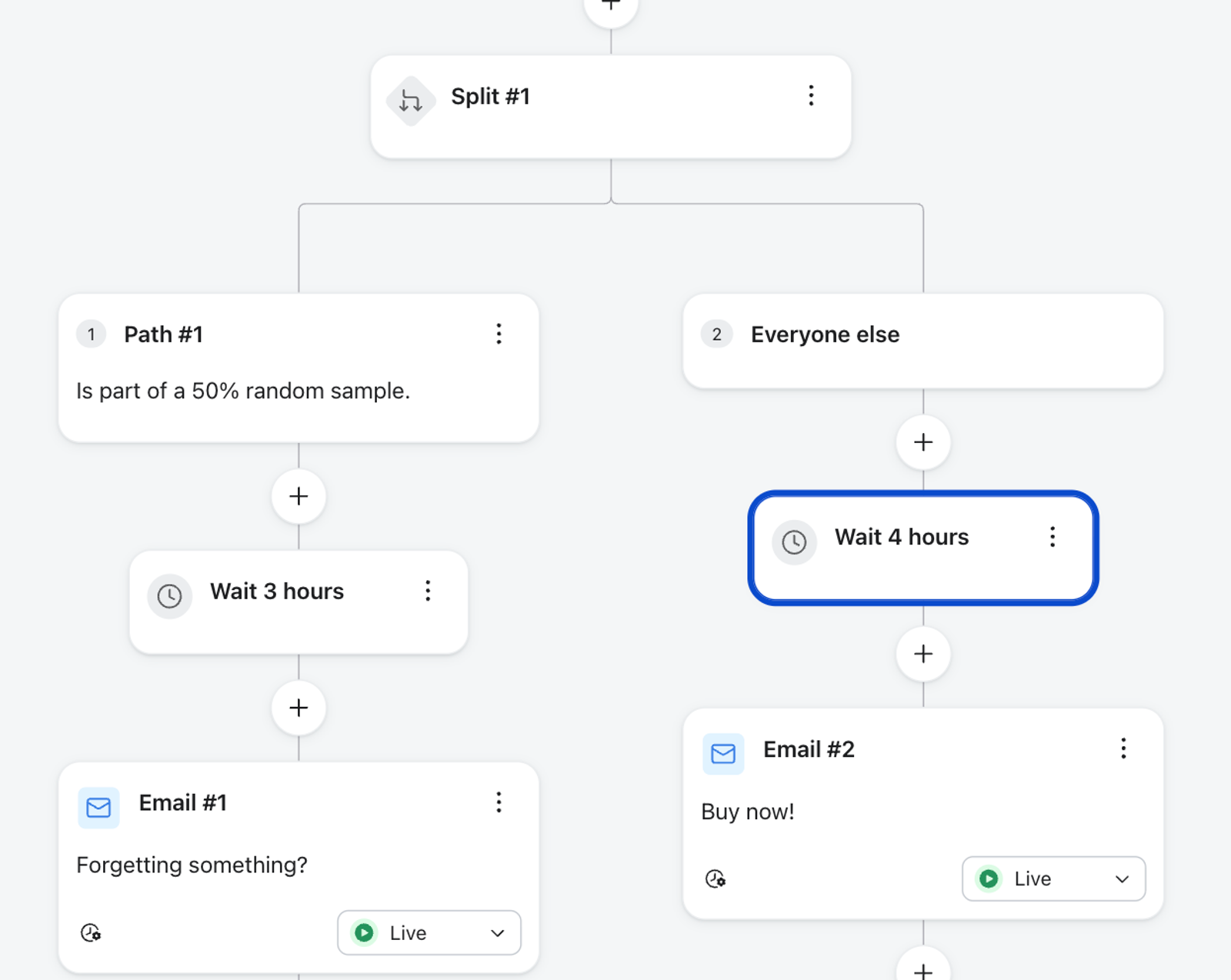
For example, say you have an abandoned cart flow and you want to determine whether sending the first message after 3 or 4 hours is better. Create a split with a 50% Random sample condition on the first path. Then add a time delay to each path: 3 hours on the first path and 4 hours on Everyone else. Use the same first message content on both paths so that timing is the only variable you're testing. The illustration shows different text on the 2 email cards; for a timing-only test, make the messages match. You can then compare the results of the 2 paths.