How to integrate with Help Scout
You will learn
Learn how to integrate Help Scout with Klaviyo to import metrics about your Help Scout conversations into your Klaviyo account, which can help with targeted messaging. Klaviyo's built-in Help Scout integration fully supports Help Scout's Mailbox API 2.0. The Help Scout integration syncs with Klaviyo every hour.
Enable the Help Scout integration
- Log in to Klaviyo and select the Integrations tab.
- Select Explore apps, search for Help Scout, then select the card.
- Then, click Install.
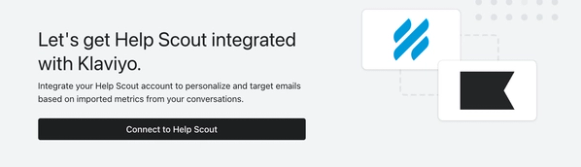
- Click Connect to Help Scout. Follow the prompts to log in to Help Scout if needed and authorize Klaviyo to access your account.
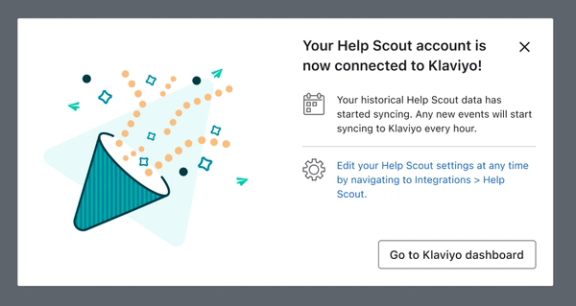
- Once you're connected, you'll receive a success message and your historical Help Scout data will start syncing.
How to view data synced from Help Scout
To view the Help Scout metrics syncing into your Klaviyo account, go to Analytics > Metrics. Select Help Scout in the Integration filter to view its metrics.
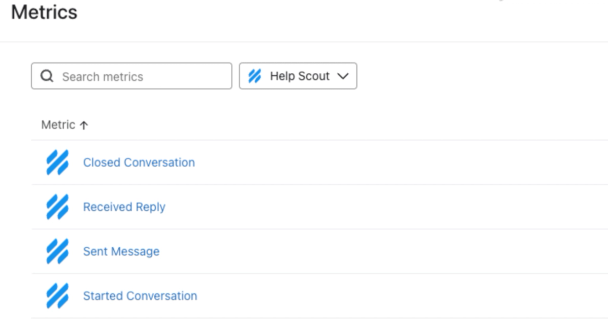
You can click on any metric to view event details. Delve deeper into the data by selecting any of the following:
- Chart
Shows you the data in graph form - Activity feed
Shows you a timeline of events. To view an event’s details, open its row menu and select Activity details. - Cohorts
- Best people
You can export chart data or data by profile. These CSV files summarize metric activity and do not include individual message bodies:
- To export chart data, select Chart, choose your date range and filters, then click Export to CSV.
- To export data by profile, select Best people and click Export to CSV. Choose all profiles or a specific list or segment, then click Export to CSV again.
Help Scout metrics
The following metrics are synced from Help Scout into your Klaviyo account:
- Closed Conversation
- Received Reply
- Sent Message
- Started Conversation
Closed Conversation
Tracked when a conversation with a customer is closed. The event Klaviyo tracks will include the subject of the email, which mailbox the email was delivered to, and which tags are present on the conversation in Help Scout. You can filter and target Closed Conversation events based on the following:
- Mailbox
The name of the mailbox in Help Scout of this conversation - Tags
The Help Scout tags listed on each conversation
Received Reply
Tracked when a customer receives a reply to a Help Scout ticket from your mailbox. The Received Reply event includes the subject and body of the email. You can trigger flows and segments based on whether or not someone has received a reply, or when they last received a reply.
Sent Message
Tracked any time a customer sends an email to your Help Scout mailbox. The Sent Message event includes the subject and body of the email. You can trigger flows and segments based on whether or not someone has sent a message, how many messages they have sent, or when they last sent a message.
Started Conversation
Tracked when a new Help Scout conversation is created for a customer. The event Klaviyo tracks will include the subject of the email, which mailbox the email was delivered to, and which tags are present on the conversation in Help Scout. You can filter and target Started Conversation events based on the following:
- Mailbox
The name of the mailbox in Help Scout of this conversation - Tags
The Help Scout tags listed on each conversation
Monitor the Help Scout sync
There are a few places you can check to ensure that your Help Scout + Klaviyo integration is enabled.
- Navigate to Integrations, open Help Scout, and check that its status is Enabled. Select Data and review Historical data for the import’s progress or completion message. Enabled confirms the connection; it does not mean historical syncing has finished.
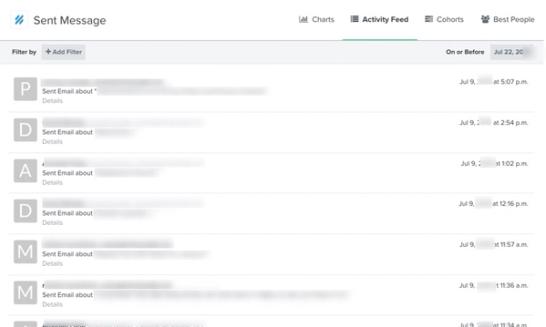
- Go to Analytics > Metrics, select Help Scout in the Integration filter, and open Sent Message. Select the Activity feed tab to check for imported messages from customers to your Help Scout mailboxes. New messages appear after the hourly sync, so a new customer message may not appear immediately.
Additional resources
- How often integrations sync reference
Learn what data syncs from a particular Klaviyo integration and how often the sync runs. We've organized these integrations by ecommerce platforms, email service providers, and other data integrations.
- Understanding the types of information exchanged between Klaviyo and apps
Learn about what types of data are exchanged between Klaviyo and external apps, and where that data is found in your Klaviyo account. When you integrate a third-party application with Klaviyo, the two platforms exchange information. Most data exchange with Klaviyo is one-way; data is pulled into your Klaviyo account so you can leverage a broad scope of your customers' data within Klaviyo.