How to exclude lists or segments from a campaign send
You will learn
Learn how to exclude certain groups (i.e., lists or segments) when sending campaigns.
If you would like to exclude specific individuals from a campaign, you will first need to add them to a dedicated list or group them in a segment.
Use cases
In addition to selecting who you want to send to, there's also don't send to, which you can use to exclude lists or segments from your send, for example:
- Don't send an evergreen newsletter to your unengaged subscribers segment in-between regular list cleaning.
- This avoids having unengaged recipients damage your sender reputation.
- Don't send to subgroups of people that may not be interested in a specific campaign's content, or may engage better with a personalized message through a separate campaign.
- For example, when launching a new collection, you may want to send your VIP Customers an advance sneak peek. When the time comes for your general announcement, you may want to exclude those VIPs you've already notified.
- Add groups to not send to when your audience for similar campaigns may overlap.
- This makes sure recipients don't receive multiple or duplicative messages.
How to exclude lists and segments from a campaign
- Navigate to the Campaigns tab in Klaviyo.
- Select Create campaign.
- In the sidebar that appears, enter a campaign name and select Single channel under Campaign type.
- Choose a Date and a channel under Type, such as Email, Text message, or Push.
- Click Continue.
- In the Audience section, choose the list(s) or segment(s) you’d like to send to in the Send to section.
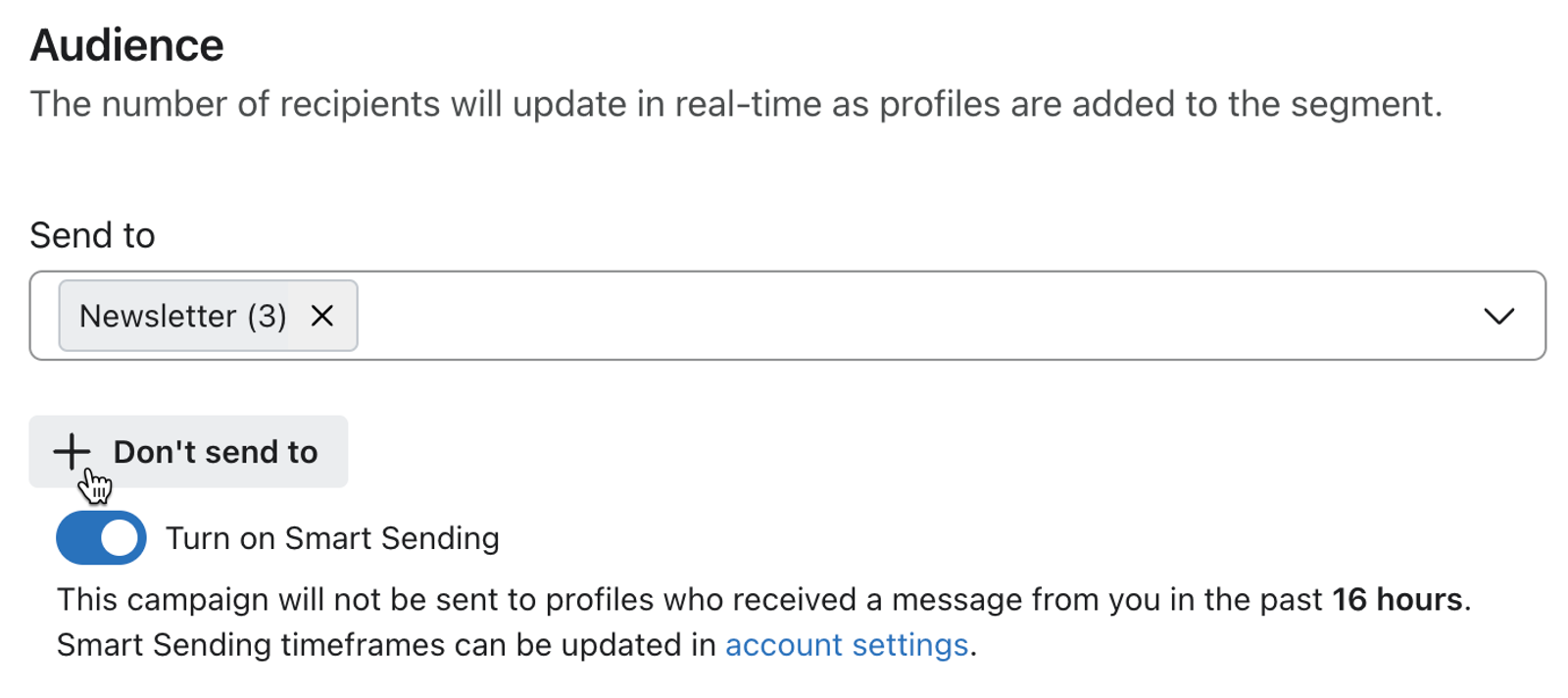
- Select the + Don't send to button.
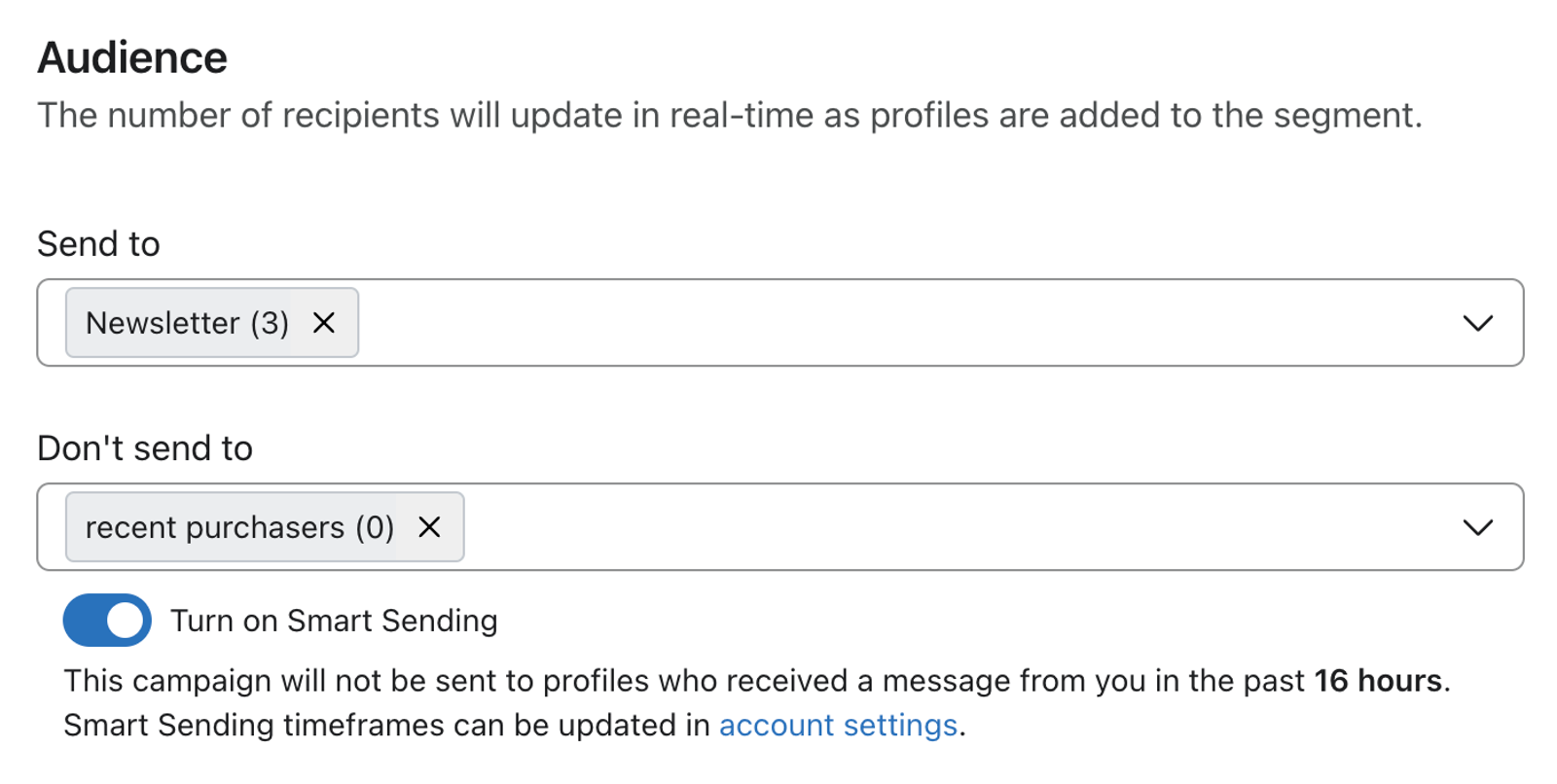
- Select the lists or segments you want to exclude from this campaign.
- Click Next to save your audience selections and continue creating your campaign. For the remaining email campaign steps, see how to send the campaign.
How Klaviyo estimates recipients
Next to the lists and segments you've chosen, you can see Estimated recipients. The number shown estimates how many people will receive your campaign. When calculating this number, Klaviyo:
- Adds together all profiles that exist in the lists/segments you've chosen to include
- Subtracts duplicate profiles that may exist in multiple lists/segments you've chosen to include
- Subtracts profiles within any included groups that also exist in lists/segments you've chosen to exclude
- Excludes profiles who cannot receive marketing on the campaign's channel. For email, this includes unsubscribed profiles and global or applicable list suppressions.
Klaviyo automatically skips suppressed profiles for email sends. The recipient count is an estimate: changes to included or excluded lists or segments before sending can change the final audience.
If none of the lists or segments you exclude overlap with your included audience, those exclusions won't reduce the estimate. Duplicates and profiles who cannot receive marketing can still make the estimate lower than the total number of members in the included groups.
Additional resources
- How to create and send an email campaign
Learn about the basics of email campaigns, including what they are and how to send them in Klaviyo.
- How to create and send an SMS campaign
Learn how to create and send an SMS campaign in Klaviyo. Note that the process is almost exactly the same for MMS campaigns. The only difference is that you add an image or GIF during the content creation stage.
- How to include a follow-up email to resend a campaign to "non-openers"
Learn how to use the include a follow-up email setting to resend a campaign to recipients that didn't open the original email. This option is available in the campaign wizard when setting up a new campaign.