Understand the domains that play a role in email deliverability
You will learn
Learn about the different domains that play a role in the delivery of your emails, as well as the importance of domain alignment.
From Address domain
The From Address domain, also known as the “friendly from address domain,” refers to the domain associated with the email address that you are sending from.
This is the most important domain in your emails because your subscribers see it in their inbox. It represents your brand and is the primary domain that email providers use to track your reputation.
In a typical inbox, like Gmail, the From Address is displayed in the sender information section.
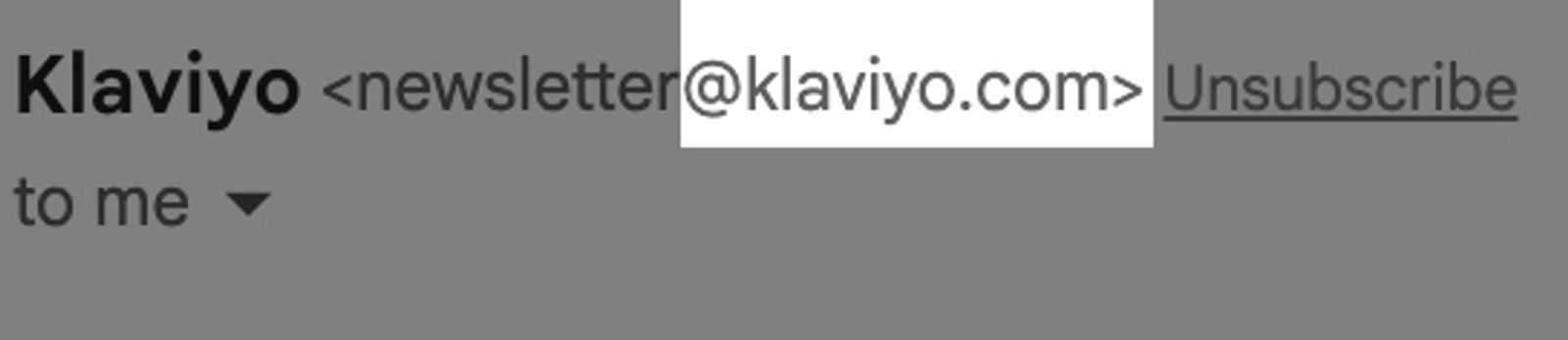
You can set the From Address and the accompanying "From" name for any campaign in Klaviyo.
Sending domain
A sending domain is the domain used to send emails, and shows subscribers where your emails are sent from. By default, most accounts begin with sending from a shared Klaviyo domain. This domain appears in the sender information at the top of an email message. For example, in Gmail, your recipients see "via klaviyomail.com" because you are using a shared sending domain.
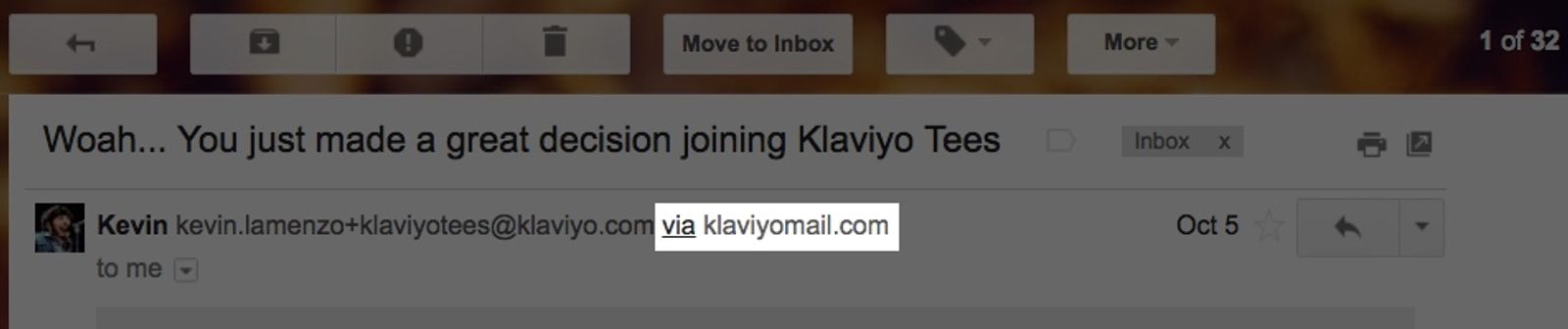
A branded sending domain allows you to send emails that appear to be coming from your brand instead of Klaviyo, giving you better control of your sender reputation. Moving to a branded sending domain removes the "via klaviyomail.com" message displayed beside your sender email address.
Most inbox providers enforce sender requirements for bulk senders, and setting up a branded sending domain is part of meeting those requirements. As a reference point, Google considers anyone sending 5,000 or more emails to Google accounts per day to be a "bulk sender." All traffic counts toward this threshold, including transactional emails.
In Klaviyo, a branded sending domain has a send type that determines the kind of traffic it carries:
- Marketing: campaigns and promotional flows
- Transactional: flow messages designated as transactional (for example, order confirmations and password resets)
- Service: support replies sent through Klaviyo Helpdesk
You can configure separate branded sending domains for each send type in the same account, so each kind of traffic builds its own sender reputation. For details, see How to set up a branded sending domain.
Return-Path domain
A Return-Path domain (also known as Mail From, Envelope From, origin, bounce address, SPF domain, mailed-by, or mail server domain) represents the domain name of the server that sent the email.
This domain is necessary for the delivery of your message, but it's usually hidden from the recipient. For example, Gmail shows it in a hidden dropdown as the “mailed-by” domain. You can see this by clicking to me in your Gmail message.
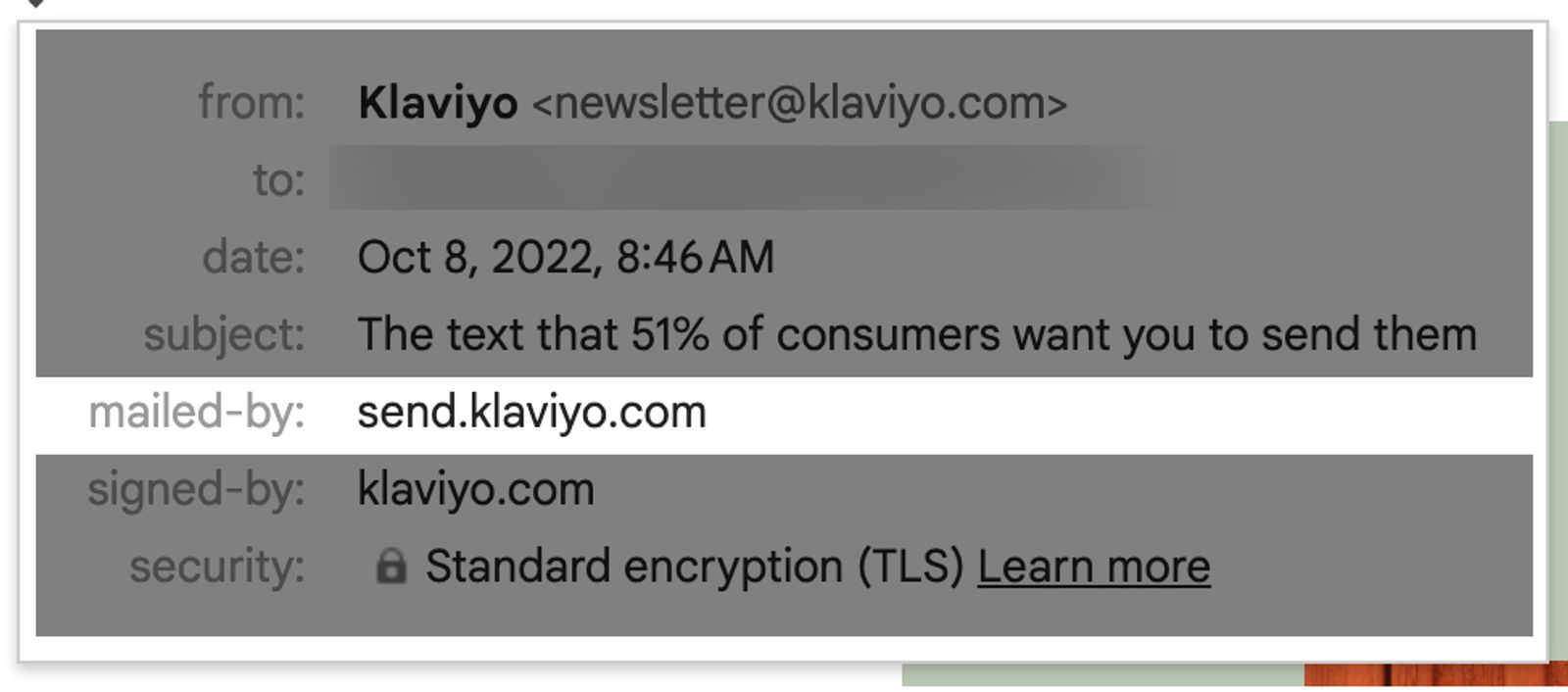
With Klaviyo, the Return-Path domain will be similar to klaviyomail.com. This domain is also where bounce notifications go, and is managed by Klaviyo. If a message bounces, Klaviyo automatically logs the event in your account.
When an inbox provider like Gmail receives a message, it checks the Return-Path domain for the SPF record. Since Klaviyo manages the Return-Path domain for you, SPF is functional by default. You do not need to modify any SPF records for Klaviyo.
SPF on the Return-Path will always pass with Klaviyo, but your reporting may show that it fails “alignment.” When this happens, the Return-Path domain is passing SPF, but it does not match the From Address domain. You might also see this in Google Postmaster Tools. This is not an issue unless you have set up DMARC without setting up and aligning DKIM with your sending domain.
DKIM domain
A DKIM domain (also known as the “signed-by domain” or d= domain) cryptographically signs emails that you send, allowing the receiving mailbox provider to confirm that the owner of the domain sent the message. This domain does not have to match the From Address or the Return-Path, and is only used to sign the email.
By default, the DKIM domain is one owned and operated by Klaviyo, such as klaviyomail.com. This allows DKIM to work immediately when you start with Klaviyo.
You can only DKIM-sign your messages with a domain you own. The DKIM domain is an important part of your overall sender reputation, and its own reputation has a major influence on whether the message is delivered.
The DKIM domain will appear after the “via” header and also as the “signed-by” within Gmail.
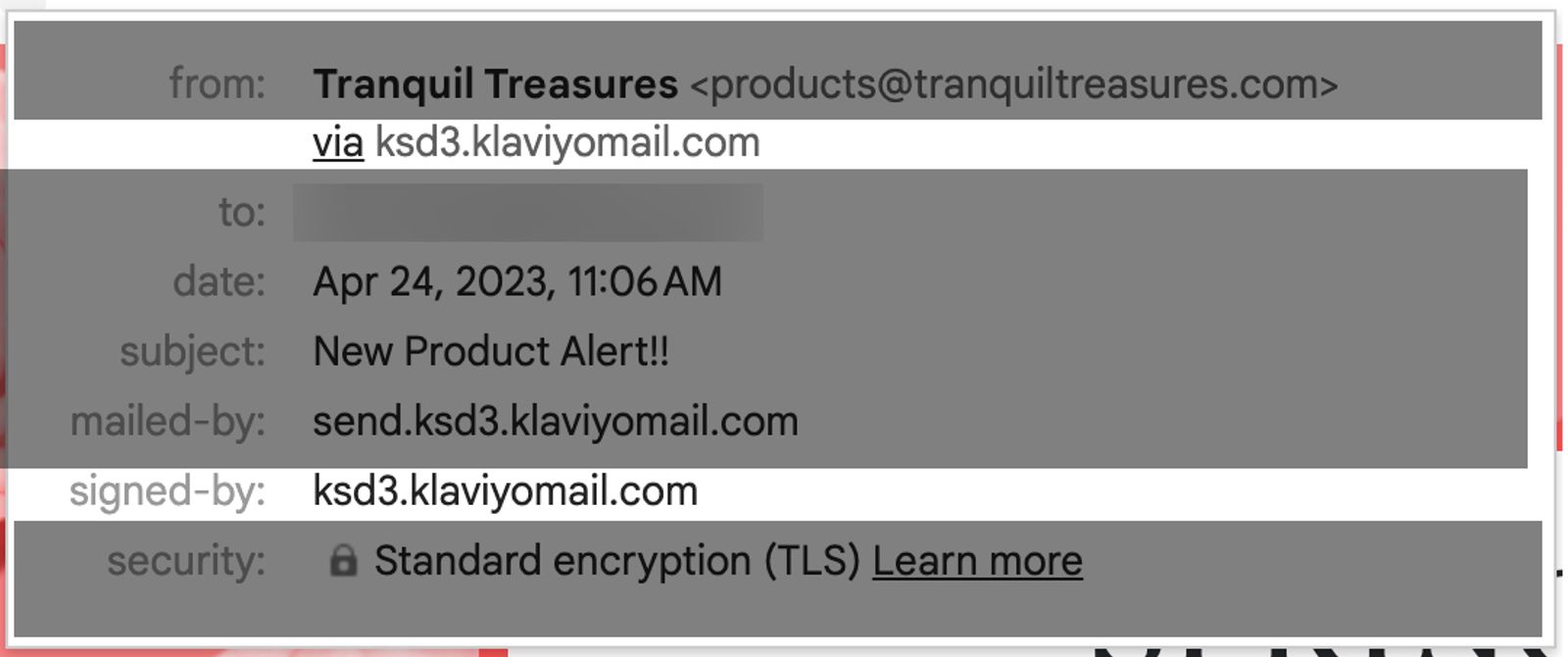
When you set up a branded sending domain, your email is DKIM-signed by your own domain in addition to a shared Klaviyo domain.
Click tracking domain
Click-tracking domains are used to track clicks on the links you include in your content. When someone clicks a link, they are redirected through a URL associated with the click-tracking domain and then immediately passed through to the original URL.
If you hover over a link in your inbox you can see the full tracking link.
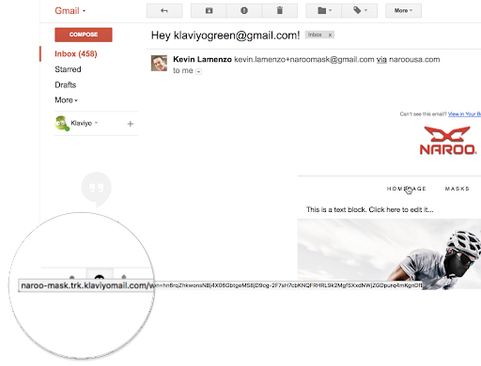
A dedicated click-tracking domain displays your own domain on click-tracking links rather than Klaviyo's default. Having recognizable links in the emails coming from your brand helps build trust with the customers receiving those emails. Instead of a long string of letters and numbers from a trk.klaviyomail encoded link, they see your brand's name when hovering over links in your email. This familiarity may increase the chances they click on your links.
Many mailbox providers and filtering software also consider the reputation of all domains used in your messaging. Using the same root domain in both your dedicated click-tracking domain and your sending domain creates alignment across your brand identity.
You can configure a dedicated click-tracking domain yourself from your Klaviyo account. See How to set up dedicated click tracking.
Domain alignment for DMARC
To be DMARC compliant, you must have a branded sending domain that matches the domain in your sender email address (your From Address). For example, if you send an email using sales@example.com as the From Address and example.com is protected by DMARC, your account will need to use a branded sending domain like send.example.com to meet DMARC requirements.
DMARC is not required to send marketing emails on Klaviyo. To configure and implement a DMARC policy, work with your IT team and a third-party DMARC service provider.
Neither the Return-path nor the DKIM domain will match your From Address when you start with Klaviyo. This is the default scenario for any new Klaviyo customer. Your domains don't need to align unless you have set up DMARC.
You can align the DKIM domain with your From Address by setting up a branded sending domain.
Benefits of domain alignment
There are two major benefits of domain alignment:
- Domain alignment allows DMARC to “pass." You need to align the DKIM domain with your From Address to achieve this.
- Aligning as many domains as possible helps establish your domain reputation. Inbox providers and spam filters often consider domain alignment when deciding if you are reputable. Recipients are more likely to trust you as a sender if your domains align (for example, From Address domain matching the click-tracking domain).
It is best practice to align all domains where possible. By setting up and aligning your sending domain, DKIM domain, click-tracking domain, and From Address domain, inbox providers will more favorably determine your sending reputation.
Additional resources
- Understanding email authentication
Learn about email authentication protocols that are used to build your sender reputation, validate emails are coming from a legitimate sender, and protect against email abuse.
- Understanding email deliverability
Learn about email deliverability, including the steps you can take to establish a strong sender reputation so that your emails are delivered to the inbox.