How to send a campaign to multiple lists or segments
You will learn
See how to send to multiple lists or segments. This allows you to hone the sending pool of your campaign by including recipients from specific lists while excluding recipients from others. For instance, you could:
- Notify segments of your customer base in advance for promotions like flash sales (e.g., rewarding VIP customers with special updates).
- Let certain segments of customers know about a new product or collection.
- Target customers who previously purchased during a holiday to tell them about this year's sales or products.
- Create a segment of inactive subscribers and launch a re-engagement effort, excluding this segment from your regular campaign sending.
How to send to multiple lists or segments
- Select Campaigns > Create campaign.
- Name the campaign. Under Campaign type, choose Single channel, select the channel, then click Continue.
- Under Send to, add all the lists or segments you want to include.
Klaviyo automatically deduplicates any profiles that appear more than once so that none of your users receive the campaign more than once.
- You can include a maximum of 25 groups (lists or segments).
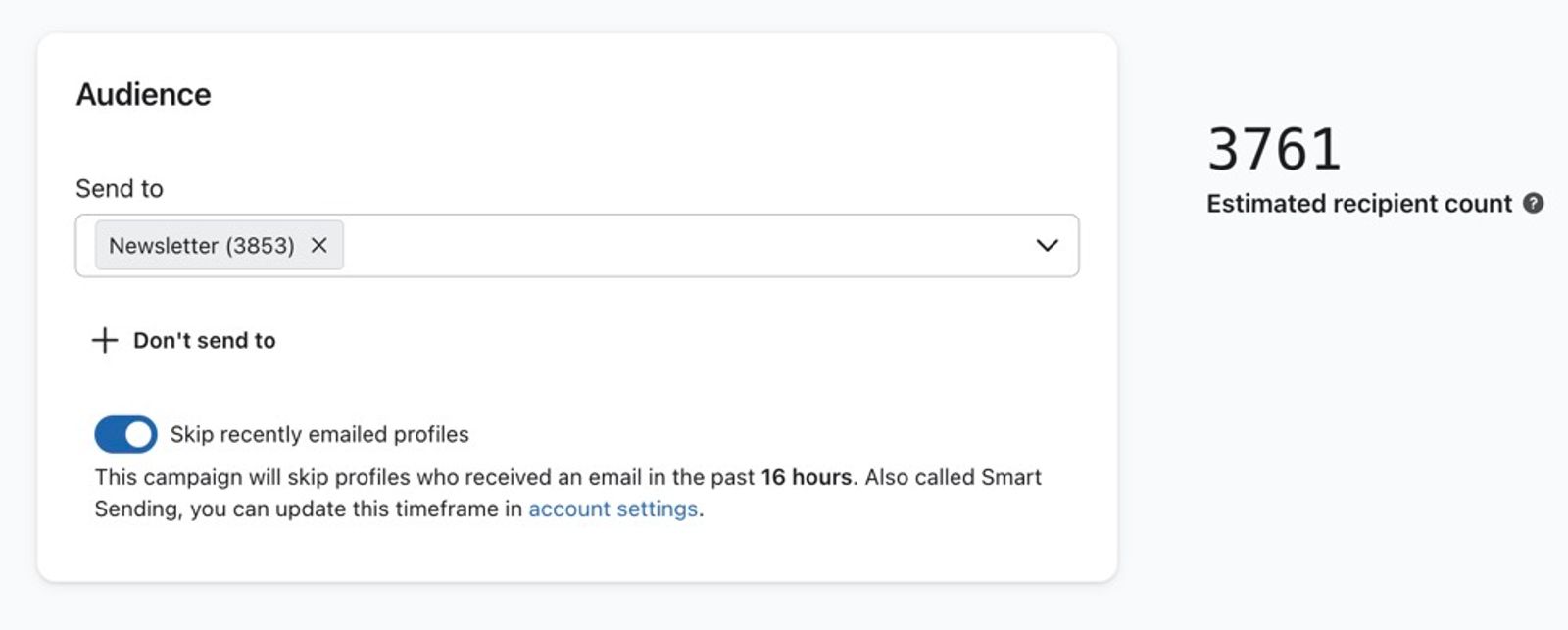
- Optional: select + Don't send to to open the exclusion field, then select the lists or segments you want to exclude.
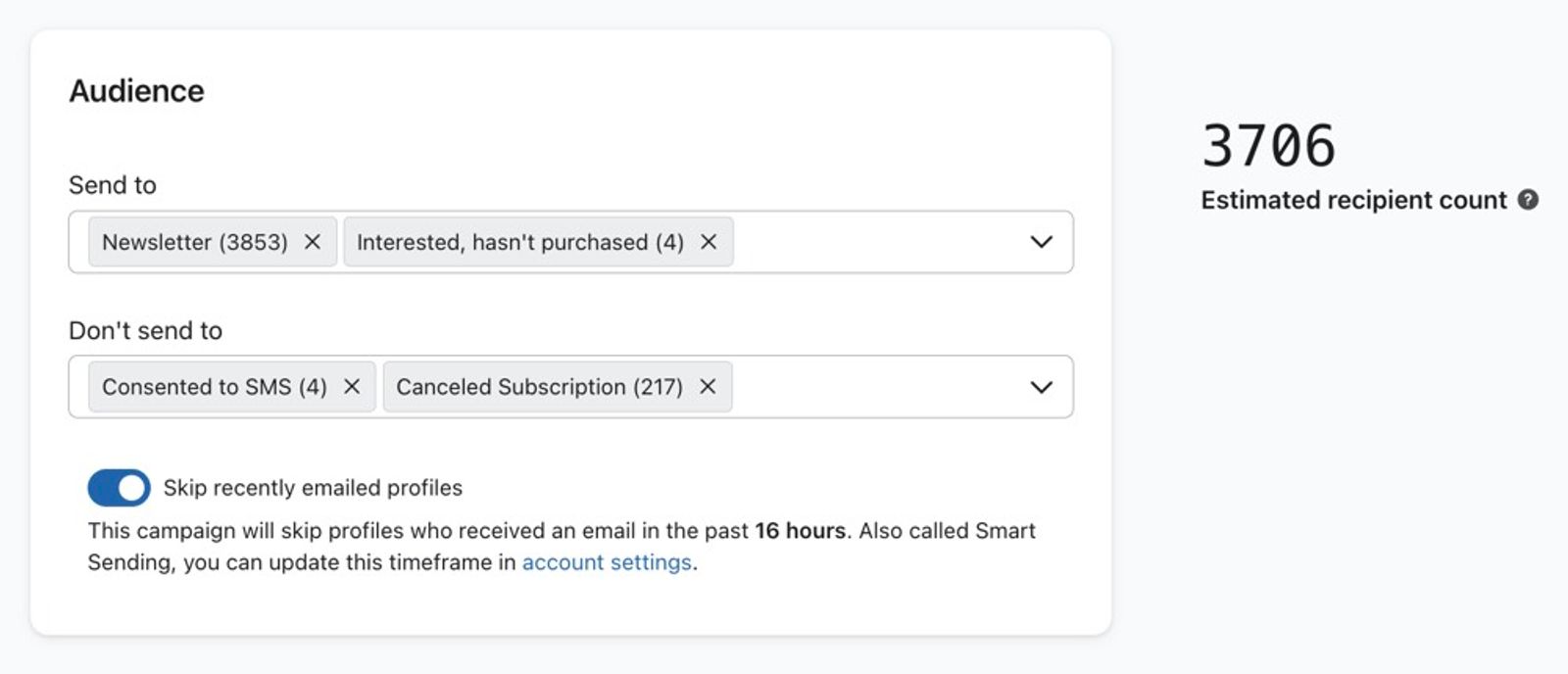
- Click Next to save your audience selections.
- Create your message content, then continue to the Review step. Review the campaign details and resolve any issues.
- Click Schedule or send. Choose whether to send now or schedule for later, then click Send now or Schedule message to confirm.
You can send a single campaign to a maximum of 25 lists or segments. If you'd like to send a campaign to more groups, clone it and change the clone's audience. To avoid sending both campaigns to the same profiles, use Don't send to in the clone to exclude the lists and segments targeted by the original campaign.
Calculating expected recipients
On the right, you can see the estimate under Estimated recipients. The number shown estimates the number of people who will receive your campaign. When calculating this number, Klaviyo:
- Adds together all profiles that exist in the lists and segments you've chosen to include.
- Subtracts duplicate profiles that may exist in multiple lists/segments you've chosen to include.
- Subtracts profiles within any included groups that also exist in lists and segments you've chosen to exclude.
- Subtracts profiles who cannot receive marketing on the selected channel, including unsubscribed or suppressed profiles.
For email campaigns, Klaviyo automatically skips suppressed profiles at send time. The estimated recipient count is not a guaranteed delivery count. For example, it can change if membership in an included or excluded list or segment changes before sending.
If the lists or segments you exclude do not overlap with those you include, those exclusions do not reduce the count. Duplicate profiles and profiles who cannot receive marketing can still make the estimate lower than the combined list and segment totals.
For eligible email campaigns, Klaviyo's reputation repair AI helps improve your sender reputation and overall deliverability by excluding unengaged profiles when Exclude unengaged recipients (recommended) is selected. These exclusions are included in the estimated recipient count.
Additional resources
- How to create and send an email campaign
Learn about the basics of email campaigns, including what they are and how to send them in Klaviyo.
- How to create and send an SMS campaign
Learn how to create and send an SMS campaign in Klaviyo. Note that the process is almost exactly the same for MMS campaigns. The only difference is that you add an image or GIF during the content creation stage.
- How to include a follow-up email to resend a campaign to "non-openers"
Learn how to use the include a follow-up email setting to resend a campaign to recipients that didn't open the original email. This option is available in the campaign wizard when setting up a new campaign.