How to use the Klaviyo app for ChatGPT
You must be an Owner, Admin, or Manager in Klaviyo to connect your account to the Klaviyo app for ChatGPT.
The Klaviyo app for ChatGPT lets you view and analyze your Klaviyo data directly inside ChatGPT. You can check campaign and flow performance, surface insights, and take next steps through natural language.
The app runs on the Klaviyo MCP Server, which securely brings your Klaviyo data into ChatGPT.
Before you begin
Before you start:
- You need a ChatGPT interface that supports Apps. OpenAI determines which devices and environments support Apps. If you do not see the Apps section in ChatGPT, your interface may not support it yet.
- You must authenticate your Klaviyo account using OAuth to allow ChatGPT to access your data.
- ChatGPT may request read and write access to Klaviyo endpoints supported by the Klaviyo MCP Server. Most endpoints are read-only. Some enable draft and template operations.
Connect Klaviyo to ChatGPT
- Open a ChatGPT interface where Apps are supported.
- In the sidebar, browse available apps and select Klaviyo.
- When prompted, sign in to your Klaviyo account and approve the requested scopes.
- After authentication, the Klaviyo app appears in your ChatGPT sidebar.
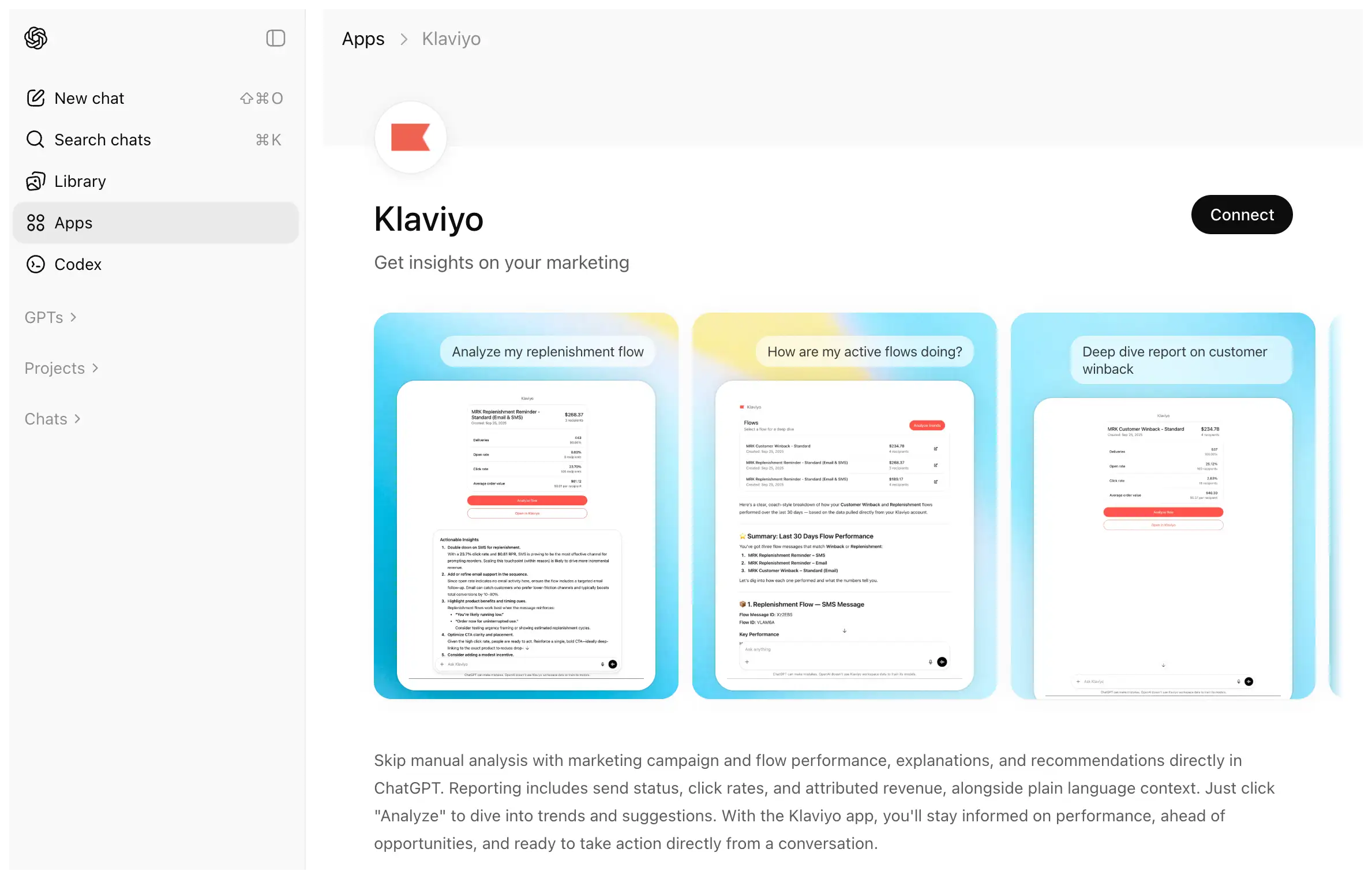
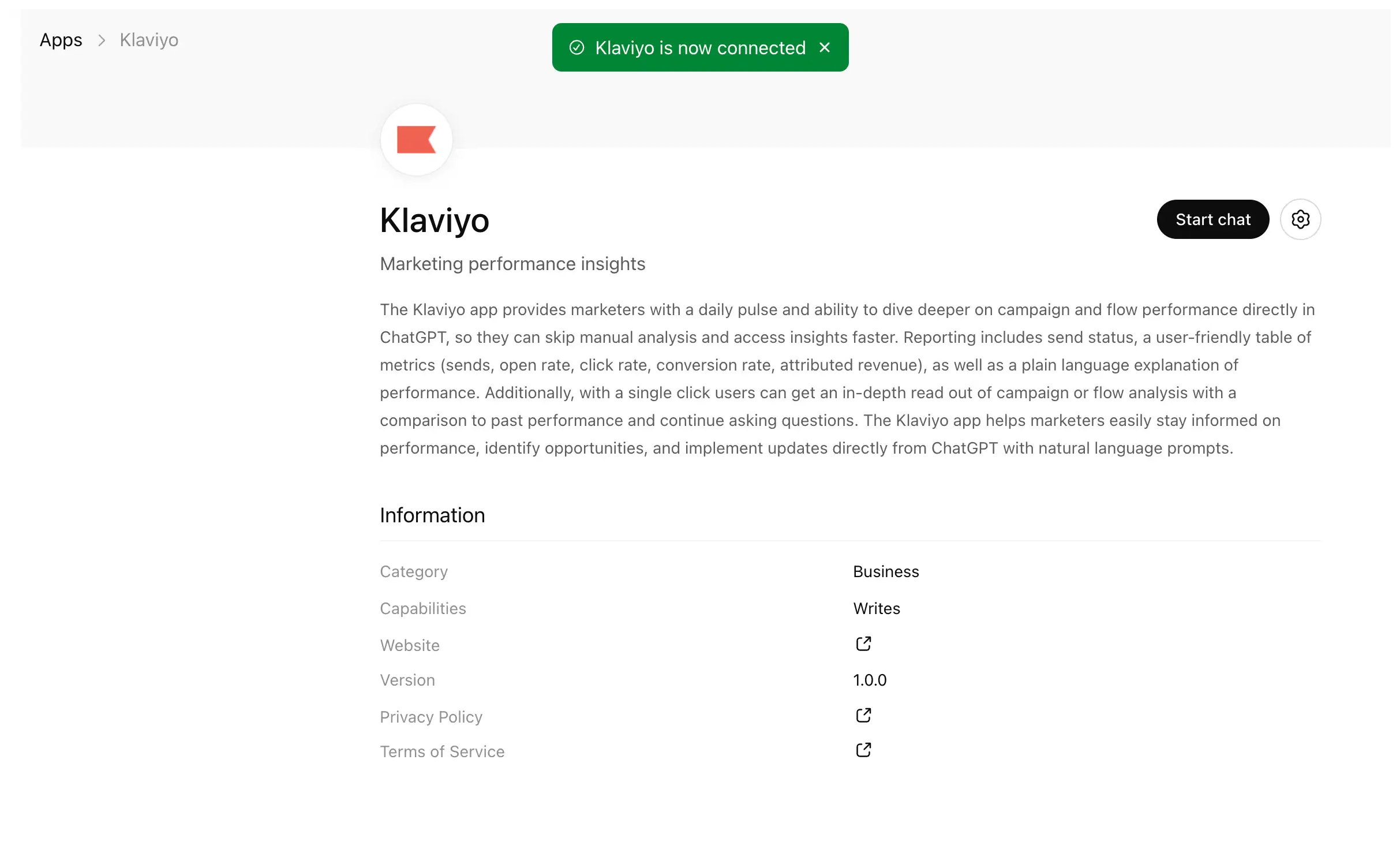
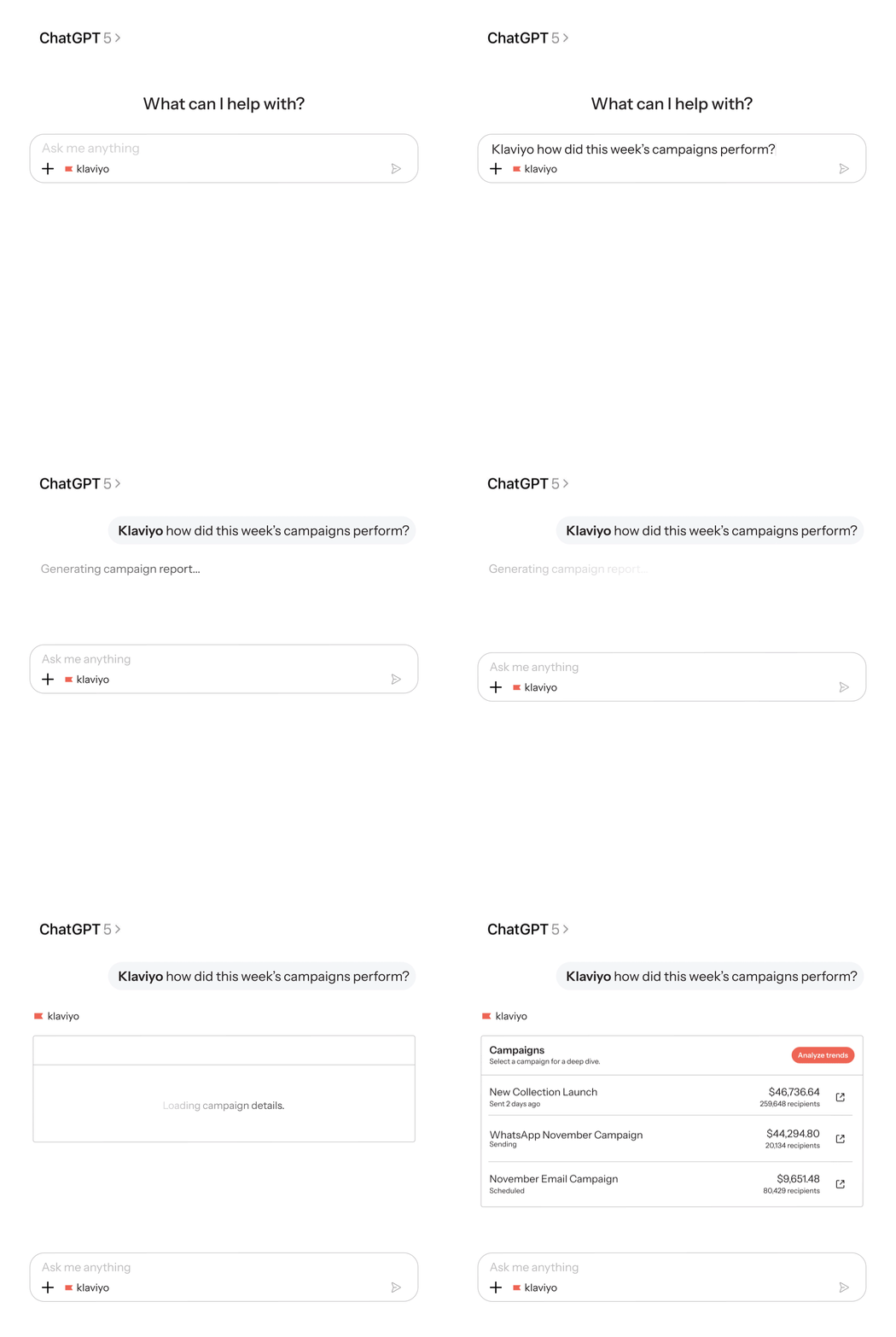
Once connected, you can "call" the Klaviyo app by typing "Klaviyo" or simply start asking questions such as:
- “In my Klaviyo account, how did my campaigns perform this week?”
- “Show me the top-performing flows from the last 7 days.”
- “Analyze the performance of my Welcome flow.”
What you can do with the Klaviyo app for ChatGPT
View campaign performance
You can ask how your recent campaigns are performing. ChatGPT returns an interactive table that includes:
- Sends and deliveries
- Open and click rates
- Attributed revenue
- Status, such as sending, sent, or scheduled
- Deep links into Klaviyo for full reporting
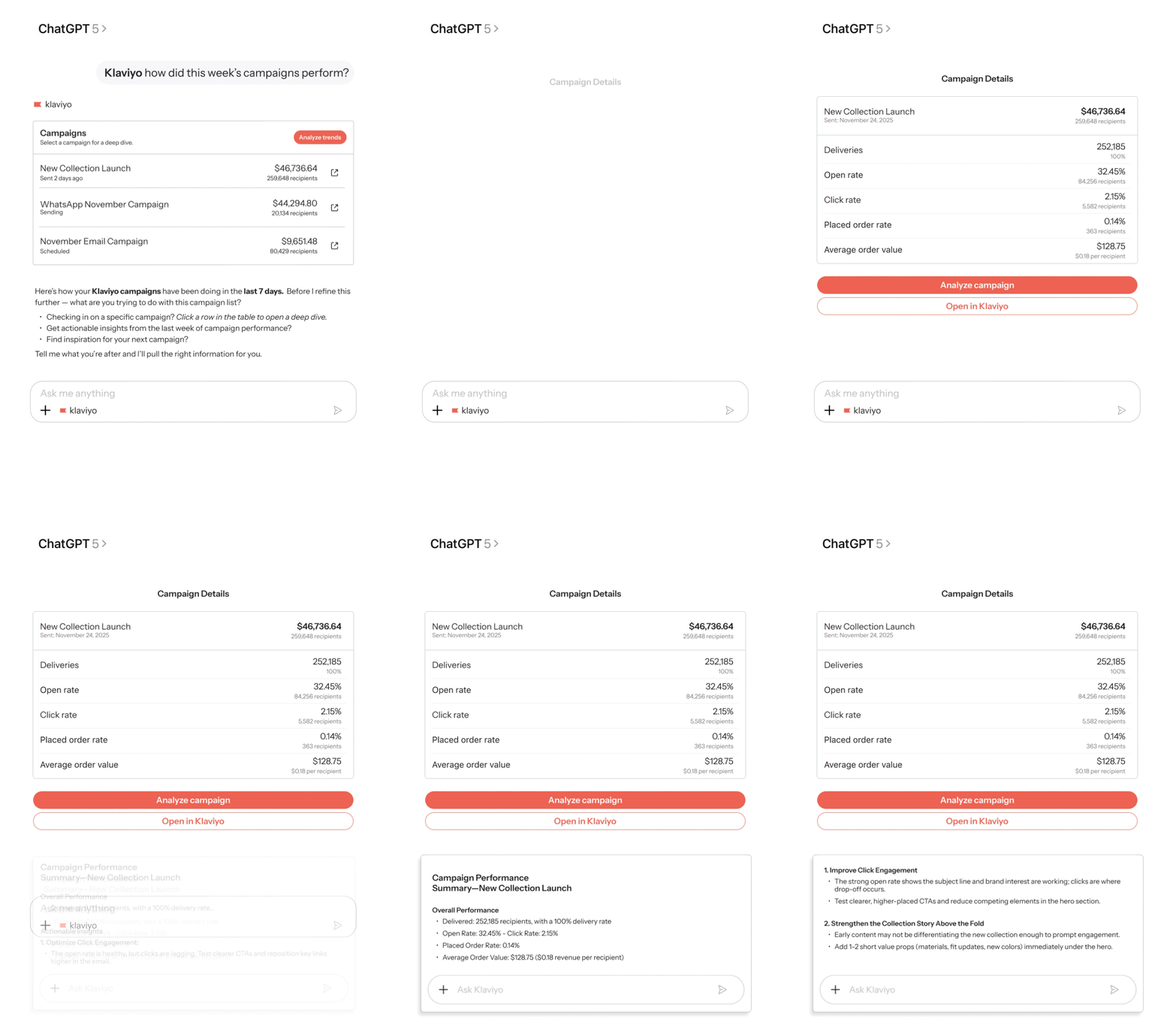
Select Analyze on any row to view a detailed performance card that includes:
- Key KPIs
- Week-over-week comparisons
- Micro-insights generated by ChatGPT
- Suggested next steps
View flow performance
You can ask for flow performance data to see:
- Sends and deliveries
- Open and click rates
- Revenue trends
- Engagement and conversion changes over time
Select Analyze to surface a flow deep-dive card with insights into step-by-step performance.
Receive guided next steps
After reviewing a campaign or flow, you can ask questions such as:
- “What should I do next?”
- “Why did performance change this week?”
- “How can I improve this flow?”
ChatGPT provides guidance such as timing recommendations, testing ideas, audience considerations, and structural insights about your flows.
Use natural language with broader MCP capabilities
The Klaviyo app is powered by the Klaviyo MCP Server. This means you can use natural language to call any MCP-supported endpoint, even when the ChatGPT app does not include a specialized UI for that task.
For example, you can ask:
- “Draft a new email campaign using last week’s offer.”
- “Create a template for a VIP promotion.”
These requests work the same way they do when using the MCP Server directly. Only campaign and flow reporting requests return structured cards.
What the Klaviyo app cannot do
The Klaviyo app follows the same boundaries as the Klaviyo MCP Server. The app cannot:
- Send campaigns
- Build or edit flows
- Create or send SMS campaigns
- Modify segments or lists
- Generate charts other than the tables displayed in ChatGPT
If you ask for unsupported actions, ChatGPT may respond conversationally but will not take action in your Klaviyo account.
Best practices
Get reliable insights
- Use clear prompts such as “Analyze my last three campaigns” or “Compare this week to last week.”
- Ask for trend explanations or summaries when needed.
Mitigate hallucinations
- Validate key metrics in Klaviyo before making decisions.
- Ask ChatGPT to cite campaign IDs, flow names, or dates used in its analysis.
- Review generated content or recommendations before applying them.
- Keep your Klaviyo data up to date to ensure accurate results.
Use deep links for action
Every campaign or flow card includes a link back to Klaviyo so you can view full reporting or take next steps in the app.
Outcome
After connecting your account, you can use the Klaviyo app for ChatGPT to review campaign and flow performance in real time, understand what changed and why, receive next-step suggestions, and run deeper analysis without opening the Klaviyo dashboard.
Additional resources
- Frequently Asked Questions for the Klaviyo app for ChatGPT
OpenAI respects the data training settings you have in your account.
- Klaviyo MCP Server: 6 quick wins for working more efficiently
- Introduction to Klaviyo’s MCP Server