How to increase flow open rates
You will learn
Learn best practices around improving open rates for flows to help your business grow. Open rates measure customer engagement and monitor your deliverability and performance. That said, open rates will vary between flows and campaigns, due to the fundamental differences between campaigns (one-time sends) and flows (automated sends triggered by customer actions).
Note this article specifically focuses on flow emails only, as open rates are not available for SMS in Klaviyo.
What is open rate?
Your open rate shows the percentage of delivered flow emails with a recorded open. Below is the calculation for open rate in Klaviyo:
- Open rate
Unique opens divided by delivered emails, multiplied by 100.
With the release of iOS15, macOS Monterey, iPadOS 15, and WatchOS 8, Apple Mail Privacy Protection (MPP) changed the way that we receive open rate data on your emails by prefetching our tracking pixel. With this change, it’s important to understand that open rates will be inflated.
To see if your opens are affected, we suggest creating a custom report that includes an MPP property. You can also identify these opens in your individual subscriber segments.
Why open rates matter
Open rate is one signal of email engagement and deliverability. Low engagement can hurt your sender reputation, making inbox providers (e.g., Gmail, Yahoo, Hotmail) more likely to send your emails to spam. As a result, fewer people may see and open your messages, reducing opportunities to earn revenue from email. Good sending habits help protect your sender reputation. When people open your emails and engage with your marketing content, they are more likely to purchase. However, Apple Mail Privacy Protection can record opens automatically, so review open rates alongside clicks, conversions, bounces, spam complaints, and unsubscribes.
Flows generally have a higher open rate than campaigns, with welcome series, abandoned cart, browse abandonment, and post-purchase/thank you flows seeing around 40% open rates. This will vary, however, depending on the flow; for example, a sunset flow that has the purpose of either re-engaging or suppressing unengaged audiences will likely not see as high of open rates.
How to increase flow open rates
The following are key strategies to increase flow open rates:
- Target your flow message
- Optimize subject lines
- A/B test your flow emails and branches
- Choose the best send time, delays, and message frequency
1. Target your flow message
Target your flow emails to the most relevant audience using profile filters and splits. Profile filters are checked when someone enters a flow and again before flow actions, including email sends. Use them to target a specific behavior or group of people. If someone fails a profile filter before an email, that email is skipped, but the person can continue to later steps, where the filters are checked again.
Use a Split to tailor messages to profile properties or behavior (e.g., gender, purchase history, location, or interests). Profiles take the first path whose conditions they meet, or Everyone else if no path matches. For instance, in a welcome series or abandoned cart flow, you can split based on whether someone has purchased from you before, allowing you to target your offers and messages around who is or is not already a customer.
If your sidebar shows Conditional split, use it for profile-based conditions; it creates Yes and No paths. Existing conditional and trigger splits continue to work and remain editable.
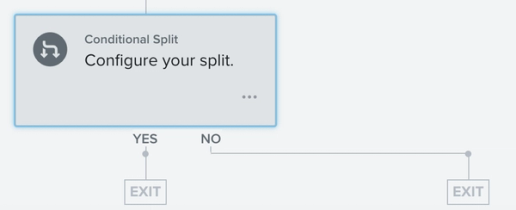
For metric-triggered flows, you can also use trigger-based conditions. These use properties of the event that triggered the flow. Add them to a Split path, or use Trigger split if your sidebar shows that option. For example, for an abandoned cart flow triggered by Started Checkout, you can split by cart value and curate your flow pathways so that high-value cart abandoners and lower-value cart abandoners receive different discounts or incentives to purchase.
2. Optimize subject lines
Always aim to send content that your audience wants to receive and use subject lines that entice them to open. As a general rule, be clear, concise, and compelling.
Want to test out different subject lines to discover what works best for your audience? A/B test your flow subject lines to solve these key business questions and optimize your email sends.
To optimize subject lines, you should:
- Have a clear call-to-action (CTA)
Every subject line should have a clear CTA informing the recipient of an action they need to take. Moreover, since flows are triggered by a customer action and often expected, your subject lines should be informative and align with your customers’ expectations and necessary next steps. For example, when crafting a subject line for an abandoned cart flow, your CTA should remind customers of the item left behind and spur a purchase. Consider offering a discount or a sense of urgency to capture their attention (e.g., “finish checking out before our sale ends”). - Be personal
Add a recipient’s first name to your subject lines. Test whether this personalization improves open rates for your audience. For example, in your welcome series emails, you can add a sense of familiarity and community by including the recipient’s name as you welcome them to your brand (e.g., “thanks for joining, Ashley” or “welcome to the community, John”). - Include a sense of urgency (when applicable)
Consider communicating urgency with a time limit (e.g., “your shopping cart is about to expire”). That said, only add urgency when applicable to the message, such as for an expiring shopping cart, browse abandonment deal, or a VIP rewards program invitation reminder.
For subject line strategies that are flow specific, head to any of the following blog posts:
- Abandoned cart subject line best practices
- Browse abandonment subject line best practices
- Welcome series best practices
3. A/B test your flow emails and branches
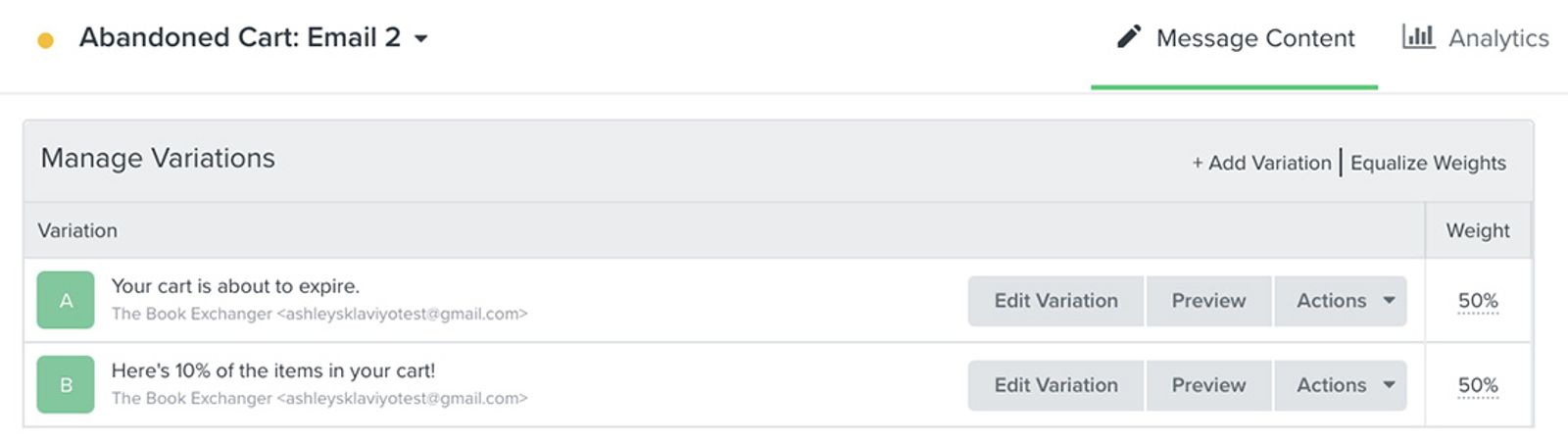
A/B testing allows you to compare different copy, subject lines, flow pathways, and more. To improve open rates, test subject lines and timing; use click and conversion rates to assess how people respond to email content. Test 1 variable at a time so you can tell which change affected the results. As you monitor your results, the variation that performs best can inform your future design and sending choices. For flows, you can test specific emails as well as entire flow pathways. For more guidance, learn how to A/B test flow emails and how to A/B test flow branches.
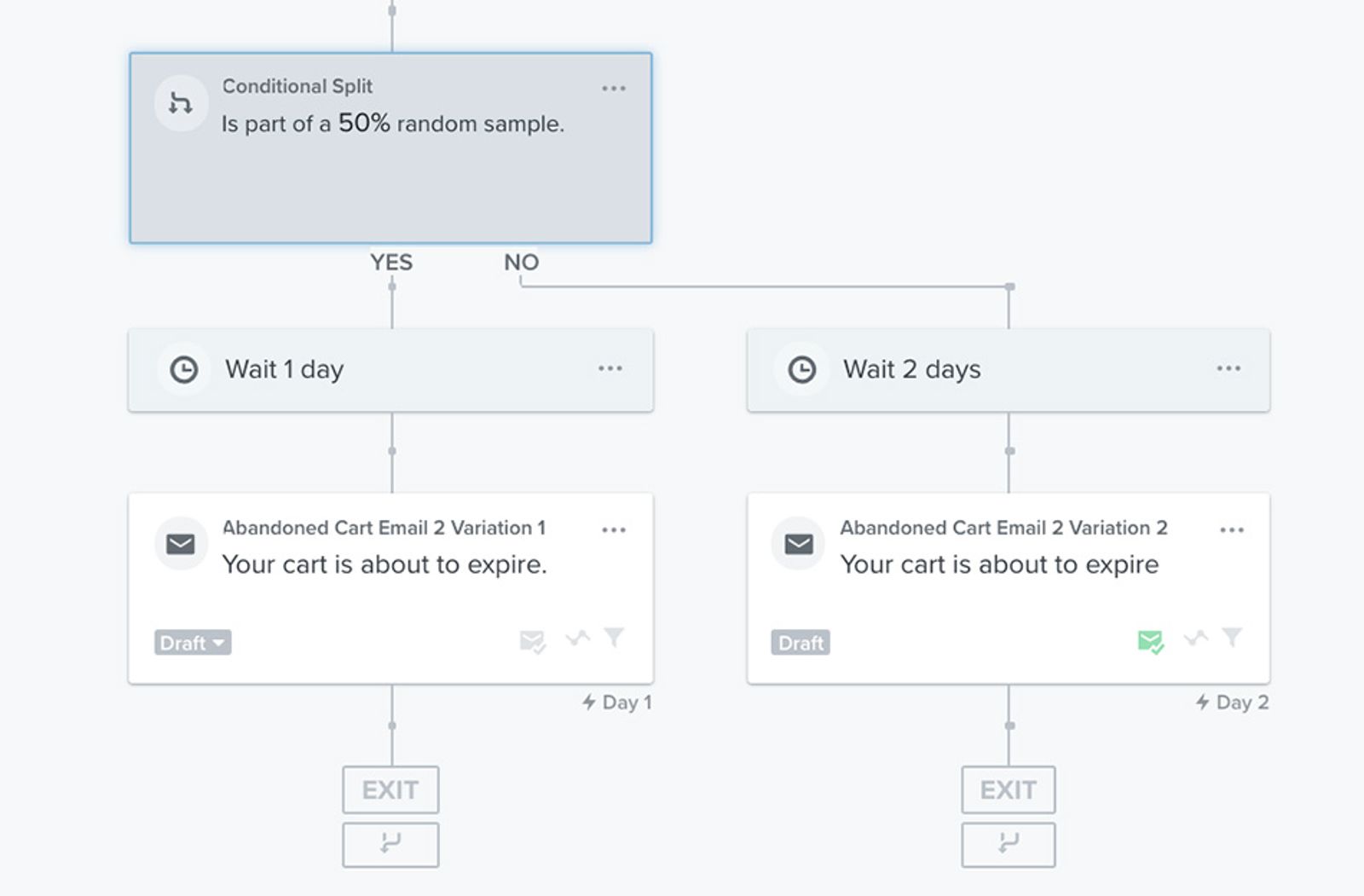
For example, you can test 2 flow pathways and have 1 variation that sends an email 1 day after your first send and another that sends an email 3 days after your first send. This will give you insight into how frequently your audience wishes to receive communication. Similarly, you can test 2 different subject lines, such as 1 highlighting an incentive versus 1 adding a sense of urgency to gauge what content your audience responds best to. Account for Apple Mail Privacy Protection when interpreting open-rate results.
4. Choose the right send times, delays, and message frequency
Choose timing that fits the purpose of the message. For example, a first welcome email can send immediately after sign-up. For later messages, consider a specific time in the recipient’s local timezone so emails do not arrive too early or late at night and get overlooked. To set a local send time:
- Select the Time delay before the email, or drag Time delay from Logic in the sidebar to add one.
- Choose Days, enter the delay, and select Delay until a specific time of day. Set the time and choose Recipient's Local Timezone.
- Click Save to apply the delay settings.
If Klaviyo cannot determine a recipient’s timezone, it uses your account’s timezone.
As mentioned above, you can A/B test flow branches to gauge what time your audience is most likely to open your flow emails. You can test the time of day that they receive your messages (e.g., 10 a.m. versus 3 p.m.), the delay (e.g., 1 day versus 2 days after a previous send), and the frequency of messages they receive (e.g., 2 emails in 1 week versus 3 emails in 1 week). Use the results of your A/B test to adjust your flows and align with what variations prove most effective.
Monitor your flow open rates
It's important to consistently monitor the performance of your flows, keeping track of not only open rates, but also all deliverability metrics that affect your sender reputation. You can do so in the flow message overview report for each email. In the flow builder, select an email and click View details in its analytics section. When open rates fall, review clicks, conversions, and delivery metrics before adjusting your sending strategy.
For further flow analytics, build out custom reports, and in particular a flows performance report, to focus on your open rate trends over time. You can also compare your flow data to that of industry trends and companies similar to your own in the flow performance page of benchmarks.