AND vs. OR reference
Learn more about AND and OR connectors and how they are critical to setting up segments and flows in Klaviyo. These connectors define who will be grouped within your segments as well as when someone will receive flow messages. In this guide, we will go over what differentiates the 2 conditions and when to use each to target the right audience.
AND connector
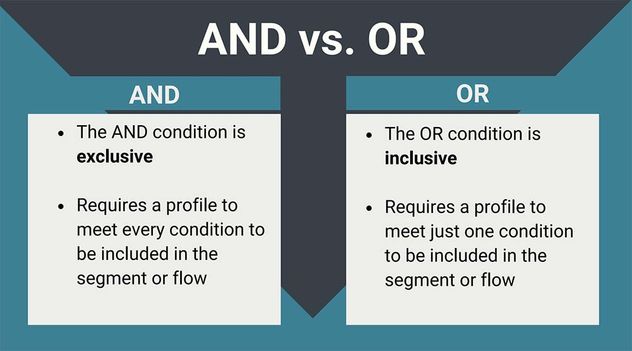
Using the AND connector between conditions will make a segment or profile filter more exclusive. Klaviyo checks each condition separated by AND individually; therefore, each condition must be true in order for someone to qualify. If a customer meets 1 condition but does not meet the other, they will not meet the filter or segment conditions.
In a flow, someone must meet the trigger and any re-entry criteria as well as the filters to enter. Profile filters are checked at entry and before flow actions. If someone fails a profile filter before a message, that message is skipped, but they can continue to later steps, where the filter is checked again. Learn more about flow triggers and filters.
Flow example
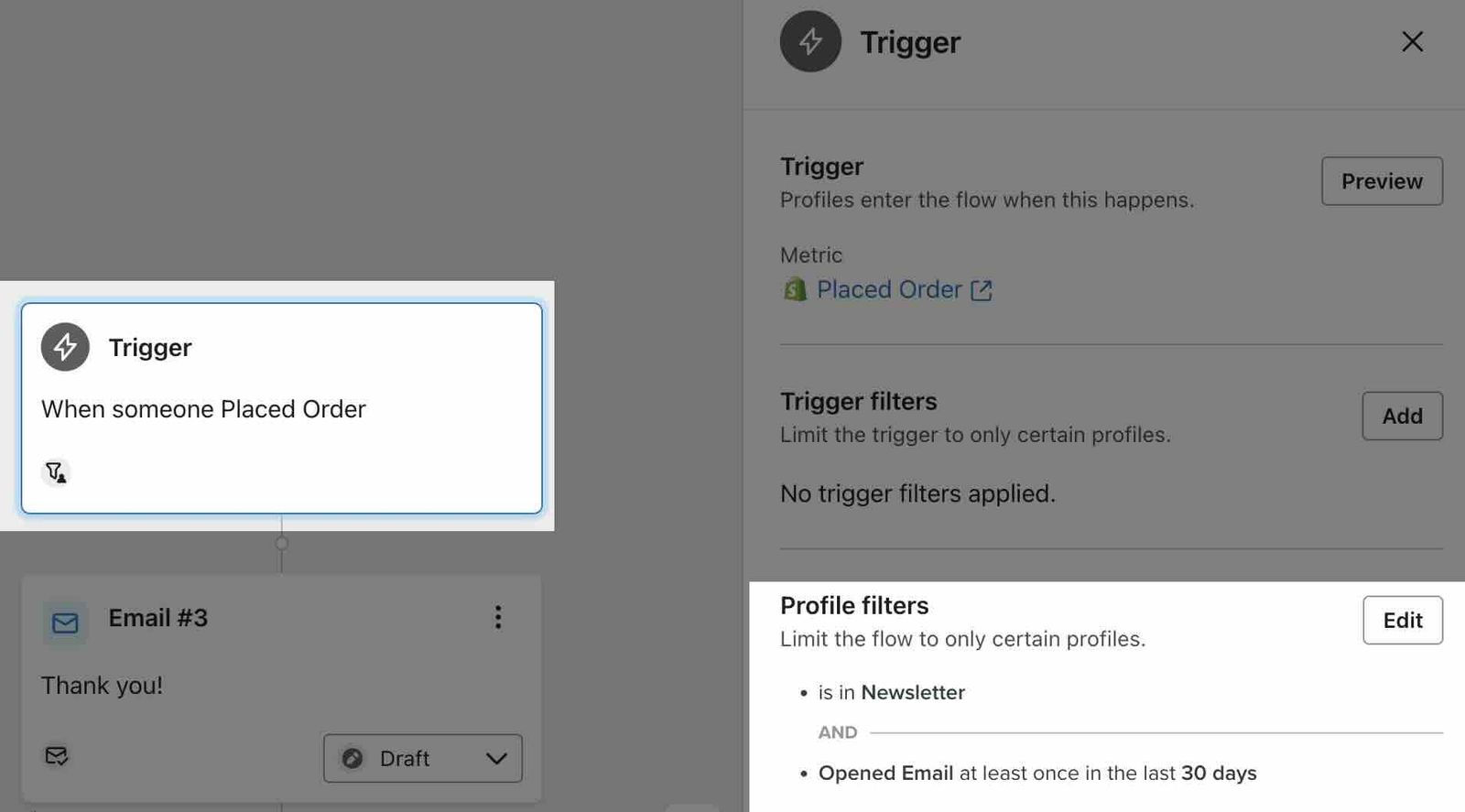
In the example flow below, Placed Order triggers the flow. Someone must also be part of your Newsletter list AND have opened an email in the last 30 days to meet its profile filters. If they meet only 1 of these conditions, they will not enter the flow when they place an order.
They must have done both to qualify.
Segment example
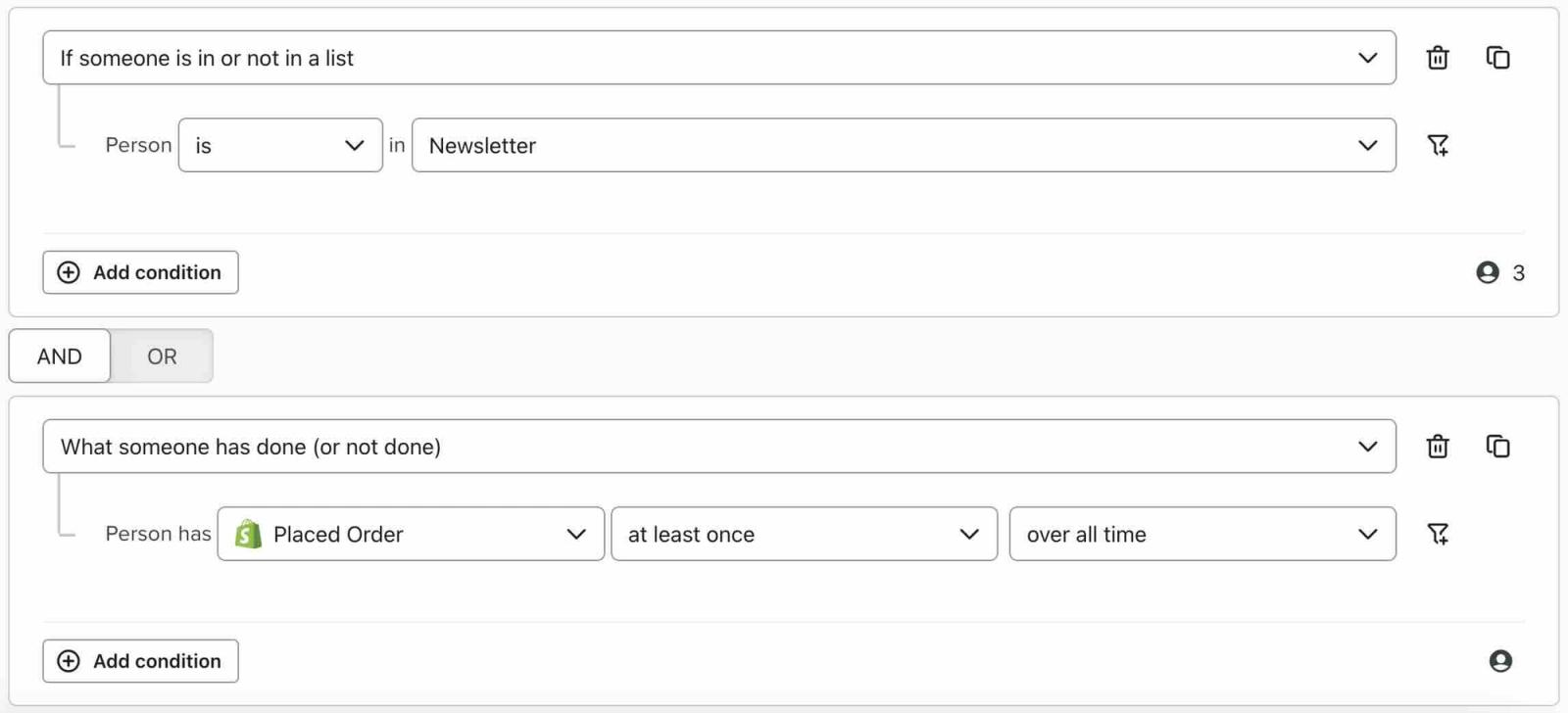
In the example segment below, the customer must be in your Newsletter list AND have placed an order at least once over all time. If someone meets only 1 of these conditions, they will not be included in your segment.
Only those who meet both conditions appear within this segment.
Flow example with negative conditions
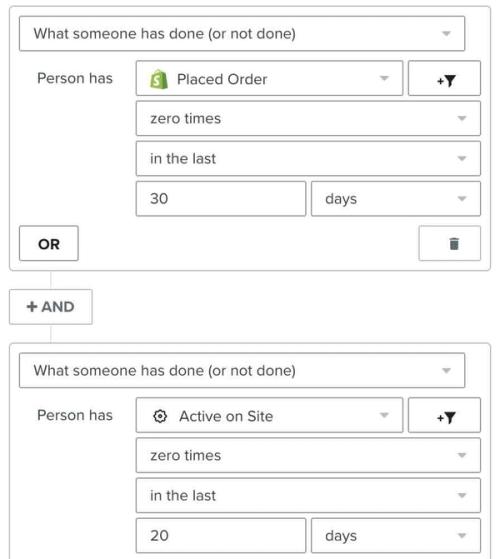
In the example flow below, the profile filters target people who have not placed an order since starting this flow AND have not been active on your site in the last 20 days. This way, anyone who has been active on your site recently, or who has placed an order while going through the flow, will not receive the message. If someone fails either condition before a message, that message is skipped, but they can continue to later steps, where the filters are checked again.
Because the conditions are negative (i.e., they must not have placed an order, they must have been active on site zero times), use the AND connector so only those who meet both conditions are included.
OR connector
Using the OR connector between a sequence of segment or flow filter conditions will make them more inclusive. Someone must meet at least 1 of the joined conditions to qualify. Someone who meets both also qualifies. For a flow, meeting these conditions does not replace its trigger or other filters.
Segment example
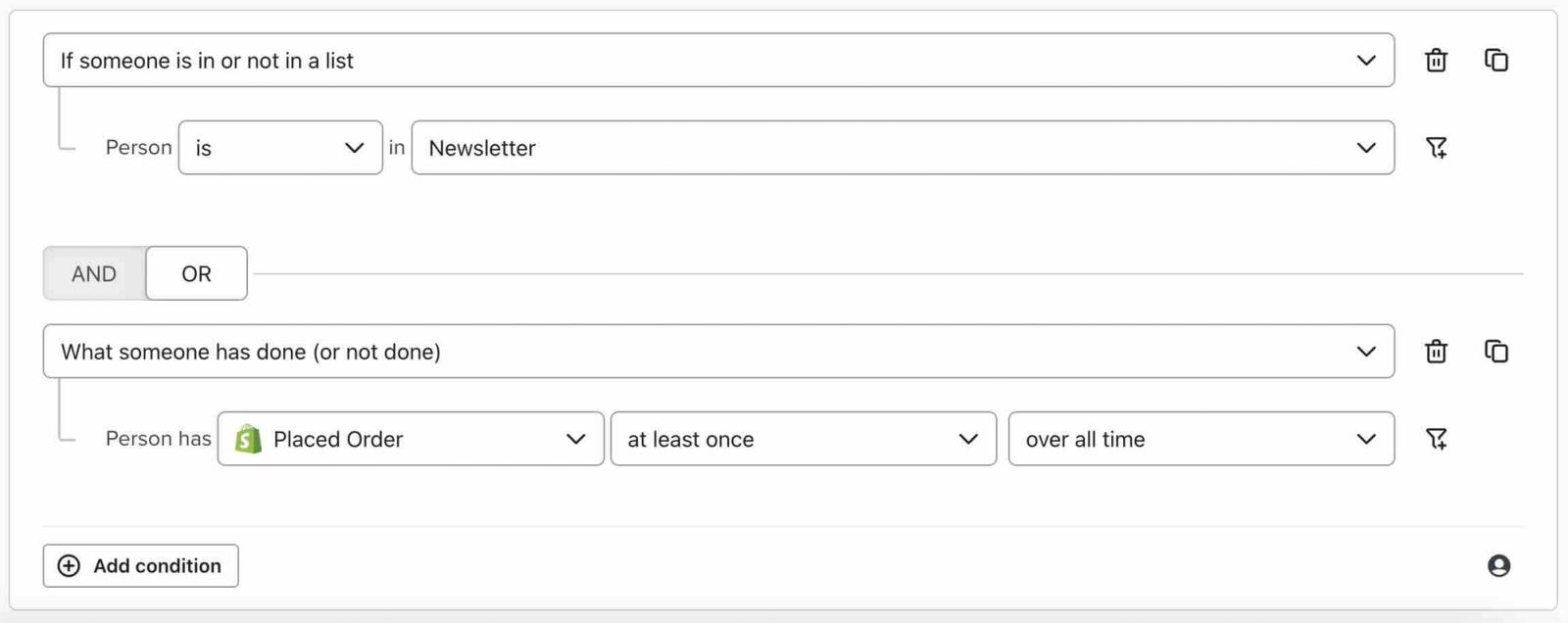
In the example below, the customer must be in your email list OR have ordered a product at least once over all time.
If someone meets neither of these conditions, they will not be included in your segment. However, as long as they meet at least 1 of the conditions, they will appear in this segment.
Being in a list or segment does not by itself mean someone has subscribed to email marketing. In this OR example, a customer who has placed an order can qualify without being in your email list.
AND vs OR visual aid
Complex examples
Negative conditions
When it comes to negative statements, remember that AND requires every condition to evaluate as true, whereas with OR, at least 1 must be true.
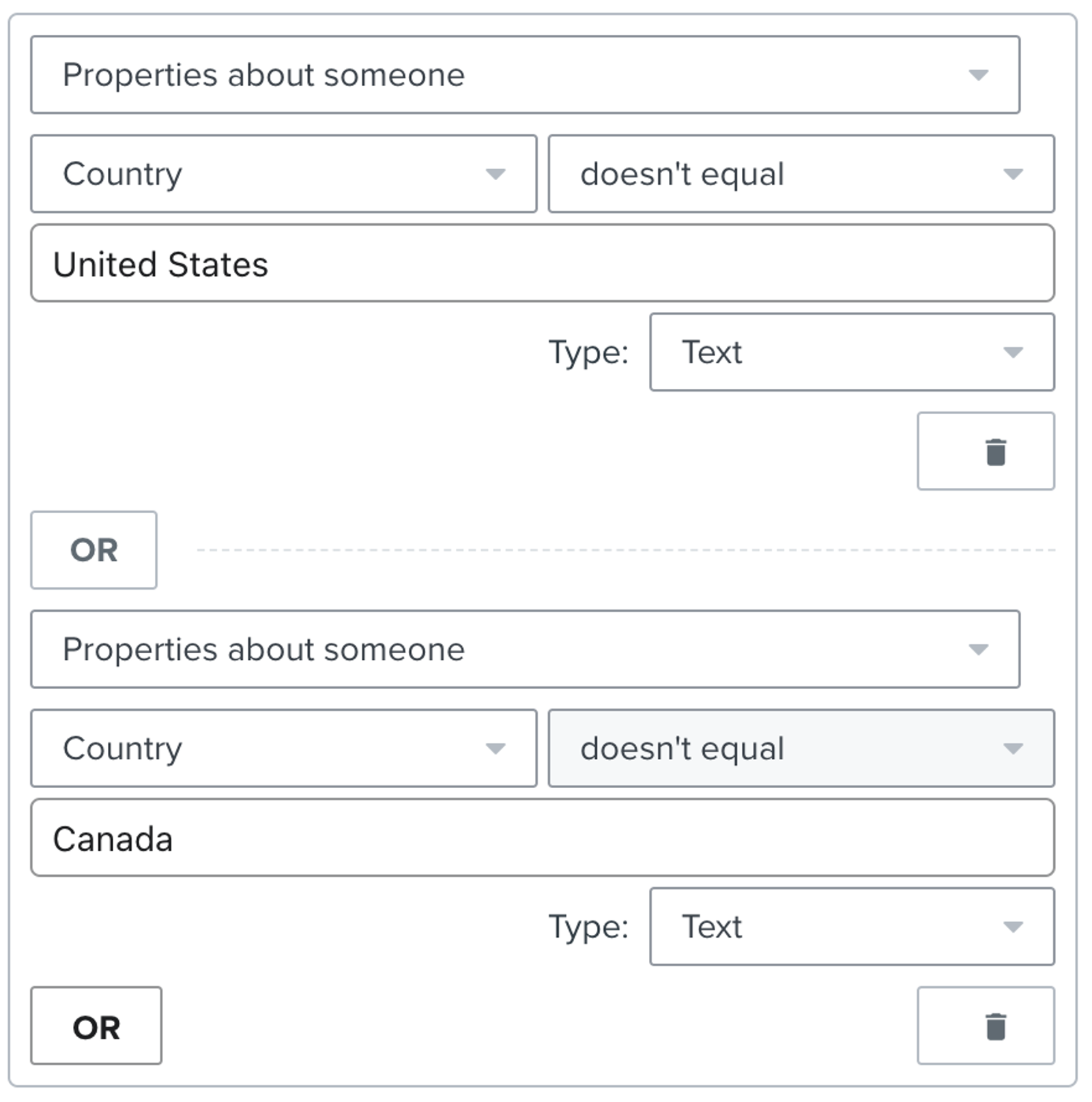
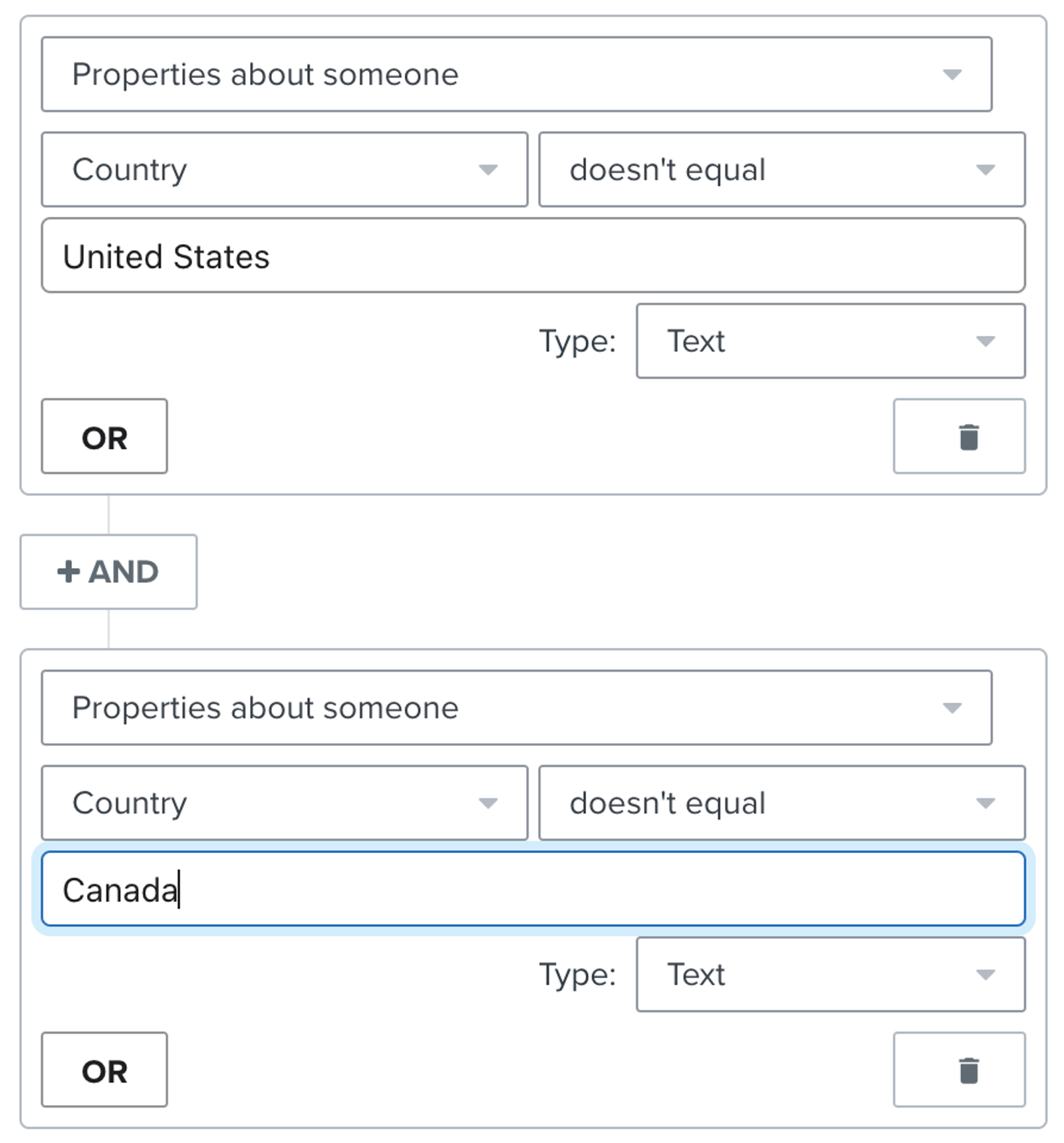
For instance, suppose Country is stored as United States or Canada on your profiles. To exclude people in these countries with a profile filter, you might try Properties about someone with Country doesn't equal United States OR Country doesn't equal Canada.
However, the OR connector means that someone can live in Canada (and not the United States) and still pass this filter, since at least 1 of these conditions is true. To exclude people in both countries, use Country doesn't equal United States AND Country doesn't equal Canada. Use the exact Country values stored on your profiles.
Incorrect | Correct |
 |  |
Applying both connectors
In some cases, you will need to apply both AND and OR conditions when generating a segment or flow filter. The rules around the conditions do not change: when 2 conditions are joined by AND, both must be true; when conditions are separated by OR, at least 1 must be true. In Klaviyo, conditions joined by OR form a group, and a profile must meet every group joined by AND.
For example, in a Nearly There segment, your goal is to find subscribers who are engaged but have not yet purchased from your store. Engagement is defined with both AND and OR conditions as shown below.
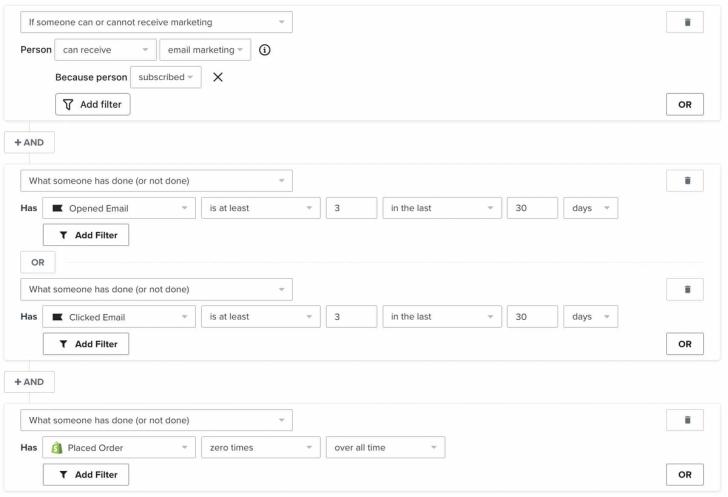
In this case, the OR connector acts as if it’s contained within parentheses. Since the opened and clicked email conditions are separated by OR, someone can meet the engagement requirement by opening an email, clicking an email, or both. They must also meet the conditions joined to that group by AND, including not having placed an order.
Additional resources
- Understanding flow triggers and filters
Learn more about Klaviyo filters which can be used to further narrow triggers or actions in flows. For example, if a flow triggers when someone places an order, a trigger filter could be added to limit this to specific product types. Trigger filters are evaluated alongside the trigger itself to only let certain people into a flow.
- Advanced segmentation reference
Learn effective advanced segmentation strategies that provide insights into your customer base and create highly personalized experiences for your subscribers.
- Apply programming logic concepts to build more personalized messages