How to integrate with Bloomerang Fundraising
You will learn
Learn how to integrate Bloomerang Fundraising with Klaviyo. After completing these steps, you'll be able to personalize and target emails based on each Contributor's donation and website activity. Here's some of the data we sync from Bloomerang Fundraising:
- Amount of each contribution
- Contributor information including first name, last name, and location
- Event registration details, including the event title and fundraising goal
Recurring donation schedules and frequencies are not synced.
First, you'll need to generate an API token in Bloomerang Fundraising, and then enable the integration in Klaviyo.
Generate your Bloomerang Fundraising API token
- Log in to your Bloomerang Fundraising account.
- Click on Data Tools in the left sidebar of your account then click on API Access.
- Click Create API Token.
- You will then be prompted to create a token name and establish a token type. Under Token Type, select "Permanent".
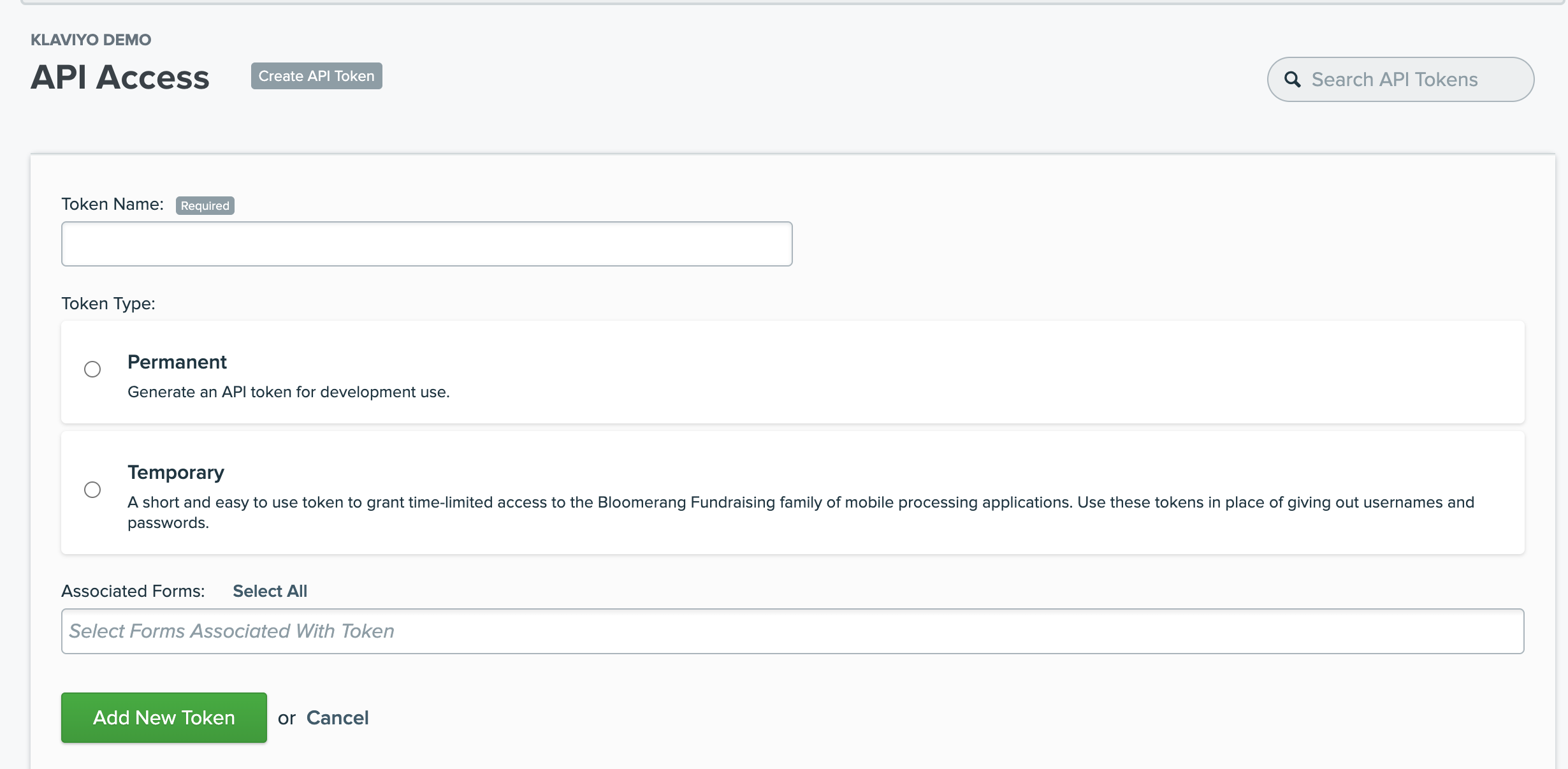
- Once you select "Permanent" as the Token Type, select the forms that you want to make accessible in Klaviyo. If you want all your donation data, select all your forms.
- Bloomerang Fundraising will then provide you with your API Token. This is what you will need in the next step to integrate Bloomerang Fundraising with Klaviyo.
Add the Bloomerang Fundraising integration in Klaviyo
- In Klaviyo, select the Integrations tab.
- Select Explore apps, search for Bloomerang Fundraising, and click the card.
- Then, click Install.
- Enter your API token in the API key field and click Connect to Bloomerang Fundraising.
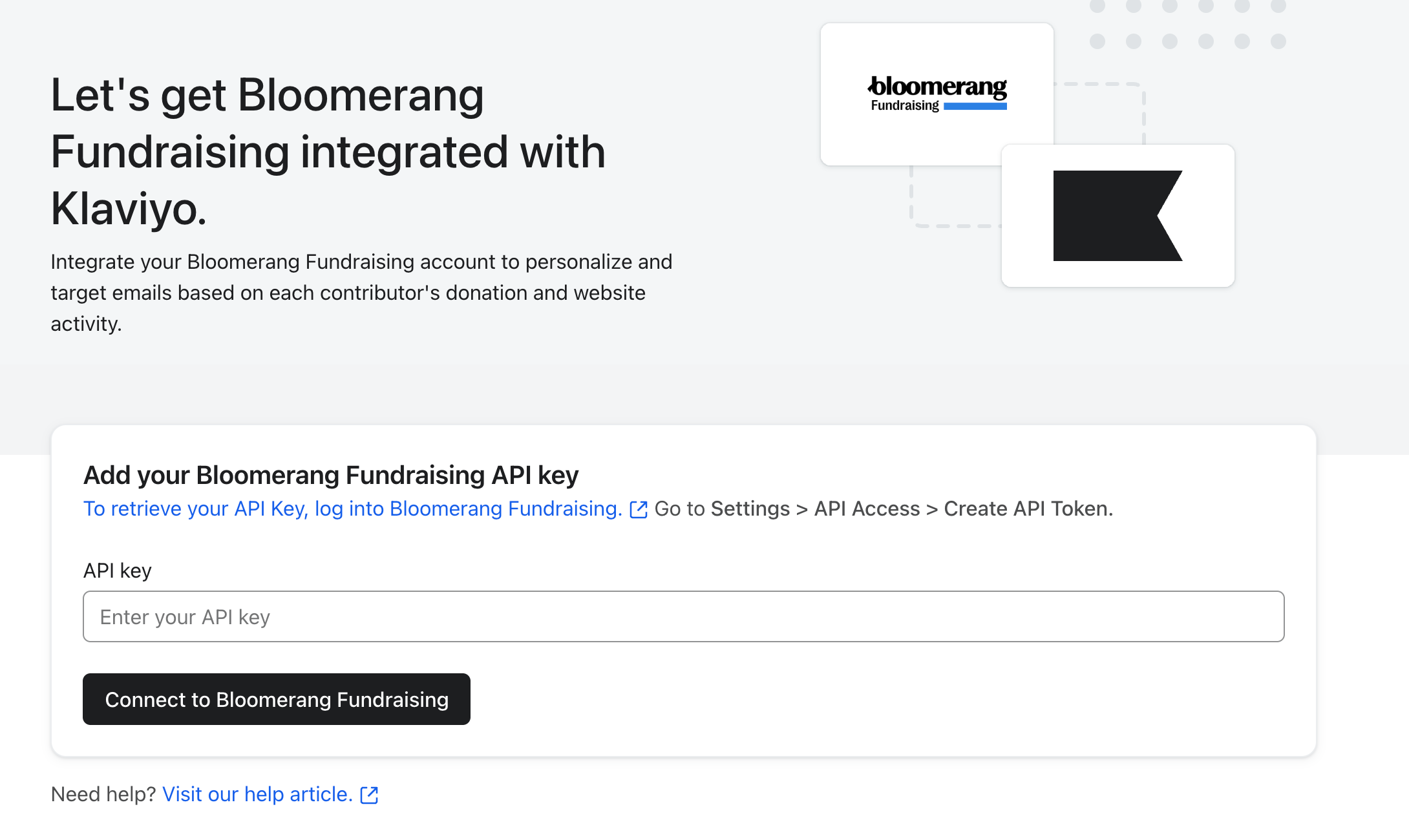
- You should receive a success message.
Monitor the Klaviyo sync and verify data
To check on your Bloomerang Fundraising integration:
- Click the Analytics dropdown in Klaviyo and select Metrics.
- Click on the Made Contribution metric to verify that there is data populated for this metric. If there is data, all you need to do is wait until your initial Bloomerang Fundraising integration sync has completed; this process can take up to a couple hours depending on how much data you have in your account.
- Klaviyo imports up to 10 years of contribution and event registration data from the forms your API token can access. Once the initial sync is complete, compare the number of accepted contributions with valid email addresses for the same forms and day in both systems. For example, when exploring the Made Contribution metric in Klaviyo, hover over yesterday's data point or look at the table below the chart to see how many contributions were reported yesterday.
- If the counts differ, check that you're comparing the same forms and date range, allow for the hourly sync, and confirm that your Klaviyo account's time zone matches the one used in Bloomerang Fundraising.
- To check your timezone setting in Klaviyo:
- Click your account name in the lower left.
- Select Settings > General > Account.
- Scroll down to Time zone.
Data synced from Bloomerang Fundraising
There are 2 metrics captured by Bloomerang Fundraising and synced to Klaviyo: Made Contribution and Registered for Event.
Made Contribution
This event is tracked when a donor makes a contribution in Bloomerang Fundraising with an Accepted status and a valid email address. You can filter and target Made Contribution events based on the following criteria:
- DonationSource
- Restriction
- OptedIn
- Type
- IsAnonymous
- FormName
- FormID
- $value
Registered for Event
This event is tracked when a peer-to-peer event registration form is submitted by someone with a valid email address. The event includes the following data:
- FormID
- RegistrationID
- TransactionID
- Title
- FundraisingGoal
- DonationSource
- TeamCaptain
- $event_id
- $value
Customer data
In addition to events, Klaviyo syncs the following built-in profile fields from Bloomerang Fundraising. You can use these fields in segments and flows:
- First Name
- Last Name
- City
- State/Region
- Zip Code
- Country
- Phone Number
Frequency of the Bloomerang Fundraising sync
Klaviyo checks Bloomerang Fundraising for new contribution and event registration data every hour and updates the associated profile fields. New activity will appear after a sync completes.
Add Klaviyo onsite tracking
The final step here is adding Klaviyo's Active on Site tracking code to your website footer. This Klaviyo tracking code will allow us to track an Active on Site metric for you so that you can see and leverage data related to site visits and visitor behavior. Through this metric, Klaviyo will track website activity for known browsers.
For example, you can use the Active on Site metric to create segments of people who have visited your site from an identified browser, but haven't yet made a donation. Learn how Klaviyo identifies site visitors.
To add onsite tracking manually, you need access to your website's code:
- In Klaviyo, select the Integrations tab.
- Select Manage data > Set up web tracking.
- If asked how you want to enable onsite tracking, select Set up manually, then click Next.
- Copy the code under Step 1 and paste it in your website's main template, before the </body> tag. Make sure you paste it on the website associated with the Klaviyo account you're in. Save and publish the updated template.
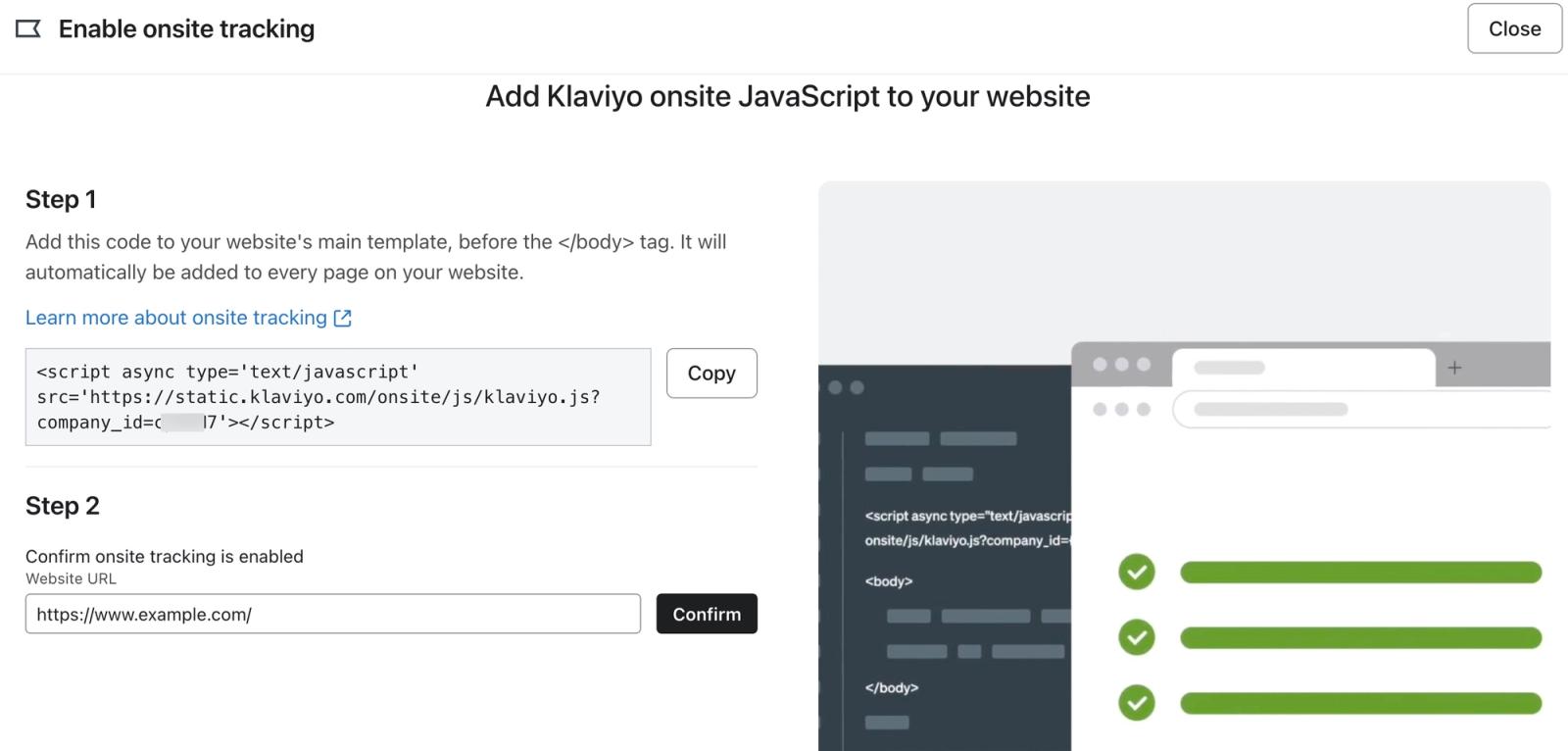
- Under Step 2, enter or confirm your website URL, then click Confirm to test the tracking setup. If prompted, click Run test, let your website load in the new window, and return to Klaviyo.
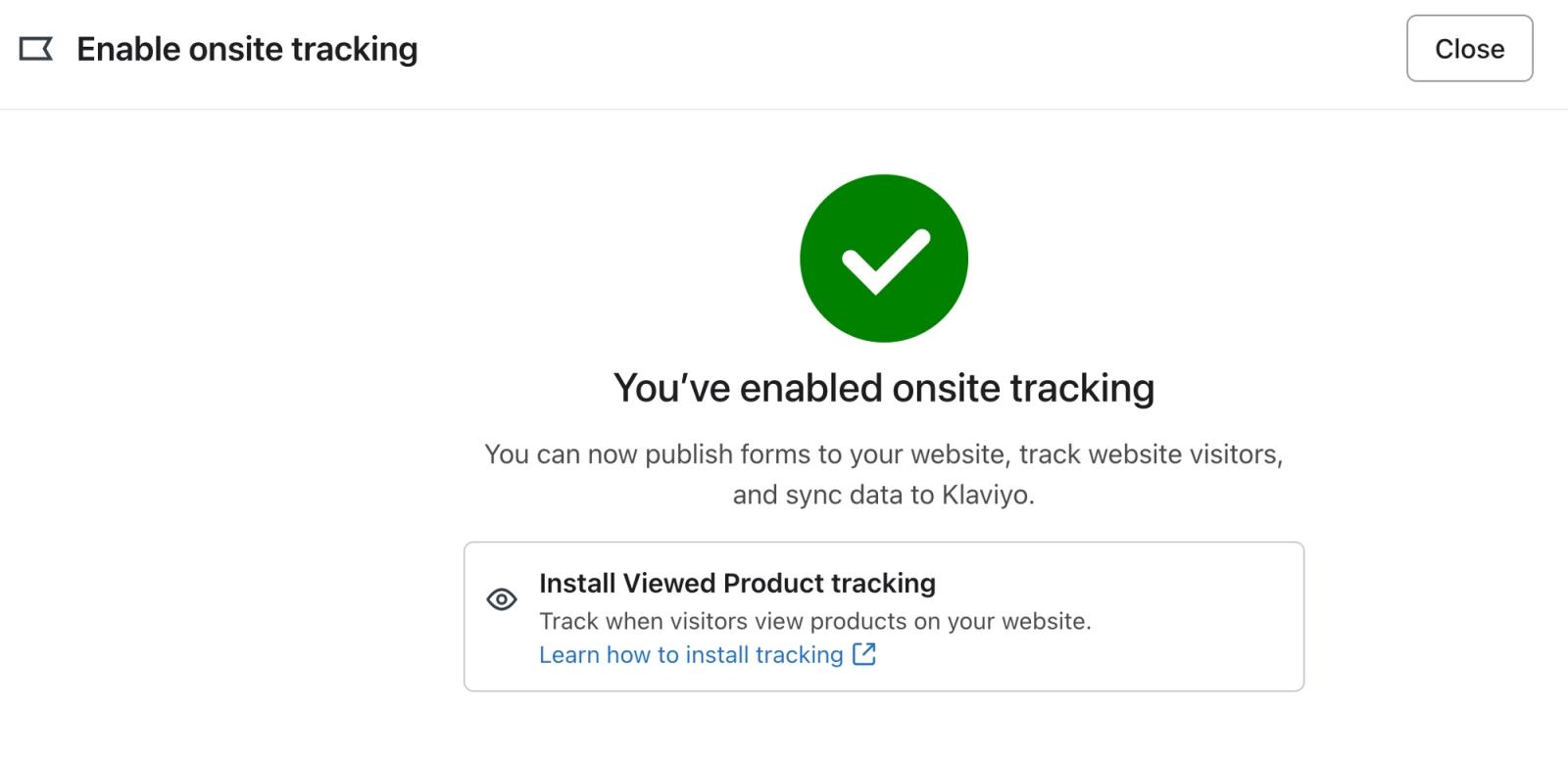
- If prompted to update your website in account settings, choose Update to use the URL you tested, or Continue without updating to keep your current account URL. Updating the URL also affects existing templates that link to your website. You should receive a success message when onsite tracking is confirmed.
Outcome
You have now integrated with Bloomerang Fundraising, verified your synced data, and added Klaviyo onsite tracking.
Additional resources
- Frequently asked questions about integrations
Learn the answers to some commonly-asked questions regarding integrations. If your question is not answered here, please reach out on our Community forum.
- How often integrations sync reference
Learn what data syncs from a particular Klaviyo integration and how often the sync runs. We've organized these integrations by ecommerce platforms, email service providers, and other data integrations.