フロー メールのコンテンツを作成する方法
このページで学べること
顧客と直接コミュニケーションするために、フロー メールのコンテンツを作成する方法をご覧ください。フローを使用すると、このコミュニケーションは自動化されます。この記事では、Klaviyo のフロー向けにこのコンテンツを作成する方法を説明します。
アナリストはフローのメールコンテンツを編集できないことにご注意ください。
フロー メールのコンテンツを作成する
フローのメールの メールコンテンツ タブでは、次の操作が可能です:
- 送信者名、送信者、BCC、CC のメールアドレスなど、送信者情報を更新します。
- メールの件名を編集します。
- Klaviyo のメールテンプレート ビルダー、以前に作成したテンプレート、または Klaviyo の外部で作成したカスタム コーディングの HTML テンプレートを使用してコンテンツを追加します。
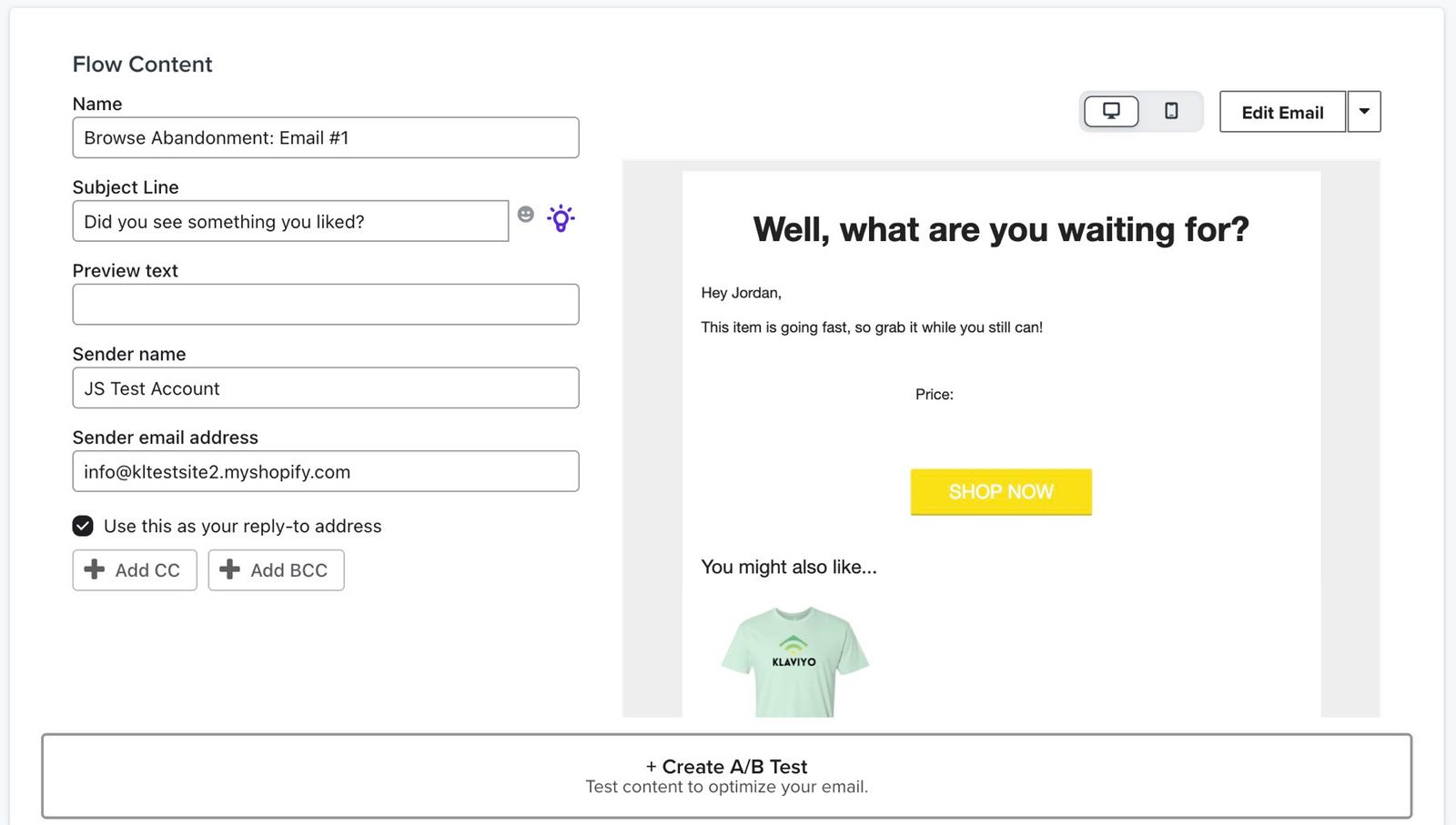
フローのメールコンテンツを編集する際のオプションは、キャンペーンのコンテンツを編集する場合と同じです。コンテンツの作成方法に応じて、メールコンテンツには 4 つのオプションがあります。
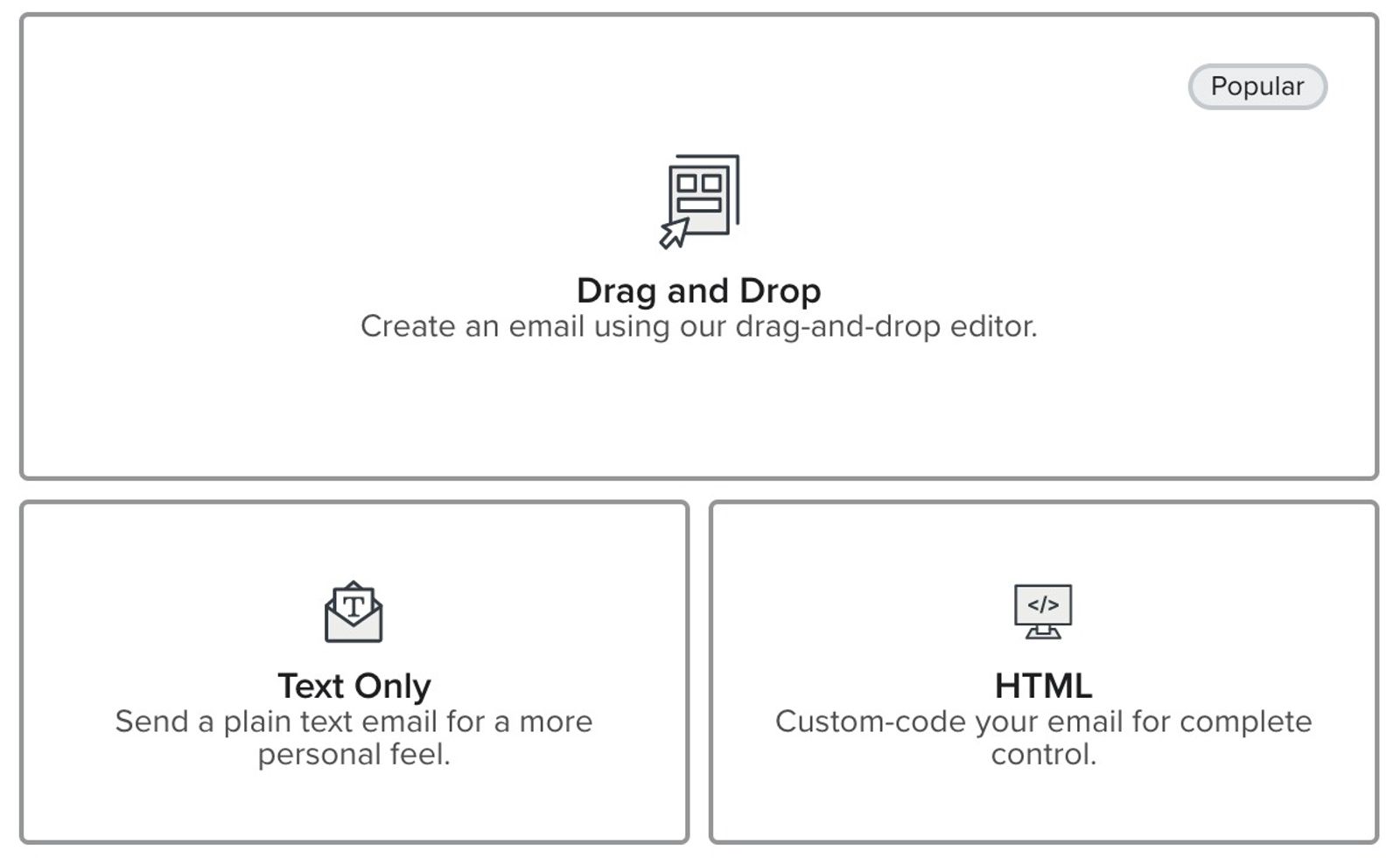
- リッチ HTML / ドラッグ&ドロップ:当社のメールエディタは、メールをモバイル向けに自動で最適化し、すべてのメールクライアントで見栄えのする複雑なメールレイアウトも簡単に作成できます。
- テキストベース:プレーンテキストメールを送信する場合は、このオプションを選んでください。これは、組織からではなく、個人から直接届いたように見えるメールを送信する場合に適したオプションです。
- ライブラリからテンプレートを使用: 以前にテンプレートを作成したことがある場合、またはあらかじめ用意されたオプションのいずれかを使用する場合は、ここから開始してください。
- HTML エディター:独自の HTML メールテンプレートをインポートする場合、または一からカスタム HTML テンプレートを設計したい場合にのみ、このオプションを使用してください。
時間を節約するために、数分かけてブランド向けのベース テンプレートを 1 つ以上作成することをおすすめします。
フロー メールテンプレートを変更
フローのメールにすでにメールコンテンツが入力されており、使用しているテンプレートだけを変更したい場合:
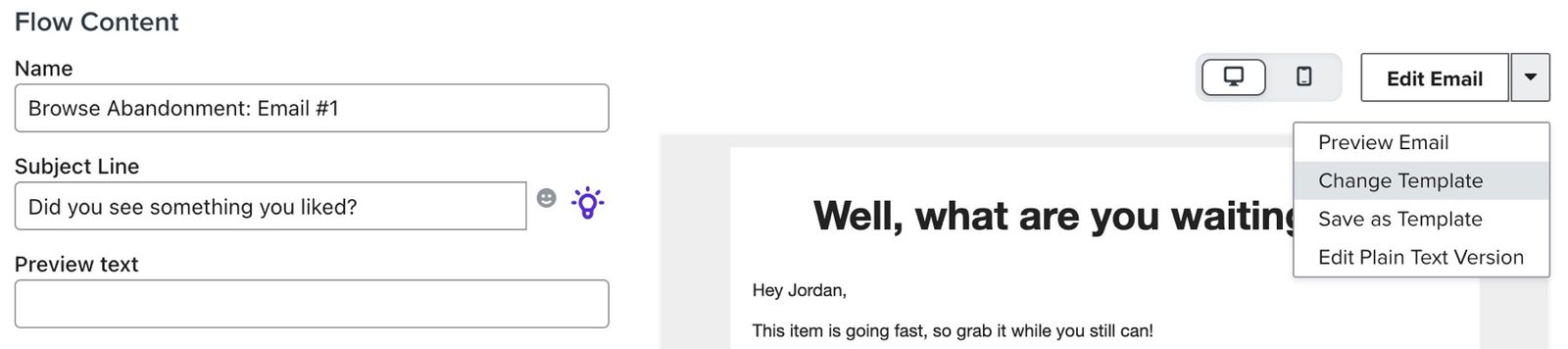
- メール コンテンツ ボタンの横にある矢印をクリックします。
- [テンプレートを変更] オプションを選択してください。
このオプションを選択すると、上記で説明したオプションを使用して最初から作成できます。考えが変わった場合は、現在のコンテンツを維持するオプションもあります。
- ドラッグ&ドロップ テンプレートを使用するか、テキストのみのテンプレートを作成するか、HTML テンプレートをアップロードするかを選択してください。
メールテンプレートについて詳しくはリンク先をご覧ください。
その他のリソース
- イベントデータを使用してメールや SMS のフローをパーソナライズする方法
ここでは、動的イベントデータとは何か、どのような場面で使用するのか、どこで確認できるのか、そしてフローメッセージにどのように組み込めるのかについて説明します。 顧客が取るさまざまな行動と、その行動に基づく動的イベントデータを活用し、パーソナライズされたフローを構築する方法についても学びます。例えば、カゴ落ちフローメッセージでイベントデータを使用して、顧客がカートに入れたまま忘れている商品を画像と共に表示できるようになります。これにより、よりパーソナライズされた体験を提供するとともに、コンバージョンの可能性を高めることができます。
- フロー メールのベンチマーク リファレンス
他の Klaviyo のお客様のフローと比較してフローのパフォーマンスを評価するために使用できるベンチマークについて学びましょう。新しいフローを作成すると、そのパフォーマンスについて疑問が出る場合があります。良好なパフォーマンスが出ている領域と、改善できる領域についてのインサイトを提供するために、異なる収益帯に属する数千の顧客にわたるデータを集計しました。ヒントについては、追加リソースセクションのガイドをご覧ください。
- コンタクトがフロー内をどのように移動するかを理解する
連絡先がフロー内をどのように移動するかを確認してください。フローは、最初のトリガーによって開始され、その後に 1 つ以上のステップが含まれる自動化された Klaviyo ワークフローです。フローは、受信者にタイムリーなコミュニケーションを送信するために構築できるほか、プロファイル上の特定のフィールドを更新するなどの特定のアクションを適用するだけの用途にも使用できます。