How to create segments based on birthdays
You will learn
Learn how to segment your audience based on birthday and view example segments that you can build in your own account.
With segmentation, you can group profiles by age and date of birth to better understand their interactions with your brand and send them targeted marketing content around their birthday.
Before you begin
In order to segment based on birthday, you will first need to collect this information from your subscribers and store it in Klaviyo as a custom property. Collect birthdays in any of the following ways:
- Create a sign-up form that asks for a visitor's birthday.
- If you have birthdays already, add them to Klaviyo profiles using a CSV upload.
- Ask for birthday on your subscribe or manage preference pages.
For more information on how to collect properties and what you can do with them, head to our profile properties reference.
Birthdays must be in one of Klaviyo’s accepted date formats (e.g., MM/DD/YYYY).
Segment based on birthday
- Navigate to Audience > Lists & segments.
- Select Create New > Create segment.
- Within the segment builder, add this definition:
- Properties about someone > Birthday and choose a date range
- Properties about someone > Birthday and choose a date range
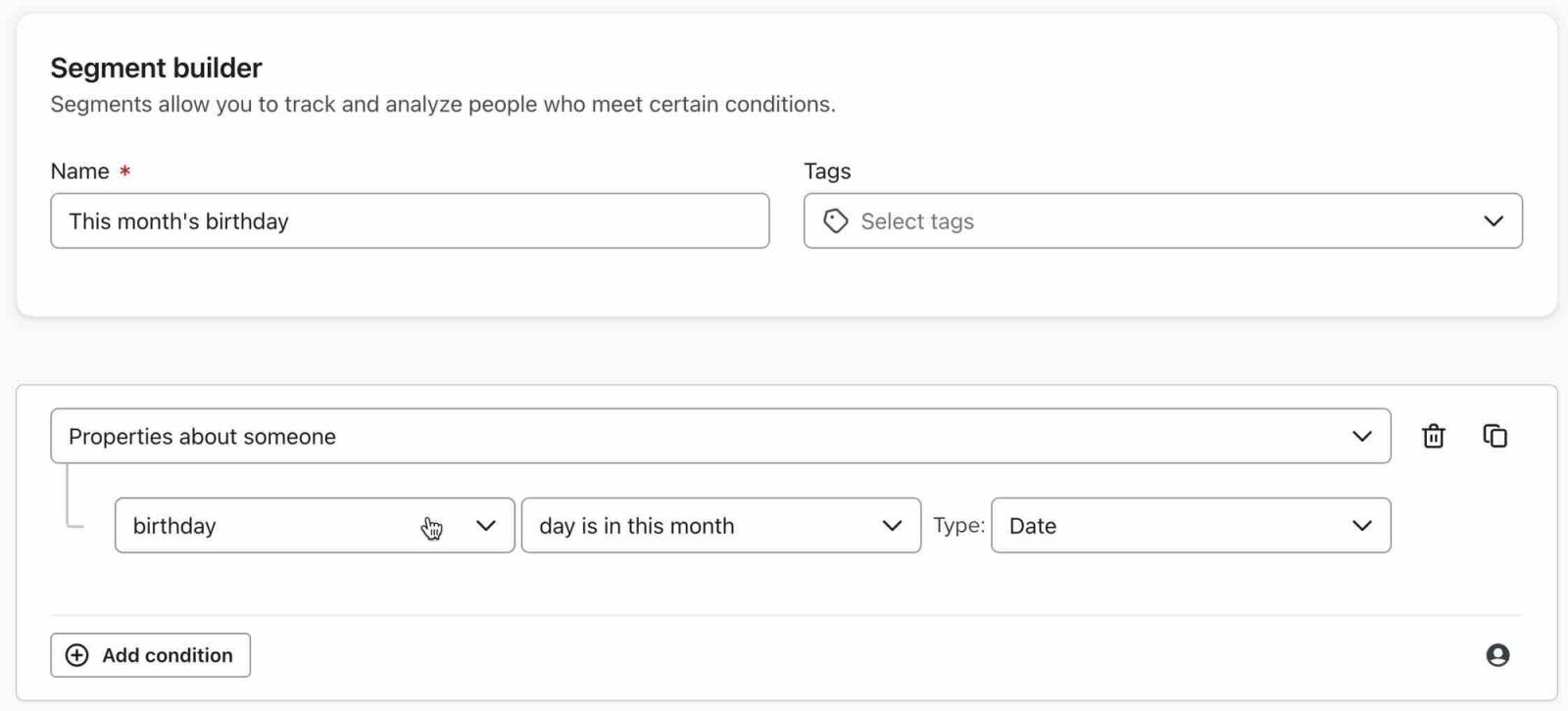
Segment based on age
You can also segment based on birthdate to target customers within a specific age bracket.
- Navigate to Audience > Lists & segments.
- Select Create New > Create segment.
- Within the segment builder, add this definition:
- Properties about someone > Birthday > is between dates and choose a date range
- Properties about someone > Birthday > is between dates and choose a date range
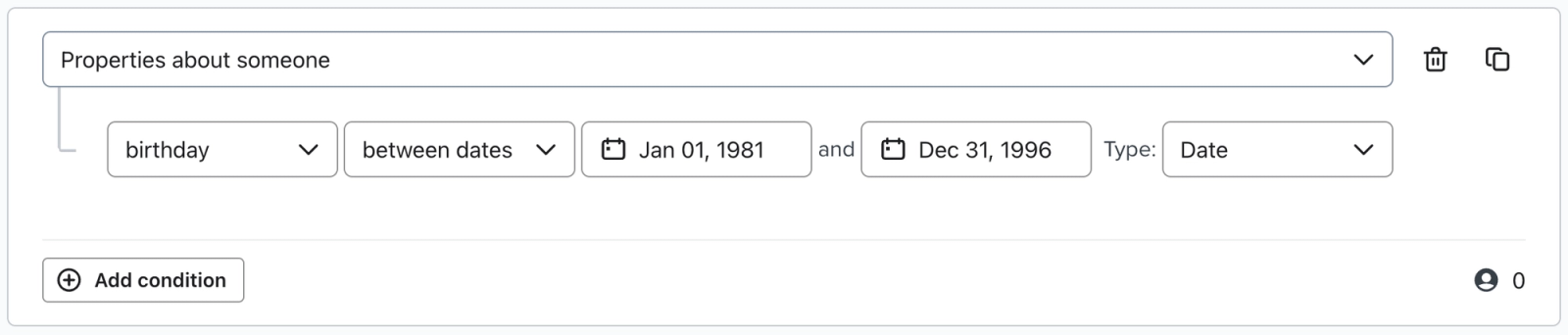
Date ranges are inclusive, so anyone born on the beginning and end dates of this range will be included in the segment.
Additional resources
- Advanced segmentation reference
Learn effective advanced segmentation strategies that provide insights into your customer base and create highly personalized experiences for your subscribers.
- How to create a location-based segment
Learn how to use location-based segments to send campaigns by region, target forms to customers in a particular area, or better understand a subset of your customers. Note that Klaviyo determines a profile's location when syncing a billing address for that contact or, if they have not yet purchased, by tracking their IP geolocation. Learn more about how location is set on Klaviyo profiles.
- Profile properties reference
Learn about the difference between custom and Klaviyo properties, how to use them to track information about your subscribers, how to remove them, best practices, and more.