Understanding the absolute flow timeline and joining paths
You will learn
Learn why the timeline may not appear when a split's paths are joined, through an example.
An absolute timeline hint shows when a flow action is expected to occur relative to the flow trigger, not how long it takes someone to complete the entire flow. For example, if a 2-day time delay is followed by an email, the hint below the email shows day 2. The hint may not appear after a split with joined paths if those paths have different timing.
Timing and joining paths
There may be instances in which paths have different time delays. In this case, when you join the paths, recipients coming from different paths will experience different absolute timelines from the trigger.
In the example below, 3 paths come together at a join. The 2 paths highlighted in green reach a 2-day delay after the join before the final discount email. The yellow path has 2 additional 1-day delays before the join, so its recipients reach that same email after those delays plus the 2-day delay on the joined path.
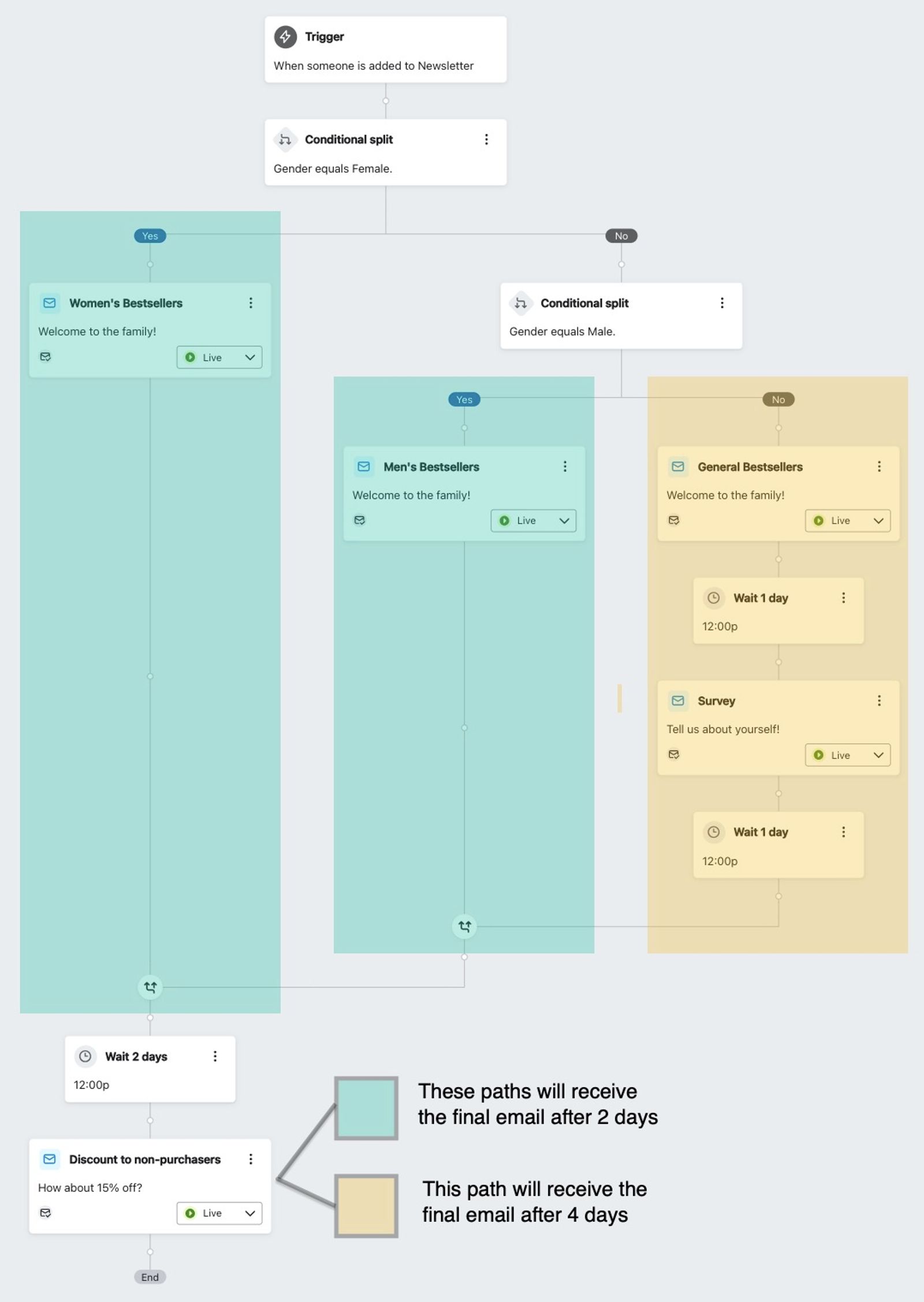
Because the paths reach the joined email at different times after the trigger, you will not see an absolute timeline hint below its card. If joined paths have the same timing, the hint can appear for actions after the join.
Additional resources
- How to join and disconnect flow paths
Learn how to join and disconnect flow paths in the flow builder to create targeted customer journeys stemming from the same initial trigger. However, as you start to branch your flows, there may be instances when you'd like to bring these separate journeys back together down the same path.
- Understanding time delays near splits
Learn when to place time delays before a split, and when to place them after.