How to verify email authentication configurations
You will learn
Learn how to verify that your emails are being successfully authenticated using SPF, DKIM, and DMARC records.
Most inbox providers enforce sender requirements for bulk senders. Setting up DMARC authentication is a key part of meeting those requirements. As a reference point, Google considers senders of about 5,000 or more messages to personal Gmail accounts in 24 hours to be bulk senders, counting messages from the same primary domain and its subdomains together.
Email authentication
“Email authentication” refers to the technical standards that allow for the verification of an email sender's identity. The most commonly used email authentication standards are SPF, DKIM, and DMARC. Mail servers use these authentication protocols to verify that incoming emails are from legitimate senders, protecting your brand and your customers from malicious actors.
Learn about email authentication and set up DMARC before getting started.
Verify authentication using email headers
About email headers
An email header contains metadata about an email and the network path it has taken. This includes information like from-address, subject line, recipient, and key authentication details.
You can use the authentication information found in the header of an email sent by your brand to verify that SPF, DKIM, and DMARC are passing. Check an email sent after your latest authentication changes. If you use separate sending domains for marketing, transactional, or service emails, check an email from each send type.
Learn how to get your full email header on different inbox providers.
Header summary
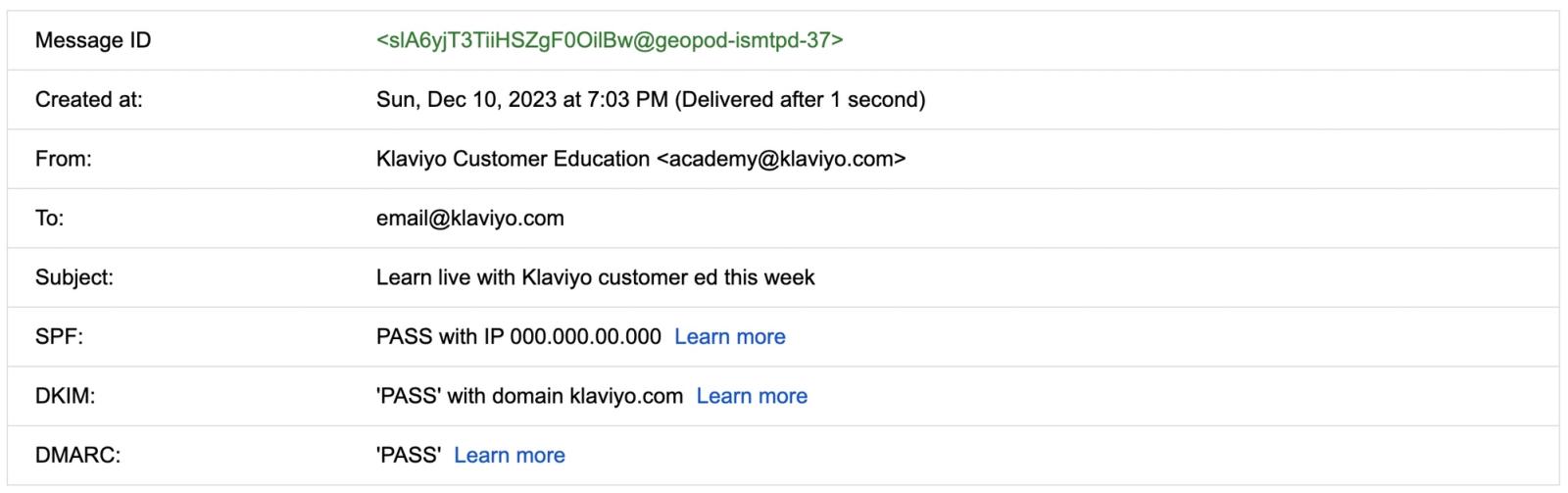
Many inbox providers provide a summary of the key authentication information in the email header.
Full header
Within the full email header, the key authentication information may look like this:
Delivered-To: email@klaviyo.com
Received: by 2002:a59:9a44:0:b0:437:660e:55f2 with SMTP id a4csp4934052vqp;
    Sun, 10 Dec 2023 16:03:01 -0800 (PST)
Authentication-Results: mx.google.com;
    dkim=pass header.i=@klaviyo.com header.s=s1 header.b=kBByyR4j;
    spf=pass (google.com: domain of bounces+27486840-770f-email=klaviyo.com@send.klaviyo.com designates 000.000.00.000 as permitted sender) smtp.mailfrom="bounces+27486840-770f-email=klaviyo.com@send.klaviyo.com";
    dmarc=pass (p=REJECT sp=REJECT dis=NONE) header.from=klaviyo.com
The email header you see may vary by inbox provider, but the key authentication information should live in the section called Authentication-Results.
SPF
Sender Policy Framework (SPF) is an email authentication method designed to detect forged sender addresses during delivery. SPF allows the receiving mail server to verify that emails coming from a specific domain were sent through an IP address authorized by that domain's administrators.
If your inbox provider has a header summary, you should see SPF along with a pass or fail value and the IP address the email was sent through.
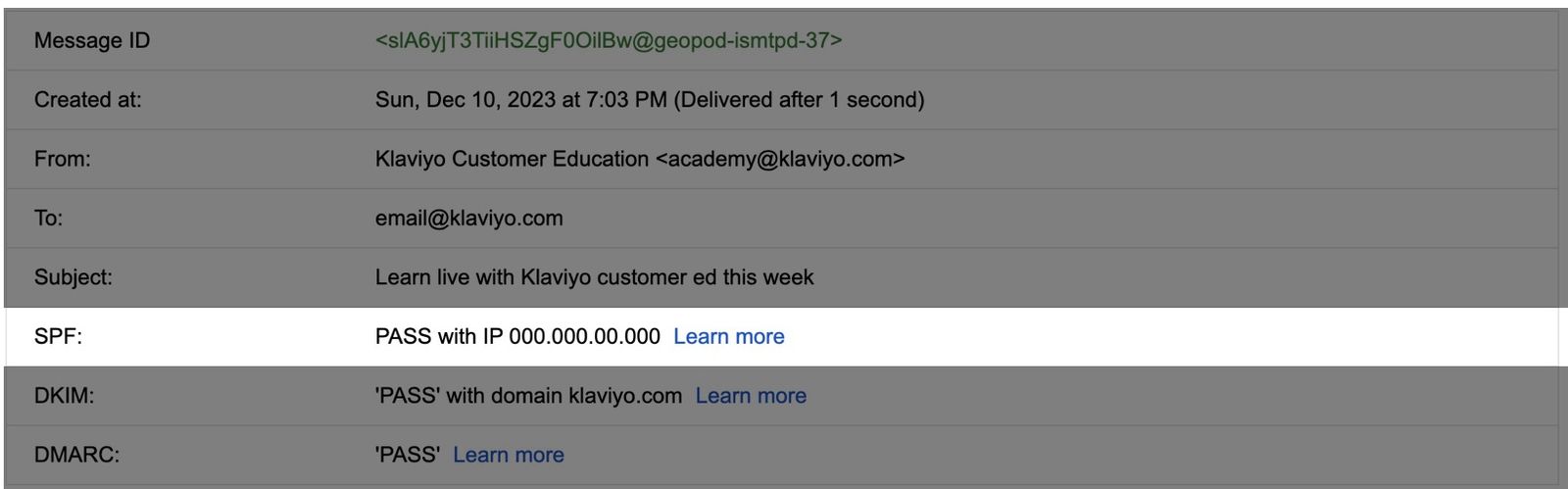
Within the full email header, spf=pass indicates that the IP address used to send the email is permitted to send for the domain shown in smtp.mailfrom. In this example, that domain is send.klaviyo.com. It can differ from the domain in the from-address that recipients see.
Authentication-Results: mx.google.com; dkim=pass header.i=@klaviyo.com header.s=s1 header.b=kBByyR4j; spf=pass (google.com: domain of bounces+27486840-770f-email=klaviyo.com@send.klaviyo.com designates 000.000.00.000 as permitted sender) smtp.mailfrom="bounces+27486840-770f-email=klaviyo.com@send.klaviyo.com"; dmarc=pass (p=REJECT sp=REJECT dis=NONE) header.from=klaviyo.comDKIM
DomainKeys Identified Mail (DKIM) acts as a digital signature added to the header of an email to verify the identity of the sender. Receiving email servers verify that the DKIM signature matches that of the associated sending domain.
If your inbox provider has a header summary, you should see DKIM along with a pass or fail value for the domain the email was sent from.
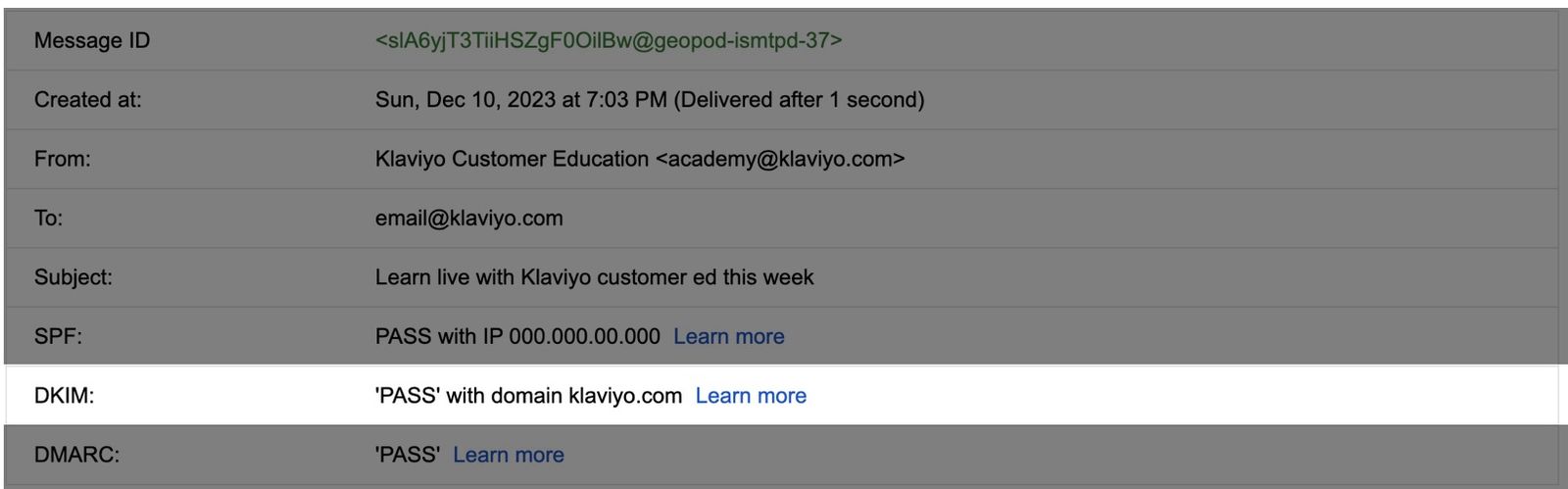
Within the full email header, you can see the DKIM record is passing (dkim=pass), indicating that the digital signature set by DKIM matches that of the associated sending domain.
Note for accounts with multiple branded sending domains: Each email uses the DKIM configuration of its selected sending domain. For new domains using Static routing, the selector prefix identifies the domain’s send type: km for Marketing, kt for Transactional, ks for Service. Older static domains can use kl. Domains using Dynamic routing can use other selectors, such as mtd.
Authentication-Results: mx.google.com; dkim=pass header.i=@klaviyo.com header.s=s1 header.b=kBByyR4j; spf=pass (google.com: domain of bounces+27486840-770f-email=klaviyo.com@send.klaviyo.com designates 000.000.00.000 as permitted sender) smtp.mailfrom="bounces+27486840-770f-email=klaviyo.com@send.klaviyo.com"; dmarc=pass (p=REJECT sp=REJECT dis=NONE) header.from=klaviyo.comDMARC
DMARC stands for domain-based message authentication, reporting, and conformance. It is a protocol that uses SPF and DKIM to determine the authenticity of an email, giving domain owners the ability to protect their domain from unauthorized use.
DMARC provides instructions to receiving servers about how to handle emails that fail authentication. To pass DMARC, an email must pass SPF or DKIM, and the domain that passes must align with the domain in the visible from-address. With relaxed alignment, the domains must share the same root domain; strict alignment requires an exact match. Messages that fail DMARC can be allowed, rejected, or placed in the spam folder, depending on the policy and the receiving server.
Passing DMARC does not guarantee inbox delivery. Inbox providers can set additional requirements. For example, Gmail requires bulk senders to authenticate with both SPF and DKIM, even though only one needs to align for DMARC.
If your inbox provider has a header summary, you should see DMARC along with a pass or fail value.
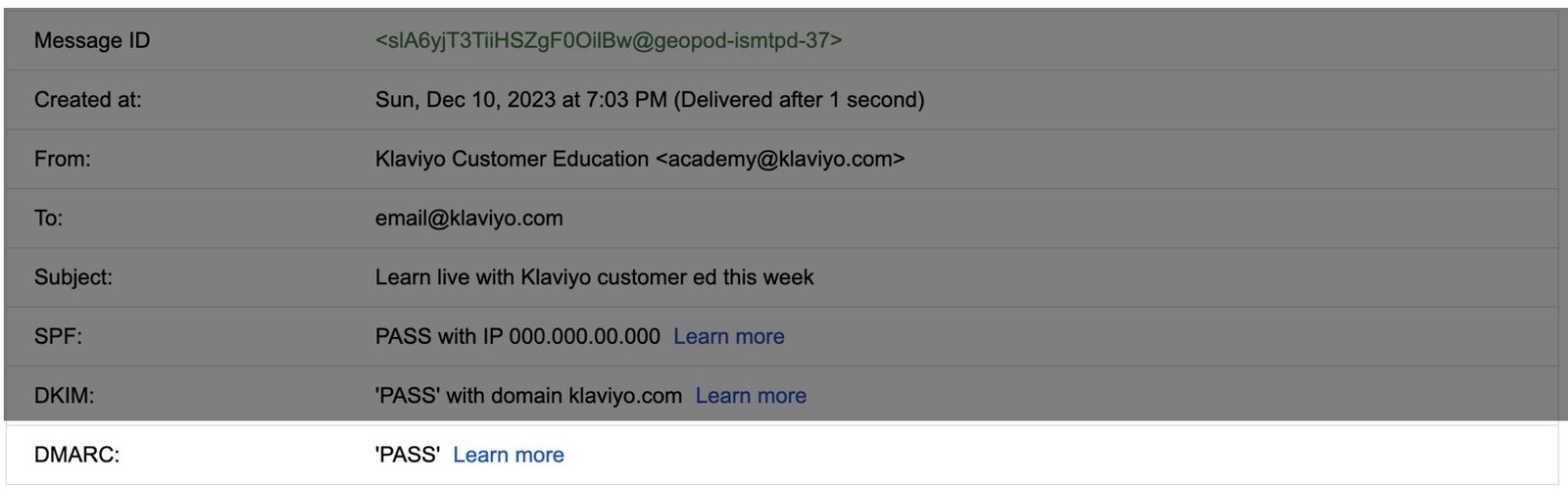
Within the full email header, dmarc=pass indicates that the email passed the DMARC check for the from-address domain shown in header.from. In this example, that domain is klaviyo.com. You can also see the DMARC policy applied to that domain (for example, p=reject).
Authentication-Results: mx.google.com; dkim=pass header.i=@klaviyo.com header.s=s1 header.b=kBByyR4j; spf=pass (google.com: domain of bounces+27486840-770f-email=klaviyo.com@send.klaviyo.com designates 000.000.00.000 as permitted sender) smtp.mailfrom="bounces+27486840-770f-email=klaviyo.com@send.klaviyo.com"; dmarc=pass (p=REJECT sp=REJECT dis=NONE) header.from=klaviyo.comIf SPF or DKIM fails, review your branded sending domain’s DNS records. See Troubleshooting branded sending domain issues for help checking those records. If DMARC fails, check your DMARC record and whether the from-address domain aligns with a domain that passed SPF or DKIM. After correcting the configuration, check a newly sent email.
Check your published DMARC record with a third-party tool
To verify that your DMARC policy has been published successfully, use a third-party tool like the DMARC checker offered by EasyDMARC. Enter the domain used in your from-address, such as yourbrand.com. If you send from a subdomain, check that subdomain for its own DMARC record and your root domain for an inherited policy. This lookup checks your published policy; use a received email’s header to verify that the email passes authentication.
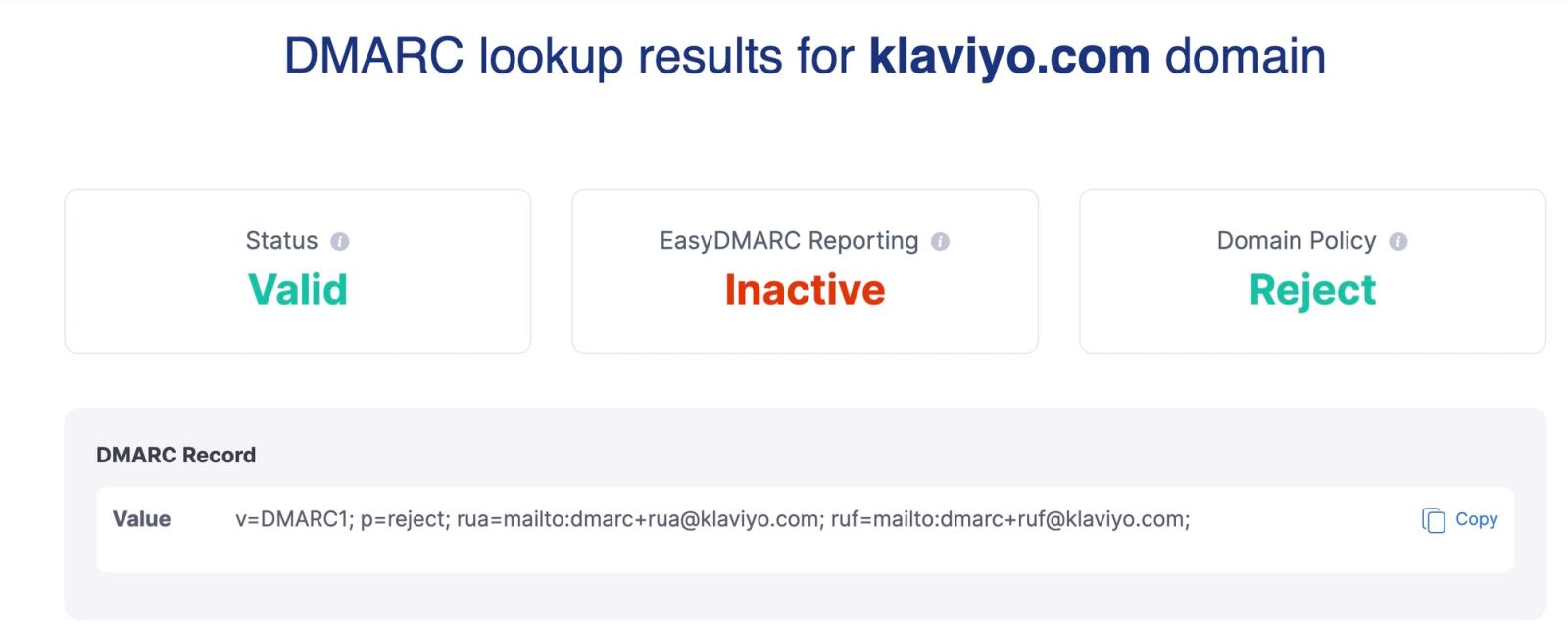
If your DMARC policy is set to p=none, the Status will appear as Warning when using EasyDMARC. This policy does not request rejection or spam placement for emails that fail DMARC, so it does not enforce protection against spoofing. It does not guarantee that emails will reach the main inbox. A status of Warning or Valid alone does not confirm that your emails pass authentication or meet all inbox provider sender requirements. Google allows a DMARC policy of p=none, but its other bulk-sender requirements still apply.
You can disregard the EasyDMARC Reporting results unless you are using EasyDMARC's reporting services.