How to use the reports library
You will learn
Learn more about the Custom Reports Library and how to access it in Klaviyo. The Custom Reports Library is a repository of pre-built reports designed to answer the business questions that matter most to you. You can either browse all options or refine your search to access the report that fits your needs.
The Custom Reports library
1. To access the Custom Reports library, head to Analytics > Custom Reports.
2. If you have never built a report before, you will see a landing page with more information about our custom reports capabilities. Here, click Create Custom Report or select Getting Started to launch one of our most popular pre-built reports.
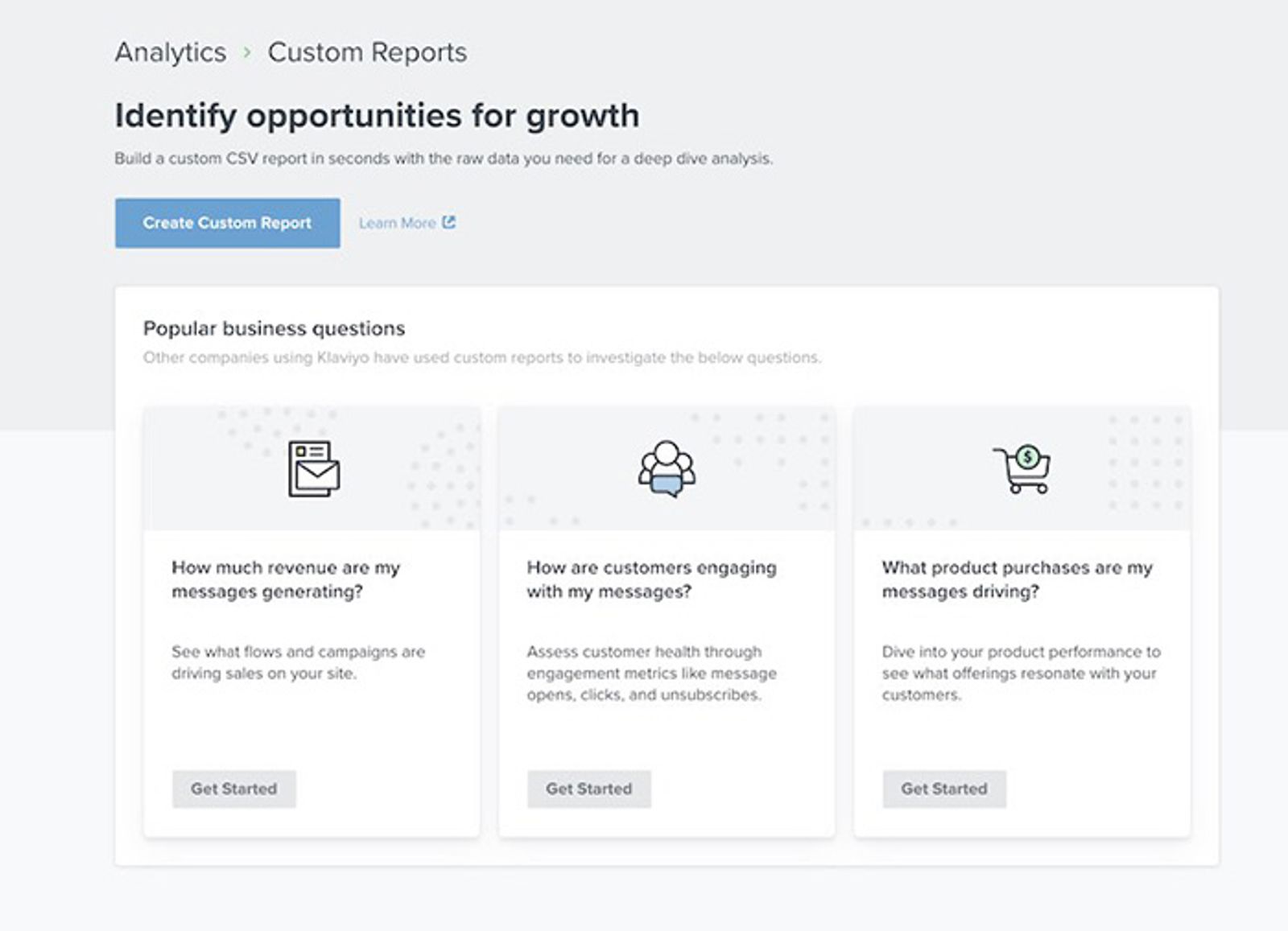
You will then access the main reports page. If you are a returning user, this is also the landing page that you will access anytime you navigate to Custom Reports.
3. In the upper right-hand corner of your screen, you can either create a report from scratch or select a pre-built report. To use a pre-built report, click Reports Library.
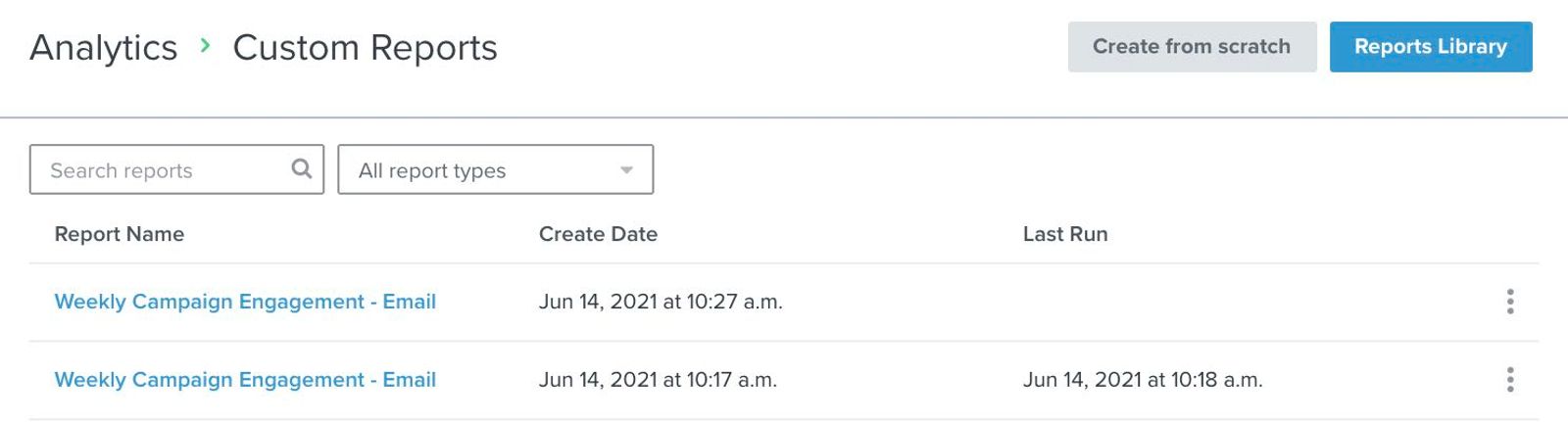
When browsing this library, you can refine your search by selecting common questions that apply to your use case.
These questions are bucketed into three categories:
- Message Performance
To hone in on how marketing messages perform in Klaviyo - Channel Performance
To focus on how specific channels (i.e., email or SMS) perform in Klaviyo - Business Performance
To view how specific business metrics and products perform
4. Click into any of these categories to expand a list of questions to choose from.
5. Then, click the checkbox next to any of the questions that apply to you and your use case for generating a report. This will refine your view so that only reports matching these questions will appear in your search.
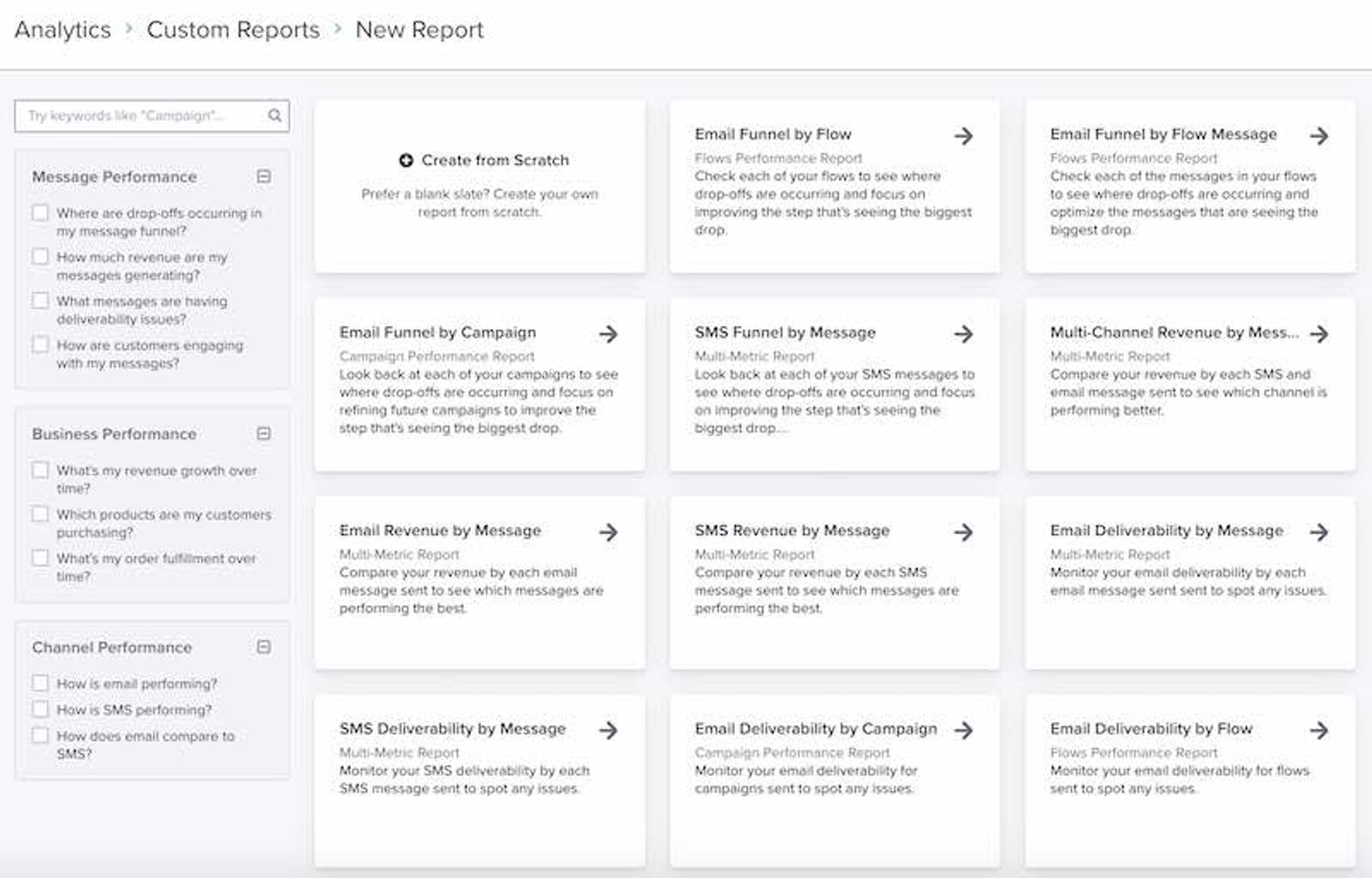
6. When you see a report that suits your needs, click into that report.
7. You can then either run that report as is or customize it to better fit your specific needs. To do so, add any relevant metrics, groupings, and filters.
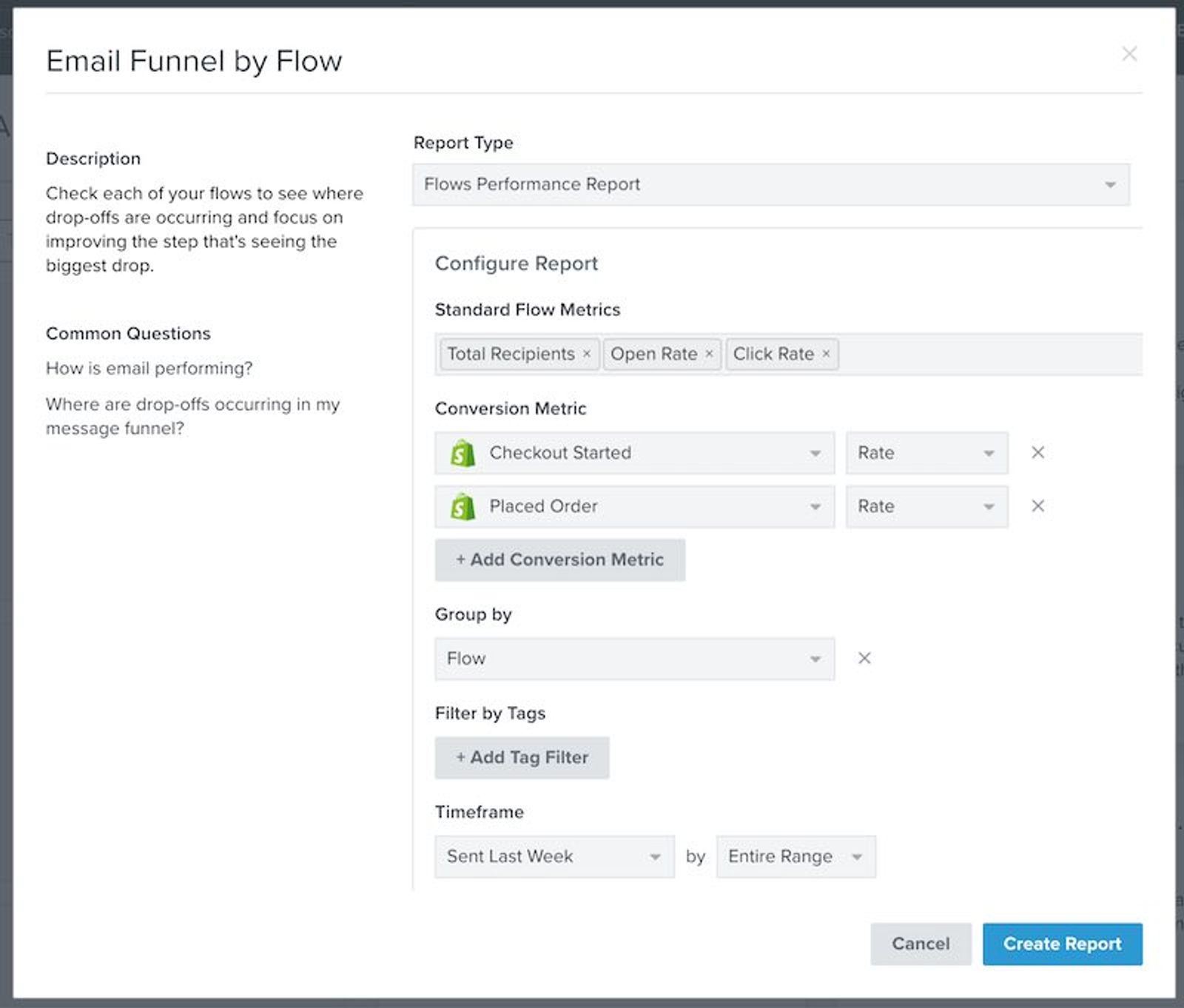
Note for reports with large amounts of data, your report may take a bit longer to compile and run. Thus, you may not see the results right away after clicking Create Report. Instead, you will see an empty table of results below with the initial message from us that we’re working on "Generating Your Results.” When it is complete, you will see a robust summary of your report. Your new report and its results are automatically saved so that you can return to your report via the Analytics tab at any time.
For more information on what each report type entails and how to customize them, head to About Custom Reports in Klaviyo.
Additional resources
- Getting started with reporting
Learn about the different robust Klaviyo reporting tools available in your account. Klaviyo is built to help your business grow and strengthen your relationships with your audience by putting data to work. Segmentation and automation tools allow you to personalize and target your communication efforts across channels to boost engagement and drive business growth. However, in order to understand how well your business strategies and marketing efforts are working, you need proper reporting to measure and analyze performance trends over time.
- Getting started with custom reports in Klaviyo
Learn how to use Klaviyo custom reports to monitor your business' health across each of your marketing channels and individual products or services. By using these reports, you can leverage your data to uncover trends in customer behavior, align your team around a cohesive marketing strategy, and grow your business as you act upon new insights.Just starting out with Klaviyo reporting? Learn more about feature-specific reports and get a general overview of Klaviyo’s analytics tools.
- Customizing your analytics experience