Understanding what to A/B test in your flows
Learn about what you can test in your flows using Klaviyo's A/B testing feature.
Flows send automatically to customers, making them an instrumental part of your communication strategy. You can simply set up a flow, turn it live, and then leave it to send; however, because flows represent your brand at key touchpoints in the customer journey, it's important to test and optimize flows.
Note that you should only test one variable at a time. If you test more than one, the results may be skewed.
Apple Mail Privacy Protection (MPP), which was released with iOS15 and updates to other Apple devices, may lead to inflated open rates due to changes in how we receive open rate data.
If you are triggering flows off of opens themselves, we suggest creating a custom report that includes an MPP property to review these affected opens. You can also identify these opens in your individual subscriber segments.
Timing
To determine when your flow should send out messages, you can use a multi-branch split to find the optimal timing for a flow message.
- Add a split before the time delay you want to test.
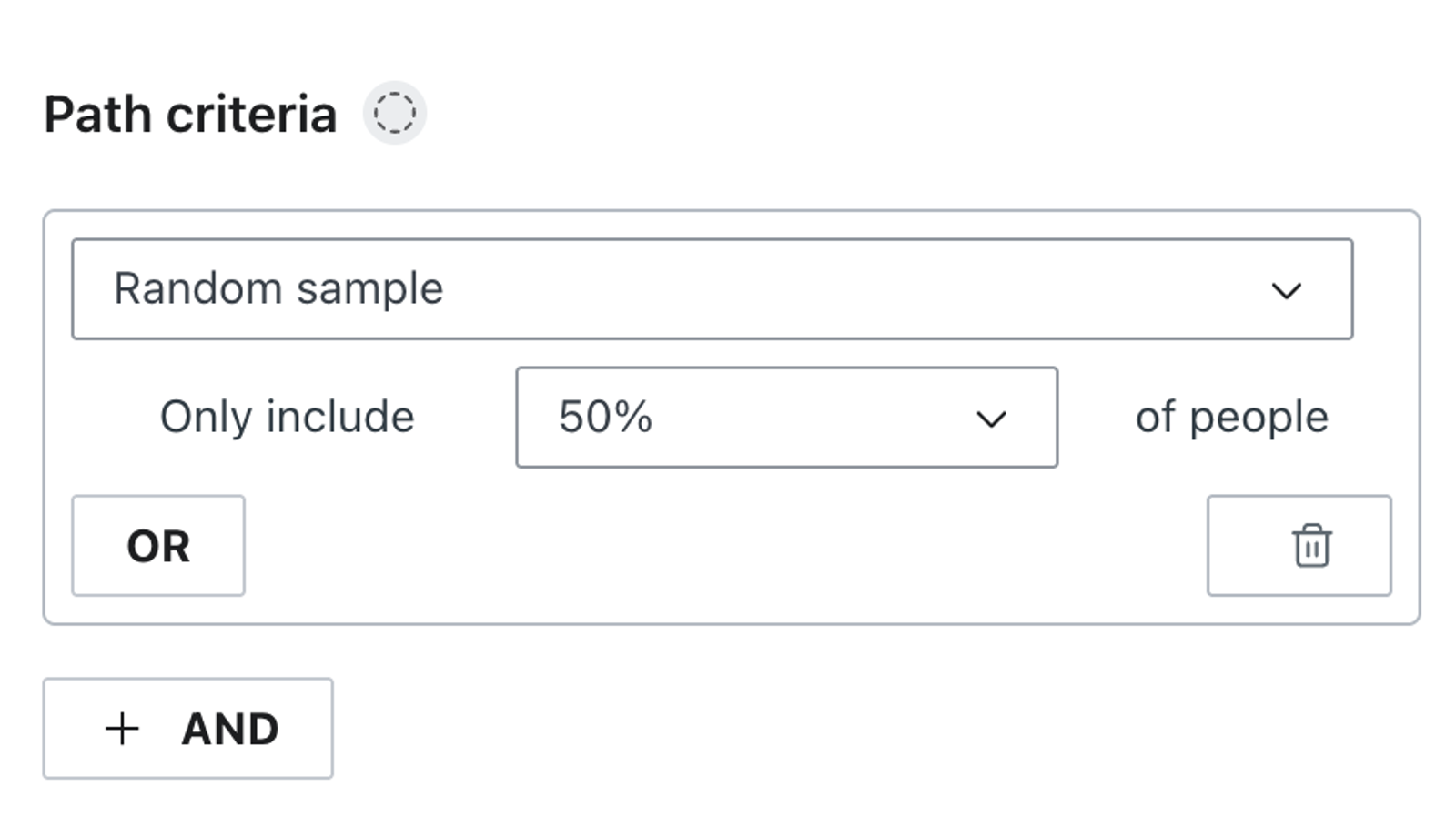
- Configure your split to be based on a 50% random sample. This will allow you to run an A/B test on the timing of one of your messages.
Bear in mind that if you change the weighting of the random sample to something other than 50%, that will be the percentage of people who go down the first path.
- Add a time delay to the other path. Set this to be the other timeframe that you would like to test.
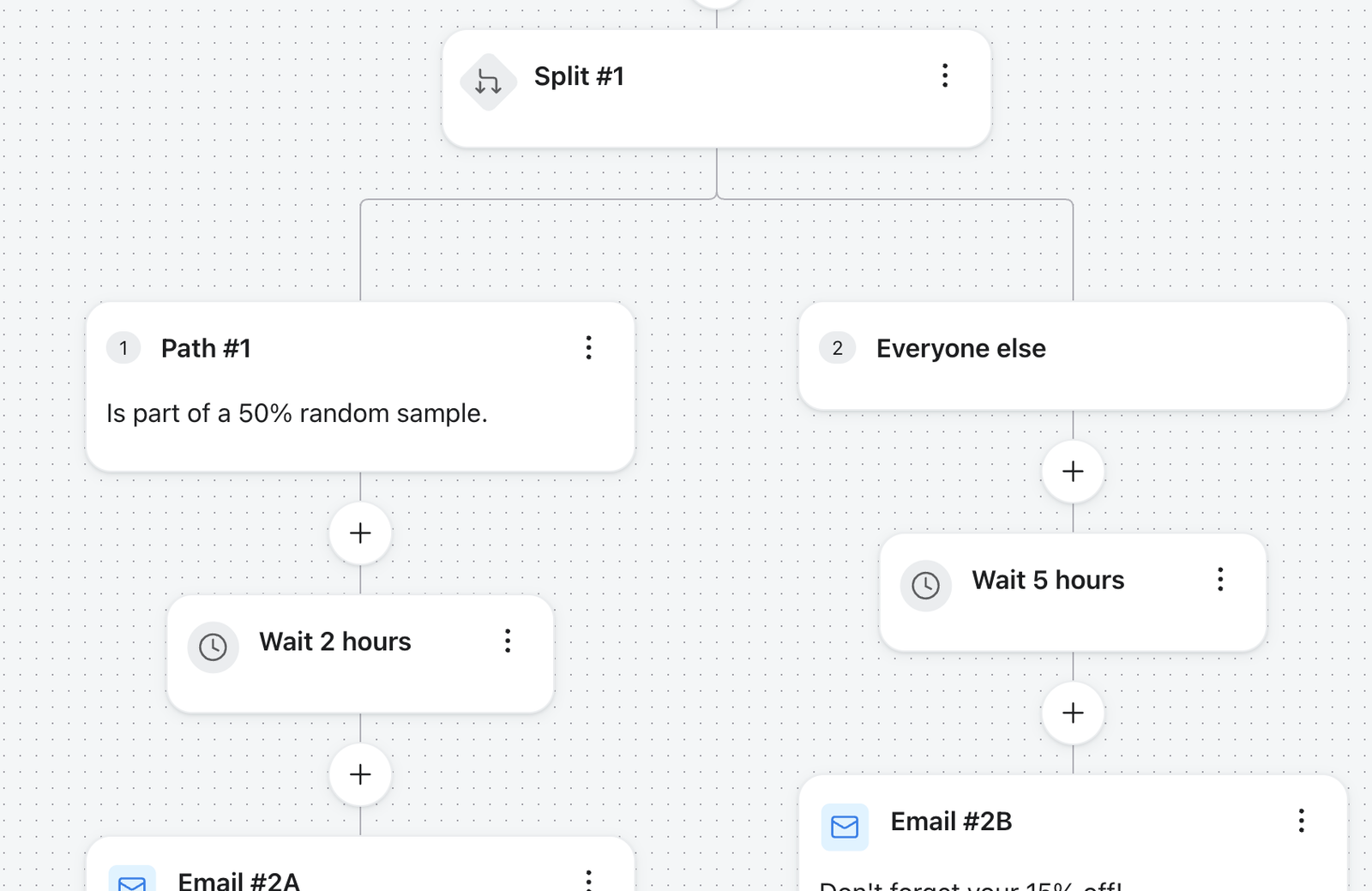
- Copy all of the components on the first path and place the copies on the other path, so that everything is identical except the timing of the message. This allows you to isolate timing as the variable that you're testing.
Note that the clone option on a path card copies only the path's conditions — it doesn't copy the messages beneath it. To duplicate messages, copy the message components themselves.
After you set the copied messages live, monitor their conversion rates to determine which time delay performs best. To end the test, set the split's random sample to 100% if the first path won, or 0% if the Everyone else path won. Then set the messages on the losing path to Draft. Don't delete the split while profiles are waiting on either path; deleting it can remove messages they were queued to receive.
You can repeat this process with as many messages in a flow as you would like, but remember to A/B test them one at a time so that you can isolate this as the only variable you're testing.
Number of messages
You may want to test how the number of messages in your flow affects your conversion rate. For example, maybe you want to test adding another message to the flow. When analyzing this message, pay special attention not only to its conversion rate but also the open and click rates. If the additional message has poor open and click performance, it could be doing more harm than good for your deliverability, even if it’s producing revenue.
To test the number of messages in your flow:
- Add a split below the trigger.
- Base the split on a random sample and select the weighting for the control path. The test path will be the other path, or the remainder of people who enter the flow.
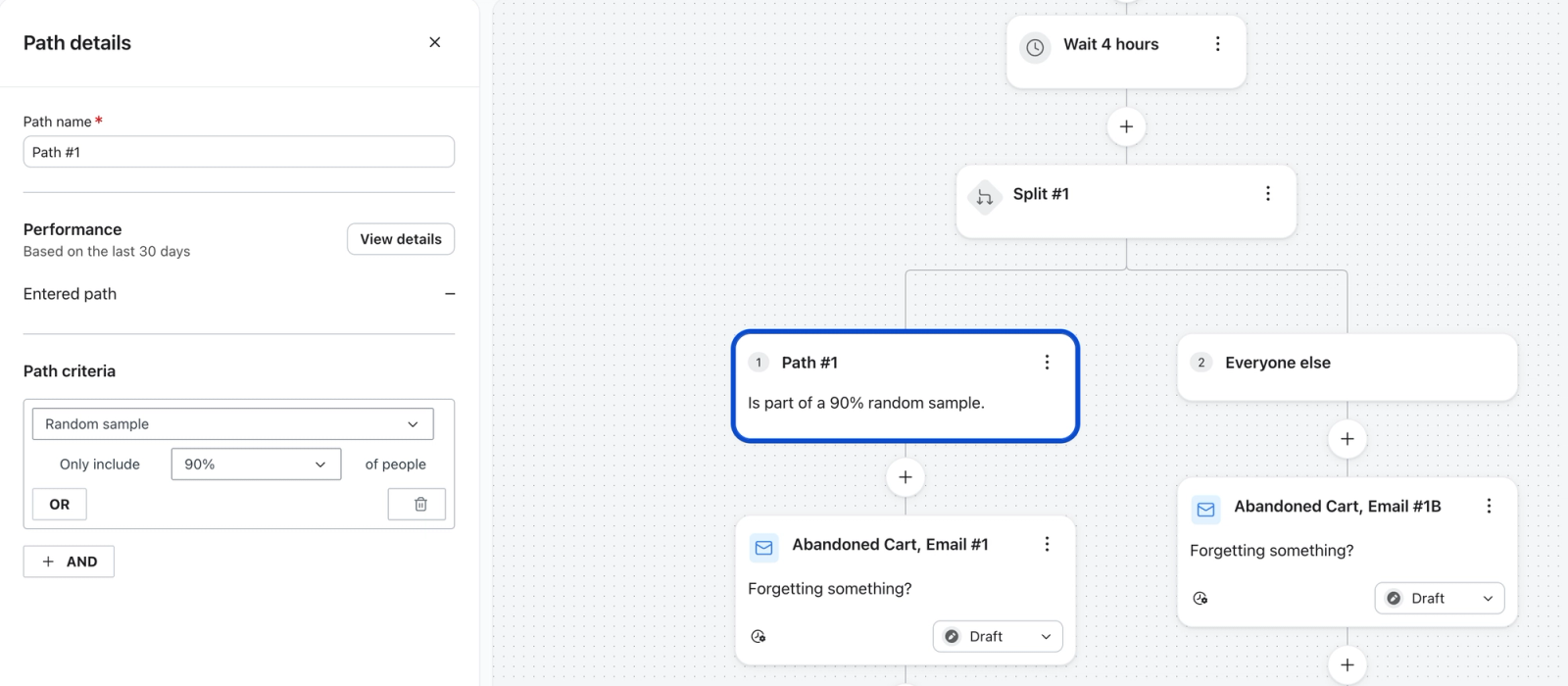
Build the first path with your current messages, then add the same messages plus the additional message to the other path. Keep the shared messages and their timing the same so the number of messages is the variable you're testing. Set the test path's messages to Live, then compare the paths' message analytics, including conversion, open, and click rates. When you've chosen a winner, adjust the random sample to send new profiles down that path and set the losing path's messages to Draft.
Subject lines (email only)
Subject lines are directly tied to your open rates. To test a subject line:
- Click on the email that you would like to test.
- Click Create A/B test in the email details panel.
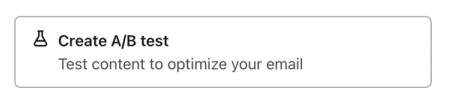
- You will see sections for 2 different variations of the email. You can change the Subject line field for each variation.
When your subject line variations are ready, click Publish Test and confirm to start the test. You can review each variation's open rate in the test results.
Content
Click rates, unlike subject lines, are primarily affected by the content and, for emails, the layout. You can A/B test your message content by changing the body of the email or text, but nothing else (e.g., subject lines). You can measure your results in the same way you would measure them for a subject line A/B test, but instead of looking at open rate, pay special attention to the message's click rate.
Images and GIFs
For emails, changing the images or GIFs is part of testing the overall content, but that's not the case for your text messages. The question of whether or not to add an image or GIF is much bigger for text message marketing. A/B testing can help you decide if you should use an SMS or MMS message and for MMS messages, if it should be an image or GIF.
Additional resources
Learn more about A/B testing:
- Best practices for A/B testing reference
Learn best practices for using Klaviyo's A/B testing features to help optimize your communication with customers.
- How to A/B test flow branches
Learn how you can A/B test flow branches using a multi-branch split to test things like timing, discounts, and number of emails within a flow. In this article, we run through how to set up and end an A/B test for a flow branch.
- How to A/B test a flow email
Learn how to use Klaviyo’s A/B testing experience to test individual emails in a flow, including things like subject line, discounts, and email content, etc. You can even use A/B tests to determine if plain-text emails perform better than image-heavy HTML emails.