How to create an upsell or cross-sell flow
You will learn
Learn how to create a flow to cross-sell related products after a purchase or upsell products while someone is shopping. Klaviyo has a built-in product review/cross-sell flow as well as new and repeat customer thank you flows that you can repurpose as upsell or cross-sell flows.
You can also create your own upsell or cross-sell flows from scratch. This guide will walk you through what you should keep in mind when customizing Klaviyo's built-in flows or creating your own.
Flow trigger
Cross-sell
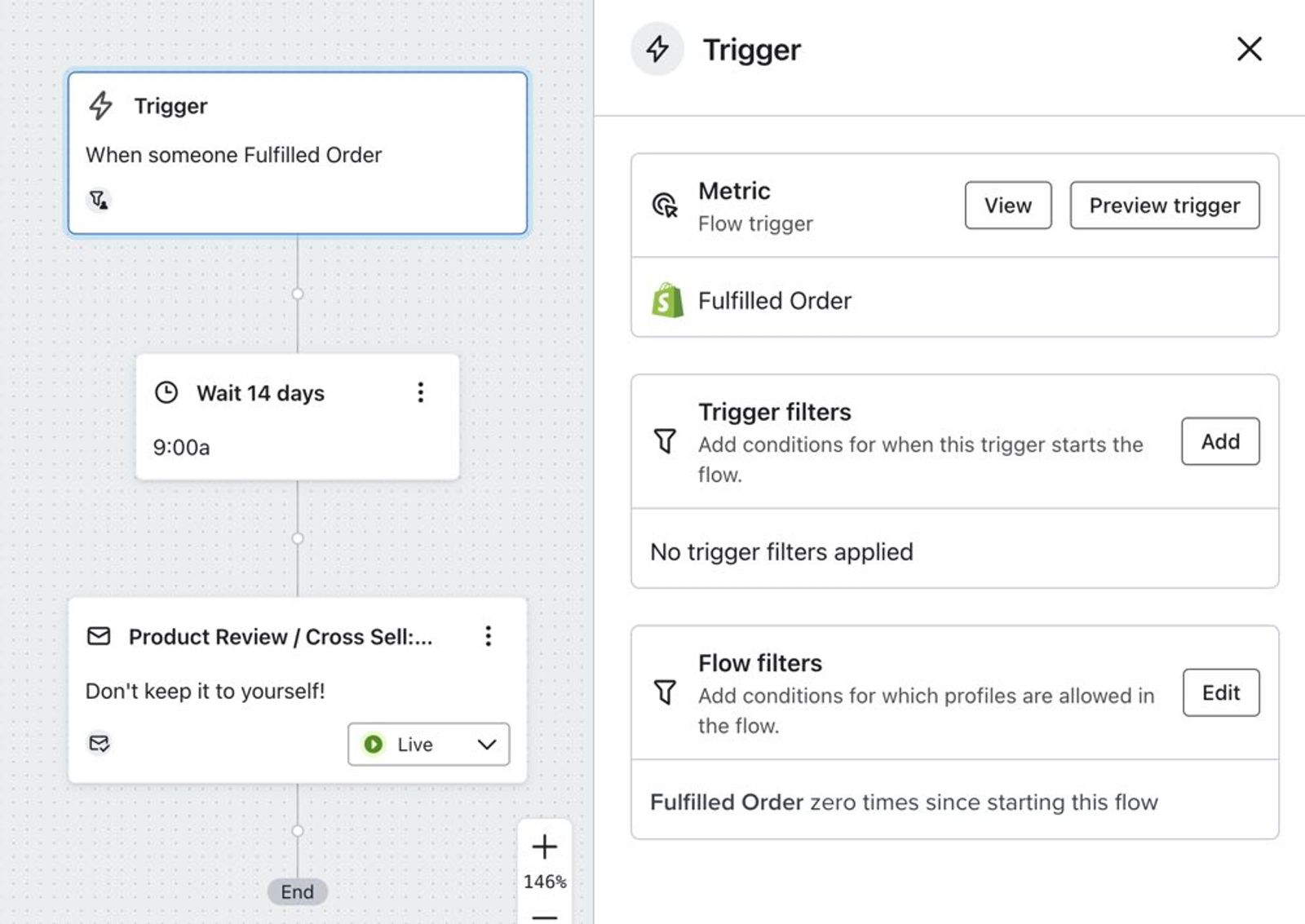
Your flow trigger should be either Placed Order or Fulfilled Order. The Placed Order event tracks when someone places an order for an item, while the Fulfilled Order event tracks when an item is shipped. Klaviyo's built-in product review / cross-sell flow uses the Fulfilled Order event as the trigger because this is closer to when a customer actually receives a product. However, depending on your preferences, you can use either.
Add a profile filter for Fulfilled Order zero times since starting this flow. If another order is fulfilled after someone enters the flow, this filter prevents them from receiving subsequent flow emails while they no longer qualify.
Upsell
For an upsell flow, you may want to use a different trigger altogether. If, for example, a customer views a pair of shoes, but you'd like to sell them a different, more expensive pair of shoes, use the Viewed Product event to trigger your flow. Before using this trigger, make sure Viewed Product tracking is configured for your site. The available event triggers depend on your integration; to check which metrics have data, go to Analytics > Metrics.
Flow filters
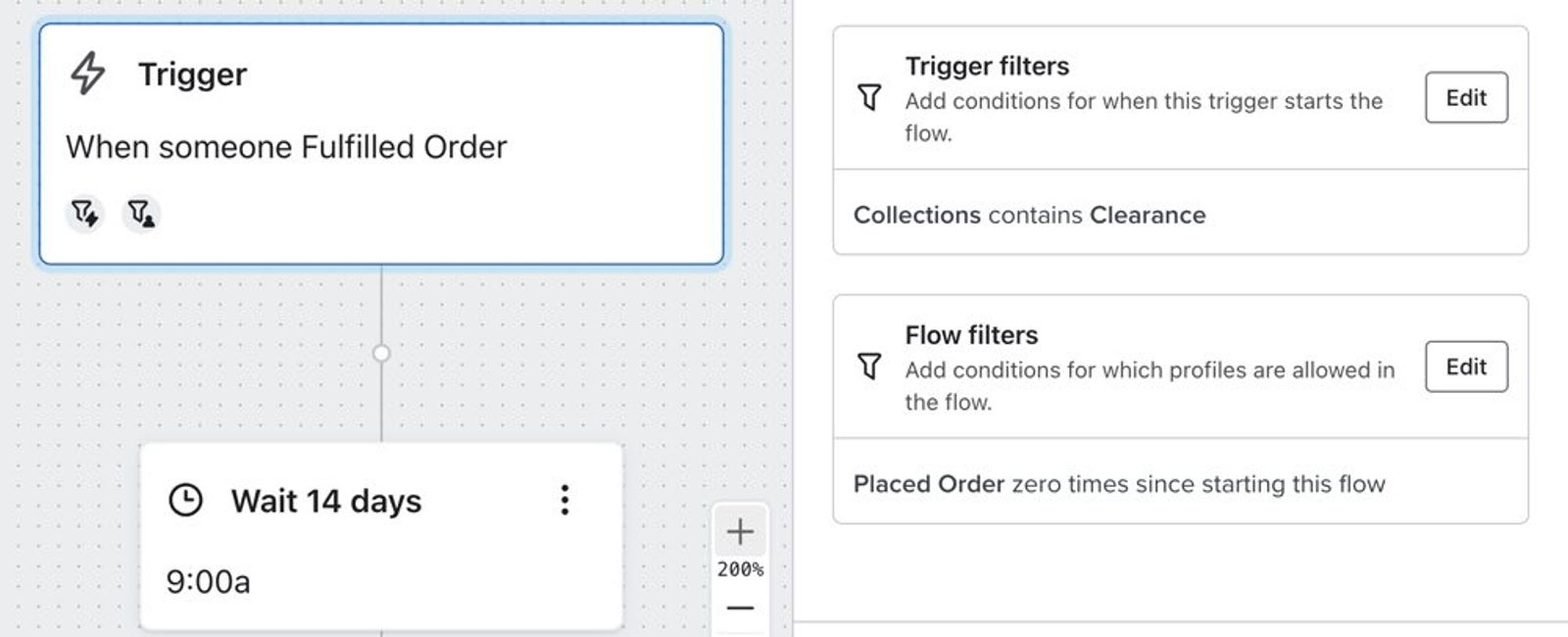
You may also want to add a trigger filter for a category or collection on the order or product-view event, if that property is available for your trigger. This limits entry to events matching that category or collection, making it easier to recommend relevant products in your emails.
Timing
When creating an upsell or cross-sell flow, you should first decide whether you want your flow to be pre- or post-purchase.
If you'd like to cross-sell a customer, you probably want to send your flow post-purchase — you might even want to wait until your customer has received their order. This is why the default product review / cross-sell flow is set to go out 14 days after an order is fulfilled.
If you'd like to upsell a customer, you may want to send your flow pre-purchase instead. Choosing the appropriate flow trigger is important since it's important that you email customers at the right time during the buying cycle. You might even want to upsell products directly within a browse abandonment or abandoned cart flow by including a product feed of similar products.
Content
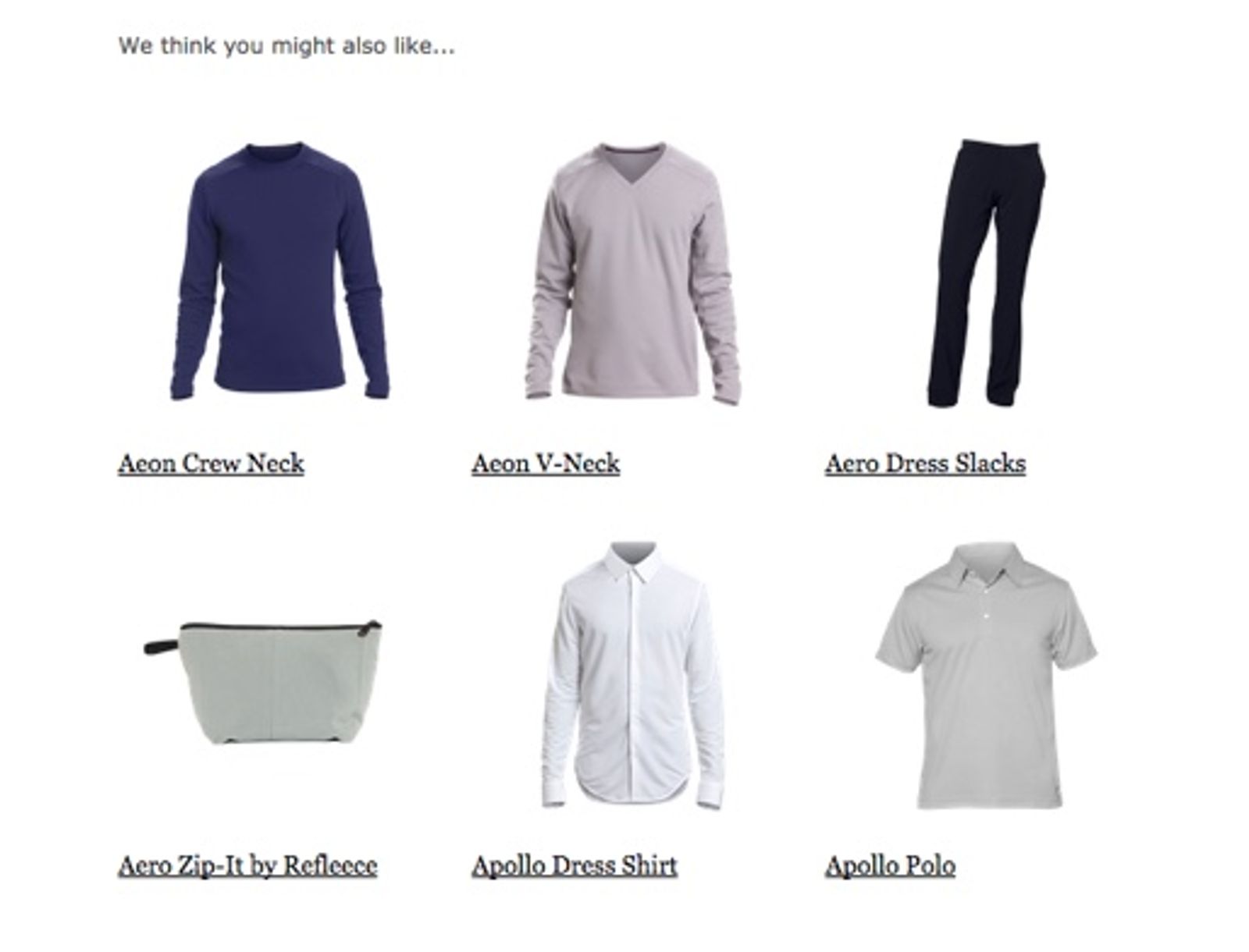
Product feeds are a great way to upsell or cross-sell products within an email. Since you can constrain product feeds to a specific category or collection, you can provide more relevant recommendations based on what product a customer was interacting with (purchased, viewed, etc.) when they triggered the flow.
Additional resources
- How to create a post-purchase flow
Learn how to set up a post-purchase flow in Klaviyo as well as best practices for doing so. A post-purchase flow triggers after a customer has placed an order while your ecommerce platform is integrated with Klaviyo. Sending post-purchase emails builds relationships and brand loyalty with your customers and makes them more likely to purchase again.
- How to create a browse abandonment flow
Learn how to create a browse abandonment flow to show shoppers products they viewed but didn’t purchase.
- How to create an abandoned cart flow
Learn how to set up an abandoned cart flow in Klaviyo in order to increase your ecommerce revenue and personalize communication to your customers.
- How to create a third-party product review flow
Learn how to use flow messages to ask customers for their feedback on a recent purchase. This is a great way to build social proof and drive customer engagement with your brand.