How to A/B test flow branches
You will learn
Learn how you can A/B test flow branches using a multi-branch split to test things like timing, discounts, and number of emails within a flow. In this article, we run through how to set up and end an A/B test for a flow branch.
You can also A/B test a single flow email. Read how to A/B test flow emails for guidance.
Set up a test branch
- Navigate to the flow you would like to A/B test in the Flows tab.
- Add a Split action where you want the A/B test to start.
- In the split's Path #1, click Add path criteria (or Edit path if it already has criteria), and select Random sample. Set the percentage of profiles you want to send down this path; the remaining profiles go down Everyone else. You can use Path #1 as your control.
- For an even A/B test with 2 paths, set the random sample to 50%. To use a different allocation, change the percentage in the Random sample condition and save your changes.
The split will randomly choose a branch per profile. Because this is completely random, you may not see a completely even amount of profiles in each branch with a 50% split, but it will be close.
For example, you may want to test sending an additional email to one path of your welcome series. To do this, add a split at the end of your flow, add a time delay, and then configure the email content.
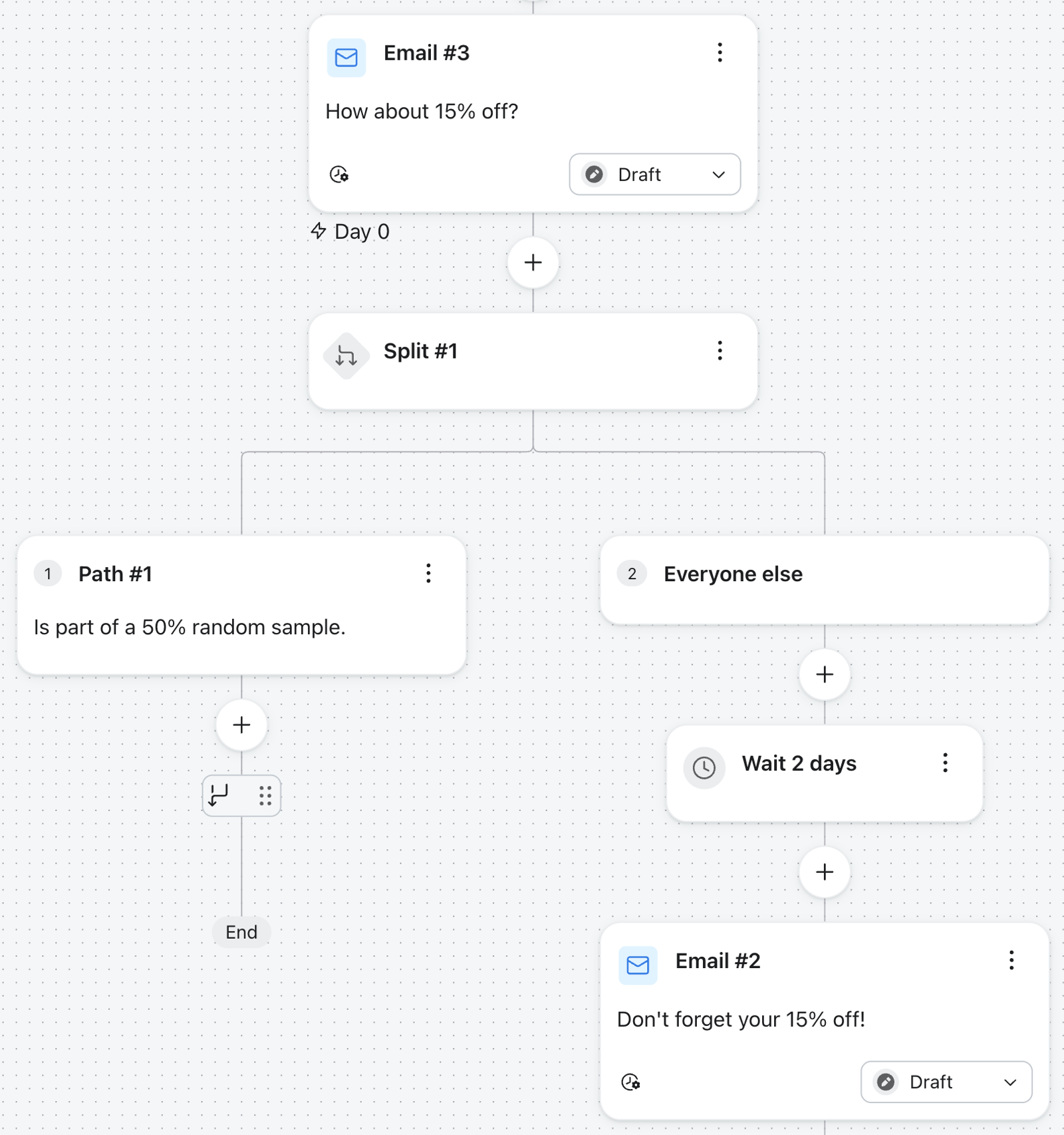
Once you have your split configured, you can build out the content of your test path. Depending on what you're testing, this could be several emails or different timing from what you have in your control path. You can also test more than two variants at once by adding more paths to the split — a control plus several test paths.
When running an A/B test, bear in mind that testing more than one variable at a time can skew results and make it difficult to determine how to attribute any differences in revenue, open rates, etc. For this reason, it's a best practice to test variables one at a time after you've determined a winner.
Before measuring the test, save your split changes and set the messages on the paths you want to compare to Live. Messages left in Draft will not send.
Apple Mail Privacy Protection (MPP), which was released with iOS15 and updates to other Apple devices, may lead to inflated open rates due to changes in how we receive open rate data.
If you are triggering flows off of opens themselves, we suggest creating a custom report that includes an MPP property to review these affected opens. You can also identify these opens in your individual subscriber segments.
Determine the best branch
To determine which branch performs best, review the analytics for the messages in each path. Depending on what you're testing, compare open rate, click rate, and conversion rate before choosing a path.
To quickly view the flow analytics for messages in your flow:
- Click the Show analytics icon button in the flow builder's top navigation bar.
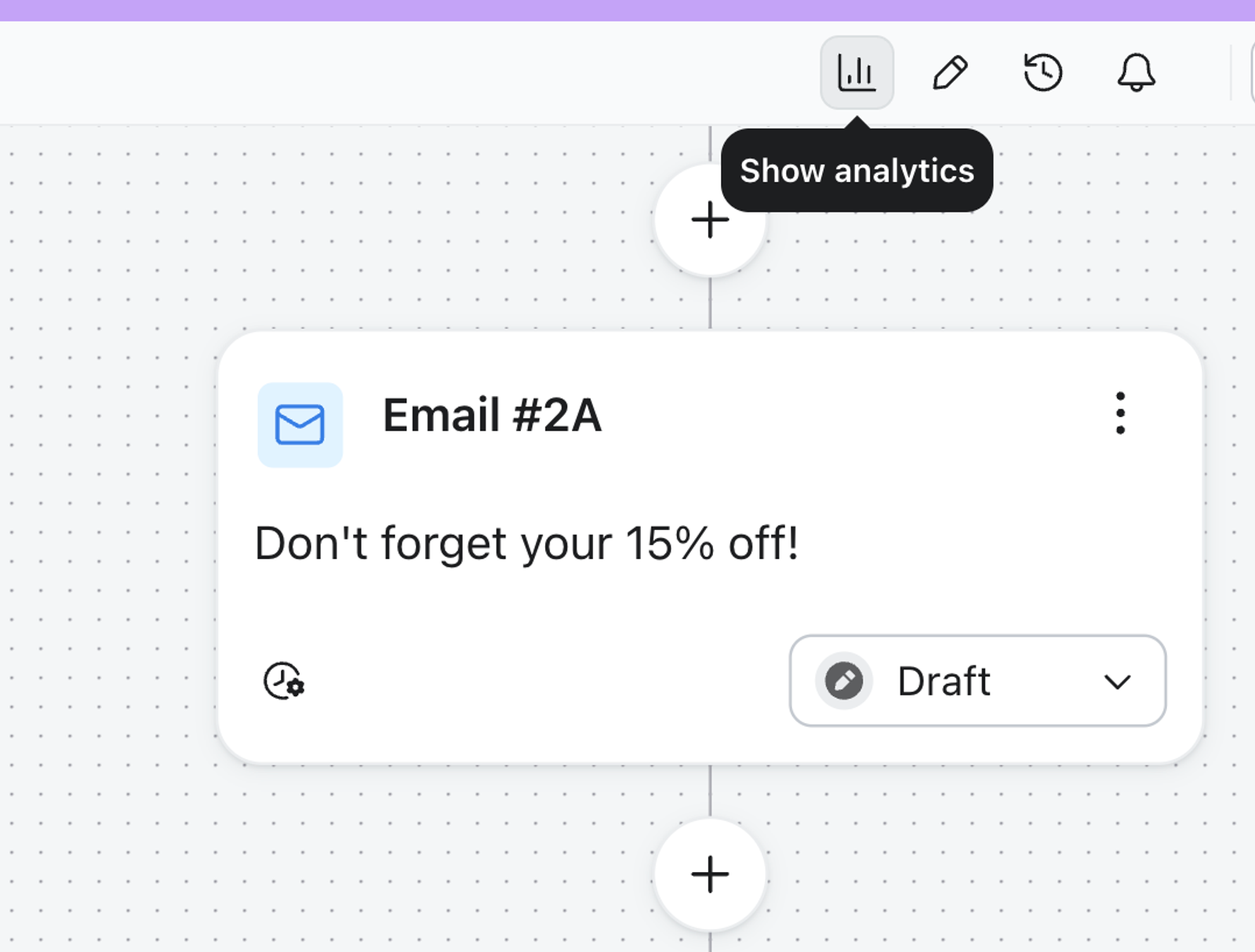
- Review the metrics of the messages in each path and decide which path you prefer.
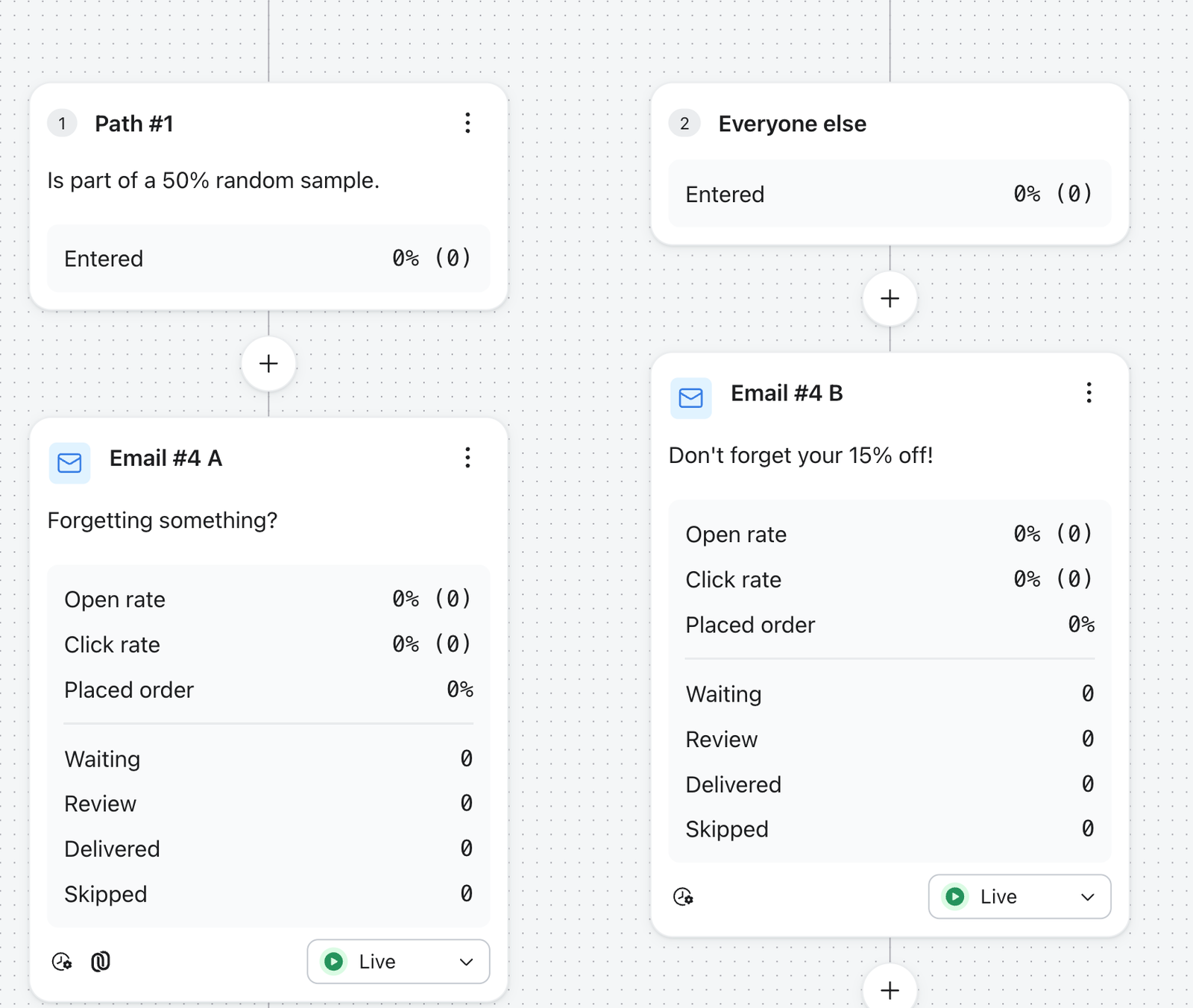
Learn more from our article on understanding flow analytics.
End the A/B test
After deciding which path is better for your audience:
- Click on the split.
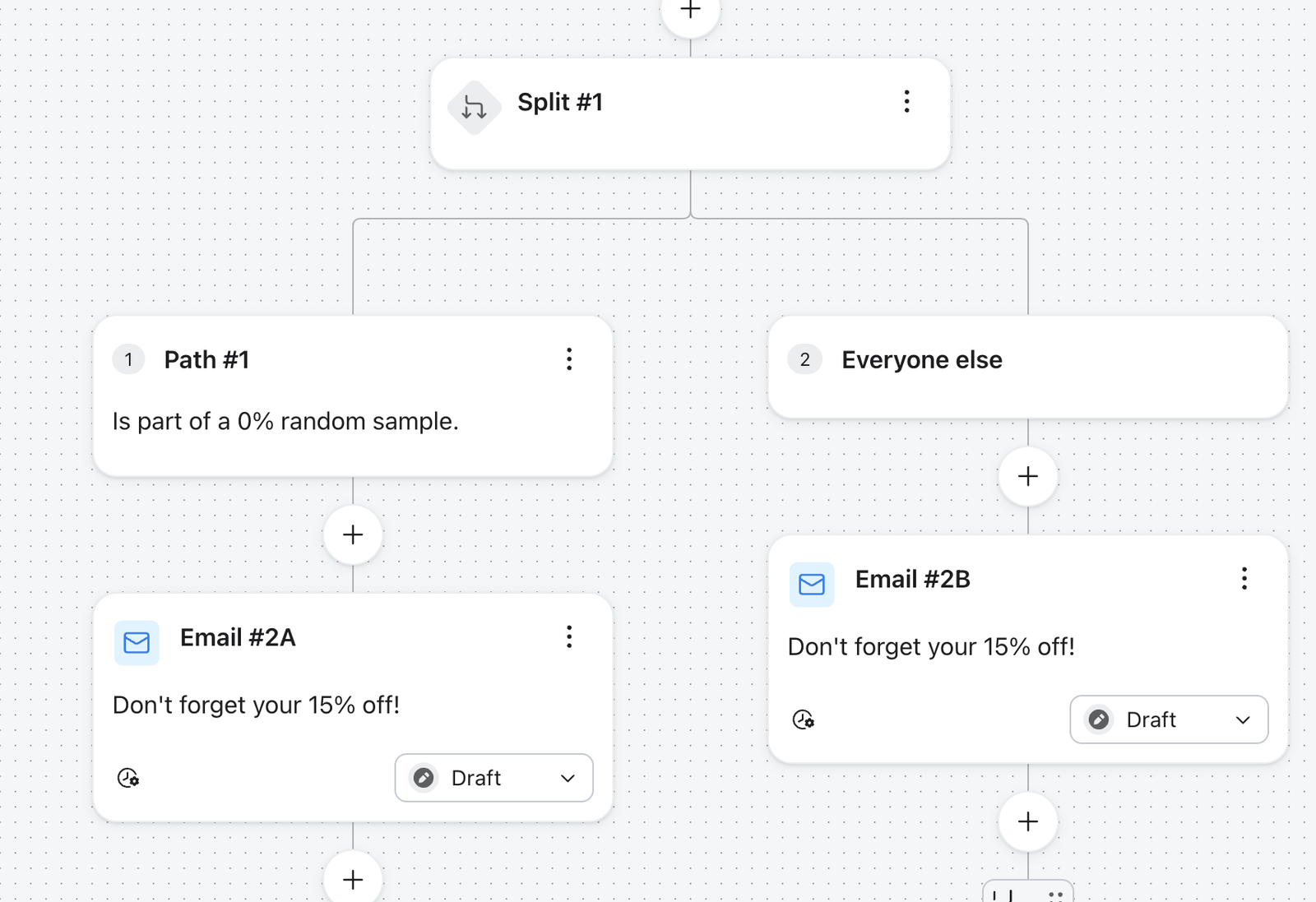
- For a 2-path split, set the Random sample percentage on Path #1 to 100% to send future profiles down that path, or to 0% to send them down Everyone else (as shown below). Save the split rather than deleting the unused path: profiles already waiting in that path can continue through it. If you added more paths, review their order and criteria so future profiles go down the path you chose.
- If you want profiles already waiting in the unused path to receive its messages, leave those messages Live until the Waiting queue clears. Then set the unused messages to Draft.
Additional resources
- How to A/B test a flow email
Learn how to use Klaviyo’s A/B testing experience to test individual emails in a flow, including things like subject line, discounts, and email content, etc. You can even use A/B tests to determine if plain-text emails perform better than image-heavy HTML emails.
- Best practices for A/B testing reference
Learn best practices for using Klaviyo's A/B testing features to help optimize your communication with customers.
- Mastering Email A/B Testing: Klaviyo’s Proven Tips & Tricks to Boost Revenue