How to find the unsubscribe link and unsubscribe page for a list
You will learn
Learn how to access a list's unsubscribe page editor and the shareable unsubscribe link you can provide to subscribers upon request.
An unsubscribe link takes a customer directly to your Klaviyo-hosted unsubscribe page for your given list. Note that, in addition to the link you can access through the process below, your subscribers can always click the unsubscribe link at the bottom of any email you send.
Find the unsubscribe page for your list
To find the unsubscribe link for a list:
- Click Audience > Lists & segments in the Klaviyo sidebar.
- Click on a list (not segment).
- Click Subscribe & preference pages.
- Scroll to the Email unsubscribe page tile.

- Click Edit page.
Find the unsubscribe link for a list
To find the list's unsubscribe link:
- Click Audience > Lists & segments in the Klaviyo sidebar.
- Click on a list (not segment).
- Click Settings.
- Go to the Consent tab.
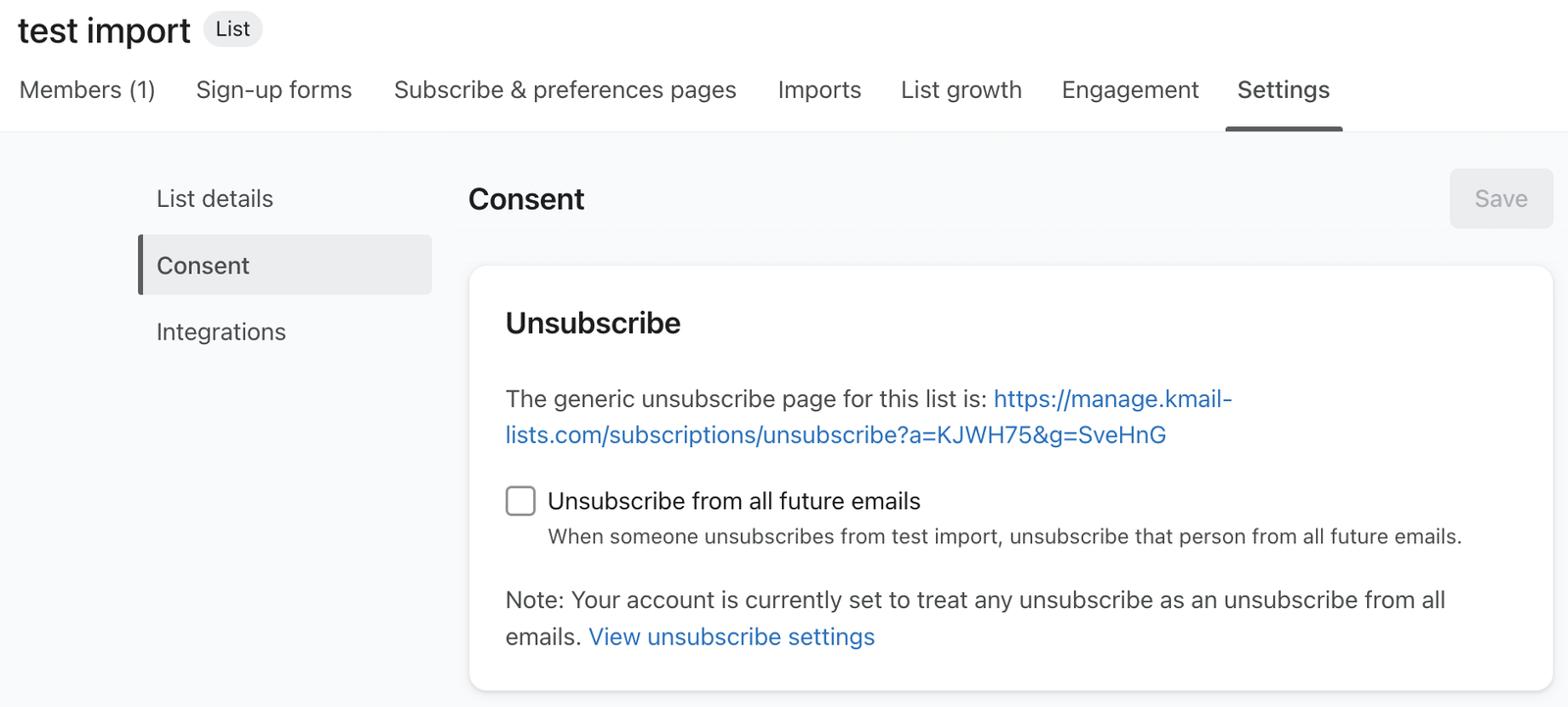
- Scroll down to the Unsubscribes section, where you will see your unsubscribe link.
The link provided in your list's settings can be manually shared with anyone who requests to unsubscribe. It's not necessary to include this link in your emails; instead, include a dynamic {% unsubscribe %} tag.
Additional resources
- How to custom code consent pages
Learn how to enable and use Klaviyo's hosted pages feature, which allows you custom code your own preference pages, subscribe pages, and unsubscribe pages.
- How to add an unsubscribe link to Klaviyo emails
Find out how to include an unsubscribe link in your Klaviyo email campaigns and flows.
- How to customize a list's unsubscribe page
Learn how to customize an unsubscribe page for a specific Klaviyo list, which is the page where your subscribers can unsubscribe from receiving your marketing.
- Understanding suppressed email profiles
Learn about suppressed email profiles, including how they differ from active profiles and how you can use these profiles to better understand your audience.