How to cancel a scheduled flow email for a single recipient
You will learn
Learn how to prevent a specific recipient from receiving a flow by cancelling the email for just that one person.
It's important to note that cancelling an email for a single recipient will remove them from the flow entirely, and they will not progress to other steps or receive any of the remaining messages in the flow.
Cancel a flow email for a single recipient
You can cancel recipients who are in either the Waiting or Needs Review statuses from receiving the next email and the rest of a flow entirely.
To do this:
- Open your flow.
- Click on the specific email message that you would like to cancel a subscriber from receiving.
- In the right details sidebar, click View details from within the Performance section.
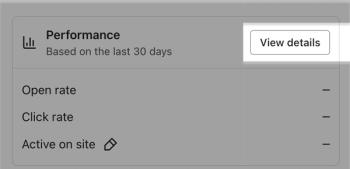
- Click the Recipient activity tab, then select Waiting or Needs review in the sidebar.
- Find the recipient whose email you want to cancel in the selected tab.
- Hover over their name to reveal additional options and click Cancel Send.

- Confirm you want to cancel the recipient from that email and the rest of the flow by clicking Cancel Send. Otherwise, choose Nevermind to abandon the process.
Additional resources
Learn more about managing flow emails:
- How to add an email to a flow
Learn how to use the email component in the flow builder to add automated emails into your series. After dragging a new email card into a flow, you'll be able to configure your content and update key settings on the details sidebar.
- How to resend emails in Klaviyo
Learn about the two methods for resending flow and campaign emails in Klaviyo.
- How to A/B test a flow email
Learn how to use Klaviyo’s A/B testing experience to test individual emails in a flow, including things like subject line, discounts, and email content, etc. You can even use A/B tests to determine if plain-text emails perform better than image-heavy HTML emails.