How to recover an archived flow
You will learn
Learn how to recover an archived flow so you can edit and use it to send messages again. A recovered flow will return to the main Flows tab view with its status set to draft. From there you can edit it and change its status to live or manual.
Recover an archived flow
- Navigate to the Flows tab.
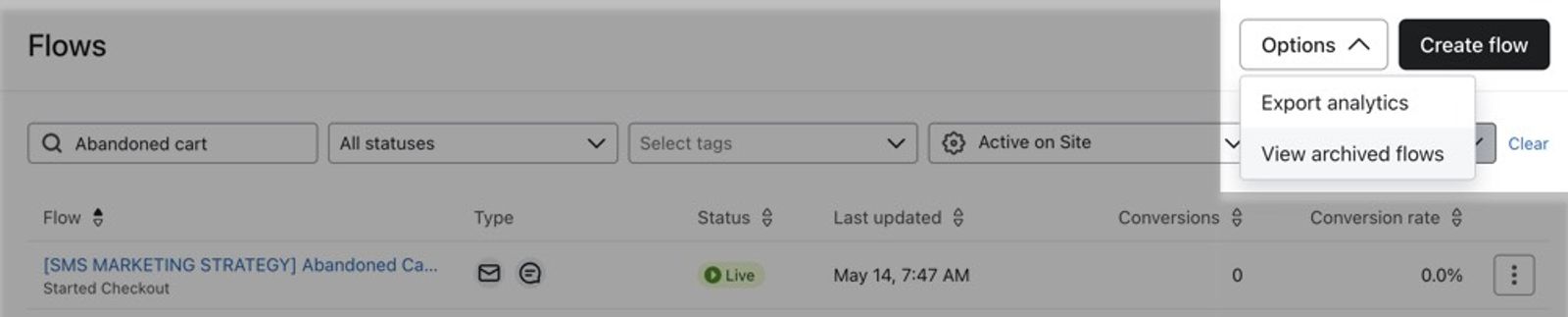
- Click the Options dropdown in the top right.
- Click View archived and deleted flows to open the Archived and deleted flows view.
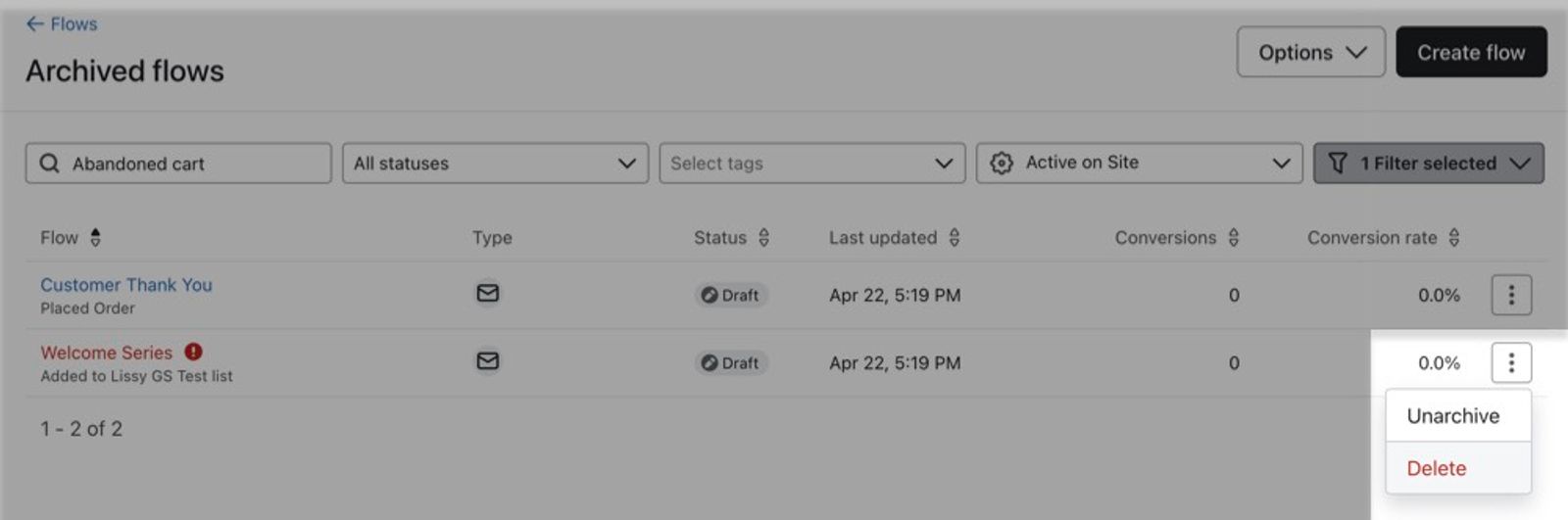
- Find the archived flow you want to recover. If you don't see it, turn on the Archived filter to show only archived flows. Then click the Actions icon to the right of the flow.
- Click Unarchive.
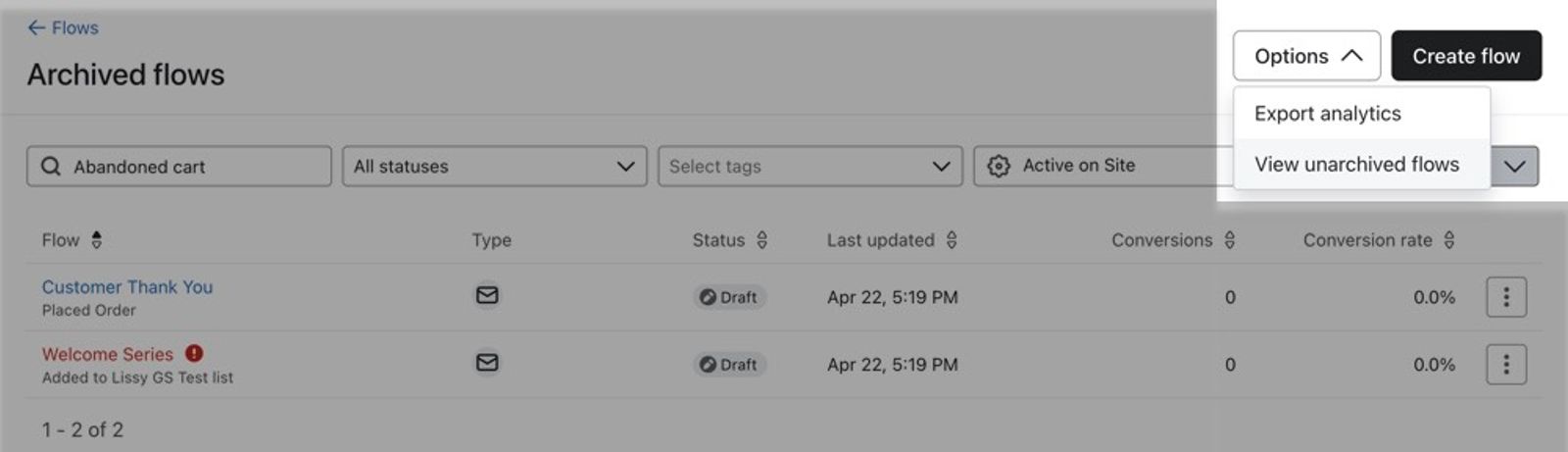
- To return to the main Flows view and find the recovered flow, click Options and choose View active flows.
Additional resources
- How to archive or delete a flow
Learn how to archive or delete Klaviyo flows that are no longer in use.
- How to pause an individual flow message
Learn how to pause an individual flow message. After you create a flow, there may be cases in which you want to pause sending one or more messages within the flow. This only applies to emails or SMS that are currently live and sending out to your subscribers.
- How to bulk update or schedule flow statuses
Learn how to change the statuses of multiple actions in a flow simultaneously in the flow builder. This makes it simple to, for example, set an entire flow live in 1 click or pause all activity quickly by switching actions to manual or draft.