How to review Customer Agent conversations
You will learn
How to find and read the conversations your Customer Agent has had with shoppers, filter them, and send part of a conversation to Composer to improve your agent.
Before you begin
You need access to Customer Agent.
Find conversations
Navigate to Customer Agent > Conversations. Conversations are listed newest first. Select one to read the full conversation, starting with the channel it came from (for example, "Started conversation via Web chat").
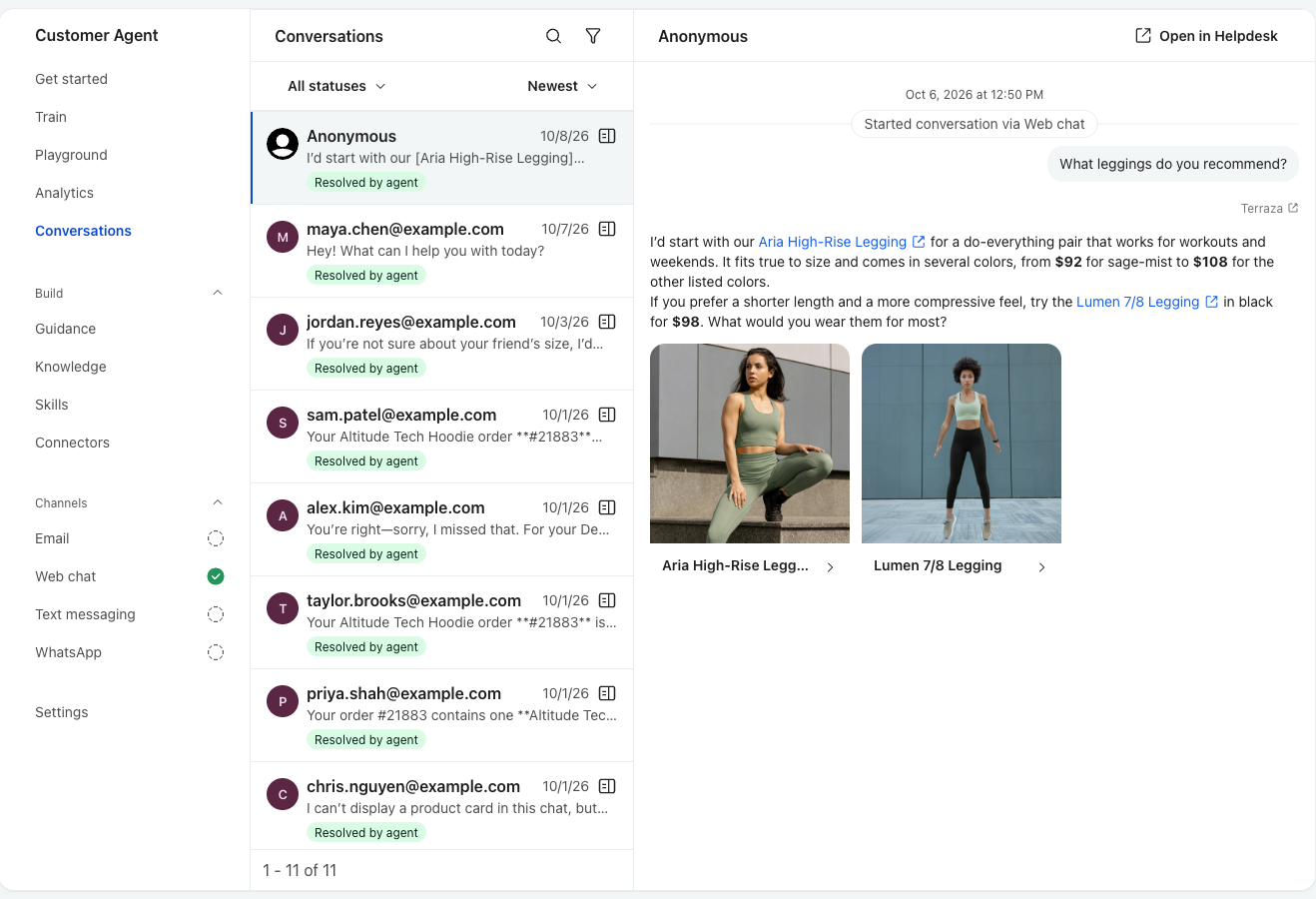
To narrow the list:
- Search conversations by keyword.
- Status: Open, Resolved by agent, Routed to team, or Closed.
- Filters: channel, shopper profile, or topic tag (for example, Order tracking, Returns, Shipping, Speak to human).
- Sort: Newest or Oldest.
If a conversation was handed off to Klaviyo Helpdesk, click Open in Helpdesk to see the ticket.
Improve your agent from a conversation
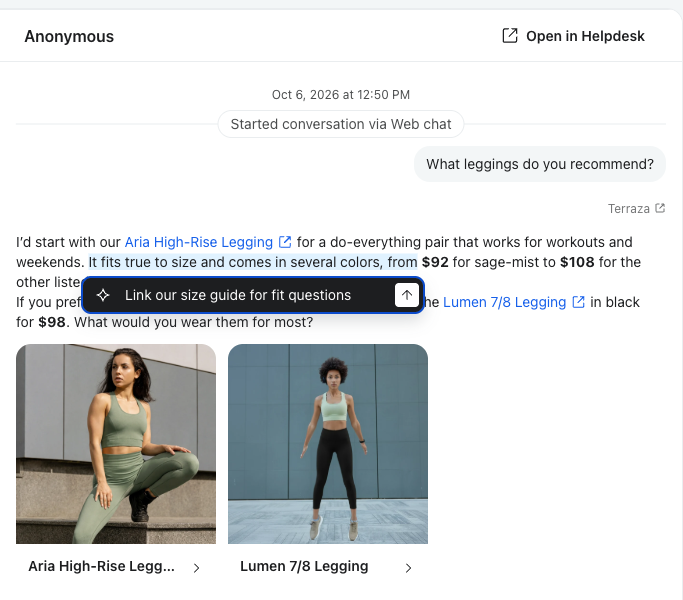
If your agent got something wrong, highlight the part of the message you want to fix and choose Ask Composer about this. Composer opens with that text attached so you can ask why the agent answered that way or tell it what to do instead, for example: "Shoppers asking this should get our holiday return window."
FAQ
Which conversations appear here?
Real conversations Customer Agent had with shoppers on your live channels. Playground tests don't appear here.
Where do I see totals and resolution rate?
In Analytics.