Understanding Klaviyo's predictive analytics
You will learn
Learn more about the different types of predictive analytics data displayed in your account, the various ways Klaviyo computes this, and guidelines for how you can utilize this data.
If applicable, you may want to adjust what metrics are used to calculate predictive analytics and better align them with your business goals, data structure, or custom integration. To adjust what metrics map globally in your account, head to the guide on metric-mapping.
Klaviyo applies a combination of data science and machine learning techniques to all of the data in your account to bring you useful and actionable insights.
Your account must meet the following conditions for customer lifetime value (CLV) predictions to appear in the Predictive analytics section on profiles:
- At least 500 customers have placed an order.
This does not refer to total profiles, but rather the number of people who have actually made an order with your business. These orders cannot be cancelled or refunded, and must be non-zero value orders. If an individual profile does not qualify for CLV prediction, the section displays “This profile does not qualify for CLV prediction.” - You have an ecommerce integration (e.g., Shopify, BigCommerce, Magento, or WooCommerce) or use our API to send placed orders.
- You have at least 180 days of order history and have orders within the last 30 days.
- You have at least some customers who have placed 3 or more orders.
The predictive analytics section of a profile
You can find the Predictive analytics section on a profile’s Metrics and insights tab. Below is an example of this section:
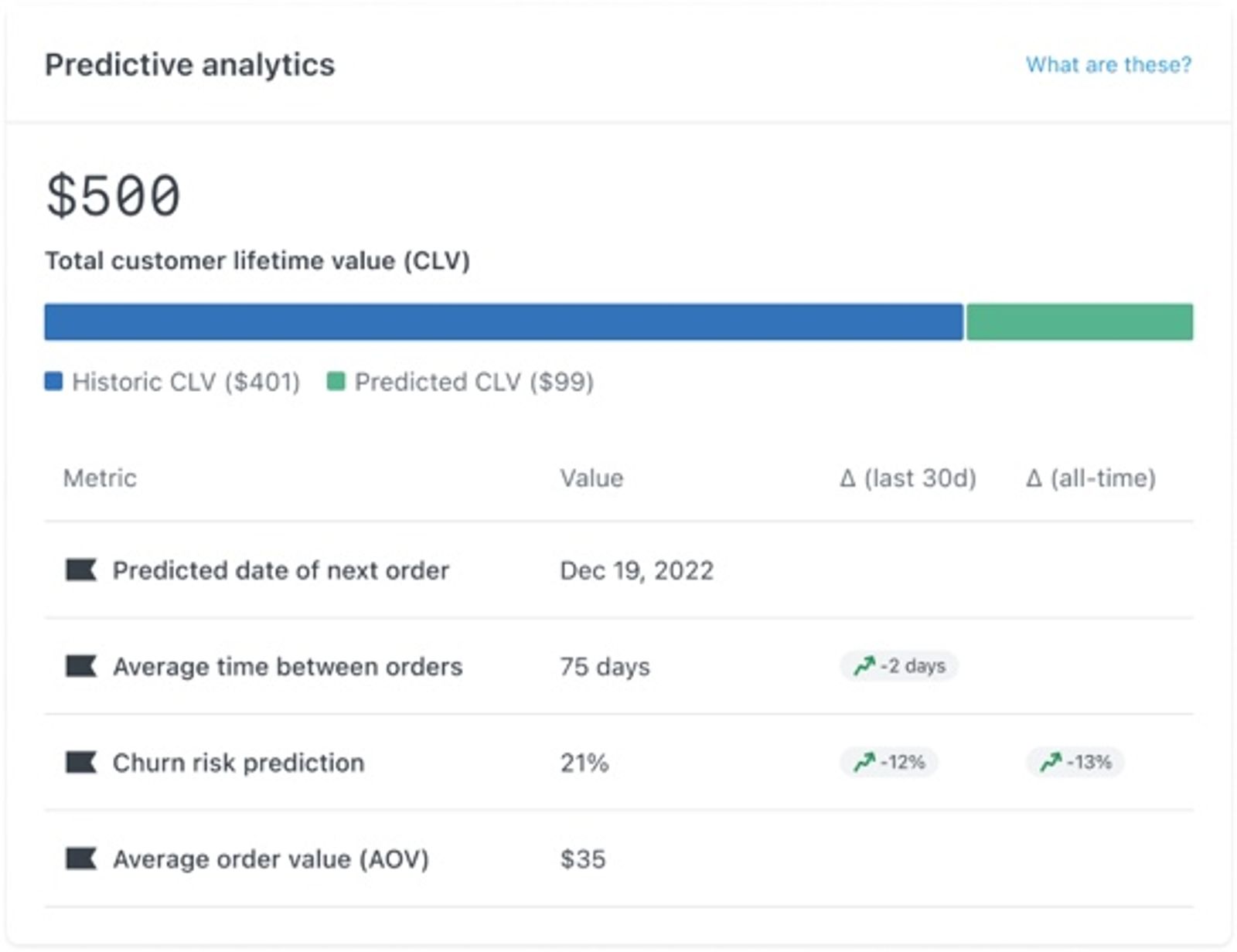
The table below defines key predictive analytics fields. CLV stands for customer lifetime value.
Field | Definition | Example value from screenshot |
Historic CLV | The total value of an individual's previous orders, using your account’s mapped metrics and accounting for refunds and cancellations. Partially refunded orders contribute their remaining value. | $401 |
Predicted CLV | A prediction of how much money a particular customer will spend during your account’s prediction period, which is 1 year by default. | $99 |
Total CLV | The sum of historic CLV and predicted CLV. | $500 |
Churn risk prediction | The probability of a customer churning is based on their number and frequency of orders. Each time the customer makes an order, their churn probability goes down, but as time elapses between orders, the churn probability increases. Churn risk is displayed as a percentage. | 21% |
Avg time between orders | The average number of days between each of a customer's orders. | 75 days |
Predicted gender | Predicted gender is also a part of Klaviyo's predictive analytics features. However, it does not appear on a customer profile. | N/A |
If you use Custom CLV with Personalization or Advanced KDP, predicted CLV and the predicted number of orders follow the Predicted date range configured for your account. Changing this range also changes total CLV. Learn more about the CLV dashboard.
How CLV data is calculated
Klaviyo automatically builds a Customer Lifetime Value (CLV) model using your company’s data and retrains the model at least once a week.
If you use the API to send Placed Order events, include the actual order value so Klaviyo can calculate CLV correctly. For the current Events API, use the value attribute. Legacy Track API payloads use the $value property.
While no one can predict the future with absolute certainty, Klaviyo's predictive analytics features are powerful tools for optimizing marketing spending and personalizing customer communication. However, predictions work best when averaged over many customers and are not expected to be exact for any single individual. While some individuals will spend more than their predicted CLV and some will spend less, as a whole, they will average each other out.
For example, the Predicted CLV value displayed in the predictive analytics box is not an exact prediction. In some cases, you may see an impossible number of predicted orders. For example, you may see 1.43 as the number of predicted orders for a particular customer. When you see this, it means we expect the customer to make 1 or 2 orders, but there’s also a chance that they'll make more or fewer. These expectations start to make sense when you group multiple customers together because you can predict the total number of orders or spend for the group. If we have 5 customers with a predicted number of orders of 1.43, 0.25, 3.12, 0.78, and 2.97, we can expect approximately 9 orders across this group.
How expected date of next order is calculated
Expected date of next order takes into account the specific customer’s order behavior and the order behavior of all of your customers. If the customer’s orders exhibit a pattern, Klaviyo recognizes this pattern and will make a prediction based on it. If the customer’s orders don’t exhibit a pattern or if we don’t have enough data on the customer, Klaviyo will make a reasonable prediction based on how your other customers behave.
FAQ about repeat purchase nurture series flow
Do I need to add past profiles into this flow? Do I need to tell the flow to populate with all possible profiles moving forward?
You don’t need to add past profiles manually. For a flow triggered by Expected date of next order, Klaviyo automatically checks existing and new profiles against the date trigger when the flow has messages in Manual or Live status. Profiles need an expected date of next order to enter; profiles who have never placed an order won’t have this date.
I saw the flow has a conditional split. How do we know the expected date for one-time purchasers?
For one-time purchasers, since we don’t know much about their purchase behavior, we calculate their expected date of next order using data across all of your customers.
Our brand has 3 classes of product frequency. For some products, customers come back randomly. Others are replenished between 60 and 90 days. The last group is replenished between 100 and 120 days. Can we teach the app to know what the customer purchased and send reminders based on the product?
Expected date of next order doesn’t consider which products the customer ordered. If you have products with distinct replenishment cycles, we recommend creating separate Placed Order triggered flows for each replenishment cycle by adding the following:
- Trigger filters to restrict each flow to products that share the same cycle
- Time delay that reflects the known cycle so you send replenishment emails at the right time
Since the predicted date doesn’t consider which product the customer last ordered or its replenishment cycle, use a standard replenishment flow if you know the replenishment cycles for most of your product categories.
Things to look out for in the repeat purchase nurture series flow
- We don’t recommend counting down to the expected date of next order as repeat customers will simply get the same sequence of emails leading up to every order which may result in unsubscribes.
- This flow shouldn’t replace replenishment flows if you know the general cycles for most of your product categories.
- If you have a high percentage of repeat buyers, you may want to only use this feature for customers who have purchased once to nurture them for their second purchase.
How predicted gender is calculated
Klaviyo’s gender prediction algorithm uses a customer’s first name along with census data to make a gender prediction of either likely male, likely female, or uncertain.
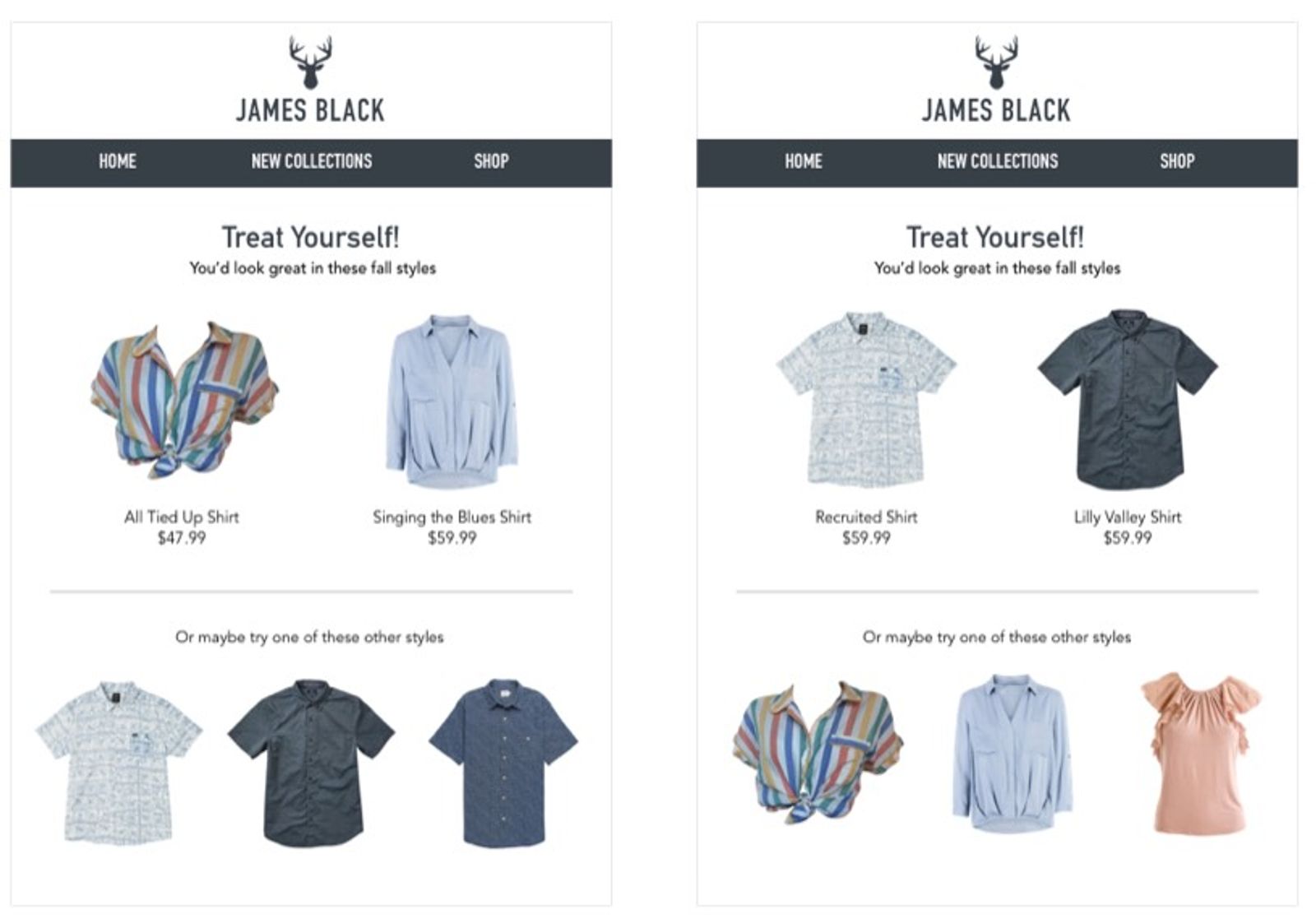
Because predicted gender is still an approximation, make sure that, when using targeted communication, you include some information for both genders.
Additional resources
- How to segment by customer lifetime value (CLV)
Learn how to create a customer lifetime value (CLV) segment and export any key CLV information. CLV is part of Klaviyo's predictive analytics and can be a powerful tool to use in segmentation. It is the total amount, both past and predicted, that a customer will purchase from your brand over time. CLV segments allow you to group customers based on this amount so that you can send them relevant content and trigger segment-based flows. For example, you can use historic CLV to build a VIP welcome flow or use predicted CLV to send targeted campaigns to customers who will likely spend a certain amount over the course of a year.
- AI-Powered customer lifetime value
- Use predictive analytics to retain more customers