事前構築済みのメールコンテンツを使用する方法
推定 1 分で読めます
|
更新日 2025年7月7日 0:00 EST
メールで事前構築済みのコンテンツを使用する方法について説明します。これらのコンテンツブロックとセクションは事前に構成されているため、複雑な設定をしなくても、デザインのベストプラクティスに沿った要素をメールに簡単に追加できます。
プリセットコンテンツについて
事前構築コンテンツは、Klaviyo が設計したさまざまなブロックとセクションで構成されています。このコンテンツはすでに設定済みのため、より短時間で美しいメールを作成できます。
一から作成するのではなく、コンテンツ(例:画像やテキストを独自のものに差し替える)を少し調整するだけで済みます。これらの要素の編集は他のセクションやブロックでの作業と同じで、変更した事前作成済みコンテンツを将来のためにユニバーサルコンテンツとして保存することもできます。
メールでプリセットコンテンツを使用する
- ドラッグ&ドロップエディターでメールを開きます。
- 左側のサイドバーでコンテンツを追加を選択し、次に事前構築を選択します。
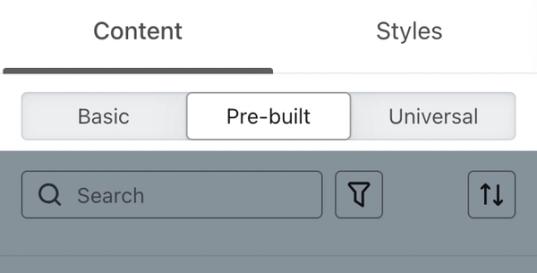
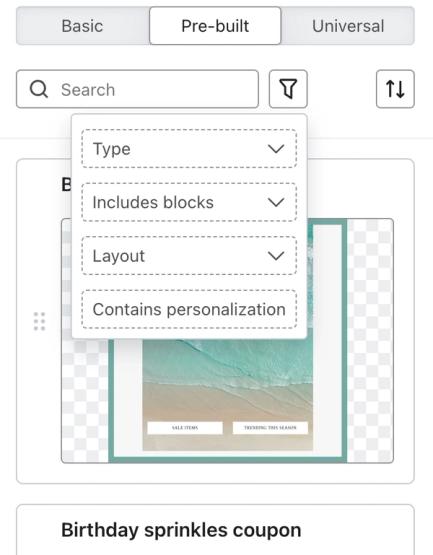
- 事前構築済みのブロックとセクションをスクロールして確認するか、検索ツールとフィルターツールを使用して検索対象を絞り込みます。メニュー全体を表示するための すべて表示するために展開 オプションが利用可能である点にご注意ください。
- あらかじめ用意されたコンテンツを、メール内で表示したい場所にドラッグしてください。
- 必要に応じてコンテンツを調整し、ブランディングに合わせてください。
- 送信前に メールをプレビュー してください。
その他のリソース
- ユニバーサル コンテンツと保存済みコンテンツを作成して管理する方法
テンプレート内の特定のブロックやセクションを再利用し、重複作業を避けるために、ユニバーサル コンテンツまたは保存済みコンテンツを作成、編集、使用する方法をご紹介します。例えば、すべてのメール テンプレートで使用するヘッダーやフッターがある場合、それを保存しておけば、新しいメールごとに最初から作り直す必要がありません。
- メールテンプレートエディター ガイド
Klaviyo のドラッグ&ドロップ メールテンプレートエディターについて、テンプレートスタイルの使用方法や各ブロックタイプの設定方法などを説明します。
- Getting started with the email template editor
この記事は役に立ちましたか?
この記事へのフィードバックは、上記のボタン・記入欄よりご提供ください。 サポートへの連絡方法.